LiftMaster HomeLink: Complete DIY Programming Guide
Learn how to set up LiftMaster HomeLink with your garage opener. This step-by-step guide covers compatibility, programming, troubleshooting, and safety for homeowners.


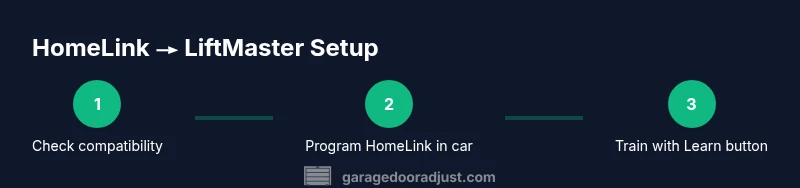
You can program LiftMaster HomeLink with many modern cars to operate a LiftMaster garage opener. This guide explains compatibility, preparing your car, clearing existing memories, and the step-by-step HomeLink training and opener learn-button process. Follow the safe sequence and test thoroughly before daily use.
What LiftMaster HomeLink is and why it matters
LiftMaster HomeLink is a built-in car feature that lets you control your garage door opener without a separate remote. When paired with a LiftMaster opener, HomeLink lets you operate the door from your vehicle, simplifying daily routines and reducing clutter. Understanding how HomeLink communicates with a LiftMaster opener helps homeowners avoid common missteps and firmware compatibility issues. According to GarageDoorAdjust, grasping the basics of HomeLink compatibility reduces frustration and speeds up the setup process. In practice, you’ll benefit from a clean, reliable integration that supports a safer, more convenient entry to the home. Throughout this article you’ll see how the liftmaster homelink pairing workflow fits into common household maintenance tasks, making it easier to manage with confidence.
Compatibility basics with LiftMaster openers
Compatibility varies by model year and transmitter frequency. Most newer LiftMaster openers support HomeLink via the standard rolling-code system, while very old models may require an intermediate device or a replacement receiver. Before you start, confirm that your car’s HomeLink edition supports your LiftMaster model and that the garage opener is in good working order. The key indicators are a functioning Learn button on the opener and a remote that operates the door reliably. If the door opens with a handheld remote but not with HomeLink, you likely need to retrain or check distance and interference sources. It’s common for issues to stem from an insufficient pairing window or from attempting steps out of order.
Prerequisites before you begin
Gather your necessary items and set up a safe workspace. You’ll need your car with HomeLink, the car’s owner manual, and the garage opener manual. A stable ladder or step stool is helpful if the Learn button is mounted high. Ensure the area around the wall console is clear to avoid accidental door movement during testing. If your car has multiple HomeLink buttons, plan to train each button individually. By laying out the prerequisites, you reduce the chance of redoing steps and keep the process efficient.
Tools, safety, and prep steps
Before you start, verify that you’re on a flat surface with enough space to maneuver a ladder safely. Wear closed-toe shoes and keep hands free of pinch points near the door. The tools you’ll need are a ladder or step stool, the car’s manual, the garage opener manual, and a steady friend or family member to help with simultaneous button presses if required. Safety is the priority; never stand under a moving door and be mindful of the door’s travel limits. If you’re unsure about any step, stop and consult the official manuals or contact a professional. A calm, methodical approach reduces errors and makes liftmaster homelink setup more reliable.
Step-by-step: prepare your car and garage
- Park the car within a comfortable distance from the opener, ensuring you can reach the car’s HomeLink buttons and the door’s Learn button. 2) Close the garage door and unplug from any unnecessary power sources to minimize movement during testing (reconnect after steps complete). 3) Locate the Learn button on your LiftMaster opener and verify it’s accessible. 4) Read the car’s HomeLink section in the owner manual to locate the appropriate button for training. Collect all manuals for reference so you can confirm screen prompts and button sequences as you proceed. This preparation makes the rest of the steps straightforward and reduces the chance of missteps.
Step-by-step: clear HomeLink memory
- In your car, access the HomeLink settings screen and select the first button to reset. 2) Hold the two outer HomeLink buttons for about 20 seconds until the indicator light begins to flash. 3) Release and wait about 30 seconds before proceeding. This clears the previous pairing so you can start fresh with the LiftMaster opener. Clearing memory is a crucial step that prevents residual codes from interfering with a clean training session. Remember, a clean slate is your best ally for a successful liftmaster homelink pairing.
Step-by-step: program HomeLink in your car
- In the car, press and hold the HomeLink button you want to train until the light changes from a slow blink to a rapid blink. 2) Release briefly, then press and hold the button you wish to operate as you would normally use it to open the door. 3) Maintain steady pressure and release only when the door begins to respond to the HomeLink signal. 4) If your car prompts for a vehicle system check or to calibrate, follow the on-screen prompts precisely. This initial programming action connects your HomeLink button to the car’s transmitter, setting the stage for the final training step with the LiftMaster opener.
Step-by-step: train HomeLink to the LiftMaster opener via the Learn button
- Return to the opener wall control and press and release the Learn button. 2) Within 30 seconds, return to the car and press and hold the trained HomeLink button for about 2-3 seconds, then release. 3) Repeat the sequence 2-3 times, testing after each cycle by pressing the HomeLink button to see if the door responds. If the door does not respond, ensure you’re within the right distance and that there is no interference from other devices. This final training step completes the liftmaster homelink pairing and ensures reliable operation, but will require patience and careful timing.
Testing, troubleshooting, and safety checks
- From inside the car, press the programmed HomeLink button to test door operation as you approach the garage. Observe for smooth opening and closing without jerks. 2) If the door does not respond, check the Learn button status, confirm HomeLink memory is intact, and ensure you’re within the recommended distance. 3) If the door opens but stalls, verify limit settings on the opener and repeat the training sequence. 4) Maintain a safety-first mindset: never place hands near moving components and keep children and pets clear during testing. With patience and careful steps, liftmaster homelink becomes a reliable daily convenience.
Authority sources
- OSHA Safety Guidelines: https://www.osha.gov
- NIST Safety and Standards: https://www.nist.gov
- Energy Efficiency and Home Safety Tips: https://www.energy.gov
Tools & Materials
- Car with HomeLink feature(Ensure your car supports HomeLink; refer to the owner’s manual)
- Car owner manual(Locate HomeLink setup and any vehicle-specific steps)
- Garage opener manual(Identify the Learn button location and function)
- Ladder or step stool(Access the Learn button if it is mounted high)
- Clear workspace(Provide enough space around the opener for safe testing)
- Assistant (optional)(Helpful for coordinating button presses or spotting)
Steps
Estimated time: 30-45 minutes
- 1
Confirm compatibility
Check your car’s HomeLink version and your LiftMaster opener compatibility. Review the manuals for any notes about HomeLink programming and ensure the door operates normally with the handheld remote before starting.
Tip: If your vehicle lists a compatibility note, follow that guidance before proceeding. - 2
Gather tools and prep workspace
Collect the car manual, opener manual, and a stable ladder. Clear the area, unplug any nonessential devices, and ensure a safe, dry surface to work on.
Tip: Label your tools and designate a clear path to the Learn button for ease of access. - 3
Clear HomeLink memory
In the car, reset the HomeLink settings and clear any existing pairings. Hold the two outside buttons until the indicator light flashes rapidly to erase prior data.
Tip: A transparent memory reset avoids cross-pairing with other remotes. - 4
Program HomeLink in the car
Select the HomeLink button to train, then press and hold until the indicator changes. You may need to repeat the press-and-hold sequence to create a successful signal.
Tip: Maintain a steady touch to ensure the signal is saved correctly. - 5
Train HomeLink to the LiftMaster opener
Press the Learn button on the opener, then quickly return to the car and train the HomeLink button as described by your manual. Perform 2–3 cycles and test.
Tip: If the door doesn’t respond, wait a moment and retry with the same timing. - 6
Test the setup
From a comfortable position in the car, press the programmed HomeLink button to open and close the door. Confirm consistent performance and absence of unusual noises or jerks.
Tip: Practice at different distances to ensure reliable operation. - 7
Troubleshoot common issues
If you see no response, recheck the Learn button status, ensure proper training sequence, and verify there’s no interference from other devices. Consult manuals for distance limits and retry as needed.
Tip: Interference sources like remotes from nearby neighbors can affect performance.
Got Questions?
Is LiftMaster HomeLink compatible with all models?
Most newer LiftMaster openers support HomeLink, but very old models may require additional hardware or may not be compatible. Always check your opener’s model guidance and the vehicle’s HomeLink documentation.
HomeLink compatibility is common for newer LiftMaster openers, but older models may need extra hardware. Check the manuals to confirm.
Should I reset HomeLink before programming?
Yes. Clearing previous memories helps avoid conflicts with existing remotes. After a memory reset, reprogram HomeLink following the steps in your manuals.
Yes, reset HomeLink before programming to prevent conflicts with old remotes.
Why isn’t it pairing after training?
Common causes include interference, distance, or not following the exact button timing. Re-check the Learn button, ensure you are the right distance, and repeat the training sequence.
If it isn’t pairing, check distance, interference, and retry the training steps with proper timing.
Can I train multiple HomeLink buttons for different openers?
Yes. Train each HomeLink button separately, following the same steps for each one. Label each button in the car for easy reference.
Yes, you can train multiple HomeLink buttons one by one.
How long does the full process take?
Plan for about 30 to 45 minutes including testing and retraining if needed. Allow extra time if you encounter unusual interference.
Around thirty to forty-five minutes for a full setup, depending on conditions.
Watch Video
Quick Summary
- Confirm HomeLink compatibility before starting.
- Follow the step-by-step sequence for reliable pairing.
- Test thoroughly in multiple scenarios before daily use.
- Consult manuals and seek professional help if needed.