Remote Control LiftMaster Garage Door Opener: Step-by-Step Guide
A complete, expert guide from GarageDoorAdjust on programming, replacing, and troubleshooting a remote control LiftMaster garage door opener with safe, practical steps and maintenance tips.


This guide shows you how to program or replace a remote control LiftMaster garage door opener, verify compatibility, and troubleshoot common pairing issues. You’ll learn practical steps, safety considerations, and how to maintain remotes for reliable operation. This article also covers choosing the right model, preparing your opener for programming, and verifying security after pairing.
What a LiftMaster remote does for your system
A remote control LiftMaster garage door opener provides convenient access to operate your garage door without walking to the wall control. Most modern LiftMaster remotes use rolling-code technology, meaning each signal is unique and changes after every use to improve security. A compatible remote allows you to open, close, and monitor the door from a distance, often with added features like one-touch close, vacation mode, or myQ integration on some models. For homeowners, understanding how a LiftMaster remote communicates with the opener helps prevent misfires and frustration during daily use. According to GarageDoorAdjust, recognizing the difference between pairing, replacing, and reassigning remotes is essential for consistent behavior and security. In this guide you’ll learn how to confirm that your remote is compatible, how to pair it, and how to maintain battery health so your remote control LiftMaster garage door opener stays reliable.
Compatibility and prerequisites for remote programming
Before you begin pairing, confirm your opener model supports the remote you have. LiftMaster uses Learn or Filtration buttons on the wall control or the unit itself to enter pairing mode. Some older systems require a different sequence, and certain security features may disable remote access if the system detects tampering or loss of power. Always check your opener’s manual or the manufacturer’s site for your exact model’s pairing instructions. For safety and reliability, ensure the door is fully balanced and stops smoothly on both sides. GarageDoorAdjust Analysis, 2026, notes that compatibility checks prevent wasted effort and reduce hours spent troubleshooting.
Step-by-step overview: pairing vs. replacing
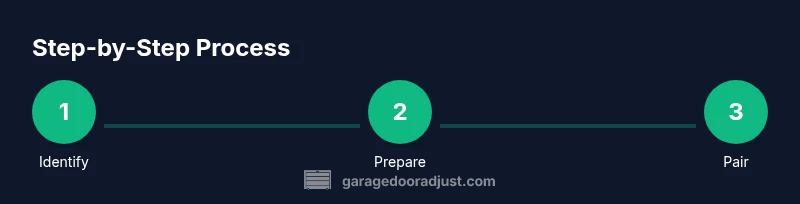
Pairing a remote to a LiftMaster opener is typically a three-part process: (1) put the opener in pairing mode, (2) trigger the remote’s button to send a code, and (3) test the remote to verify operation. If you’re replacing an older remote, you may need to erase existing remotes and re-pair all devices to avoid conflicts. In this section we’ll outline both paths and emphasize safety, alignment, and battery health as core prerequisites for reliable operation.
How to program: Step-by-step details (overview)
The actual steps to program a LiftMaster remote vary by model but share common elements: access to the Learn button (or equivalent) on the opener, a short button-press sequence, and a test. You’ll typically press and hold the Learn button for a few seconds until an indicator light signals pairing mode, then press a button on the remote to pass its code to the opener. Always start with fresh batteries and clear any interference from nearby radios or devices. This overview prepares you for the formal Step-by-Step instructions in the dedicated steps block.
Replacing a lost remote or adding a new remote to an existing LiftMaster system
If you’ve lost a remote or need to add one to an existing system, you’ll follow a pairing process that may include erasing previously paired remotes. Replacement remotes should be compatible with your model family, and you may need to confirm a factory-issued staggering code with the opener. Keep a record of model numbers and the date you pair devices, as this helps troubleshoot in the future. Safety remains a priority: ensure the door is closed during pairing and keep the area clear of people and pets.
Troubleshooting common pairing and range problems
If your remote fails to pair or has a short range, check the battery, ensure you are within range of the opener, and verify that you aren’t using the wrong Learn button sequence. Interference from nearby Wi‑Fi devices or other remotes can cause sporadic behavior. Replacing the battery with the correct type (often CR2032) and reattempting pairing after a power cycle can resolve many issues. GarageDoorAdjust recommends testing each remote after pairing to confirm consistent operation at typical garage door distances.
Safety, maintenance considerations and security best practices
Remotes should be treated as critical access devices. Keep them away from children, avoid keeping multiple remotes in close proximity to strong magnets, and replace batteries promptly to avoid signal dropouts. Regularly test the door’s auto-reverse function and inspect the opener’s safety sensors to prevent injury. For security, disable any unused remotes and re-pair after changes to your system. This reduces the risk of unauthorized access and protects your home.
Battery care and upgrading to the latest LiftMaster remotes
Battery life directly impacts reliability of the remote control LiftMaster garage door opener. Replace batteries proactively, use the manufacturer-specified battery type, and keep a spare on hand for quick swaps. If you upgrade to a newer remote, follow the provided instructions to ensure feature compatibility, especially with smart features like myQ. Regular maintenance, including sensor cleaning and firmware updates when available, helps maintain security and performance.
What to do if nothing works: contact support and warranties
If pairing fails after steps and troubleshooting, consult LiftMaster support or your retailer. Verify warranty coverage for remotes, especially if replacement parts are involved. Document the model numbers and the sequence you used for pairing, as this helps support teams diagnose the issue quickly. GarageDoorAdjust suggests reporting any consistent failures to your installer to review system health and potential parts replacement.
Tools & Materials
- LiftMaster remote control(Current or replacement model compatible with your opener)
- Replacement battery (CR2032, 3V)(Keep a spare on hand for testing)
- Flathead screwdriver(Only if service panels require tool-assisted access)
- Phillips head screwdriver(Useful for opening wall controls if needed)
Steps
Estimated time: 60-90 minutes
- 1
Identify opener and remote compatibility
Locate the model number on both the opener and the remote. Compare compatibility notes in the manual or on LiftMaster’s site to confirm the remote will work with your specific unit. Why: Using an incompatible remote won’t pair and can waste time.
Tip: If you’re unsure, record the model numbers before starting. - 2
Prepare the opener and remote for pairing
Ensure the door is fully closed and perform a quick visual check for any obstructions in the track. Replace the remote battery if it’s weak to prevent pairing failures.
Tip: Use fresh batteries and keep the remote at least a few feet from metal surfaces to avoid interference. - 3
Put the opener into pairing mode
On most LiftMaster units, press and hold the Learn button until the indicator light glares steadily. Pause briefly to avoid accidental repeats. This puts the device in listening mode for a new remote.
Tip: If the Learn light doesn’t respond, power cycle the opener by unplugging for 15 seconds and re-trying. - 4
Trigger the remote to send its code
While the opener is in pairing mode, press and hold the desired button on the remote for 3–5 seconds. Release only after you see the opener’s light flash or hear a click indicating a successful handshake.
Tip: If the opener’s light doesn’t react, try a different button or re-enter pairing mode. - 5
Test the remote from the driver’s seat
Walk to the garage door and press the paired button. The door should respond consistently in both directions within a typical range. If not, recheck alignment and battery.
Tip: Test at several distances to confirm range reliability. - 6
Add additional remotes or erase old ones (if needed)
If you’re replacing multiple remotes, you may need to erase older codes so the new set operates cleanly. Follow the opener’s instructions for erasing before re-pairing.
Tip: Keep a log of all paired remotes for security purposes. - 7
Verify safety features are active
Test auto-reverse and sensor functions to ensure safe operation. If the door doesn’t reverse, adjust sensors or call a professional.
Tip: Always verify the safety features after any programming change. - 8
Document and store your setup
Note remotes paired, battery type, and any codes. Store remotes and documentation in a secure, accessible place for future maintenance.
Tip: Label remotes clearly and include the model numbers.
Got Questions?
Do I need to reset the opener before pairing a new remote?
Not always. Some models retain previous remotes, while others require erasing existing codes to prevent conflicts. Check your model’s instructions and perform a reset if you’re replacing multiple remotes.
Sometimes you need to erase existing codes before pairing; check your model’s instructions first.
Why isn’t my LiftMaster remote pairing?
Common causes include weak batteries, using the wrong Learn button sequence, or being out of range. Verify battery health, correct pairing steps, and proximity to the opener.
Check batteries, follow the right pairing steps, and stay within range.
Can I use a universal remote with a LiftMaster opener?
Some universal remotes can work with LiftMaster units if they support the same protocol. Always verify compatibility before purchasing.
Some universals may work if they’re compatible with your model. Confirm first.
How can I tell which remote model I have?
Check the back of the remote for a model number and year. If you can’t read it, compare button layout and size to LiftMaster catalogs or contact support.
Look at the back of the remote for the model number, or compare to LiftMaster references.
What is the typical range for a LiftMaster remote?
Most remotes operate reliably within a few dozen feet of the opener, but range can vary based on wall construction and interference.
Expect reliable operation within 30 to 100 feet depending on conditions.
What should I do if the door behaves erratically after pairing?
Check for sensor alignment, close obstacles, reset pairing, and test with the wall control. If issues persist, contact support.
If it’s erratic, check sensors, reset, and try again; seek help if needed.
Is it safe to program during rain or wet conditions?
Water exposure isn’t ideal near electrical components. If possible, move under cover and dry hands before starting.
Try to program when dry; if not, take precautions to avoid moisture on controls.
Watch Video
Quick Summary
- Test compatibility before buying a remote
- Follow model-specific pairing steps
- Verify safety features after pairing
- Maintain batteries to ensure reliability