How to Troubleshoot and Program a LiftMaster Garage Door Opener Remote
A practical, step-by-step guide to diagnose, pair, and replace LiftMaster garage door opener remotes, with safety tips, troubleshooting, and model-specific considerations.


This guide helps homeowners program, troubleshoot, and replace a LiftMaster garage door opener remote. You'll learn how to pair a new remote, test it, replace batteries, manage rolling codes, and resolve common faults—without guesswork. From battery checks to re-learning the remote, this step-by-step approach keeps your garage secure and accessible. We cover model compatibility, safety precautions, and where to find the Learn button on your opener.
Why a LiftMaster Garage Door Opener Remote Fails
According to GarageDoorAdjust, most remote faults fall into three buckets: battery depletion, learning-button timing, and interference from nearby electronics. GarageDoorAdjust Analysis, 2026 notes that proper maintenance and correct pairing procedures dramatically reduce misfires and phantom opens. Understanding these categories helps homeowners quickly identify the root cause without replacing the entire system. This foundation sets you up for the hands-on steps that follow and makes safety and efficiency your friend during a repair or replacement.
The battery is the single most frequent culprit. Remote controls in cars and home automation rely on a tiny coin cell that loses voltage gradually. If the range drops or the button feels weak, start by replacing the battery with the correct size. Next, verify the Learn button on your LiftMaster opener and the pairing sequence used by your model. Different generations of LiftMaster openers use slightly different rhythms for learning new remotes; using the wrong timing will prevent the remote from pairing.
Interference is another big factor. Wireless devices, security cameras, or even a neighbor’s remote can cause collisions that prevent your remote from communicating with the receiver. To test this, move the vehicle away from other devices and try the pairing again in the open space of your garage. If the remote consistently fails, it may be time to reset the opener’s memory and reintroduce your remotes one by one.
By understanding these failure modes, you’ll be able to diagnose many issues quickly and reduce downtime. This understanding is the gateway to a smoother, safer repair process and helps you plan for maintenance to avoid future problems.
Safety First: Tools, Prep, and Battery Checks
Before you touch the hardware of your LiftMaster system, take a moment to ensure your safety. Disconnect any nearby power tools and keep the garage door balanced; a door that is not properly balanced can fall unexpectedly if the opener engages during testing. Wear safety glasses if you are going to access the receiver or sensors. Verify the area around the door is clear of children and pets.
Next, gather the necessary tools and replacements. Have a CR2032 battery on hand for most LiftMaster remotes, plus a precision screwdriver if your model uses tiny screws. A small flashlight helps you see inside the remote and the opener’s receiver. If you need to open the remote case, choose a non-marring tool and work slowly to avoid snapping plastic corners. Finally, keep a notepad to record the learning sequence and any model numbers that may appear on the opener.
With the right precautions and supplies, you’ll save time and avoid accidents. A clear workspace also helps you locate the Learn button and the receiver more easily, reducing the chance of mixing up steps.
Identifying the Learn Button and Receiver Locations by Model
LiftMaster openers have this in common: the Learn button is the control point for teaching new remotes, but its exact location varies by model. In many units, you’ll find the Learn button on the back or underside of the motor head, sometimes behind a small panel or under the light cover. On other models, it sits on the side of the wall console or inside a service panel near the nameplate. Before you start, consult your user manual or the manufacturer’s online guide to confirm the precise location for your model. Power down the system only if you must access internal components, and always re-energize the unit after you complete the test.
Knowing where to locate the receiver and Learn button helps you perform the pairing with confidence. If you cannot locate the Learn button, contact LiftMaster support or check the official LiftMaster support site for model-specific images. When you identify the Learn button, observe any indicator lights or beeps that confirm you’ve entered pairing or reset mode. This knowledge reduces trial-and-error and speeds up the process.
Programming: Step-by-Step Overview
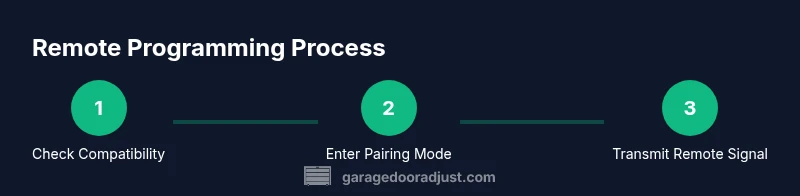
Programming a LiftMaster remote is a structured sequence that hinges on the Learn button timing and the proximity of the remote to the opener. The general flow is to activate the opener’s learning mode, then press the remote button to transmit a unique code. The receiver accepts the first successful transmission, creating a secure link that unlocks your garage door when you press the remote.
During this process, be mindful of rolling code security features that ensure each press is unique. If you are adding more than one remote, repeat the pairing for each device, typically within the same window of time, so the opener recognizes all remotes as trusted devices. If your model supports it, you can also delete old remotes from the memory to prevent unauthorized access. Always test the remote after pairing at different angles and distances to verify reliable operation across your garage.
Keep your remote away from metal surfaces while pairing, as interference or shielding can distort the signal. If the pairing fails, try again after a short cooldown period to allow the receiver to reset. Most issues can be resolved with a clean pairing sequence and ensuring you follow the exact timing defined by your model.
Common Issues and Quick Fixes: Relearning, Re-sync, and Replacing Batteries
When a remote stops working, start with the simplest fixes: replace the battery and re-check the remote’s addressing with the Learn button. If the door responds only from a few inches away, the issue is often battery-related or interference in the garage space. Interference may come from wireless devices, LED lighting, or certain power tools that emit radio frequency noise. For repeated failures, reset the opener’s memory and re-pair each remote one by one to re-establish trusted links. If re-pairing still fails, verify that you’re using a remote that is compatible with your specific LiftMaster model, as some older remotes may not pair with newer receivers.
In some cases, the receiver can develop a fault. If you’ve confirmed battery health, proper Learn button timing, and correct proximity, and the problem persists, contact customer support for hardware diagnostics or consider replacing the remote with a model known to be compatible with your opener. Remember to keep your receipts and notes of the exact model numbers to expedite service.
Advanced Scenarios: Multiple Remotes, Security, and Troubleshooting
Adding multiple remotes is common in households with several family members. Pair each additional remote in turn, ensuring you complete all steps within the window where the receiver accepts new devices. If you move the remotes around the garage, you may notice a dip in range. In that case, re-initialize all remotes in a controlled sequence to re-establish reliable communication.
Security is an ongoing consideration. LiftMaster uses rolling codes to prevent code grabbing; never reveal the Learn button or the remote’s programming details to others. If you suspect a compromised device, reset the memory and re-pair trusted remotes only. For garages shared by guests or renters, consider disabling remote access after a period of non-use and re-enabling it when needed.
Finally, some issues stem from the opener itself rather than the remote. If the motor hums but the door doesn’t move when you press the remote, the door may be off-balance or the motor drive may be damaged. In such cases, run a full safety check and consult a professional for service.
Maintenance, Longevity, and Safety Practices
Regular checks extend the life of your LiftMaster system and the remotes you rely on. Periodically inspect the Learn button and receiver for dust and moisture; moisture can corrode the contacts and hinder programming. Clean the remote’s external surface with a soft cloth, avoiding moisture entry into the electronics. Replace batteries on an annual basis or sooner if you notice reduced range or sluggish responses. Store remotes away from heat, magnets, and heavy metal objects that can interfere with signals.
The GarageDoorAdjust Team recommends cataloging all remotes and their pairing dates. This practice helps you track battery cycles and anticipate replacements before a failure occurs. If you upgrade to a newer remote or a different opener, re-check compatibility and re-pair using the steps outlined above to ensure continued secure operation.
Brand Insight and Practical Takeaways
In practice, most homeowners benefit from following a disciplined pairing routine and keeping spare batteries on hand. The GarageDoorAdjust Team emphasizes using the Learn button timing exactly as described in your model’s manual, rather than improvising. Consistency across remotes ensures that every user in your home can operate the door without frustration. When in doubt, consult the official LiftMaster support resources for model-specific guidance and safety notes. The GarageDoorAdjust Team’s verdict is that a well-maintained remote system remains a straightforward home repair task, delivering reliable access and enhanced security.
Tools & Materials
- CR2032 coin cell battery(Most LiftMaster remotes use this battery; verify model)
- Precision screwdriver (Torx/Phillips)(If your remote has screws)
- Flathead prying tool or plastic card(For case opening without damage)
- Small flashlight(To illuminate the remote and opener interior)
- Notepad and pen(Record pairing steps and model numbers)
- Replacement LiftMaster remote (model-compatible)(Confirm compatibility with your opener)
- Work surface with stable footing(Prevent loss of small parts)
Steps
Estimated time: 20-30 minutes
- 1
Verify compatibility and gather tools
Check your opener model and remote compatibility before starting. Gather the battery, a precision screwdriver, and the remote you intend to program. Confirm you have a safe, dry workspace to prevent damage to parts.
Tip: If in doubt, reference the model number on the opener’s label. - 2
Power down and prepare the area
Ensure the garage space is clear and the door is closed or secured. If you must open the opener housing, do so with careful handling and only after unplugging or turning off the unit as per the manual.
Tip: Keep children and pets away during the process. - 3
Open remote and inspect battery
Carefully pry open the remote casing. Inspect the battery for corrosion or leakage. If needed, remove the old battery and insert a new CR2032 with the correct polarity.
Tip: Handle batteries gently to avoid bending contacts. - 4
Enter pairing mode on the opener
Locate the Learn button on the opener unit and press or hold it according to your model’s instructions until the indicator light blinks. This puts the receiver into pairing mode.
Tip: If the light does not respond, verify power and refer to the manual for reset steps. - 5
Transmit the remote signal
Within 1-3 inches of the Learn button, press and hold the remote button until the opener confirms pairing (sound or light indication). Release and wait briefly.
Tip: Do not press multiple buttons at once; this can confuse the receiver. - 6
Test the remote at different angles
Stand in front of the door at varying distances to ensure the signal reaches the receiver. If the door doesn’t respond, reposition and try again.
Tip: Test from the far end of the garage to confirm full range. - 7
Program additional remotes if needed
If pairing more remotes, repeat the transmit step for each device within the same pairing window. Keep a log of which remote belongs to which user.
Tip: Label remotes with a small tag for easy identification. - 8
Finalize and secure the system
Close the remote housing, reassemble panels, and confirm all remotes operate. Re-lock or secure any panels you opened and store spare batteries in a safe location.
Tip: Document the pairing dates for future maintenance.
Got Questions?
Can I program a non-LiftMaster remote to a LiftMaster opener?
Most LiftMaster openers pair only with LiftMaster remotes due to security and compatibility. Third-party remotes may not work or could impair security. Check your opener model's compatibility guide before attempting pairing.
Non-LiftMaster remotes may not work with LiftMaster openers and could compromise security. Check compatibility before trying.
What if the Learn button doesn’t respond during pairing?
Verify the opener has power, and the unit isn’t in a locked safety mode. If needed, perform a factory reset per the user manual, then retry the pairing with a fresh battery in the remote.
If the Learn button doesn’t respond, check power and safety modes, then retry with a new battery after a reset.
Why does the remote work only at close range?
A weak remote battery, a misaligned receiver, or interference can reduce range. Replace the battery and ensure the remote isn’t obstructed by metal or thick insulation.
If range is limited, check the battery and ensure nothing blocks the signal.
How often should I replace the remote battery?
Most remotes perform best with a yearly battery change or whenever you notice reduced range. Keep spare batteries on hand to avoid delays during pairing.
Replace yearly or when range drops, and keep spares handy.
Is it safe to relearn remotes if the door is moving?
No. Do not attempt pairing while the door is in motion. Ensure the door is fully closed or secured and that people are clear of the path.
Do not pair while the door moves; keep the area clear for safety.
How do I reset all remotes to factory settings?
Refer to your model’s manual for the exact reset procedure. In many cases, you can reset the opener’s memory and re-pair remotes one by one.
Check the manual for model-specific reset steps and re-pair remotes one by one.
Watch Video
Quick Summary
- Test battery before re-pairing to save time.
- Use the Learn button timing precisely for reliable pairing.
- Ensure remotes are compatible with your LiftMaster model.
- Test range from multiple positions to verify reliability.