How to Program and Troubleshoot the LiftMaster 893MAX Garage Door Opener Remote
Learn how to program, troubleshoot, and maintain the liftmaster garage door opener remote 893max. Step-by-step tips, battery care, and safe handling for homeowners.


This guide shows homeowners how to diagnose, pair, and program the LiftMaster garage door opener remote 893MAX, plus quick troubleshooting for common issues. You’ll learn how to replace the remote’s battery, re-sync it with your opener, and what to do if the remote stops working. Follow the step-by-step instructions to restore reliable, convenient access to your garage.
Understanding the liftmaster garage door opener remote 893max
The liftmaster garage door opener remote 893max is designed to work with a wide range of LiftMaster openers and uses a Learn button method to pair with the motor head. Homeowners rely on this remote for convenient access, especially in busy households where hands-free access isn't always possible. According to GarageDoorAdjust, choosing the right remote for your opener reduces the frequency of pairing issues and extends the life of the remote’s batteries. When you handle the liftmaster garage door opener remote 893max with care, you minimize interference from nearby devices and maintain reliable performance. This model is compact, easy to hold, and compatible with most current LiftMaster systems, but always confirm compatibility with your specific opener before purchasing. The goal is to have a remote that responds quickly, without having to press the button repeatedly, and to avoid losing the remote in tight spots like between seat cushions or in the car.
In practice, the liftmaster garage door opener remote 893max is used to operate the door by sending a coded signal to the opener. The remote’s battery powers this signal, so battery health is a critical factor in range and reliability. If your garage door seems slow to respond or only responds at very close range, start by checking the battery and re-pairing the remote to the opener. This is where many homeowners experience a smoother experience simply by refreshing the pairing and ensuring the code transmitted is current.
Compatibility and prerequisites
Not all remotes work with every LiftMaster model. The 893MAX remote uses the standard Learn button pairing process and is designed to work with a broad family of LiftMaster openers that include a Learn or
button on the motor head. To ensure smooth operation, verify the opener’s model number and confirm that the 893MAX is listed in the compatibility section of the user manual or the official LiftMaster website. If you have an older or third-party opener, the distance at which the remote works may be reduced or the pairing might not be possible at all. It’s essential to check the compatibility before attempting programming.
If your opener has had recent repairs, door alignment adjustments, or internal control panel changes, you might need to re-sync the remote after any service. Also ensure there is no significant interference in the garage from wireless devices, routers, or metal shelving that might reflect the signal. The liftmaster garage door opener remote 893max should be stored away from extreme heat or moisture, which can shorten battery life and reduce signal strength over time.
Tools and safety before starting
Before you begin, gather the required tools and confirm safety conditions. A quick precaution is to turn off the garage door to avoid any accidental movement during pairing. You’ll want a calm, dry environment and a hand-held lamp if your garage lighting is dim. The basics include a fresh or known-good battery for the remote and access to the opener’s Learn button. If you have more than one remote, you can pair them one at a time to avoid memory conflicts. In this guide, you’ll see the phrase liftmaster garage door opener remote 893max used repeatedly to reinforce the exact model and avoid confusion when purchasing or testing replacements.
Always follow basic electrical safety and keep children and pets away from the door during programming. Garage doors can be heavy and unpredictable if accidentally activated during the setup process. If you suspect the opener has any mechanical issues, contact a professional technician rather than relying solely on the remote for control.
Programming overview for the 893MAX remote
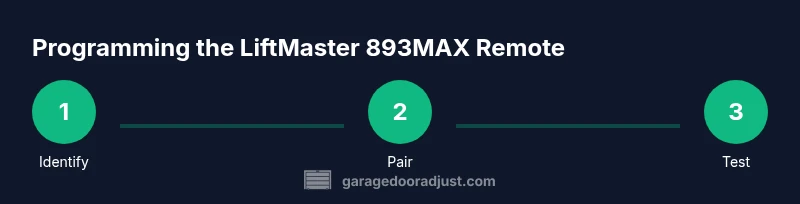
The programming journey for the liftmaster garage door opener remote 893max is built around a simple Learn button sequence. You’ll typically press the Learn button on the opener, then press the button on the remote to pair. If you’re moving from an older remote or consolidating remotes, you may need to erase existing codes first, then pair anew. The process is designed to be user-friendly but relies on accurate timing and a clear line of sight between the remote and opener. The phrase liftmaster garage door opener remote 893max will appear in this and subsequent sections to remind you of the exact model during steps and checks.
During pairing, make sure the door is closed or that the opener is in a safe state. Any movement could cause injury. If your opener uses a battery within the control panel, ensure you do not accidentally press any other buttons during the Learn sequence, which could confuse the memory.
Common symptoms and quick fixes
If the liftmaster garage door opener remote 893max stops working, the issue is most often battery-related, a misplaced Learn sequence, or interference from nearby devices. Weak batteries reduce signal strength and reduce the effective range. If the remote responds only at very close range, replace the battery and re-test. If there’s no response after replacement, re-run the pairing sequence. Interference can come from smartphones, routers, or even metal surfaces inside the garage; try relocating the opener’s receiver or removing close-range devices temporarily while testing. When a remote won’t sync, repeating the Learn and pair steps typically resolves the problem, provided there are no hardware failures.
For persistent issues, check that the door isn’t constrained by mechanical problems such as track misalignment or spring tension. A malfunctioning opener can sometimes interfere with remote functionality. If you continue to experience difficulties after multiple pairing attempts, it may be time to pursue an official inspection or consider a replacement remote that supports your current opener model.
Battery replacement and maintenance
The remote’s battery is the lifeblood of performance. Replacing the battery for the liftmaster garage door opener remote 893max should be straightforward and quick, and you should do it before the battery becomes completely dead. When you replace the battery, you should re-pair the remote to the opener to ensure the new battery is recognized. The most common remote batteries are coin cells, and you should choose a battery type recommended by LiftMaster for your exact model. After installation, test by pressing the button multiple times from varying distances to ensure clear signals reach the opener.
Store the remote away from direct sunlight, heat, moisture, and metal shelves that can create reflective interference. Keeping extra batteries on hand is a simple step that reduces downtime should your current battery slowly lose life. Regular maintenance, including cleaning the battery contacts with a dry cloth, can also improve contact reliability. When you replace a battery, you may wish to note the date on the remote’s back or in your home maintenance log to monitor battery life trends over time.
Safety practices and best-use tips
Safety is essential when working with any garage door system. Always keep people and pets clear of the door while testing remotes and performing pairing. If the Learn button is recessed or hard to reach, do not force tools into the mechanism—seek professional help. The liftmaster garage door opener remote 893max should be treated as a key access tool; store it in a safe, secure location to prevent unauthorized use. When replacing batteries, avoid short circuits by keeping metal objects away from the battery contacts. In addition, keep the packaging and battery waste out of reach of children and recycle used batteries according to local regulations. This careful approach minimizes hazards and ensures reliable remote operation.
To maximize reliability, pair remotes one at a time and test each after a short wait to confirm the signal is registered by the opener. If your garage has multiple doors or multiple openers, label each remote to prevent confusion during future programming.
Aftercare: what to do if it still doesn’t work
If the liftmaster garage door opener remote 893max still fails after following the above steps, it may be time to consider a replacement remote or a deeper diagnostic. Confirm you are using the correct model number and that your opener supports 893MAX remotes. If compatibility is confirmed but the remote still doesn’t function, you can attempt a full reset of the opener’s learning memory and re-pair; this is sometimes necessary when the system has been reconfigured or there have been electrical disturbances. If the problem persists, contact customer support or a qualified technician for hands-on assistance, as the issue could be internal to the opener or a chronic interference problem.
Authority sources
For safety and best practices, consult credible sources:
- https://www.osha.gov
- https://www.cpsc.gov
- https://www.nist.gov
Tools & Materials
- Fresh remote battery (manufacturer-recommended type for 893MAX)(Check exact model: CR-series coin cell or equivalent as specified by LiftMaster for 893MAX)
- Screwdriver or coin to open battery compartment(Optional; many remotes have snap-open housings)
- Access to the garage door opener motor head (Learn button visible)(Needed to pair the remote to the opener)
- Owner manual or opener model information(Helps verify compatibility and correct programming steps)
- Marker or label for remote identification(Useful when you have multiple remotes)
Steps
Estimated time: 30-45 minutes
- 1
Identify compatibility and gather tools
Locate your opener model and confirm that the LiftMaster 893MAX remote is compatible. Gather a fresh battery, the opener’s manual, and a way to access the Learn button. Ensure the garage is clear of people and obstacles before starting.
Tip: Double-check the model number on the remote and the opener to avoid wasting time on an incompatible pairing. - 2
Open the remote and replace the battery
Carefully open the remote’s battery compartment and remove the old battery. Insert the new battery with the correct polarity, ensuring it sits securely in the contacts. Close the housing gently, making sure there are no gaps.
Tip: Use a dry cloth to clean contacts if they look corroded or dirty. - 3
Prepare the opener for pairing (Learn button accessible)
Locate the Learn button on the opener motor head. If the button is recessed, use a small screwdriver to press it briefly. Keep the door closed and do not operate the motor during this step.
Tip: Some models require you to hold the Learn button for a moment; refer to the manual if timing feels off. - 4
Initiate pairing with the remote
Within a short window after pressing Learn, press and hold the button on the 893MAX remote you want to use. Hold until you hear a click or see the LED blink, indicating successful pairing. Release the button once paired.
Tip: If the LED doesn’t respond, repeat steps 3 and 4 with a fresh battery. - 5
Test the remote range and function
Move a short distance away and press the remote button to verify the door responds. Increase distance gradually while ensuring consistent operation. Test from multiple angles to ensure a reliable signal.
Tip: Test from the car doorway, not just from near the opener to mimic real-world use. - 6
Troubleshoot if the remote won’t pair
If pairing fails, erase existing codes from the opener’s memory and retry. Verify there’s no interference from other devices and ensure the opener is still powered. If needed, revisit the Learn button duration and check for firmware or hardware limitations.
Tip: Avoid repeatedly pressing Learn while you’re standing in front of the opener; short, deliberate presses work best. - 7
Finalize and document
Once paired, label the remote and note the pairing date in your home maintenance log. Exit programming mode on the opener and perform a final test.
Tip: Keep a spare remote handy for emergencies but store away from children.
Got Questions?
Compatibility with a specific LiftMaster opener?
The 893MAX remote is compatible with many LiftMaster models that include a Learn button on the opener. Check your model number in the manual or on LiftMaster’s site to confirm compatibility before purchasing. If your opener isn’t listed, you may need a different remote.
Most LiftMaster openers with a Learn button work with the 893MAX remote. Always verify compatibility in the manual before buying.
What battery does the 893MAX remote use?
The 893MAX remote uses a replaceable coin-cell battery specified by LiftMaster. Use a fresh, manufacturer-recommended battery to ensure optimal performance and avoid damage to contacts.
Use the recommended coin-cell battery for best results and test after replacement.
Why won’t my remote sync after a replacement?
Ensure you followed the sequence precisely: initiate Learn on the opener, then press the remote button within the pairing window. If needed, erase memory on the opener and retry with fresh batteries.
Make sure you’re in the pairing window and try again with new batteries.
Can I pair more than one remote to the same opener?
Yes. After the first remote is paired, you can repeat the process to add additional remotes. Do not overlap the pairing steps for different remotes to avoid memory conflicts.
Yes, you can pair multiple remotes to the same opener by repeating the pairing steps for each one.
What safety steps should I take during programming?
Keep hands and feet clear of the door, ensure the area is free of people, and never stand under a moving door during programming.
Stay clear of the door and ensure no one is in the path during setup.
If the Learn button is unresponsive, what now?
Check power to the opener and inspect for any physical damage. If the Learn button is stuck or unresponsive, consult the manual or a technician for service.
Check the power and refer to the manual; contact a pro if needed.
Watch Video
Quick Summary
- Test compatibility before purchasing 893MAX
- Replace batteries and re-pair to restore range
- Follow Learn button steps precisely to pair
- Test from multiple distances for reliability
- Maintain remotes with proper storage and labeling