Lift Master Garage Door Not Closing: Troubleshooting Guide
Urgent, practical troubleshooting guide for a Lift Master garage door not closing. Learn sensor checks, limit adjustments, track and wiring inspections, and when to call a pro for safe, reliable operation.


If you’re facing a lift master garage door not closing, you’re not alone. In most cases the opener is working, but safety features stop it from finishing the job. The common culprits are misaligned safety sensors, an obstructed photo-eye, or a closing limit that’s out of range. According to GarageDoorAdjust, sensor alignment and track clearance are the most frequent culprits. A calm, methodical check reduces risk and speeds recovery. Keep hands clear, and never bypass safety devices. This stage sets the tone for a safe, stepwise fix.
Understanding the symptom and why it happens
If you’re facing a lift master garage door not closing, you’re not alone. In most cases the opener is working, but safety features stop it from finishing the job. The common culprits are misaligned safety sensors, an obstructed photo-eye path, or a closing limit that’s out of range. According to GarageDoorAdjust, sensor alignment and track clearance are the most frequent culprits. A calm, methodical check reduces risk and speeds recovery. Keep hands clear, and never bypass safety devices. This stage sets the tone for a safe, stepwise fix.
The door may reverse or stop before closing, signaling that the safety system is actively protecting you. Before you touch any wiring, take mental note of what you changed before the failure appeared. If the door behaves differently depending on the source of the signal (wall switch vs. remote), you may have an electronics or programming issue rather than a purely mechanical one. In all cases, safety remains the top priority, so proceed carefully and avoid forcing components that resist normal movement.
GarageDoorAdjust’s guidance emphasizes a structured approach: isolate the symptom, confirm safety sensor status, test the travel limits, and then address any mechanical friction. This approach minimizes risk and accelerates a correct fix while preserving the door’s safety features for daily use.
Safety sensors: the number one culprit
The photo-eye safety sensors are designed to prevent the door from closing on people or objects. If the beam is blocked or misaligned, the opener will automatically reverse or stop before it completes the close cycle. Look for the sensor LEDs; a steady green usually means alignment, while a flashing LED signals misalignment or obstruction. Clean the sensor lenses with a soft cloth, re-position the sensors so they face each other directly, and ensure the gap between the sensing eyes is within spec. After realignment, test the close cycle from both the wall switch and the remote.
If you notice the LED indicators don't behave as expected, inspect the wiring harnesses for loose connectors or damaged cabling. A loose or damaged connection can mimic sensor misalignment while actually blocking the signal path. Re-seat all connectors and gently tug on wires to verify a solid grip. If the LED still blinks or stays off, plan for sensor replacement rather than chasing intermittent faults.
Track alignment, rollers, and balance
A bent track or jammed rollers can physically prevent the door from closing fully, even if the sensors are fine. Inspect the vertical and horizontal tracks for dents or debris. Open and close the door manually to feel for binding. Lubricate moving parts with a light garage-door lubricant, avoiding heavy lubricants that attract dust. If the door feels heavy or unbalanced, the spring assembly or balance system may require professional attention.
Check that fasteners are tight but not overtight, especially where the track bolts to the jambs. A misaligned track can create friction that the opener cannot overcome. If you spot a dent, mark it with painter’s tape to keep track of any changes during testing. Remember: never attempt to adjust torsion springs yourself—the risk is serious and requires a licensed tech.
Limit switches, travel, and force settings
The operator uses limit switches to determine where the door fully closes. If those limits shift, the door may stop short of fully closing. Access the opener’s control panel, locate the Close or Down limit setting, and adjust in small increments while testing. Also verify the force/door-collision setting is not overly aggressive, which could prevent closing. When making adjustments, document your current settings in case you need to revert.
Be mindful of the sequence: test with the door fully open, then close in a controlled, incremental fashion. If the door still stops short, re-test after a brief power cycle to ensure the control board isn’t stuck in a partial state. If you hear grinding or watch the operator stall at a specific position, the issue is more likely mechanical than electronic.
Photo-eye testing and wiring basics
In addition to realigning, test the photo-eye with a simple obstruction test: place a small object in the beam’s path and observe whether the door stops and reverses. If the door closes despite a partial obstruction, the sensor or wiring may be faulty. Check the wiring harnesses for loose connectors; reseat any loose plugs and look for damaged wires. If the sensor LED behavior remains inconsistent, plan for sensor replacement.
If you can access the photo-eye safely, use a dry cloth to remove dust from both lenses. Avoid water or solvent cleaners that could damage coatings. When testing, do not place your hands directly under the door while it's moving to avoid injury.
Power, outlets, and electrical resets
Electrical issues can masquerade as mechanical faults. Ensure the opener is plugged into a live outlet and that the circuit breaker hasn’t tripped. If you recently reset a GFCI outlet or replaced a fuse, re-test the close cycle. Some garage door openers have built-in safety features that require a factory reset after certain repairs; consult the manual before performing a reset to avoid losing programming.
If you use a smart home integration, test the control signal path as well. A misbehaving hub or app rule can appear like a physical fault when the door simply isn’t receiving the proper close command. Always differentiate between user-command issues and hardware faults to avoid unnecessary replacements.
Quick fixes you can try now (non-destructive)
- Unplug, then replug the opener after 60 seconds to reset electronics.
- Realign photo-eye sensors using a level and ensure they face each other.
- Inspect and clear the track of debris; ensure nothing jams the door.
- Test the close cycle with the door fully open and unweighted to gauge movement. If it moves unevenly or stalls, stop and reassess rather than forcing movement.
When to call a professional (GarageDoorAdjust guidance)
If the door still won’t close after sensor realignment, limit adjustment, and track cleaning, it’s time to call a pro. Persistent issues could indicate worn springs, broken cables, or a faulty opener logic board that requires specialized tools. The GarageDoorAdjust team recommends scheduling a diagnostic visit to safely verify springs, hinges, tracks, and the opener settings, ensuring all safety devices function correctly.
A licensed technician will perform a thorough safety check, measure spring tension, inspect cables, and confirm the opener’s motor torque is within spec. They will also recalibrate the system to the manufacturer’s recommended limits and verify the Safety Reverse mechanism operates correctly on both sides.
Maintenance and prevention routines
Preventive maintenance reduces the odds of a recurring problem. Create a simple 6-month schedule that includes sensor cleaning, track inspection, lubrication, and periodic balance checks. Keep the area around the door clear to prevent obstructions. Annual professional inspections can catch issues before they become dangerous. Document changes to settings to help future troubleshooting. Regularly inspect and replace worn parts such as rollers or weather seals as needed, and update any remote or keypad programming after service to maintain reliable operation.
Troubleshooting checklist at a glance
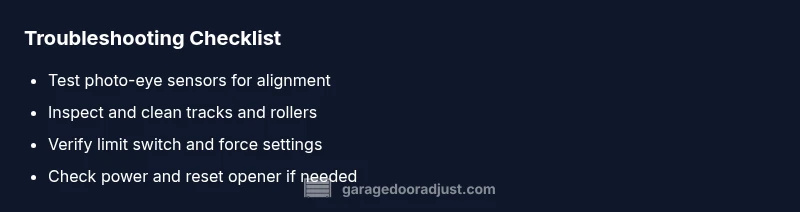
- Confirm door is closed only when sensors and limits align correctly.
- Clear obstructions and realign safety sensors if the LED indicators show misalignment.
- Inspect tracks and balance; ensure rollers move freely and are properly lubricated.
- Verify power, reset electronics, and re-test from both wall switch and remote.
- If issues persist, contact a licensed professional for a safe inspection and replacement parts.
Steps
Estimated time: 45-60 minutes
- 1
Power down safely
Unplug the opener and set the door’s manual release to disengage the door from the opener. This keeps your hands clear of moving parts while you inspect sensors and tracks.
Tip: Always unplug before touching wiring or removing covers to prevent electric shock. - 2
Test photo-eye sensors
Inspect both photo-eye lenses for dirt and misalignment. Clean with a dry microfiber cloth, then ensure the eyes face each other directly with a small gap. Observe the LED indicators while testing with the door closed and open.
Tip: If one eye’s LED is off, realign or replace that sensor before continuing. - 3
Realign sensors
Adjust the sensor brackets until both LEDs show steady illumination. Use a level to ensure the sensors are perfectly aligned and mounted at the same height as the door edge.
Tip: Take a quick photo after alignment to document the position for future reference. - 4
Check tracks and rollers
Visually inspect tracks for dents, obstructions, or loose bolts. Manually move the door to feel for binding. Clean and lightly lubricate moving parts; avoid lubing the belt or chain excessively.
Tip: Never lubricate exposed torsion springs—this is dangerous. - 5
Adjust limits and force
Access the opener’s control panel and locate Close/Down limit. Move in small increments while testing. Also verify the force setting isn’t overly aggressive, which can prevent closing.
Tip: Document original settings before adjusting in case you need to revert. - 6
Test the close cycle
Reconnect power and run a full close cycle from both the wall push-button and the remote. Watch for consistent behavior and listen for odd noises that could indicate hardware trouble.
Tip: If the door hesitates at the same position, recheck the limits and track alignment. - 7
Reassess safety features
Ensure the door reverses on a light obstruction and that the auto-reverse feature engages with the test obstacle.
Tip: Do not bypass safety features to force the door to close; this creates serious risk.
Diagnosis: Lift Master garage door not closing
Possible Causes
- highPhoto-eye sensor misalignment or obstruction
- highClosing limit switch misadjusted or faulty
- mediumDoor on track binding or misaligned track
- lowControl wiring or receiver problem
Fixes
- easyRealign photo-eye sensors and remove any dust/debris from the sensor path
- easyReset and recalibrate travel limits and force on the opener
- easyInspect tracks/rollers; clean, lubricate and reseat components as needed
- easyCheck wiring connections to sensors and opener; reseat any loose plugs
- mediumIf unresolved, contact a qualified technician for a diagnostic service
Got Questions?
Why won't LiftMaster close?
LiftMaster doors often fail to close due to misaligned safety sensors, a misadjusted limit switch, or a physical obstruction on the track. Start with sensor alignment and limit settings, then inspect the track if needed.
If your LiftMaster won't close, start with sensor alignment and limit checks, then inspect the track for obstructions.
How to test photo-eye sensors?
Block the beam briefly and observe whether the door reverses. Clean the lenses and realign the eyes until the LEDs indicate proper alignment.
Test the photo-eye by blocking the beam and watching for reversal; clean and realign if needed.
What is a limit switch and why does it matter?
The limit switch tells the opener when the door is fully closed. If it’s mis-set, the door can stop short. Adjust the close limit in small increments and retest.
The limit switch tells the opener when the door is fully closed; adjust gradually and test.
Can a track obstruction cause closing problems?
Yes. Debris or a bent track can block the door. Inspect, remove debris, and repair or replace damaged sections as needed.
Track obstructions can prevent closing; check tracks and clear debris.
When should I call a pro?
If safety devices fail or you hear grinding or see damaged components, stop and contact a licensed technician. A pro can safely test springs, cables, and the opener’s logic.
Call a pro if safety features fail or you hear grinding; a licensed tech will inspect springs and cables.
Could a power outage affect closing?
Power outages can reset some openers or disrupt stored settings. After power returns, re-test and reprogram as needed following the manual.
Power outages can reset settings; re-test and reprogram if necessary.
Watch Video
Quick Summary
- Verify safety sensors first before touching limits
- Clear obstructions and test track movement
- Calibrate door limits and force precisely
- Inspect wiring connections for reliability
- Call a pro when springs or electronics show wear