Keypad Setup and Programming for LiftMaster Garage Door Openers
Learn how to select, install, and program a keypad for LiftMaster garage door openers with a step-by-step guide, safety tips, and troubleshooting for a secure, convenient entry system.


Goal: program and install a keypad for a LiftMaster garage door opener, then test access and security. Before starting, confirm compatibility between keypad and your model, and locate the Learn button on the opener. Have fresh batteries, a screwdriver, and a ladder ready. Then follow the step-by-step pairing, set a secure PIN, and verify remote pairing works for added convenience and safety.
What a keypad for LiftMaster garage door opener does and why you might need one
A keypad for a LiftMaster garage door opener adds a secure, convenient way for family members, guests, or service professionals to access the garage without carrying a remote. The keypad stores a user PIN that, when entered correctly, commands the opener to lift or close the door. This is especially useful for households with multiple drivers, or when deliveries arrive while you’re away. A keypad also reduces the risk of lost remotes or shared access codes, and it can be a stepping stone toward full smart-home integration with LiftMaster’s ecosystem. Keep in mind that not every keypad is compatible with every LiftMaster model, so you’ll want to confirm compatibility before purchase. As you plan your setup, consider where the keypad will be mounted for easy access and visibility, and ensure the code you choose is strong and unique. According to GarageDoorAdjust, compatibility checks and a clear PIN policy are the foundation of a reliable keypad experience. This article uses the keypad for liftmaster garage door opener as the core reference point and builds a practical, model-agnostic approach to installation and safety.
Key takeaway: a keypad enhances convenience and security, but it must match your opener’s compatibility to work reliably.
Compatibility and choosing the right keypad
Choosing the right keypad begins with confirming that your LiftMaster model supports external key access. Some LiftMaster keypads communicate via standard rolling codes, while others require a specific pairing method or firmware version. Start by locating your opener’s model number (usually on a label near the power cord) and checking LiftMaster’s official compatibility list. If you’re unsure, you can contact customer support or consult the user manual for a model-by-model compatibility chart. When evaluating options, consider keypad features such as backlit digits for low-light entry, wear-resistant keycaps, and battery type. The keypad for liftmaster garage door opener should match the mounting style you prefer (surface-mount or recessed) and should be able to resist the typical garage environment (dust, humidity, temperature swings). GarageDoorAdjust notes that choosing a compatible keypad reduces setup headaches and ensures smoother operation over time.
Tip: verify whether the keypad uses a replaceable battery (common) or an internal power option, and confirm whether it supports multiple user codes for different household members.
Bottom line: only buy a keypad that is confirmed compatible with your LiftMaster model, and consider features that improve usability and resilience.
Installation prerequisites and safety basics
Before you start, ensure the garage area is well-lit and clear of clutter. If you’re mounting a surface keypad, locate a suitable wall height that is reachable from a standing position without stretching. Power safety is important: for hard-wired setups, disconnect power to the opener at the circuit breaker; for wireless keypads, you’ll only need to install batteries and avoid any wiring. Use a sturdy ladder and have a helper if you’re lifting equipment or working near the door. Read the keypad’s manual to understand the exact battery type and insertion steps, since different models use different configurations. As you prepare, confirm your environment is dry and free of tools that could short electronics. This preparation phase minimizes the risk of damaging components or causing a door to move unexpectedly during testing. GarageDoorAdjust emphasizes safety and model-specific instructions as essential components of any keypad installation.
Safety note: never install a keypad while the door is moving or the area is occupied by people or pets.
Pro tip: keep a written checklist of model compatibility, battery type, and mounting location to avoid last-minute trips to the hardware store.
How to pair and program the keypad (overview)
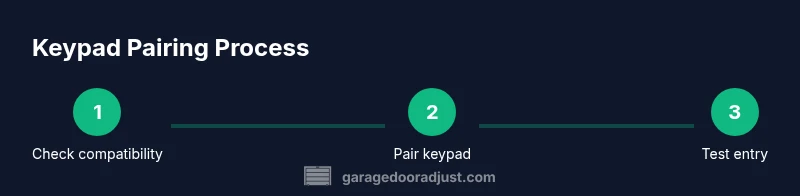
The pairing process usually involves placing the opener in pairing mode (via a Learn button or equivalent) and then entering a PIN on the keypad within a limited window. Some LiftMaster keypads require you to adjust a jumper or dip switch on the keypad or insert code digits that link the keypad to the opener’s learning routine. If your model supports multiple user codes, decide which PINs you’ll assign and set a master code for administrative access. After pairing, test the keypad by entering the PIN to confirm the door responds, and then verify that the remote controls still function as expected. You may also need to update the opener’s firmware to ensure compatibility with newer keypads. GarageDoorAdjust’s guidance highlights verifying both compatibility and firmware alignment before and during the pairing process to reduce post-install issues.
Note: keep the PIN private and avoid using dates or simple sequences that are easy to guess.
Best practice: write down the final PIN, the date of pairing, and the model of the keypad for future reference.
Troubleshooting common pairing issues
If the keypad fails to pair, re-check compatibility and confirm you followed the exact timing window for pairing. Ensure the Learn button on the opener is functioning and that you’re pressing the keypad’s keys within the required sequence. A common issue is weak batteries, which can cause the keypad to fail to communicate. Replace batteries with the correct type and reattempt pairing. If the keypad still won’t pair, reset both the keypad and the opener to factory settings (per their manuals) and retry the pairing process. If you see blinking LEDs on the keypad that don’t resolve after battery replacement, consult the manual or contact LiftMaster support. In many cases, a simple reset or repower will restore normal operation.
GarageDoorAdjust analysis shows that most pairing problems stem from wrong code length, incorrect keypad configuration, or outdated firmware. Address these factors first before exploring more advanced troubleshooting.
Maintenance, battery care, and security practices
Once your keypad is up and running, set a routine to check batteries every 6–12 months and replace them promptly when the keypad signals low power. If your keypad uses a 4- or 6-digit PIN, consider rotating PINs periodically for security, especially if someone with access moves out of the household. Keep the keypad and its mounting area clean from dust and debris, as grit can interfere with mechanical or contact-based components. Security also means limiting who has access to the PIN and avoiding written copies in obvious locations. For health and safety, avoid exposing the keypad to moisture or direct water spray; install in a sheltered location if possible. GarageDoorAdjust’s long-form guidance emphasizes longevity through proactive maintenance and careful PIN management.
Maintenance tip: periodically test all entry methods (keypad, remotes, and any app-based control) to ensure consistent operation.
Security reminder: never share PINs with visitors or workers longer than necessary, and consider enabling a temporary guest code when appropriate.
Brand context and practical tips (expert-backed)
Practical installation sequences require attention to both hardware and software compatibility. The LiftMaster ecosystem includes devices that can interact with a keypad, but the exact steps may vary by model or firmware version. The GarageDoorAdjust team recommends documenting the pairing date, PINs used, and any firmware updates you perform, so you have a reference for future maintenance or troubleshooting. When done correctly, a keypad for LiftMaster garage door opener can provide reliable access control and reduce wear on remotes. The GarageDoorAdjust team’s conclusion reinforces that careful preparation, adherence to model-specific instructions, and thorough testing are the keys to a successful keypad deployment.
Bottom line: approach keypad installation as a small hardware project with a focus on safety, compatibility, and test cycles. Through diligence, you’ll enjoy more dependable access and fewer entry-related headaches.
Tools & Materials
- LiftMaster keypad(Select a keypad model confirmed compatible with your specific LiftMaster opener)
- Screwdriver (Phillips head #2)(Needed for mounting screws)
- Ladder(Safe, stable platform to reach mounting location)
- Batteries for keypad(Check keypad manual for type (e.g., CR2032, AA))
- Pencil or marker(Mark mounting holes and alignment)
Steps
Estimated time: 25-35 minutes
- 1
Verify compatibility and locate Learn button
Identify your LiftMaster opener model and confirm keypad compatibility. Locate the Learn button on the opener, which initiates pairing. This ensures the keypad will communicate with the correct receiver.
Tip: Have the manual handy; note the model number and recommended keypad type. - 2
Power down and prepare the mounting area
For safety, switch off power to the opener at the circuit breaker if wiring is involved. Clear the mounting surface and ensure there is a clear path for wiring or signal routing as required by your model.
Tip: Use a helper to steady the keypad during mounting. - 3
Mount the keypad and install the battery
Mount the keypad at a reachable height and connect any required screws or anchors. Open the keypad housing and insert fresh batteries according to the polarity and type specified in the manual.
Tip: Avoid touching battery terminals with metal tools to prevent short circuits. - 4
Initiate pairing from the opener and keypad
Press and hold the Learn button on the opener, then enter a new PIN on the keypad within the pairing window. Some models require you to wait for a confirmation LED blink on the keypad.
Tip: Complete the PIN on the keypad within the exact window; delays can fail pairing. - 5
Test the keypad and remotes
Enter the PIN to open and close the door. Verify that the remote controls still function as expected after pairing the keypad.
Tip: Test from multiple locations in the garage to confirm reliable reach. - 6
Secure and document the setup
Record the final PIN, the pairing date, and the opener model in your notes. Store the PIN securely and consider changing it periodically for security.
Tip: Keep a backup copy in a secure location, separate from the keypad itself.
Got Questions?
Is a LiftMaster keypad compatible with all LiftMaster models?
Most LiftMaster keypads work with a broad range of openers, but you should check the model-specific compatibility list in the manual or on LiftMaster's site before purchasing.
Most LiftMaster keypads fit many models, but confirm compatibility in the manual before buying.
Do I need to disconnect power when wiring or pairing?
For hard-wired setups, disconnect power at the breaker during installation. Wireless keypads only require battery installation and do not affect the opener's power.
Turn off the breaker for wired setups; wireless keypads just need fresh batteries.
What should I do if pairing fails?
Double-check compatibility, battery condition, and the pairing window timing. If needed, reset both devices and retry the pairing process following the manual.
Check compatibility, replace batteries, reattempt within the pairing window.
Can multiple keypads be programmed to the same opener?
Yes, many LiftMaster setups support multiple keypads or user codes. Each keypad can be paired with the opener and assigned its own PIN.
You can add more than one keypad; each gets its own PIN.
Is using a keypad safer than a remote?
Keypads reduce the risk of lost remotes and allow you to control access with a PIN. However, PIN security depends on choosing a strong, unique code and not sharing it widely.
Keypads can be safer if you use strong PINs and manage access carefully.
How often should I replace the keypad battery?
Battery life depends on usage and device type, but a yearly check is reasonable for most households. Replace when the keypad signals low power.
Check yearly and replace when the keypad shows low power.
Watch Video
Quick Summary
- Verify keypad compatibility before starting
- Follow safety-first pairing and mounting steps
- Test keypad with all opening/closing functions
- Secure PINs and document setup details