LiftMaster Garage Door Opener: Install, Program, Maintain
Comprehensive, step-by-step instructions to install, program, and maintain a LiftMaster garage door opener with safety checks and MyQ connectivity.


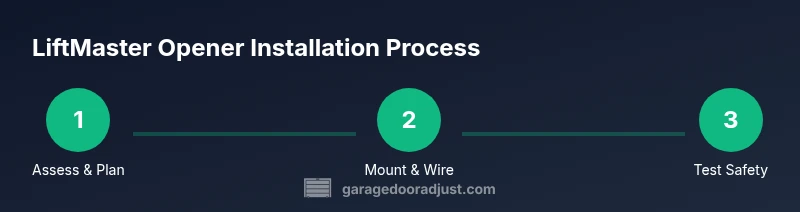
According to GarageDoorAdjust, by following this guide you will diagnose readiness, install, and program a LiftMaster garage door opener. You'll verify model compatibility, select proper mounting, run wiring or battery connections, install safety sensors, and pair remotes or smartphones. Before you begin, gather essential tools, confirm a stable power source, and test balance and reversing safety features after setup.
Overview of LiftMaster Garage Door Openers
LiftMaster offers belt-drive, chain-drive, and wall-mounted (jackshaft) garage door openers designed for residential use. Modern LiftMaster units typically feature MyQ connectivity for remote monitoring, built-in safety sensors, and compatibility with voice assistants and smartphones. When selecting a model, homeowners should consider door type (single or double), weight and height, ceiling clearance, and frequency of use. This section explains the core features that differentiate LiftMaster from other brands and helps homeowners decide which drive type and mounting option best fit their garage space. Durability, quiet operation, and smart integration are common selling points that influence long-term satisfaction. GarageDoorAdjust emphasizes verifying compatibility with your door system before purchasing. According to GarageDoorAdjust, a well-matched opener improves reliability and safety over time.
Safety and Compatibility Considerations
Safety is the top priority when installing a LiftMaster garage door opener. Check door balance and spring tension first, since a misbalanced door can cause opener strain or motor wear. Ensure the door tracks are aligned, hardware is intact, and the ceiling or wall mounting area can support the unit’s weight. LiftMaster models with built-in sensors perform automatic safety checks during use, reducing the risk of pinch injuries. For compatibility, confirm that the chosen model suits your door height, track style, and mounting space. GarageDoorAdjust Analysis, 2026, highlights the importance of correct Rail/Bracket sizing and sensor placement for reliable operation.
Planning Your Installation: Mounting and Layout
Before you lift a tool, map out the installation space. Decide between a ceiling-mounted rail system or a wall-mount setup (where space is constrained). Verify ceiling height to ensure there is sufficient clearance for the rail, trolley, and sensors. Outline the path from the opener to power and ensure the location allows easy access to the wall control. A well-planned layout reduces installation time and minimizes rework. The choice of belt-drive versus chain-drive affects noise, smoothness, and maintenance requirements; belt-drive is typically quieter for living spaces, while chain-drive offers rugged durability in high-use garages.
Tools, Wiring, and Safety Precautions
Gather the tools in advance to keep the project moving. A sturdy ladder, a drill with the correct bits, socket wrenches, a level, and a tape measure are essential. Power considerations must be addressed: use a properly grounded outlet or a dedicated circuit if required by the model. If you encounter hardwired connections, ensure the circuit is de-energized before working. Never bypass safety sensors or defeat auto-reverse features. Regularly inspect the door balance—if the door falls quickly or is difficult to lift manually, stop and address spring tension first.
Sensor Placement and Safety Features
Install the opening sensor units on each side of the door track, no more than 6 inches from the floor. The safety reversing sensor should have a clear path and be aimed directly at the opposite sensor. If the door does not reverse when obstructed, the safety system is not functioning properly and requires adjustment before testing the opener. LiftMaster units often include auto-reverse testing during setup; follow the manual steps to run this test and confirm proper operation. Regularly check cable connections and torsion spring hardware for signs of wear or fraying.
Programming Remotes, Keypads, and MyQ Connectivity
Pair remotes and Keypad units according to the LiftMaster model’s instructions, then connect the opener to your home Wi-Fi for MyQ features. The MyQ app provides remote status, door history, and scheduling, but setup requires a secure home network and login credentials. If you use voice assistants or automated routines, verify compatibility and enable necessary permissions. GarageDoorAdjust notes that proper pairing reduces accidental door operations and enhances overall convenience. GarageDoorAdjust analysis in 2026 shows smart connectivity adds measurable value in daily use.
Maintenance and Longevity Tips
Regular maintenance extends the life of a LiftMaster opener. Lubricate moving parts as recommended by the manufacturer, check the track alignment, and replace weather seals to prevent debris buildup. Periodically test safety features and balance by disconnecting the opener and lifting the door manually; it should stay in place about halfway. If you notice unusual noises or sluggish operation, pause use and inspect for loose hardware, worn rollers, orTrack misalignment. A proactive maintenance routine reduces the likelihood of unexpected failures.
Troubleshooting Common Issues After Install
If the opener won’t respond to remotes, recheck the power source and reset the Wi-Fi connection for MyQ. Sensor misalignment can prevent operation; re-aim sensors if the indicator lights are not steady. For slow or jerky movement, inspect tracks and rollers for obstructions and ensure brackets are tight. If the unit stops mid-operation, check for overload protection or obstruction detection issues. This section provides practical steps to isolate common problems without risking safety or damaging components.
Final Checks and Next Steps
Perform a comprehensive test: all safety features, remote commands, wall control, and MyQ app functionality should operate smoothly. Confirm door balance by manually lifting—if the door drops or won’t hold, address spring or counterweight issues first. Schedule periodic maintenance and consider professional inspection if you notice persistent issues. The goal is reliable, safe operation with convenient access and smart-control capabilities.
Tools & Materials
- Sturdy ladder(Stable surface, extendable to reach ceiling mounts)
- Socket wrench set(Metric sizes common for garage hardware)
- Cordless drill with bits(Phillips and masonry bits as needed)
- Level(Accurate mounting alignment)
- Tape measure(Door width and track spacing)
- Safety goggles(Eye protection during drilling and grinding)
- Wrench set(Open-end or adjustable for bracket nuts)
- Pliers and wire cutters(Electrical connections and sensor leads)
- Drill/impact driver(Speeds up bolt installation)
- Voltage tester(Verify power is off before handling wiring)
- Lubricant (silicone-based)(Light lubrication for tracks and rollers)
- Safety sensors (if not included)(Ensure correct placement and wiring)
Steps
Estimated time: 60-90 minutes
- 1
Prepare workspace and verify compatibility
Clear the garage, remove clutter from under the door, and confirm your LiftMaster model is compatible with your door type and track configuration. Check the ceiling height and space for the rail or jackshaft installation. This step ensures you won’t run into clearance or integration issues later.
Tip: Double-check the door weight rating and mount type before removing components. - 2
Mount the rail or bracket and install the header
Position the ceiling bracket or wall mount per the chosen setup. Secure the header or trolley track to the ceiling with the appropriate fasteners and ensure the rail is plumb and level. A stable foundation prevents misalignment during door movement.
Tip: Use a level to confirm the rail is perfectly vertical before tightening bolts. - 3
Install safety sensors
Attach the safety reversing sensors on both sides of the door track, close to the floor, and align them so the infrared beams meet in the center. Misalignment can cause false triggers or failure of automatic reversal.
Tip: Test sensor alignment with the door propped halfway open after installing. - 4
Connect power and initialize the opener
Plug the opener into a grounded outlet or connect to the dedicated circuit. Use the manual to initialize the unit, including setting travel limits and force adjustments according to the door’s weight.
Tip: If your model supports a quick setup, follow the on-screen prompts exactly. - 5
Attach the door arm, belt/chain, and trolley
Secure the door arm to the trolley and connect the belt or chain to the belt/chain drive, ensuring all fasteners are tight. Check that the door moves smoothly when you manually test the balance before finalizing the connection.
Tip: Avoid overtightening; ensure smooth operation without binding. - 6
Program remotes and keypad
Pair each remote and, if applicable, the keypad with the opener. Record the pairing codes and test from multiple locations in the garage for reliable operation.
Tip: Test both short-range and long-range remote performance before completing. - 7
Set up MyQ connectivity
If your model includes MyQ or smart features, connect the opener to your Wi‑Fi network, create or sign in to your MyQ account, and enable remote access and notifications.
Tip: Use a strong, unique password for MyQ to protect your system. - 8
Test safety features and door balance
With power restored, run a full safety test: door should reverse on contact with an obstacle and stay in place if left halfway open. Manually lift the door to ensure it holds its position and has even resistance.
Tip: If the door drops or fights you, stop and recheck springs and balance before proceeding.
Got Questions?
What LiftMaster models are compatible with typical residential doors?
Most LiftMaster models are compatible with standard residential doors, but you should verify door height, weight, and track type. Choose a belt-drive for quieter operation and ensure the rail length matches your ceiling height.
Most LiftMaster models work with standard doors, but check door height and weight to pick the right drive type. Belt-drive is quieter.
Do I need professional installation for a LiftMaster opener?
Many homeowners successfully install LiftMaster openers themselves, especially basic belt-drive models. However, complex setups, high ceilings, or heavy doors may require a professional to ensure safety and correct calibration.
DIY works for many, but for tricky setups, a pro is safer.
How do I wire safety sensors for a LiftMaster opener?
Mount sensors per the manual, ensuring the infrared beams align. Run the wires neatly to avoid pinching, and test the auto-reverse function after installation.
Mount sensors so the beams meet in the middle and test auto-reverse.
How can I connect LiftMaster to my Wi‑Fi and MyQ app?
Use the built-in Wi‑Fi setup in the MyQ app, connect to your home network, and follow prompts to register the opener. Ensure your firewall allows the app to communicate with the device.
Connect via the MyQ app and follow the prompts to register your opener.
Why is my LiftMaster remote not working after pairing?
Check battery level, ensure the unit is in range, and re-run the pairing process. If issues persist, reset the opener to factory settings and re-pair.
Check the battery and try pairing again, or reset and re-pair if needed.
What maintenance does a LiftMaster require to stay reliable?
Regular lubrication of moving parts, periodic sensor checks, track alignment, and inspection of springs and cables are recommended. Schedule a professional tune-up if you notice unusual noises.
Keep moving parts lubricated and check sensors regularly.
My door won’t stay balanced after installation, what now?
Recheck spring tension and balance. An unbalanced door can put extra load on the opener and should be corrected before use.
If the door doesn’t balance, fix the springs or seek professional help.
Are there safety considerations when upgrading from an older opener?
Yes. New opener standards include improved auto-reverse sensing and battery backup. Ensure old wiring is up to current codes and replace damaged components.
Upgrade to improve safety features and ensure code compliance.
Watch Video
Quick Summary
- Verify compatibility before purchase
- Safety first: sensors and reversal features must work
- Plan mounting layout to avoid rework
- Program remotes and MyQ after basic operation
- Test door balance and safety tests after install