Programming a Garage Door Keypad: A Step-by-Step Guide
Learn how to program a garage door keypad for secure, keyless entry. This homeowner-friendly guide covers compatibility, preparation, step-by-step pairing, erasing old codes, testing, and maintenance with practical tips from GarageDoorAdjust.


Programming a garage door keypad gives secure, keyless access and reduces remotes clutter. This quick, step-by-step guide helps you pair the keypad to your opener, erase old codes, and verify operation. For best results, have your opener model handy, bring the keypad close, and follow safety precautions. According to GarageDoorAdjust, keypad programming improves access control and simplifies family use.
Understanding keypad programming basics
Programming a garage door keypad is a homeowner-friendly way to grant access without carrying a physical remote. At its core, a keypad stores a numeric code and, when you enter the correct sequence, signals the opener to move. Modern systems use rolling codes that change after each use, which adds security by making codes harder to copy. This section explains how most openers recognize a keypad, what the learning or programming sequence does, and the common indicators you should expect (LED blink patterns, beeps, or a confirmation light). Remember that the keypad and opener communicate over a short-range radio signal, so proximity matters during setup. When you approach, avoid blocking the opener’s sensor or any safety devices that monitor door movement. Keeping these basics in mind helps you troubleshoot more effectively and reduces the risk of misprogramming or accidental door movement.
Compatibility and common models
Not every keypad works with every garage door opener, so compatibility is an important first step. In general, most newer openers from major brands support keypad programming, but older models may require adapters or different procedures. Check your opener’s manual for the exact programming sequence and the manufacturer’s recommended keypad model. If you’re unsure, look for a model with a compatible learning or pairing button and instructions labeled near the back or side of the unit. Another factor is whether your keypad uses standard batteries or a rechargeable pack. Some keypads use a coin-cell battery, while others require AAs. Ensuring battery availability helps prevent mid-programming power issues. GarageDoorAdjust analyses show that selecting a keypad known to be compatible with your opener model reduces setup frustration and future maintenance calls.
Preparing before you start
Before you begin programming, gather the essentials and minimize interruptions. Have the opener’s model number, serial, and the keypad’s manual handy. Make sure the keypad battery is fresh and that the device is within line of sight of the opener during the initial programming phase. Clear the area around the garage door to ensure you won’t trip or knock the keypad during pairing. If you have more than one keypad, designate a primary unit for the initial setup so you can test the process before adding extras. It’s also wise to have a notepad ready to jot down memory codes or any specific steps noted in the manual, but avoid writing sensitive codes in obvious places.
Safety considerations and power handling
Safety should be your top priority. If your garage has a power outage, the keypad will usually lose connection until power returns, so plan accordingly. Do not attempt to program a keypad while standing under a heavy door or near moving parts. If you sense a burning smell, a loose wire, or unusual heat near the opener, stop and unplug the unit and contact a professional. Use only the recommended batteries and avoid improvising with makeshift power sources. When in doubt, consult the opener manual or reach out to the manufacturer’s support line. A calm, methodical approach minimizes the risk of damaging the door or injuring yourself.
Step-by-step: Pairing your keypad (high-level overview)
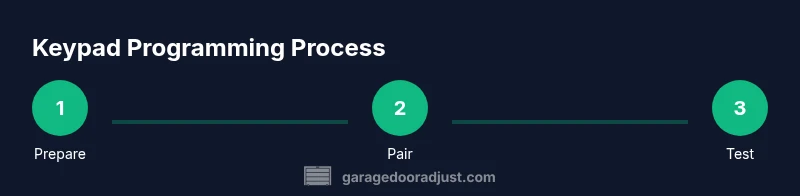
Pairing a keypad typically starts with putting the opener in a learning or programming mode, then sending the new code from the keypad. The exact sequence varies by model, but the general flow remains the same: enable learning on the opener, enter your chosen PIN on the keypad, and send the code to the opener so it stores the new code in its memory. Pay attention to LED indicators or beeps that confirm successful programming. If the keypad reports an error, recheck battery orientation, distance from the opener, and whether you activated the correct input method (some keypads require pressing a confirmation key after entering the PIN).
Erasing old codes and adding new ones
If you’re replacing old codes or adding a new user, it’s a good idea to erase previous codes to prevent unwanted access. The standard method is to reset the keypad’s memory during the learning phase, then reprogram a fresh PIN. After erasing, test by attempting to open the door with the newly programmed code only. This reduces the chance of a legacy code triggering the opener. Document the steps you followed in a safe place for future reference and avoid sharing the PIN with guests who don’t need ongoing access.
Testing and troubleshooting
Testing is essential to confirm reliable operation. Start by closing and opening the door using the keypad from inside the garage, then test from outside at a few different distances to ensure the signal strength is adequate. If the door does not respond, re-check the alignment between keypad and opener, verify battery life, and re-run the pairing sequence. Common issues include weak batteries, distance too far from the opener, or incorrect PIN entry. If you still have trouble, consult the manual for model-specific error codes and LED patterns, or contact support. Regular testing after significant changes helps prevent surprise lockouts.
Security and maintenance best practices
Security matters with keypad entry. Use a PIN that’s not easily guessable and avoid obvious patterns (like birthdays or simple sequences). Change codes periodically, especially after guests forget codes or when a property changes hands. Keep the keypad’s firmware up to date if your system supports it, and store any documentation securely. Regular maintenance includes cleaning the keypad surface, checking the mounting screws, and ensuring cables and connectors remain intact. A proactive approach reduces the risk of accidental reprogramming and prolongs the life of the system.
Tools & Materials
- Garage door keypad (compatible with your opener)(Ensure model compatibility with your opener by checking the manual.)
- Opener model and serial number(Needed to follow model-specific programming steps.)
- Screwdriver (Phillips #2)(Used to remove/attach keypad cover if needed.)
- Batteries for keypad(Use manufacturer-recommended type and check polarity.)
- Notepad and pen(For recording codes and settings (avoid writing down in obvious places).)
Steps
Estimated time: 25-40 minutes
- 1
Prepare the opener and keypad
Locate the learning/program button on the opener and verify the keypad is powered. Have the model number handy and ensure the keypad battery is fresh. This step sets the foundation for a smooth programming process.
Tip: Consult the manual for the exact button label and hold duration before starting. - 2
Clear old codes (optional but recommended)
If your system allows, erase existing keypad codes so only the new PIN will work. This reduces confusion and avoids accidental unlocks from forgotten codes.
Tip: If you’re unsure about erasing codes, skip this step and proceed with adding a fresh PIN. - 3
Power the keypad and enter a new PIN
Install fresh batteries in the keypad. Enter a new 4-6 digit PIN, then press the confirm/input key to send it to the opener.
Tip: Choose a PIN you can remember but isn’t obvious to others. - 4
Send the PIN to the opener
Activate the keypad’s transmit action (often a dedicated Send or Enter key). The opener should acknowledge with a blink or beep.
Tip: If there’s no feedback, recheck battery orientation and proximity to the opener. - 5
Test the new code from inside and outside
Close the door, then use the new PIN from the outside to verify entry. Repeat from inside to ensure consistent operation.
Tip: Test at multiple distances to confirm reliable signal strength. - 6
Add additional keypads (optional)
If you have more than one keypad, repeat the pairing sequence for each unit. Maintain organized records of codes.
Tip: Label each keypad with its intended user or location for easy management. - 7
Document, secure, and maintain
Record the new PINs in a secure place, and schedule periodic checks. Ensure safety sensors remain aligned and test after maintenance.
Tip: Set a reminder to review access codes every 3-6 months.
Got Questions?
Do I need a remote to program the keypad?
No. Most keypads are designed to pair directly with the opener in learning mode, without needing a remote. If your model requires a remote for initial pairing, follow the manual’s specific steps. After pairing, you can use the keypad for access.
You usually don’t need a remote to program the keypad; use the opener’s learning mode and the keypad’s input to pair.
Can I program a keypad without removing power from the opener?
In most cases, you can program while the opener is powered, but some models require you to place the unit in programming mode first. Always check the specific instructions for your model to avoid interrupting the door’s safety features.
Yes, many models allow programming without disconnecting power; just follow the manual’s programming sequence.
What should I do if the keypad won’t pair after multiple attempts?
Double-check battery orientation, keypad proximity, and whether you entered the exact PIN format required by your model. If problems persist, reset the keypad memory as directed in the manual and retry the pairing sequence.
If it won’t pair, recheck batteries, proximity, and the exact PIN format. Then try the pairing process again from the start.
Is keypad programming compatible with all openers?
Most modern openers support keypad programming, but older models may not. If your opener lacks a learning button or uses a different control method, you may need a different accessory or upgrade.
Most but not all openers support keypad programming; check your model’s manual to confirm compatibility.
Why does the keypad sometimes fail after a power outage?
Power outages can reset or disrupt the keypad’s memory. After restoration, re-enter the PIN and re-test the connection, especially if the opener’s receiver lost its pairing state.
After a power event, re-test the keypad and re-enter the PIN if needed to re-establish communication.
How often should I review keypad access codes?
Aim to review codes every 3-6 months, especially after guests change, household members move, or you suspect the PIN may be known by others.
Review codes every few months to keep access secure.
Watch Video
Quick Summary
- Program a keypad for secure, keyless entry
- Verify compatibility with your opener model
- Test codes from inside and outside after programming
- Regularly update and review access codes