How to Sync a Garage Door Remote: Step-by-Step Guide
Learn how to sync a garage door remote with your opener. Step-by-step instructions, safety tips, and troubleshooting to ensure quick, secure pairing for modern and older remotes.


After completing this guide, you will successfully sync a garage door remote to your opener. Ensure your remote is compatible, the batteries are fresh, and you can access the opener's pairing controls. This process covers modern rolling-code remotes and older dip-switch models for reliable operation. If you encounter issues, verify compatibility again and re-test after steps.
Why syncing a garage door remote matters
Keeping your remote synchronized with your garage opener is more than convenience. A properly paired remote provides faster response, reduces wear on the opener, and improves security by using rolling codes that change with every interaction. The GarageDoorAdjust team notes that many homeowner issues stem from attempting to use an unpaired or incompatible remote, which can trigger false positives or fail to open at all. A properly synced remote also helps prevent neighborhood interference, accidental openings when nearby, and accidental triggering when someone borrows your car. In practice, setting up one reliable remote per opener is a foundational maintenance task that pays off in reliability. When you follow the instructions precisely, you’ll reduce frustration and learn how to troubleshoot common issues, such as mixed signals, battery drainage, or old remotes that no longer pair. By understanding the basics of compatibility and learning the correct sequence, you can avoid calling for service and save time and money. According to GarageDoorAdjust, syncing a compatible remote to your garage door opener improves reliability and security.
Remote types and opener compatibility
Garage door openers and remotes vary in how they pair. Older systems often use DIP switches or fixed codes; modern systems typically use rolling-code protocols that the Learn/program button on the opener activates. Before you start, verify your remote model and the opener’s compatibility. Check the label on the opener or consult the manual; if you don’t have the manual, you can search the model number online. If your remote uses DIP switches, you’ll need to set each switch to the correct position; if it uses rolling codes, you’ll perform a brief pairing through the Learn button. Reader-friendly guidance from GarageDoorAdjust emphasizes sticking to the manufacturer’s instructions for your exact model, as steps vary across brands. In many cases, you will also need fresh batteries and the remote’s case should be in good condition to ensure a strong signal. GarageDoorAdjust analysis shows that secure rolling-code remotes reduce misactivation and improve overall reliability. Once you’ve confirmed compatibility, you can proceed to the pairing steps with confidence.
Safety and preparation notes
Pairing a remote is a straightforward task, but it’s important to follow safety guidelines. Keep hands away from the door as you test the opener, and ensure pets and children are clear of the area during testing. If you’re working on the ceiling area or near the motor housing, power the opener off only if the manual instructs you to do so; otherwise, keep power on to allow the Learn button to function during programming. Use a stable ladder or stepping stool if you need to reach high controls, and avoid leaning over the door tracks. If you have a helper, have them stand near the door switch to verify that the remote controls the door from a safe distance. The GarageDoorAdjust team recommends verifying the pairing after you complete the steps and rechecking the pairing if you replace the remote battery or move the opener. Following safety steps protects you and your family while you learn the programming sequence. If you feel uncertain, consult your manual or seek professional help rather than risking injury.
Authoritative external resources
For additional safety standards and official guidance, consult these authoritative sources:
- OSHA Safety Guidelines for residential mechanical work: https://www.osha.gov
- UL 325 standard for garage door openers and safety devices: https://www.ul.com
- Consumer Reports’ guide on garage door openers and safety features: https://www.consumerreports.org
These sources provide general safety guidelines and product testing information that help explain why certain steps are followed and how to choose compatible parts. The goal is to ensure not only a successful pairing but also ongoing safety and performance.
Tools & Materials
- Compatible garage door remote(Ensure it is the original remote that came with the system or a manufacturer-approved replacement)
- Fresh batteries for remote(Check battery type (often 9V or coin cells) and replace if weak)
- Owner's manual or opener model label(Helpful for locating the Learn button and model-specific steps)
- Stable ladder or step stool(Needed if the Learn button is on an elevated panel)
- Screwdriver and flashlight(Optional tools to access the opener panel or read labels)
Steps
Estimated time: 10-15 minutes
- 1
Verify compatibility
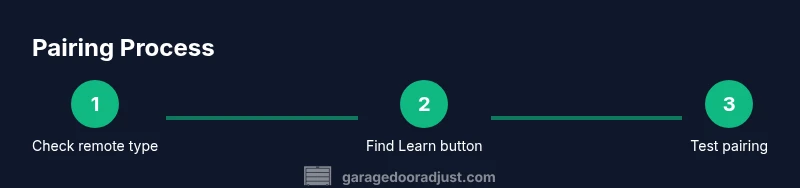
Identify the remote type and confirm it matches your opener’s requirements. Check whether the system uses rolling codes or DIP-switch codes. If the remote isn’t compatible, pairing may fail or reset other remotes. Why this matters: mismatched remotes can cause intermittent operation or security gaps.
Tip: Have the opener model number and remote model handy before starting. - 2
Gather batteries and inspect the remote
Open the remote battery compartment and replace with fresh batteries if needed. Ensure the battery orientation is correct and the case is in good condition to avoid weak signals during testing.
Tip: A weak battery is a common cause of failed pairing; replace even if the old battery seems fine. - 3
Locate the Learn/program button on the opener
Find the Learn or Program button on the opener unit. It’s usually near the motor housing and may be behind a small panel. If you don’t see a button, consult the manual for your model. Why this matters: this button initiates the pairing mode the remote will enter.
Tip: Have a helper nearby to press the button while you prepare the remote. - 4
Put the opener into pairing mode
Press and hold or tap the Learn button per your model’s instructions until the indicator light blinks or changes color. The blinking light signals the opener is ready to pair a remote. If you have a rolling-code system, pairing mode often lasts a limited window (about 30 seconds).
Tip: If the light doesn’t respond, try a different time window or reset the opener and try again. - 5
Activate pairing with the remote
Within the pairing window, press and hold the remote’s desired button until the opener’s light blinks or you hear two clicks. Release the button and test the remote by pressing it again to confirm the door responds. This confirms a successful pairing.
Tip: If you have multiple remotes, repeat the process for each one in sequence. - 6
Test and finalize
Test the remote from several distances and angles to ensure consistent response. Re-test all remotes that should control the door. If any remote fails, repeat the pairing process or replace the battery.
Tip: Document which remotes you’ve paired and keep a quick-reference note with model numbers.
Got Questions?
Why won't my garage door remote sync with the opener?
Common causes include incompatible remote or opener, dead batteries, or a timed pairing window. Double-check compatibility, replace batteries, and repeat the pairing sequence using the opener’s Learn button. If issues persist, consult the manual or seek professional help.
Common causes are compatibility, dead batteries, or a short pairing window. Check compatibility, replace batteries, and retry the pairing sequence.
Can I use a universal remote for any garage door opener?
Universal remotes can work with some openers if they support standard pairing protocols, but compatibility varies widely. Check the universal remote’s compatibility list and your opener’s documentation before attempting to pair.
Universal remotes may work with some openers, but always verify compatibility first.
What if the Learn button doesn't light or respond?
Ensure the opener is powered, locate the correct Learn button, and wait for the lights to indicate readiness. If still unresponsive, reset the opener following the manual and try again.
If the Learn button isn’t behaving, check power, locate the right button, and retry after a reset if needed.
Will re-pairing erase other remotes already linked?
In many systems, pairing mode does not erase existing remotes unless you intentionally reset the memory. If unsure, refer to your model’s instructions or perform a controlled re-pair for each remote.
Pairing mode may not erase others unless you reset memory, but verify with your manual.
How long does the pairing process typically take?
Most remotes pair within a few minutes, including testing time. If you encounter delays, re-check battery strength and sequence accuracy.
Most remote pairings take just a few minutes; if it takes longer, re-check batteries and steps.
Do I need to re-pair after a power outage?
Not always. Some systems retain paired remotes after a brief outage, but others may lose memory. After an outage, re-run the pairing steps to confirm control.
Sometimes pairing remains after an outage, but it’s best to re-test and re-pair if necessary.
Watch Video
Quick Summary
- Verify compatibility before starting
- Use fresh batteries for reliable pairing
- Follow the exact button sequence for your model
- Test remotely from multiple locations to confirm reliability
- Document paired remotes for future reference