How to Disable a Garage Door Remote: A Homeowner’s Guide
Learn how to safely disable a single garage door remote without affecting others. This homeowner-friendly guide covers steps, safety tips, and re-pairing options for secure remote management.


You can disable a garage door remote by removing its pairing with the opener or by erasing its code in the receiver. This safe, step-by-step approach keeps other remotes active. According to GarageDoorAdjust, you’ll typically access the opener’s programming menu from the wall control, then follow a short sequence to deactivate the specific remote while leaving others usable.
How remotes work with garage door openers
Garage door remotes use radio frequency signals to trigger a receiver inside the opener. Each remote has a unique code or pairing that tells the receiver which device is allowed to operate the door. Modern systems often use rolling codes, which add security by changing the code after each use. When you want to disable a single remote, you don’t have to reset everything; you can remove or reassign that specific device’s code while leaving other remotes intact. This section helps you understand the concepts so you can perform the steps confidently and safely. If you’re unsure about your model, consult the owner’s manual or the manufacturer’s support site. The goal is clear: prevent that one remote from triggering the door, while keeping the system functional for everyone else, including app-based controls and keypad entries.
Safety and planning before you start
Safety is the top priority when working with any garage door system. Start by disconnecting power to the opener if you can safely reach the cabinet, or at least ensure the door is fully closed and the area is clear. Keep hands dry and away from moving parts. If your garage has a manual release, leave it alone unless you plan to bypass the spring-loaded mechanism—misusing that feature can cause injury. Have the wall control or the owner's manual handy so you can follow the exact sequence for your model. Finally, confirm you have the remote you want to disable in hand so you can complete the process in one pass and minimize the risk of accidentally re-pairing it.
Identifying the remote you want to disable
Before you change any settings, confirm which remote should be disabled. If there are multiple remotes, mark the one that needs deactivation (for example, the keychain tag or a label on the remote). If the remote is lost or stolen, you may want to disable all remotes and re-pair only the ones you trust. For some models, remotes share a common pairing group; in those cases, you’ll need to ensure you’re removing only the intended device’s code. Having the correct remote in hand reduces the chance of accidentally disabling the wrong device and keeps household access predictable.
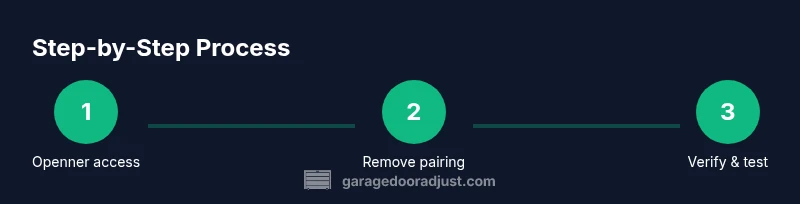
Step-by-step: Accessing the opener’s programming controls
Most openers have a wall control panel or the unit itself that exposes a programming or learn button. The exact location and method vary by brand, but the general idea is the same: enter a short sequence to access remote management settings. Begin by locating the control panel, then turn off the door’s movement with the manual release if necessary. Press the learn or program button until a light blinks or you hear a click, which signals entry to the remote management mode. This is the critical entry point for disabling a specific remote without disturbing others.
Step-by-step: Removing the pairing for the target remote
With the programming mode active, use the target remote to send the code or hold a pairing button for the required duration, depending on the model. In many systems, you’ll press the remote’s button while the opener is listening, then exit programming mode. Some models require you to delete the code by pressing a sequence on the wall control, such as a specific button or combination. The exact steps vary by brand; if you’re unsure, check the manual or manufacturer support page. The objective is to sever the connection between the remote and the receiver.
Step-by-step: Verifying the remote is disabled
After the pairing is removed, test the disabled remote from a typical position (near the door) to confirm it no longer operates the opener. If the door responds, you may need to re-enter programming mode and ensure you selected the correct remote before repeating the removal. Also verify that other remotes and any connected apps or keypad entries still control the door as expected. If any issues arise, repeat the steps for the affected remote and review the model’s guidance. Keeping a brief log of which remotes are enabled can prevent future confusion.
Step-by-step: Re-pairing and securing remaining remotes
If you need to re-pair other remotes, follow the model’s instructions to add them back into the system. Do not re-pair the disabled remote. Consider updating the door’s security settings or changing the base code if your system supports it, and document the changes for future reference. For households with shared access, consider creating separate access controls (e.g., keypad codes or app permissions) to maintain security. If your opener supports rolling codes, you’ll typically be prompted to re-pair each remote to establish a fresh, secure connection.
Step-by-step: When to seek professional help
If you encounter resistive hardware, a non-responsive control panel, or you suspect a fault in the receiver, it’s prudent to contact a professional. A technician can confirm the remote’s status, check for interference, and verify that the security features are functioning properly. In some cases, firmware updates or a factory reset of the opener may be recommended. If you do hire a pro, ensure they follow safety guidelines and provide a clear description of the changes made.
Step-by-step: Aftercare and security practices
After disabling a remote, store the removed device in a secure location and update other access methods if needed. Review the manufacturer’s recommended security practices, such as re-pairing only trusted remotes and avoiding shared codes. Periodically check the remote status and ensure all user credentials are up to date. This ongoing vigilance helps prevent unauthorized access and keeps your garage door system reliable.
Tools & Materials
- Flathead screwdriver(For models with a panel cover or exposed screws)
- Phillips screwdriver(Use as needed to access the opener cover)
- Wall control panel(Your primary access point for programming controls)
- Target remote(The specific remote you want to disable)
- Owner’s manual or model support page(Verify exact steps for your unit)
- Flashlight(Improve visibility inside the opener housing)
- Pen and paper(Document which remotes are enabled)
Steps
Estimated time: 15-25 minutes
- 1
Prepare and safety-check
Power down the opener if safe to do so, close the door, and clear the area. Gather the target remote and its alternatives. Read the manual or support page for your exact model to confirm the right procedure.
Tip: If the door uses a manual release, do not touch it during programming to avoid injury. - 2
Access programming controls
Locate the programming or learn button on the wall control or the opener unit. If needed, remove the cover to reach it. Press and hold or press in the sequence required to enter remote management mode.
Tip: Some models indicate entry by a blinking light on the wall control; use that as a cue. - 3
Identify the target remote
Ensure you are targeting the correct remote. If there are multiple remotes, label the one to disable and verify its unique button press or code.
Tip: If you’re unsure, take a quick photo of the remotes and note which one is assigned to a specific user. - 4
Delete the pairing or code
Follow the model-specific steps to erase or remove the remote’s pairing. This may involve pressing the remote button during a listening period or a dedicated sequence on the wall control.
Tip: Do not exit programming until you confirm the remote no longer triggers the door. - 5
Exit programming and test
Exit programming mode and test the disabled remote from a normal distance. Confirm it no longer opens or closes the door. If it still works, re-enter programming and retry the removal.
Tip: Test quickly from the driveway or curb to ensure reliability of the test. - 6
Re-pair remaining remotes
If needed, re-pair any other remotes or app controls. Keep a log of which remotes are active and ensure all access methods work as intended.
Tip: Only re-pair trusted remotes to maintain security.
Got Questions?
Can I disable all remotes at once?
Yes, many openers support a full reset of remote codes. This clears all paired remotes, and you would then re-pair only the remotes you trust.
You can reset all remotes, then re-pair trusted ones.
Will disabling one remote affect keypad or app access?
Disabling a single remote typically does not affect keypad or app access, but model-specific steps may vary. Check your manual for the exact flow.
Usually not, but verify with your model’s steps.
What if I can't find the programming button?
Consult your model’s manual or manufacturer support site; some units use a hidden access point or a different sequence to enter programming mode.
Check the manual or support site for model-specific entry steps.
Is it safe to disable a remote if others share the garage?
Yes, but coordinate with others to avoid accidental lockouts. Consider adding separate access methods, like keypad codes or app permissions.
Coordinate with others to avoid surprises and improve security.
How do I re-enable a remote after disabling it?
Re-pair the remote via the opener’s programming sequence as described in your manual. Keep the pairing steps clear for future reference.
Re-pair through the same programming steps you used to disable.
Does the process differ by brand?
Yes. Each brand may use a different button location, timing, or sequence. Always consult the specific model’s instructions before starting.
Brand differences exist; check your model’s manual.
Watch Video
Quick Summary
- Identify and disable only the targeted remote.
- Use the wall control to access remote management safely.
- Verify other remotes still work before finishing.
- Document changes for future reference.