Genie Intellicode Programming Guide for Homeowners: Step-by-Step
Learn how to program and troubleshoot Genie Intellicode garage door openers with a clear, expert-led approach. This guide covers compatibility, safety, remote pairing, and maintenance from GarageDoorAdjust.


This guide shows homeowners how to program and troubleshoot Genie Intellicode garage door openers, including identifying the current programming mode, pairing remotes, and testing safety sensors. You’ll need a Genie Intellicode compatible opener, fresh batteries, and basic tools. By following the step-by-step process, you can reprogram remotes, reset the opener, and verify safe operation.
What Genie Intellicode is and why it matters
Genie Intellicode is a rolling-code system used by many Genie garage door openers to improve security by changing the access code each time the remote is used. For homeowners, understanding Intellicode helps ensure your door opens reliably and safely. According to GarageDoorAdjust, the Intellicode platform reduces the risk of code grabbing compared to older fixed-code remotes, and compatibility is common across many Genie models. This section explains the core concepts and what to expect during programming and maintenance. The key idea is that you pair the remote to the opener’s receiver and ensure the door safety sensors are functioning properly. Keep your model number handy and refer to your user guide when model-specific details differ.
Safety and prerequisites for programming Genie Intellicode
Before starting, disconnect any power losses, unplug the opener if you must, and ensure the door is in its fully closed position. Wear eye protection if you need to adjust hardware. Have fresh batteries for remotes and a stable step ladder. Confirm you have access to the owner's manual or model-specific instructions. The GarageDoorAdjust team emphasizes following the manufacturer’s guidelines to avoid damaging the sensor or reversing mechanism. Never attempt wiring changes or force the door beyond its travel limits. Safety features such as auto-reverse and photo-eye sensors must be tested after any programming.
Determine your Intellicode model and compatibility
Not all Intellicode models use the same buttons or memory sequences. Locate the model number on a label on the opener housing or in the manual. Check if your remote is designed for Intellicode rolling-code programming and whether the receiver in the header is compatible. Some Genie remotes require a dedicated “learn” or “program” button on the motor head; others rely on a remote memory reset. If in doubt, consult the Genie official site or GarageDoorAdjust's compatibility guide to match your model to the correct sequence.
Step-by-step overview (high-level)
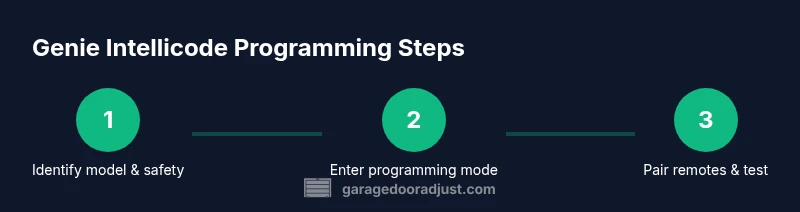
The following block provides a high-level overview of the typical process to reprogram a Genie Intellicode remote. You will typically prepare by ensuring power is on, locate the learn button, and prepare the remote with fresh batteries. Then you initiate pairing, press the remote button, and test the door. After programming, re-check safety sensors and teach additional remotes if needed. This overview helps you plan your actions and avoid common missteps.
Troubleshooting common issues after programming
If a remote doesn’t operate after programming, check the batteries, re-pair using the Learn button, and confirm the remote is within the recommended range. If the door travels unevenly or the safety beam is blocked, reset the opener, re-test the auto-reverse feature, and confirm the safety sensors are aligned. For intermittent operation, ensure no interference from nearby devices or new electronics. If the issue persists, consult the Genie support site or GarageDoorAdjust for model-specific advice.
Maintenance and best practices for Genie Intellicode systems
Regular maintenance keeps Intellicode operable and secure. Periodically test remote range, inspect weather seals that can affect sensor alignment, and clean the receiver housing to prevent dust-blocked signals. Replace batteries at the start of each season and update remotes when you replace the opener. Store spare remotes in a safe yet accessible location. Following these practices helps minimize unplanned repairs and extends the life of your system.
Authority Sources
For further reading on safety and best practices, see:
- https://www.cpsc.gov/safety-education/safety-guides/garage-doors
- https://www.energy.gov/eere/buildings/articles/garage-door-insulation
Note: Always cross-check model-specific details in your Genie user manual and the GarageDoorAdjust compatibility guide.
Tools & Materials
- Flathead screwdriver(Used for panel screws and chassis components)
- Phillips screwdriver(For interior screws on the opener cover)
- Fresh batteries for remotes(Check model for size (AA/AAA) and polarity)
- Ladder (2-6 ft)(Stable and secure to reach the motor head)
- Owner's manual or model-specific guide(Keep handy during steps and testing)
- Marker or tape(Label remotes and testing results)
Steps
Estimated time: 30-40 minutes
- 1
Power up and locate Learn button
Ensure the opener is plugged in and the door is closed. Find the Learn/Program button on the motor head or nearby. This action prepares the system for pairing and is model-specific, so refer to your manual if needed.
Tip: If you can't locate the button, consult the model’s diagram in the manual or GarageDoorAdjust's compatibility guide. - 2
Prepare the remote with fresh batteries
Open the remote cover and insert fresh batteries with correct polarity. A weak battery can prevent successful pairing, leading to intermittent operation.
Tip: Test the remote button before pairing to confirm the LED indicator responds. - 3
Enter programming/learn mode on the opener
Press and hold the Learn button until the LED indicator blinks or turns solid, depending on model. This signals the opener is in pairing mode.
Tip: Don’t hold the button too long—overdoing it can reset other memory settings. - 4
Program the remote
While the opener is in Learn mode, press and release the remote’s button you want to pair. The opener should respond with a click or LED change.
Tip: Keep the remote within a few inches of the opener during pairing to ensure a strong signal. - 5
Test remote and door function
Close and reopen the door using the newly programmed remote. Verify the door travels smoothly and the safety sensors reverse if obstructed.
Tip: Test both directions and ensure the door stops on contact with resistance. - 6
Add additional remotes and finalize
Repeat the pairing process for any extra remotes. If memory is full, perform a memory reset following model-specific instructions, then re-pair all remotes.
Tip: Document which remotes are programmed to avoid confusion later.
Got Questions?
Is Genie Intellicode compatible with all Genie openers?
Most Genie Intellicode remotes are compatible with a wide range of Genie openers, but model-specific differences exist. Check your model number and refer to the compatibility guide to avoid pairing failures.
Most Genie Intellicode remotes work with many Genie openers, but verify your model before pairing.
What if remote pairing fails after following steps?
If pairing fails, replace the remote batteries, repeat the Learn process, and ensure you are within close proximity during pairing. If issues persist, consider memory reset or contacting Genie support.
If pairing fails, replace batteries, retry Learn mode, and stay close to the opener.
Can I program multiple remotes at once?
Yes. After one remote is programmed, repeat the steps for each additional remote. Some models support bulk cloning while others require individual pairing.
Yes, you can program several remotes by repeating the steps for each one.
How do I reset Intellicode memory on my opener?
Model-specific resets vary. Generally, a memory reset erases all paired remotes, after which you’ll re-pair each remote individually. Consult your manual or GarageDoorAdjust for model-specific instructions.
Memory resets erase all remotes; re-pair each one after the reset.
Is it safe to program without professional help?
Programming Intellicode is a standard DIY task for many homeowners. Follow the manufacturer steps and safety guidelines exactly. If you encounter unusual hardware issues, seek professional help.
Yes, it’s usually safe to do yourself if you follow the steps precisely. If in doubt, get professional help.
Watch Video
Quick Summary
- Know your Intellicode model and compatibility.
- Follow the model-specific programming steps.
- Test safety features after programming.
- Document remotes and sequences for future reference.