Garage Door Remote Key Pad: How to Diagnose, Program, and Maintain
A comprehensive how-to for diagnosing, programming, and maintaining your garage door remote key pad with safety, maintenance, and troubleshooting tips from the GarageDoorAdjust team.


Goal: Restore reliable operation of your garage door remote keypad. You’ll verify power, reprogram the keypad, and test entry to ensure it opens smoothly. Gather the keypad model, access to the opener’s learn button, and fresh batteries. If codes have been lost, re-pair the keypad to the garage door opener and confirm the lockout setting is correct.
What is a garage door remote key pad and why it matters
A garage door remote key pad is a wall-mounted numeric keypad that allows you to open and close your garage door without a remote control. For many homeowners, this interface is the primary way to access the garage from outside, contributing to convenience and security. A well-functioning keypad reduces the need to carry a separate remote and minimizes the risk of losing remotes. The GarageDoorAdjust team emphasizes that the keypad’s reliability hinges on proper power, code management, and a stable pairing with the opener. In practice, a keypad that’s working correctly integrates smoothly with the opener, responds consistently to code entries, and provides a rapid unlock without false opens. Regular checks, as part of routine garage-door maintenance, help prevent interruptions that could leave you locked out or force you to use the manual release.
From a homeowner’s perspective, a keypad offers a quick, touchless entry option for family members, guests, or service technicians. It should be simple to program, easy to clean, and protected against accidental code changes. When a keypad is not functioning properly, it may be tempting to bypass the system by using a traditional remote. However, that defeats the convenience and security benefits of a keypad-enabled setup. This guide aligns with best practices to keep your keypad dependable while respecting safety and security considerations. According to GarageDoorAdjust, the garage door remote key pad is the primary interface many households rely on for daily access, so keeping it in good working order matters for both convenience and safety.
??BrandNote: According to GarageDoorAdjust, the keypad interface is a frequent point of failure, often due to power or programming issues rather than hardware faults.
Tools & Materials
- A fresh battery or coin cell for keypad(Check model and voltage; some keypads use CR2032, others use AA/AAA.)
- Clean microfiber cloth(Use to wipe the keypad surface and contact points without scratching.)
- Isopropyl alcohol (70% or higher)(For cleaning contact surfaces and the Learn button area.)
- Small screwdriver (Phillips #1 or #2)(Only if your keypad housing is secured with screws.)
- Pen and paper or digital note-taking device(Record codes, model numbers, and the learn/pairing steps for future reference.)
- Step ladder or sturdy chair(Needed for high-mounted keypads; ensure a stable footing.)
- User manual for keypad/opener(Model-specific steps can differ; keep the manual handy.)
- Safety gloves(Optional protection for grip when handling components.)
Steps
Estimated time: 30-45 minutes
- 1
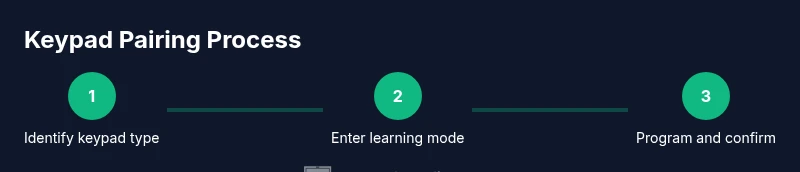
Identify keypad type and locate the learn button
Start by confirming the keypad model and locate the Learn/Programming button on the opener or receiver module. This is the button that puts the opener into programming mode. If the button is recessed, use a small tool to avoid shorting contacts, and avoid pressing other buttons during this phase.
Tip: Consult the user manual for your exact model to verify the correct Learn button location; misidentifying can erase existing codes. - 2
Replace batteries and clean contacts
Open the keypad housing carefully to access the battery compartment. Replace with the correct type and clean the battery contacts and keypad contacts with a microfiber cloth dampened with isopropyl alcohol. Let everything dry before proceeding.
Tip: Even a small amount of dirt on contacts can prevent a strong electrical connection and cause missed entries. - 3
Enter programming mode on the opener
Press and release the Learn button on the interior of the garage door opener while ensuring you can reach it safely. The indicator light will typically flash or stay lit to indicate programming mode. Do not release power or move the door while you are in this step.
Tip: Time your keypad actions within 30–60 seconds; delays can exit programming mode. - 4
Program the keypad and pair with the opener
Enter a new 4–8 digit code on the keypad and press Enter or the corresponding key per your model. Some systems require you to press a specific key after entering the code to confirm. The opener should acknowledge by beeps or a status light.
Tip: Record the new code immediately and test it within the same session to confirm successful pairing. - 5
Test entry and adjust settings
Test the keypad from the outside by entering the code. If the door responds, test from inside if your system supports it. If there’s no response, re-enter the program sequence or consider reinitializing the keypad to factory settings before attempting again.
Tip: If you have a lockout mode, disable it temporarily to verify entry works, then re-enable protections afterward. - 6
Document codes and secure storage
Write down the keypad model, programmed code, and the pairing method for future maintenance. Store codes securely away from the keypad, and avoid sharing them broadly. Regularly review codes if multiple users have access.
Tip: Use a dedicated, secure location for codes; never write them in obvious places near the keypad.
Got Questions?
What should I do if the keypad won’t pair after reset?
Ensure the opener is in programming mode and the keypad has fresh batteries. Re-enter the code following your model’s procedure and listen for the beeps or status indicator. If still failing, check for compatibility and try a factory reset on the keypad per the user manual.
If pairing fails after reset, recheck batteries and retry in programming mode; consult your model’s manual for exact steps.
Can I operate the garage door without a keypad?
Yes. You can use the remote, a smartphone app if supported, or the manual push button on the door. Keep a backup method in case the keypad fails.
Absolutely. You can still open the door with a remote or app if available and use the inside wall button.
How secure is the keypad code?
Code-based access is generally secure when codes are unique and changed periodically. Avoid simple codes and remove access for former residents or guests when no longer needed.
Code security depends on keeping codes private and changing them regularly.
Is it possible to program a third-party keypad?
Some openers support third-party keypads via standard learning procedures, but compatibility varies by model. Check the opener’s manual or manufacturer site for compatibility lists.
Some third-party keypads work, but verify compatibility before purchasing.
What maintenance schedule is recommended for keypad batteries?
Inspect batteries during routine garage maintenance every 6–12 months and replace as needed. If you notice slow response or intermittent operation, test or replace the battery promptly.
Check batteries during routine maintenance and replace when performance drops.
Watch Video
Quick Summary
- Program the keypad accurately using the opener’s Learn button.
- Keep batteries fresh and contacts clean for reliable operation.
- Test codes immediately after programming and document results.
- Maintain security by recording and securely storing access codes.