How to Use a Garage Door Remote: A Step-by-Step Guide
Learn how to safely use, program, and troubleshoot your garage door remote with GarageDoorAdjust. This guide covers compatibility, battery checks, pairing, and common issues for homeowners in 2026.


In this guide you will learn how to use a garage door remote to operate your opener safely and efficiently. You’ll confirm compatibility, handle battery replacement, and pair new remotes if needed. Essential steps include locating your opener model, opening the remote cover, and testing operation from multiple angles and distances.
Why understanding remote usage matters
Operation with a garage door remote may seem straightforward, but safe and reliable use relies on knowing a few core principles. A homeowner who understands how remotes communicate with the opener reduces the chance of a door moving unexpectedly, which can cause injury or property damage. This is especially important for households with children or pets, or if the opener is installed in a tight garage workspace. According to GarageDoorAdjust, the most common issues stem from weak batteries, misaligned remotes, or attempting to operate from beyond the recommended distance. In this section, we cover why your remote matters, what information is encoded in the signal, and how to spot early signs of wear that can degrade performance.
Types of remotes and compatibility
Garage door remotes are not one-size-fits-all. Most modern openers use rolling-code remotes that change their signal every time you press a button, which improves security but can complicate pairing with older openers. Some older models rely on fixed codes or dip switches, requiring manual matching. When choosing a replacement, verify the compatibility with your opener’s model number, the frequency range, and whether the remote uses fixed-code, dip-switch, or rolling-code technology. If you’re unsure, consult the opener’s manual or contact the manufacturer. Keep a spare remote ready for family members, and label each remote so you know its intended door or space.
Basic operation: using a handheld remote
To operate your door safely, stand within a reasonable range of the door and aim the remote at the receiver on the header above the door. Keep hands clear of the door path and ensure the area in front of the door is free of obstructions. Press and hold the button until the door begins to move, and release once movement starts. If the door hesitates or moves slowly, stop and check the battery and the alignment of the safety sensors. Regular testing ensures the remote remains responsive and reduces the risk of accidental closure.
Pairing and programming a new remote
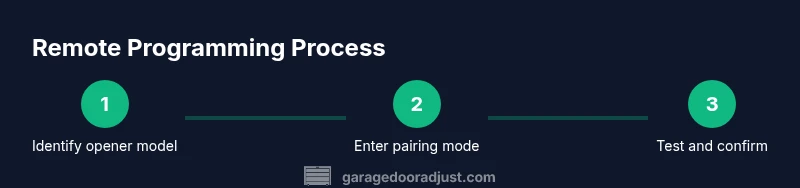
Most modern openers feature a learn or programming button on the motor unit. To pair a new remote, first locate this button (often under the light cover). Press and release it, then within 30 seconds press the desired button on the remote until the opener’s light blinks or you hear a click. You may need to remove and reinsert the battery or repeat the process if the signal is not learned. After programming, test from several distances to ensure reliability.
Advanced features and security considerations
If your opener supports multiple remotes, you can assign each remote to a different family member or vehicle. Some remotes support mutual pairing with smartphone apps or keypads. Consider enabling rolling-code security if your opener offers it, and periodically reset remotes if you suspect a lost unit. Avoid exposing remotes to extreme heat or moisture, which can degrade battery contacts and circuit boards.
Troubleshooting common remote issues
If the remote won’t respond, start with a fresh battery of the correct type and ensure the battery is oriented correctly. Check that you are within range and facing the receiver. If the door still doesn’t respond, examine the opener’s learn button and repeater if present, and reprogram the remote using the steps described earlier. Interference from other wireless devices, such as handheld gaming devices or Wi-Fi cameras, can occasionally disrupt signals; relocating away from such devices often helps. If problems persist, test with a different remote to rule out a defective unit.
Maintenance and safety reminders
Keep remotes clean and dry, and replace batteries at signs of weakness (dim LED or slow response). Store remotes in a cool, dry place away from direct sun. Periodically verify the safety sensors are aligned and functioning by placing a small object in the door’s path and ensuring the door stops when blocked.
Quick-reference checklist for homeowners
- Verify compatibility with opener model
- Check and replace remote battery
- Program or re-sync remotes
- Test operation from multiple angles and distances
- Inspect safety sensors and ensure no obstructions
- Label remotes and keep a spare handy
Tools & Materials
- Owner's manual for opener(Locate exact model and compatibility instructions)
- Replacement remote compatible with your opener(Ensure frequency and learn method match)
- Fresh battery (e.g., CR2032 or LR03)(Check remote's battery type in manual)
- Small flat-head screwdriver(Only if you need to open the remote housing)
- Pen and labels(Useful for tagging remotes by person/door)
Steps
Estimated time: 20-40 minutes
- 1
Gather tools and confirm compatibility
Collect the opener manual, spare remote, and the correct battery. Verify the remote is designed for your opener model and frequency. This ensures the rest of the process goes smoothly without guessing.
Tip: Having model numbers handy saves time during programming. - 2
Inspect and replace the remote battery if needed
Open the remote housing, identify the battery type, and replace it with a fresh battery. Reassemble carefully to avoid damaging contacts. A weak battery is the most common cause of unresponsive remotes.
Tip: Test the LED indicator after insertion to confirm a fresh connection. - 3
Test the remote at the door
Stand within a typical operating range and press the remote button. Watch the door’s movement and listen for any activation sound from the opener. If there is no response, recheck battery orientation and proximity to the receiver.
Tip: Avoid standing in the door path while testing. - 4
Enter pairing mode on the opener and program the remote
Locate the learn/program button on the motor unit, press it, and then press the remote button within 30 seconds. Look for a light blink or audible cue indicating a successful learn. If it fails, repeat the sequence or consult the manual.
Tip: If your opener uses a single-door learn button, you may need to perform a reset before reprogramming. - 5
Test all remotes after programming
Test each remote from different distances and angles to ensure consistent operation. Confirm that both standalone remotes and any paired smartphone apps respond reliably.
Tip: Label remotes immediately to avoid confusion later. - 6
Store remotes safely and maintain batteries
Place remotes in a cool, dry location away from heat sources. Check battery health periodically and replace proactively to prevent mid-operation failures.
Tip: Keep a spare remote separate from the primary to reduce loss risk.
Got Questions?
Why won’t my garage door remote open the door?
Common causes include a dead battery, incorrect remote programming, or interference from nearby devices. Start by checking the battery, then reprogram the remote according to your opener’s manual. If it still fails, test with another remote to determine whether the issue is with the remote or the opener.
If your remote won’t open the door, check the battery and reprogram if needed. If another remote works, the issue is with the original remote.
How do I program a new remote to my opener?
Enter pairing mode on your opener (usually a Learn button), then press the remote button within 30 seconds until the light blinks or you hear a click. Test at multiple distances to confirm reliability. If you have a multi-door system, repeat for each door.
Put the opener in pairing mode, press the remote button, and test from various distances.
Can I use an old remote with a new opener?
Not always. Older remotes may use fixed codes or incompatible frequencies. Check your opener’s compatibility list and consider upgrading to a rolling-code remote if your opener supports it. If compatible, follow the pairing steps in your manual.
Old remotes can sometimes work, but many newer openers require updated remotes for security and compatibility.
What should I do when the remote battery dies unexpectedly?
Replace with the correct battery type and test the remote. If the door still won’t respond, recheck alignment, and consider reprogramming if necessary. Keep spares to avoid mid-use failures.
Replace the battery and test. If it still fails, reprogram or try another remote.
Is a universal garage door remote safe to use?
Universal remotes can work with some systems but may introduce security gaps if not correctly paired. Always verify compatibility and follow manufacturer instructions. For best security, use remotes designed for your specific opener when possible.
Universal remotes can work but may not be secure or compatible with your system. Check compatibility first.
Watch Video
Quick Summary
- Verify remote compatibility before programming.
- Replace batteries to restore reliable operation.
- Program remotes using the opener’s learn button and test thoroughly.
- Keep remotes organized and maintain safety sensors regularly.