Full Coverage Garage Door Sensor: A Step-by-Step DIY Guide
Learn to diagnose, install, and maintain a full coverage garage door sensor for safer operation and stronger home security. This step-by-step guide covers tools, setup, maintenance, and common troubleshooting tips.


By the end of this guide you will diagnose, install, and maintain a full coverage garage door sensor to ensure reliable safety and fewer false alarms. You’ll learn how coverage works, what tools you need, step-by-step installation, and a quick maintenance routine to keep the system aligned and responsive. This article is designed for homeowners troubleshooting garage door issues.
What is a full coverage garage door sensor?
A full coverage garage door sensor refers to a pair (or more) of safety devices installed to monitor the entire width of the door opening. The emitter and receiver work together to create an invisible light curtain across the bottom of the door. If the beam is interrupted during closing, the door reverses automatically. This setup reduces blind spots and minimizes the risk of injury or damage from a closing door. For homeowners, understanding the concept helps you choose the right kit and place the sensors for maximum protection.
Why it matters for safety and security
According to GarageDoorAdjust, a properly set up full coverage garage door sensor is one of the most important safety features on a modern system. It protects children and pets and adds a layer of security against accidental or forced closure. The GarageDoorAdjust team found that reliable sensor coverage translates into fewer false alarms and quicker response when a door encounters an obstacle. Prioritizing coverage also lowers the chance of hidden damage from repeated door contact with objects in the doorway.
Sensor types and coverage strategies
There are two common sensor configurations: wired photoelectric sensors and wireless modules. Both rely on a clear line of sight across the door opening. For stronger coverage, position sensors at the bottom corners of the door frame and ensure an unobstructed beam path. Some builders add a third sensor for extended coverage on unusually wide doors. When selecting a kit, look for compatibility with your garage door opener brand and a test button that confirms proper alignment.
Diagnosing a misbehaving sensor
If the sensor isn’t working reliably, start with a simple visual check: confirm there are no obstructions, spiderwebs, or dust on either lens. Test the LEDs on the emitter and receiver; a steady green usually means alignment is good, while a flashing light or no light indicates misalignment or power issues. Inspect wiring for loose connections, damaged insulation, or moisture intrusion. A classic sign of trouble is a lack of reversal when the door encounters an obstacle, which means the safety circuit isn’t responding as designed.
Installing a full coverage sensor on an existing door
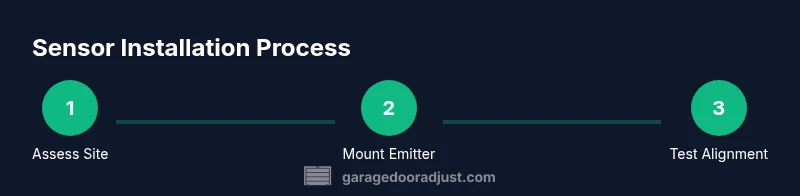
Installing involves mounting the emitter and receiver at the bottom corners of the door opening, roughly opposite each other. Adjust the angle and height to create a tight beam across the doorway. Secure cables with clips or zip ties and protect exposed wires with electrical tape or conduit. After mounting, run a power test and ensure the door reverses on beam interruption. If you’re upgrading from a basic sensor, follow the new kit’s wiring diagram closely and respect any color-coding conventions.
Maintenance routine to keep coverage consistent
Create a simple schedule to inspect the sensors monthly and perform a more thorough check every 6–12 months. Clean the sensor lenses with a soft, dry cloth and recheck alignment after any door adjustment or weather changes. Test the beam by blocking it with an object and observing the door’s reversal. Replace aging components before failures occur and update any firmware if your kit supports it. Regular checks ensure full coverage remains reliable.
Troubleshooting quick-start checklist
Use this concise checklist when sensors seem unreliable: 1) Verify alignment with the beam across the door; 2) Confirm there are no obstructions or debris on lens surfaces; 3) Check wiring for loose or corroded connections; 4) Test the sensor with the door open and closed to ensure proper stop and reverse; 5) If issues persist, consult manufacturer diagnostics and consider replacing the unit.
Note: Avoid door operation if there are visible electrical issues or damaged insulation.
Safety considerations and standards
Respect all electrical safety rules when wiring sensors, especially around live circuits. Use weather-resistant housings for outdoor exposure and verify compatibility with your opener’s safety system. A properly installed full coverage garage door sensor reduces risk and aligns with common safety standards for residential garages. Always follow the manufacturer’s instructions and local electrical codes to ensure compliance.
Quick-start homeowner checklist
- Inspect both sensor lenses for dirt or damage
- Confirm the beam is uninterrupted across the door opening
- Test door reversal on obstacle contact
- Secure all wires and protect against moisture
- Schedule monthly and yearly maintenance checks
- Keep a log of tests and any replacements for future reference
Tools & Materials
- Voltage tester or multimeter(To test wiring and sensor power)
- Screwdrivers (Phillips and flat-head)(For mounting brackets and covers)
- Drill and bits(For mounting holes and brackets)
- Ladder(Access to bottom corner sensor locations)
- New photoelectric sensor kit (emitter + receiver)(Includes mounting brackets and basic wiring)
- Electrical tape or wire nuts(Secure splices and shield exposed wiring)
- Wire cutters/strippers(Prepare and tidy wires)
- Mounting brackets and screws (weather-rated)(Ensure corrosion resistance and stability)
- Zip ties or cable clips(Cable management and strain relief)
- Soft cloth and isopropyl alcohol(Clean lens surfaces before alignment)
Steps
Estimated time: 60-90 minutes
- 1
Assess current sensor setup
Before you touch anything, inspect the existing sensor layout. Note the door opener model, check for visible damage, and verify that there is a clear line of sight between the emitter and receiver. Confirm the power source and note any color-coding on wires for future reference.
Tip: Take photos of the existing wiring configuration to guide reassembly if needed. - 2
Gather and prepare tools
Collect all necessary tools and replacement parts. Lay out the new sensor kit, mounting hardware, and safety equipment. Power down the opener or circuit to avoid shocks, and wear eye protection during mounting.
Tip: Power down the system at the breaker to eliminate any risk of unexpected door movement. - 3
Mount the emitter and receiver
Install the emitter on one side of the door and the receiver on the opposite side. Use the provided brackets and ensure the devices are level. Keep the beam path tight and unobstructed, and avoid mounting near heat sources or moisture.
Tip: Aim the beam so it forms a straight line across the doorway; small tilts can cause misreads. - 4
Wire and secure connections
Connect power and signal wires according to the kit’s diagram. Use wire nuts or a small junction box, and secure all wires with clips or zip ties. Insulate exposed conductors and keep connections away from moving parts.
Tip: Double-check color-coded wires and test continuity with the multimeter before powering up. - 5
Test sensor operation and alignment
Power the system, then run a door test. Block the beam with a hand or object and observe that the door reverses promptly. If the door doesn’t respond, recalibrate the angle and verify the alignment with a simple cross-check.
Tip: Do a few test cycles at different door positions to ensure stable operation. - 6
Document and maintain
Record the installation date, model numbers, and any calibration notes. Set a maintenance schedule (monthly quick checks and annual full tests) and keep spare parts on hand.
Tip: Create a recurring reminder to perform a safety test after seasonal changes.
Got Questions?
What is a full coverage garage door sensor, and why should I care?
A full coverage garage door sensor uses emitters and receivers to monitor the entire doorway, reversing the door if the beam is interrupted. It enhances safety for people and pets and reduces false alarms when set up correctly.
A full coverage garage door sensor uses a light beam across the doorway to reverse the door if anything blocks it, improving safety for people and pets.
Do I need a professional to install this sensor?
Many homeowners can install a basic sensor kit themselves by following the manufacturer’s instructions. If your door uses an unusual opener, or if wiring into the opener is unfamiliar, consider a licensed technician to ensure safe, code-compliant wiring.
If your opener is standard, you can likely install it yourself; otherwise, hire a technician for safe wiring and compliance.
How often should I test the sensor?
Test the sensor monthly with a beam interruption and a full door cycle. Perform a more thorough check at least twice a year, verifying alignment and wiring integrity.
Test it every month with a beam block, and do a deeper check a few times a year to ensure everything stays aligned.
What are common reasons sensors fail?
Common causes include misalignment, dirty lenses, damaged wiring, moisture intrusion, or power issues. Regular cleaning and inspection reduce the risk of failure.
Misalignment, dirty lenses, wiring problems, moisture, or power issues are typical failure causes.
Can I upgrade an existing system to full coverage?
Yes, many kits are compatible with common openers, and you can upgrade by replacing the old sensors with a full coverage kit that matches your door width and opener model.
Upgrading is usually possible with your current opener by choosing a compatible full coverage kit.
Watch Video
Quick Summary
- Understand how full coverage sensor coverage protects families.
- Follow a clear mounting and wiring process for reliable operation.
- Schedule regular maintenance to prevent false alarms and ensure safety.