Why Is My Garage Door Opener Beeping? Troubleshooting Guide
Beeping from a garage door opener is a warning signal. This urgent guide helps homeowners diagnose common causes, perform safe fixes, and prevent future beeps with clear, practical steps.


Beeping from a garage door opener usually signals a warning or fault. The most common causes are dead remote batteries, a tripped overload or malfunctioning safety sensors, or an unpowered outlet. Start by replacing the remote battery, then check the outlet, and test the door using the wall control.
Why Is My Garage Door Opener Beeping?
Beeping from a garage door opener is typically a warning signal rather than a random sound. Patterns matter: a single short beep, a series of rapid beeps, or a continuous chirp each point to a different issue. According to GarageDoorAdjust, the vast majority of beeping incidents stem from simple, fixable problems rather than a catastrophic failure. The primary culprits are power problems, weak remote batteries, and misaligned or dirty safety sensors. In practice, a careful, methodical approach helps you locate the beep source quickly and safely. Read on for a homeowner-friendly diagnostic path that guides you to safe fixes or professional help as needed.
Key Observations in Beep Patterns
Different beeps correspond to different faults. A long, steady tone may indicate low power or a reset is needed, while a rapid series of beeps often signals a safety warning about an obstruction. A single short beep could point to a minor code in the keypad or remote, but it’s best treated as a prompt to verify power and batteries first. Keeping track of the beep cadence makes the diagnostic process faster and reduces guesswork.
Quick Checks You Can Do Right Now
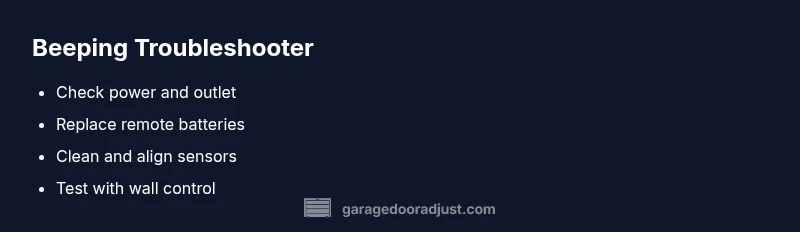
Before you start replacing parts, run a quick battery- and power-focused triage. Check the power outlet by plugging a lamp into the same outlet to confirm it’s live. If the outlet is fine, reset the breaker for the circuit that powers the opener and, if possible, unplug the unit for about a minute before plugging back in. Replace remote batteries with fresh ones, as weak remotes are a common source of beeps. Finally, inspect the safety eyes near the door edges for dirt or misalignment.
Diagnostic Flow: Symptom to Diagnosis
Symptom: Beeping continues when you try to operate the door. Causes include power issues, battery problems, sensor misalignment, or an internal fault. Fixes range from easy to hard: check the outlet (easy), replace batteries (easy), align sensors (medium), or seek professional service if the beep persists (hard). Apply the flow in order: power first, then batteries, then sensors, and finally professional help if necessary. This approach minimizes unnecessary replacements and keeps you safe.
Step-By-Step: Fix the Most Common Cause
Step 1: Confirm power to the opener. Unplug, wait 30 seconds, plug back in, and listen for normal operation. Tip: avoid using a power strip or surge protector that can mask outlet issues.
Step 2: Replace remote batteries. Remove the remote cover, insert fresh alkaline batteries, and test.
Step 3: Realign safety sensors. Clean the sensor lenses with a soft cloth and adjust until both LEDs indicate proper alignment.
Step 4: Test with wall control and remote. If the beep returns, proceed to step 5.
Step 5: Check the door balance and tracks visually for obstructions. Step 6: If the beep persists after these steps, call a professional for a deeper inspection.
Safety and Prevention: Do's and Don'ts
Safety first: always unplug the opener before poking around electrical components. Do not attempt to disassemble the motor housing unless you have electrical training. Routine maintenance helps prevent beeps: lubricate moving parts per manufacturer specs, replace batteries regularly, and keep safety sensors clean and aligned. Avoid using the wrong remote or keypad codes, which can confuse the system.
Testing and Verification After Fix
After completing the fixes, repeat multiple tests: operate from the keypad, the wall control, and the remote at varying distances. Ensure the door completes a full cycle without stalling or beeping. If a beep reappears during a normal cycle, document the pattern and revisit the diagnostic flow. Timely adjustments to sensor alignment and power supply often resolve recurring beeps and improve overall safety.
When to Call a Pro
If you hear buzzing, see signs of melted components, observe frayed wiring, or if your unit is older than 10–15 years, professional service is strongly advised. A technician can diagnose circuit board faults, advanced sensor misalignment, and potential torsion-spring hazards. Early intervention can prevent bigger problems and extend the life of your opener.
Steps
Estimated time: 20-40 minutes
- 1
Verify power to the opener
Unplug the unit, wait 30 seconds, plug it back in, and listen for a normal startup tone or motor movement. Ensure there is power at the outlet by testing with a lamp or another small appliance.
Tip: Use a dedicated outlet; avoid multi-outlet adapters that can mask power issues. - 2
Replace remote batteries
Open the remote battery compartment, replace with fresh alkaline batteries, and re-test with the opener. If the beep changes, note the new pattern for reference.
Tip: Keep spare batteries in a labeled container for quick swaps. - 3
Realign safety sensors
Check the lower sensor eyes on both sides of the door. Wipe lenses clean and adjust until the indicators show solid alignment.
Tip: Never bypass sensors; misalignment can create safety risks. - 4
Test door response
Operate the door from the wall control and the remote to verify consistent operation without new beeps.
Tip: Test at different distances to ensure reliable signal. - 5
Inspect tracks and balance
Look for obstructions on the track and test door balance by lifting halfway; if it doesn’t stay in place, the spring or balance components may need service.
Tip: Do not attempt to adjust torsion springs yourself. - 6
Decide on next steps
If the beep persists after these steps, contact a professional technician for a deeper diagnosis and potential replacement.
Tip: Document the beep pattern and times to help the pro diagnose faster.
Diagnosis: Beeping from the garage door opener
Possible Causes
- highPower issue (outlet, circuit, or reset required)
- highLow or dead remote keypad batteries
- mediumSensor misalignment or obstruction
- lowInternal opener fault or controller issue
Fixes
- easyCheck the outlet and reset the circuit breaker; ensure the opener is powered
- easyReplace remote batteries and re-program if needed
- mediumRealign safety sensors and clean sensor lenses
- hardIf none of the above resolves the beep, schedule professional service or consider replacement if the unit is old
Got Questions?
What does it mean when my garage door opener beeps?
Beeping usually signals a warning or fault. It can indicate power issues, dead batteries, sensor misalignment, or internal faults. Always start with power and batteries before exploring sensors.
Beeping usually means a warning or fault. Start by checking power and batteries, then look at sensors if the beep continues.
Is a beeping opener dangerous?
Most beeps are not dangerous, but they indicate a fault that could affect safe operation. Do not ignore a persistent beep and inspect safety devices and power sources.
Beeping isn’t usually dangerous, but it signals a fault. Don’t ignore it and check safety devices and power.
How do I reset a beeping opener?
Resetting typically involves cycling power, reprogramming remotes, and re-reading fault codes in the unit's manual. If the beep returns after reset, continue with diagnostics or contact a pro.
Reset the unit by cycling power and reprogramming remotes. If it beeps again, keep diagnosing or call a pro.
Why does it beep after a power outage?
Power restoration can trigger fault codes or sensor recalibration in some models. Check power, batteries, and sensor alignment as part of the post-outage checks.
After a power outage the opener may beep due to fault codes; verify power, batteries, and sensors.
Can a beeping opener be repaired or replaced?
Many beeps are fixable with basic maintenance and parts like batteries or sensors. If the unit is old or repeatedly fails, replacement may be more cost-effective.
Most beeps can be fixed with simple maintenance, but an old unit may need replacement.
When should I call a professional?
If you cannot identify the beep cause, hear buzzing, detect damaged wires, or suspect torsion-spring hazards, professional service is recommended to avoid injury.
Call a pro if you can’t find the beep cause or notice wiring or spring hazards.
Watch Video
Quick Summary
- Identify beep patterns to triage quickly
- Power and batteries are the most common culprits
- Sensor alignment is a frequent but solvable issue
- Safety first: unplug before touching components
- Call a pro if the beep persists after basic checks