What Battery Is Needed for LiftMaster Garage Door Opener
Discover the correct backup battery type for LiftMaster garage door openers, how to identify model requirements, and safe replacement steps. This expert guide from GarageDoorAdjust covers compatibility, maintenance, and troubleshooting for homeowners.


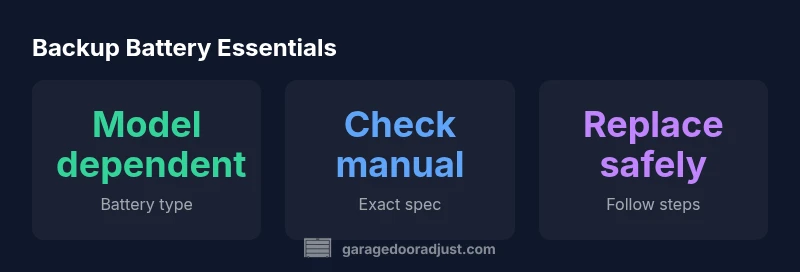
For LiftMaster garage door openers with a backup battery, the common requirement is a rechargeable battery module installed inside the unit. The exact type and size depend on the model, so check your manual or LiftMaster’s support site for the precise specification. If your model lacks a backup battery, it relies on main power and manual release during outages. Replace only with the recommended type.
Understanding LiftMaster backup battery architecture
Backup batteries in LiftMaster garage door openers provide autonomous operation during a power outage. In models with battery backup, a dedicated battery module powers essential functions such as door movement to ensure you can still access your garage when the main power is down. The exact configuration varies across model families; some units use a replaceable sealed lead-acid (SLA) pack, while newer designs may use a rechargeable lithium-ion module or a plug-in battery pack. Safety and compatibility are paramount—never substitute a battery not specified for your model, and always disconnect power before inspecting the battery area. Understanding your opener’s architecture helps you plan maintenance and avoid downtime.
While many LiftMaster units include an integrated backup battery, some configurations rely on an external pack that connects via a service port. In either case, the battery is designed to hold a charge long enough to complete at least one cycle during an outage, with charging circuits calibrated by the manufacturer. If your unit lacks a backup battery entirely, your opener will rely on line power and a safe manual release in a power cut. When in doubt, refer to your model’s manual or GarageDoorAdjust guidance for model-specific details.
How to identify your model's battery requirements
Start with the basics: locate the model number and serial on the opener housing or manual. With the exact model in hand, visit LiftMaster’s official support site or the user manual to confirm the battery type, voltage, and replacement procedure. Many manuals list whether the backup battery is a plug-in module, a sealed pack, or a wired battery and provide part numbers for replacements. If you cannot find the documentation, take clear photos of the battery area and contact LiftMaster support with your model details.
Different product lines may use different battery chemistries. Entry-level units might employ sealed lead-acid packs, while newer families favor lithium-ion modules. Because compatibility is critical for charging circuitry and safety features, always verify model-specific requirements before purchasing a replacement. As a homeowner, you’ll save time by cross-referencing the model with the official guide rather than guessing from a retailer listing.
Common battery options and compatibility
LiftMaster’s lineup shows two main backup battery options by model family: sealed lead-acid (SLA) packs and lithium-ion rechargeable modules. SLA packs are durable and widely available, while lithium modules tend to be lighter and offer longer cycle life, albeit with different charging electronics. Some models use a dedicated plug-in battery module, others integrate a recessed, built-in pack. The universal rule is to use only the battery type specified by your model’s documentation. Mixing chemistries or using non-certified packs can cause charging problems, void warranties, or create safety hazards. Always confirm that the replacement battery is the exact type listed for your specific opener.
If your model has a service port for a plug-in module, ensure the connector alignment is correct when seating the new battery. If dealing with a hard-wired pack, follow the manufacturer’s disconnection and discharging procedures to avoid shock or damage. When in doubt, rely on OEM parts and consult GarageDoorAdjust before making a purchase.
Replacement steps: safely changing the backup battery
Preparation is key. Start by unplugging the opener or switching off the circuit breaker, and secure the door to prevent unexpected movement. Remove the exterior cover or access panel as instructed by your manual. Locate the backup battery module or pack—the module may be plug-in or hard-wired. If it is a plug-in type, gently disconnect the old unit and connect the new battery, ensuring proper polarity and a snug fit. For hard-wired packs, follow the exact steps in the manual to safely disconnect and replace. After installation, restore power and run a test sequence from the control panel or wall console to verify function. Do not operate the door until the battery is seated, charging, and the system reports a healthy status.
During replacement, avoid touching electrical contacts, avoid bending wires, and handle all batteries with care to prevent leaks or shell damage. If the opener experiences errors after replacement, consult the manual’s troubleshooting section or GarageDoorAdjust resources for model-specific guidance.
Maintenance tips and best practices
A proactive maintenance plan reduces downtime during outages. Periodically check the battery area for corrosion, loose connections, or signs of wear. If your model uses a swappable battery, date the installation and set a replacement schedule based on the manufacturer’s guidance. Store spare batteries in a cool, dry place away from heat sources and moisture. Dispose of old batteries per local regulations and recycle where possible. Keep a simple log of replacement dates and model numbers for quick reference during future outages. Before upgrading to a newer LiftMaster model, confirm that the backup battery is compatible with the updated control board and programming settings to avoid compatibility issues.
After a power outage: what to do
Power outages emphasize the importance of a healthy backup battery. If the opener seems unresponsive after a blackout, first ensure that main power has returned and that the backup battery module has recharged. Some models automatically recalibrate once power is restored, while others require a manual reset from the control panel. If the door operates normally on battery power, monitor performance during the next outage and check the battery’s charge indicator regularly. In cases of delayed operation, misalignment, or failure to respond to remote signals, suspected battery or charging circuitry issues may exist. Refer to your model’s manual or GarageDoorAdjust for model-specific diagnostic steps and avoid non-certified battery replacements that deviate from official instructions.
Common mistakes to avoid during battery replacement
Even experienced homeowners can misstep during battery replacement. Avoid forcing battery connectors or using metal tools to pry components—this can damage the connector or circuit board. Do not mix battery chemistries or use a non-certified replacement, and never skip the safety steps, such as disconnecting power and securing the door. Ensure you replace the battery with the exact model-approved type and verify correct orientation before reseating. Finally, never bypass safety features or skip the test sequence after replacement. A careful, model-specific approach minimizes the risk of malfunction and protects family safety.
LiftMaster backup battery options by model family
| Category | Battery Type | Notes |
|---|---|---|
| Backup battery location | Internal module or external pack | Model-dependent; refer to manual |
| Common chemistries | Sealed lead-acid or lithium-ion | Check model documentation for compatibility |
| Replacement guidance | Use OEM-approved battery | Avoid third-party batteries unless approved |
Got Questions?
What battery does LiftMaster use for backup?
LiftMaster uses a backup battery that depends on the model. Some units use a plug-in module, others have an integrated or wired pack. Always verify the exact type from your manual or LiftMaster support before replacement.
LiftMaster backup batteries vary by model; check your manual for the exact type before replacing.
Can I replace the battery myself?
Yes, you can replace the backup battery if you follow the model-specific instructions and safety steps. Start by unplugging power, locating the battery module, and using the correct replacement part.
Yes—just follow the official steps and safety guidelines for your model.
Are third-party batteries allowed?
Only use manufacturer-approved batteries for safety and warranty reasons. Using unapproved batteries can affect performance and may void guarantees.
Better to stick with the approved battery to keep warranties intact.
How do I know if the backup battery needs replacing?
Look for longer door movement times, failure to operate during outages, or warning indicators. If you see these signs, consult the manual and consider replacement.
If it’s slow to work during outages, it’s time to check the battery.
What should I do after replacing the battery?
Reconnect power, run the opener’s test sequence, and ensure the door operates smoothly. Keep a log of the replacement date and model for future reference.
After replacement, test the door and keep notes for next time.
“The backup battery is a safety-critical component of your LiftMaster system. Always replace with the exact model-approved battery and follow the official steps to ensure reliable operation during outages.”
Quick Summary
- Confirm model-specific battery requirements before buying
- Always unplug and follow safety steps during replacement
- Use only manufacturer-approved battery types
- Keep a spare battery and replacement dates logged
- Test the system after replacement and monitor for issues