What Batteries Do Garage Door Openers Use? A Practical Guide
Discover the battery types powering garage door openers, from remote coin cells to backup packs. Learn replacement steps, safety tips, and disposal guidelines for common models.


Most residential garage door openers use coin-cell batteries (like CR2032 or CR2025) in remotes, while some wall controls use AA or AAA cells. Many newer models also include a backup battery pack inside the opener cabinet to operate during power outages.
Understanding Battery Roles in Garage Door Openers
When evaluating the question of what batteries do garage door openers use, it helps to separate the power needs by component. The typical remote control (the handheld device you press to open the door) relies on small coin-cell batteries such as CR2032 or CR2025. These batteries are compact, have a long shelf life, and deliver the low current draw that remotes require. In contrast, some wall-mounted controls or keypads run on AA or AAA cells, especially newer designs that reuse common household battery sizes. Finally, many modern garage door openers include a backup battery pack inside the opener cabinet. This pack provides limited operation during power outages, allowing the door to be opened and closed a few times if the main power fails. For homeowners, the key is to identify which component you’re dealing with and then confirm the exact battery type for that component in the user manual. The phrase what batteries do garage door openers use is best answered by component, not a single universal battery type across all models.
Remote Controls: Battery Types and Lifespan
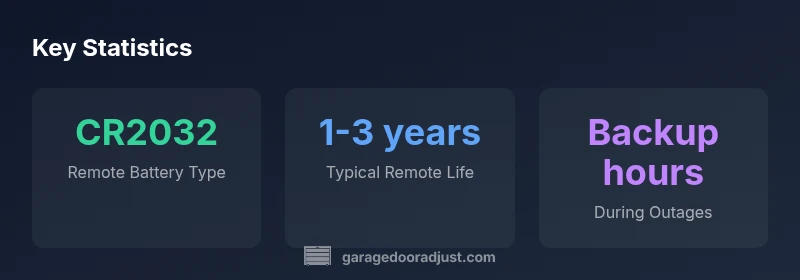
The vast majority of remotes for garage door openers use 3V coin cells. CR2032 and CR2025 are the most common sizes, with CR2032 offering a slightly longer life in many designs due to its capacity. Some older remotes may use different coin sizes or even small A23 batteries, but these are less common in recent models. Replacement frequency depends on usage, climate, and button activity, but you can typically expect 1–3 years of reliable operation from a remote before a replacement is needed. When you replace the battery in a remote, avoid touching the circuitry with metal objects and ensure the terminal contacts are clean. If your remote isn’t responding, start by replacing the coin cell and, if needed, re-pairing the remote with the opener following the manufacturer’s instructions.
Wall Consoles and Keypads: Power Options
Wall consoles and wireless keypads can vary by model, with some units using coin cells (CR2032/CR2025) and others relying on AA or AAA batteries. The choice usually reflects the device’s power draw and enclosure design. Coin cells are popular for compact, low-power designs, while larger keypads might use AA or AAA cells to support features like backlit displays and longer message memory. In all cases, check the product manual for the exact battery size and replacement procedure. Regularly inspect the battery compartment for corrosion and install fresh batteries in the correct orientation to prevent leakage and maintain a reliable connection with the opener.
Backup Power: The Battery Packs Inside the Opener
Many mid- to high-end garage door openers include a backup battery pack located in the main unit. These packs are designed to provide essential function during a power outage, typically enabling several cycles of opening and closing. Backup batteries vary by model and are often rechargeable, using Li-ion or sealed lead-acid chemistries. The key takeaway is that a backup battery is not a substitute for regular operation—it's a safeguard to help you access the door during an outage. If you rely heavily on the opener in emergencies, confirm the backup capacity and replacement interval in the manual and consider a professional service if the unit shows signs of degraded backup performance.
Replacing Batteries: Step-by-Step
For remotes:
- Locate the battery compartment on the back or underside of the remote.
- Remove the old coin cell (note the orientation).
- Insert a new CR2032 or CR2025 with the correct polarity.
- Test the remote at the garage door and re-pair if needed.
For wall controls/keypads:
- Power down the unit if required by the model.
- Open the battery compartment and replace with the correct size (CR2032/CR2025 or AA/AAA).
- Confirm the keypad or wall switch functions after replacement.
For backup battery packs:
- Power down the opener and unplug it from the outlet.
- Remove the old pack and install the same type/replacement specified by the manufacturer.
- Reconnect power and test the outage-guard feature.
Always use manufacturer-approved batteries and follow the manual for the correct procedure to ensure safety and compatibility.
Safety, Disposal, and Recycling
Batteries must be handled with care to avoid leakage and chemical exposure. Coin cells (CR2032/CR2025) should be reused in devices of the same type and disposed of according to local regulations—many municipalities offer battery recycling programs. Do not mix old and new batteries in a single device unless the manufacturer explicitly allows it. Backup battery packs should be treated as hazardous waste and handled according to the product manual and local disposal rules. When in doubt, contact qualified technicians or the device’s customer support for disposal guidance.
Troubleshooting Common Battery Issues
If the opener responds slowly or the remote stops working, start with the simplest checks: replace the remote coin cell, verify correct orientation, and re-pair if necessary. Check the wall control’s battery if the keypad becomes unresponsive. Inspect for corrosion around battery contacts and clean with a dry cloth. If the backup pack isn’t providing power during outages, test the opener with a replaced pack and inspect the charge circuitry. Persistent issues may indicate a deeper electrical fault, in which case consult a technician.
Maintenance Schedule and Best Practices
Create a simple maintenance calendar: replace remote batteries every 1–3 years, inspect wall controls annually, and test the backup battery annually or after a power outage. Store spare coin cells in a dry place and avoid leaving open, outdated batteries in devices. Always use manufacturer-approved replacements to avoid compatibility issues or damage to electronics. Regular checks reduce the risk of unexpected door inactivity and extend the life of your opener’s power components.
What to Buy: Quick Shopping Guide
- Remote coin cells: CR2032 or CR2025, check the manual for the exact size.
- Wall controls: AA/AAA or CR2032/CR2025 depending on the model.
- Backup battery packs: model-specific packs recommended by the manufacturer.
- Battery disposal bags or recycling bins as required by local rules.
When shopping, prioritize genuine or manufacturer-approved batteries to ensure fit and function. Keep a small supply on hand and replace batteries promptly to avoid door operation interruptions.
Battery types by garage door opener component
| Component | Typical Battery Type | Common Battery Size | Replacement Frequency (approx) |
|---|---|---|---|
| Remote controls | Coin-cell batteries | CR2032 / CR2025 | 1-3 years |
| Wall consoles/keypads | Coin-cell or AA/AAA | CR2032/CR2025 or AA/AAA | 2-5 years |
| Backup battery pack (opener) | Rechargeable pack (Li-ion or lead-acid) | Model-specific | 3-5 years |
Got Questions?
What batteries do remote controls use for garage door openers?
Most remotes use 3V coin cells like CR2032 or CR2025. Some older remotes may use other sizes. Replace with the same coin cell and test the remote after replacement.
Most remotes use CR2032 or CR2025 coin cells. Replace with the same coin cell and test the remote after replacement.
Do garage door openers have backup batteries?
Many models include a backup battery pack inside the opener that provides limited operation during power outages. Check your manual for backup type and capacity.
Many models have a backup battery inside the opener to operate during outages. Check your manual for details.
How often should I replace remote batteries?
Remote batteries typically last 1–3 years, depending on usage and climate. Replace with the recommended size, and consider keeping spares.
Remote batteries usually last 1 to 3 years depending on usage. Replace with the recommended size and keep spares.
Can I replace backup batteries myself?
Yes, many owners can replace backup packs using model-specific instructions. If unsure, consult a technician to avoid damaging the unit.
Yes, many backup packs can be replaced by owners following the manual, or by a technician if needed.
How should I dispose of old garage door opener batteries?
Dispose of batteries according to local rules and recycling programs. Do not mix old and new batteries unless the manual allows it.
Dispose of batteries via local recycling programs and follow the manual's disposal guidelines.
“Battery choices for garage door openers depend on the model and component. Always verify the exact type in the manual and use replacements approved by the manufacturer.”
Quick Summary
- Identify the correct battery by component (remote, wall control, backup pack).
- Remote batteries are typically CR2032 or CR2025 coin cells.
- Backup power varies by model and is not a substitute for normal operation.
- Always use manufacturer-approved replacements and consult the manual for specifics.