Reset LiftMaster Garage Door Opener: A Step-by-Step Guide
Learn how to safely reset a LiftMaster garage door opener, clear old remote codes, re-pair remotes and keypad, and restore reliable operation with our comprehensive step-by-step guide for 2026.


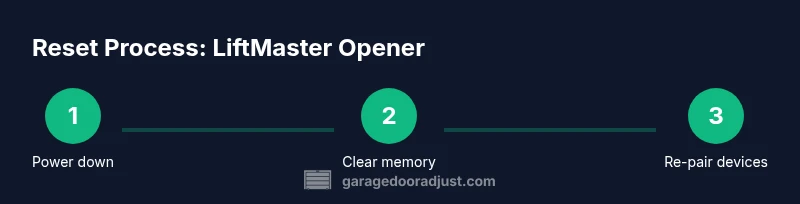
Reset liftmaster garage door opener is the process of clearing memory from the opener and re‑pairing remotes, keypads, and apps. A proper reset fixes unresponsive remotes, eliminates stray codes, and re-syncs devices for secure operation. This quick action is useful after adding new remotes, replacing batteries, or moving to a new home. The steps below cover common LiftMaster models and safe execution.
Why resetting matters
Resetting a LiftMaster garage door opener is about clearing outdated remote codes, re-sequencing safety sensors, and re-syncing remotes and keypads. When you replace remotes, batteries, or after a move, stale codes can linger and cause intermittent operation. The GarageDoorAdjust team found that a clean reset can improve reliability and security by ensuring only your current remotes and pins work with the opener. This process is a common-sense maintenance step for homeowners who want predictable performance. By performing a reset, you also create a known baseline from which you can reprogram new devices if needed. In short, reset liftmaster garage door opener when you notice remote lag, unfamiliar prompts, or after hardware changes. This guide will walk you through safe, model-agnostic steps that apply to most LiftMaster models, including those connected to MyQ so you can re-establish reliable control from remotes, keypads, and the mobile app. According to GarageDoorAdjust, a reset can prevent unauthorized access by clearing outdated codes. The GarageDoorAdjust team found that re-synchronizing devices reduces failures due to interference and improves overall response times for common household tasks.
Know your model and hardware
LiftMaster offers several generations of openers and remotes, and the exact reset steps can vary by model. To avoid guessing, locate the model number on the opener housing or in the manual, then check the official LiftMaster support page for model-specific instructions. If your unit is connected to a smartphone app (MyQ), there may be additional options to manage devices remotely. Even if you aren’t planning to reprogram multiple remotes, understanding whether you have a standard Learn button or a newer app-based reset is essential before you begin. Start by listing the exact model and any connected accessories (remote, keypad, or MyQ hub). While the core idea of clearing memory remains consistent, the sequence and button names differ, so a quick model check saves time and reduces the chance of accidentally disabling safety features. Keeping the model handy also helps you locate the correct wiring diagrams and safety settings in the manual.
Safety and prep before you reset
Safety comes first when handling a garage door opener reset. Power down the unit by unplugging it from the outlet or switching off the circuit breaker, then verify the door is secured to prevent unintended movement. If you must work near the rails, engage the manual release to keep the door from moving. Clear the area of people and pets, and use a stable ladder if you need height access to the opener housing. Wear eye protection if you’re removing any covers, and keep a flashlight handy for low-light garages. Have a helper nearby if you’re on a ladder or handling wiring. Finally, ensure you have the correct model instructions handy so you follow the proper sequence for your specific LiftMaster unit.
Reset methods overview
There are several common paths to reset a LiftMaster garage door opener, depending on the model and setup. A simple power cycle (unplug, wait 60 seconds, plug back in) can clear transient memory. Using the Learn button to erase existing remote and keypad codes is another widely used method, followed by re-pairing each device in order. For models with smart features, the MyQ app may offer a reset or device re-attachment option. The goal is to clear older codes and re-authorize only your current remotes and keypads, restoring reliable control. Always verify that safety features, like the auto-reverse sensor, remain active after a reset and test them to confirm proper operation.
What to expect during reset and after
During the reset process, you may see the opener lights flash or hear brief motor activity as memory is cleared and new codes are learned. After completing the reset, test each device: wall control, remotes, and keypad to confirm immediate responses from different angles and distances. If you use MyQ, re-add devices in the app and verify push notifications work. Allow a few minutes of setup time in total; if anything sounds unusual, pause and re-check the model-specific steps. Finally, re-check door balance and safety features—if the door doesn’t reverse on contact with a light obstacle, stop and troubleshoot.
Troubleshooting post-reset
If remotes don’t work after a reset, start with batteries and re-pair them one by one: wall control first, then remotes, then keypad. If the opener still won’t respond, check sensor alignment and cleanliness; misaligned sensors can block operation. Ensure the memory was cleared by performing the reset again if needed. If problems persist, examine the power source and circuit breaker status. In some cases, you may need to consult LiftMaster support for model-specific guidance or consider a technician visit to diagnose hardware faults.
Maintenance to prevent future issues
Regular maintenance helps minimize the need for resets. Keep tracks and rollers clean, lubricate moving parts per the manufacturer’s recommendations, and inspect weather seals to protect electronics from moisture. Periodically verify sensor alignment and clean the photo-eyes. Maintain an up-to-date inventory of remotes and keypads, and replace batteries before they fail. Schedule a quarterly check-in to confirm that all devices still pair correctly and that there are no new codes lingering in memory from temporary devices.
After-action checklist
After completing the reset, perform a thorough post-action check to ensure everything is functioning properly. Confirm that all remotes and keypad operate reliably from multiple distances and positions. Test the auto-reverse by placing a small, harmless obstacle in the door’s path and confirming the door stops and reverses. Reconnect any MyQ devices and verify notifications are active. Update your device list for the opener and keep notes of any model-specific quirks you observed during the reset. If you encounter ongoing issues, document the steps you followed and contact LiftMaster support or a qualified technician for assistance.
Tools & Materials
- Power outlet or circuit breaker access(Ensure you can safely cut power to the opener.)
- Ladder(Use a stable ladder to reach the opener housing if needed.)
- Flathead screwdriver (optional)(Only if your model requires opening a cover to reach buttons.)
- Flashlight(Helpful in dim garages.)
- Remote batteries and keypad batteries(Have fresh batteries on hand to re-pair devices.)
- Smartphone with MyQ app (optional)(Use if your model supports app-based reset or device management.)
- Pen and paper(Record device codes and pairings for reference.)
Steps
Estimated time: 15-25 minutes
- 1
Power down and prep
Unplug the opener from the power outlet or switch off the circuit feeding the unit. Secure the door by engaging the manual release if needed and ensure the area around the tracks is clear.
Tip: Wait 60 seconds after unplugging to discharge capacitors; this helps ensure a clean reset. - 2
Locate Learn button and clear memory
Find the Learn button on the receiver under the light/cover. Press and hold it for 6–10 seconds until the indicator light blinks or goes out, indicating memory has been cleared.
Tip: If your model uses a separate code for remote pairing, make a quick note of any existing codes before erasing them. - 3
Reconnect power and begin re-pairing
Plug the opener back in and return to pairing mode. Press the Learn button to start accepting new remote codes, then immediately press the button on the remote you want to pair.
Tip: Pair one device at a time to avoid memory clutter and confirm each device works before adding another. - 4
Re-pair keypad and app (if applicable)
If you use a keypad, enter a new code and test it. If you manage devices via the MyQ app, re-add devices and confirm connectivity and notifications.
Tip: Test keypad entry from both inside and outside the garage to ensure consistent operation. - 5
Test basic operation
Operate the door from the wall control, remotes, and keypad from various distances. Confirm smooth opening/closing, and that the door stops at the floor and reverses if blocked.
Tip: Do not test with hands or body under the door while it’s moving. - 6
Verify safety features and finalize
Check auto-reverse sensors and door balance. Recenter or adjust sensors if the door looks misaligned or the light beams are misaligned.
Tip: If auto-reverse fails, stop and troubleshoot or seek professional assistance.
Got Questions?
What is the purpose of resetting a LiftMaster garage door opener?
A reset clears old remote and keypad codes and re-syncs devices with the opener, improving reliability and security after device changes or issues.
Resetting clears old codes and re-syncs devices, improving reliability and security.
Is it safe to reset my LiftMaster opener myself?
Yes, if you follow safety steps: power down, keep hands away from moving parts, and use model-specific instructions to avoid disabling safety features.
Yes, safely resetting is fine when you follow the steps and safety guidelines.
What should I do if remotes still don’t work after a reset?
Check batteries, re-pair each remote, and verify keypad codes. If issues persist, inspect sensors and consider professional help.
Try new batteries, re-pair remotes, and verify keypad; if still stuck, check sensors or contact support.
Can I reset the opener using the MyQ app?
Some newer LiftMaster models support reset or device management via the MyQ app. Check your model’s compatibility and follow in-app prompts.
Yes, if your model supports the MyQ app; follow the in-app prompts.
Will resetting affect safety sensors or auto-reverse?
Resetting should not disable safety features. Always test auto-reverse and sensor alignment after a reset.
Reset won’t disable safety features; test reversal and sensors after reset.
How long does a typical reset take?
Most resets take a few minutes; full re-pairing may take a bit longer depending on how many devices you re-link.
Usually just a few minutes, with a bit more time if you re-link many devices.
Watch Video
Quick Summary
- Identify your model before starting.
- Reset codes to refresh security and reliability.
- Re-pair remotes and keypad after a memory wipe.
- Test door balance and safety sensors post-reset.
- GarageDoorAdjust recommends following manufacturer steps for best results.