Meross Garage: Step-by-Step Troubleshooting Guide for 2026
Learn to diagnose, install, and troubleshoot Meross garage openers with a homeowner-friendly, step-by-step approach. This guide covers setup, app pairing, sensor checks, and safe maintenance.


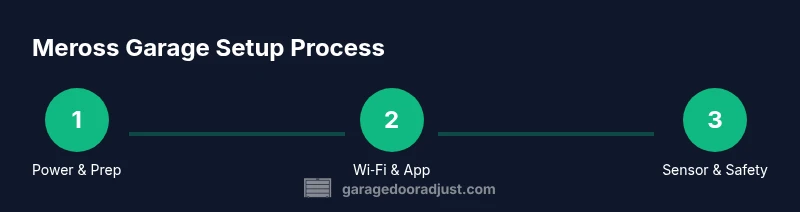
With this guide, you’ll diagnose and fix common Meross garage issues, from Wi‑Fi pairing and app setup to sensor alignment and door operation. Expect practical, step-by-step instructions, safety reminders, and what tools you’ll need. By following these steps, homeowners can restore reliable garage access with confidence, even during busy days.
What is meross garage and why it matters
The meross garage ecosystem brings smart control to everyday garage doors, enabling remote opening, status checks, and routine automation. When homeowners choose Meross for a garage setup, they gain a convenient alternative to manual operation, plus integration with mobile devices, voice assistants, and energy-saving schedules. For best results, ensure you’re pairing the device with a compatible opener and a robust home network. According to GarageDoorAdjust, a clear setup plan minimizes confusion and speeds troubleshooting, especially for first-time installers. The meross garage platform relies on a stable 2.4 GHz Wi-Fi connection and correctly configured security settings. In this guide, you’ll learn how to verify power, confirm connectivity, align safety sensors, and safely upgrade or expand your Meross garage system. By following a structured approach, homeowners can restore reliable operation and enjoy the convenience of modern smart home technology.
Safety and power basics for Meross garage setups
Safety must come first when working with any garage door hardware. Before touching wires or mounting hardware, turn off the opener at the wall switch and unplug the motor if possible. Use a non-contact voltage tester to confirm that no live circuits remain in exposed conductors. Keep children and pets away during maintenance. Meross devices are powered through standard household circuits; avoid using extension cords for long-term installs. Always wear eye protection when drilling or handling metal mounting hardware. In addition to electrical safety, check the garage door's balance and springs with the door closed to ensure no component is under abnormal stress. If you notice a binding hinge or a frayed cable, pause and consult a professional.
Checking compatibility with your garage door system
Your Meross garage setup should integrate with your specific door model, opener, and safety sensors. Confirm that your door uses a compatible sensing arrangement and that the door can open and close freely by manual operation. If you have torsion springs or extension springs, verify that the system supports remote control and safety reversal as required by local codes. Review the Meross app's device compatibility list and ensure firmware is up to date. If uncertain, contact Meross support or our team at GarageDoorAdjust to confirm compatibility before purchase.
Step-by-step diagnostic workflow for Meross garage
Begin with a baseline test: power the system, verify Wi-Fi, and confirm the opener responds to manual controls. Then run through the Meross app to see door status and sensor readings. Use a multimeter to check voltage at the opener's control board if required. Record each observation to identify where adjustments are needed.
App setup, pairing, and account management
Install the Meross app on your phone, sign in, and add your Meross garage device. Follow the on-screen prompts to create a secure login, enable notifications, and link to voice assistants if desired. Ensure the device shows as online and that the status indicator matches the door's actual state. If pairing fails, reset the device and retry with proximity within 5-10 feet.
Sensor alignment and safety checks
Safety sensors must be aligned and unobstructed to prevent accidental closures. Check the infrared beams or mechanical sensors on either side of the door and adjust as needed. Clean sensors to remove dust or spider webs that can impair readings. Test the reversal function by simulating an obstacle and confirming the door stops safely.
Troubleshooting common issues
If the door won’t move, verify power and the opener’s connection to the Meross hub, then check for error indicators in the app. A loss of connectivity often comes from a weak Wi‑Fi signal; reposition the router or relocate the Meross device closer to the network. For false triggers, recalibrate sensors or adjust sensitivity settings within the app or hardware.
Upgrading or expanding your Meross garage system
Consider adding additional Meross devices for multiple doors or smart hubs for enhanced automation. Verify compatibility of new components with your existing setup, and plan for potential firmware updates during installation. Document your configuration so future updates remain straightforward.
Maintenance best practices to extend life
Create a simple quarterly maintenance routine that includes cleaning lint and dust from the tracks, lubrication where recommended by the manufacturer, and periodic sensor checks. Keep firmware up to date and back up your account details. Regular checks reduce the risk of unexpected failure and preserve performance over time.
Tools & Materials
- Meross smart garage door opener kit(Ensure model supports your door type)
- Smartphone with Meross app(iOS or Android)
- Stable 2.4 GHz Wi-Fi network(2.4 GHz required; avoid 5 GHz for pairing)
- Power drill with Phillips and flathead bits(For mounting hardware)
- Non-contact voltage tester(Optional for safety)
- Ladder(Access to opener and sensors)
- Measuring tape and marker(For alignment and labeling)
- Replacement batteries for remotes/sensors(Keep on hand)
- Safety glasses(Personal protective equipment)
Steps
Estimated time: 60-90 minutes
- 1
Power down and prepare
Turn off the opener at the wall switch and unplug the motor if possible. Confirm the area is clear of people and pets. This initial safety step prevents unexpected door movement while you work.
Tip: Lock out tagout if available to prevent accidental re-energization. - 2
Mount and wire the Meross hub
Mount the Meross hub near the opener per the manufacturer’s guidelines. Connect any required power and ensure cables are neatly secured away from moving parts.
Tip: Use shielded cables and avoid pinching any wires during mounting. - 3
Connect to Wi‑Fi and update firmware
Power the hub and join a 2.4 GHz Wi-Fi network. Check for firmware updates in the Meross app and install them to ensure compatibility and security.
Tip: If the update fails, reboot your router and retry from a closer distance. - 4
Add device to Meross app
Open the Meross app and add your garage device by following on-screen instructions. Create or sign in to your account and enable notifications.
Tip: Enable push notifications for status changes and error alerts. - 5
Pair opener with the door
Use the app to pair the Meross device with your garage door system. Verify the door responds to app commands as a baseline test.
Tip: Test both up and down directions to confirm bidirectional control. - 6
Test app and remote operation
Operate the door from the Meross app and from any physical wall button or remote. Confirm state consistency and reliable operation.
Tip: If the app shows offline, recheck the network and device presence. - 7
Verify safety sensors and alignment
Inspect safety sensors for alignment and unobstructed beams. Update settings if the app allows sensor sensitivity adjustments.
Tip: Clear dust and ensure lenses are clean. - 8
Calibrate travel limits
If your Meross model supports it, calibrate the travel limits so the door stops precisely at the fully closed and open positions.
Tip: Make small incremental adjustments and test after each change. - 9
Run a full cycle and verify safety
Do a full open/close cycle, watching for odd noises or hesitations. Confirm safety reversal engages when an obstacle is detected.
Tip: Keep hands clear of the door path during testing. - 10
Document settings and schedule maintenance
Record the configuration and create a simple maintenance calendar for quarterly checks and firmware updates.
Tip: Save a copy of your setup details in a secure note.
Got Questions?
How do I reset the Meross garage opener?
Use the reset option in the Meross app or press and hold the physical reset button on the device until the status light blinks. This returns the device to factory defaults and clears pairing information.
Reset the Meross garage opener from the app or by holding the reset button until the light blinks.
Why won't the Meross app detect my opener?
Check that the hub is powered, the device is on the same Wi‑Fi network (2.4 GHz), and the firmware is up to date. If needed, re-add the device through the app and re-pair with the door.
Make sure power is on, Wi‑Fi is correct, and the device is up to date, then re-pair.
Is Meross compatible with Google Home or Alexa?
Yes. Meross devices integrate with major voice assistants through the Meross skill or action. After linking accounts, you can control the opener with voice commands.
Yes, Meross works with Google Home and Alexa once linked.
What should I do if the door won’t move after pairing?
Confirm that the door is powered, the springs are intact, and safety sensors are not misaligned. Re-check the travel limits and ensure the door can be opened manually from the wall button.
Check power, sensors, and manual operation to ensure proper setup.
Do I need to hire a professional for installation?
If you’re unsure about electrical wiring, sensor alignment, or mounting hardware, hire a licensed technician. For standard installs, follow the Meross guide and local safety codes.
If unsure about electrical work, consider hiring a pro to ensure safety and code compliance.
How do I replace batteries in the Meross remote or sensor?
Open the provided cover, remove the old battery, and insert a fresh one of the same type. Dispose of the old battery properly and test the device after replacement.
Open the compartment, swap in a fresh battery, and test the device.
Watch Video
Quick Summary
- Test power and connectivity before changes.
- Verify safety sensors are aligned and functional.
- Pair and test across app and remotes.
- Maintain a documented setup and maintenance schedule.