LiftMaster 8165: Complete Guide for Homeowners
This comprehensive guide covers installation, diagnosis, and maintenance for the LiftMaster 8165 garage door opener. Learn safety checks, sensor alignment, belt maintenance, remote programming, and common fixes with actionable steps from GarageDoorAdjust.


This guide helps homeowners install, diagnose, and maintain the LiftMaster 8165 garage door opener. You’ll learn safety checks, sensor alignment, belt drive maintenance, remote programming, and how to troubleshoot common issues with practical, step-by-step instructions. Expect focused, actionable guidance that prioritizes safety and reliability.
Understanding LiftMaster 8165: What it is and why it matters
The LiftMaster 8165 is a popular residential garage door opener used by many homeowners for decades. It typically features a belt-drive system, a reasonably powerful motor, and compatibility with basic home automation setups. Understanding how this model works helps you diagnose issues quickly, perform routine maintenance, and decide when an upgrade is warranted. The GarageDoorAdjust team emphasizes practical, hands-on guidance that stays focused on safety and reliability, rather than high-level theory. A solid working knowledge of the major components reduces repair time and helps you communicate clearly with technicians if a professional service is needed. While there are variations between installations and updates from year to year, the core principles remain the same: your opener relies on clean electrical power, correctly adjusted sensors, a balanced door, and a drive system that remains properly lubricated and aligned. This article uses general guidance suitable for most homeowners and does not replace professional service for hazardous situations.
Safety first: Key safety features and how to test them
Safety is the foundation of any garage door project. The LiftMaster 8165 family includes several built-in protections designed to keep people and pets safe during operation. Primary features typically include automatic reversing action, photoelectric safety sensors near the floor, mechanical stops, and a manual release for emergency operation. Before you touch any moving parts, unplug the unit or switch off the circuit feeding the opener to prevent accidental activation. To test the auto-reverse, place a solid object like a piece of plywood on the door’s path and close the door. If the door stops and reverses, the system is functioning; if not, you should adjust the safety reversal system or seek service. Regular sensor tests, clearance checks, and a cautious approach to maintenance reduce injury risk and avoid accidental door movements.
Troubleshooting common issues and quick fixes
Most noise, delay, or unresponsive problems with the LiftMaster 8165 stem from misalignment, worn components, or simple settings that slipped out of calibration. If the opener does not respond to the wall control or remote, first check the power supply and any circuit breakers. Confirm the door is balanced and not binding in the tracks by disconnecting the opener and lifting the door manually. If the door is heavy or feels unbalanced, do not force it; this may indicate a broken spring or worn hardware requiring professional service. A squealing or grinding noise often signals dry bushings, rollers, or belt wear; apply a silicone-based lubricant to moving parts and inspect for loose fasteners. If the door opens but stops short of the full travel, adjust the limit switches according to the user manual, making small changes and testing after each adjustment. For remote issues, verify the remote’s battery and re-pair it following the manufacturer’s steps.
Sensor alignment and photoeye troubleshooting
Photoeye sensors are essential for preventing a closing door from injuring objects in the doorway. If either sensor is misaligned or blocked, the opener will not close or will reverse unexpectedly. Start by locating the two sensors near the bottom corners of the door opening; check that both LEDs are steady and not flickering. Realign each sensor so the transmitter and receiver face each other directly; you should be able to see both LEDs illumination from a short distance. Clear any dust or cobwebs that might obscure the sensor lenses and ensure there’s nothing in the sensor path within about 6 inches of the sensor. After realigning, test the door by closing it; if the door still refuses to close, re-check the wiring connections and consult the manual for troubleshooting guidance. A correctly aligned photoeye dramatically reduces nuisance reversals and improves safety.
Belt drive maintenance and noise reduction
Even when the LiftMaster 8165 uses a belt drive, routine maintenance can significantly reduce noise and extend life. Start by inspecting the belt for cracks, fraying, or glazing; if you spot wear, replace with an OEM-grade belt kit. With the door closed, check belt tension; it should have a slight give but should not sag or rub on pulleys. Clean the drive rails and pulleys to remove dust and debris that can impede smooth motion; use a silicone-based lubricant on moving metal parts, avoiding over-lubrication which can attract dust. Tighten mounting bolts and check that the trolley and bracket connections are secure. If you notice persistent creaking or grinding, inspect rollers for wear and consider replacing worn nylon or steel rollers as needed. Regular lubrication and careful inspection keep operation quiet and smooth, especially in homes with living spaces near the garage.
Replacing remotes and programming tips
Remotes and wireless accessories let you operate the LiftMaster 8165 from inside and outside the home. When adding a new remote, start with fresh batteries and keep a record of the reset codes or learning codes. To program a new remote, press and hold the Learn button on the opener housing until the indicator light stays on, then press the button on the remote; release when the light blinks or confirms programming. If your system supports a smartphone integration like a companion app, follow the app’s on-screen prompts to complete pairing. After programming, test from different distances and angles to confirm reliable operation. If you replace the remote, also re-check security features to prevent unauthorized access, and keep remotes in a secure location away from children.
Compatibility and future upgrades
The LiftMaster 8165 family interacts with various accessories, apps, and smart home platforms. Before upgrading, verify that your current wiring, safety sensors, and rails will support newer components; some features, such as integrated smartphone control or backup power, may require matching hardware and firmware. When in doubt, consult the user manual or reach out to a qualified installer. An upgrade might involve updating the control panel, adding a battery backup, or enabling remote access via a cloud-based service. Always weigh the cost, installation effort, and potential noise changes against the benefits of improved reliability, security, and convenience for your family. GarageDoorAdjust recommends performing a careful assessment of your home layout, garage usage patterns, and the likelihood of future upgrades before purchasing new parts or devices.
Quick checks before you call a pro
If issues persist after following the steps above, perform these quick checks to decide if professional service is needed. Confirm that the electrical outlet is live and that the opener’s circuit board has no burnt components or loose wires. Verify that safety sensors not blocked and that door balance remains stable by performing a hands-on test while the opener is disconnected. If you hear repeated grinding, see unusual belt movement, or detect heat around the motor, avoid further use and contact a licensed technician. Having your model number and a list of observed symptoms will help the technician diagnose the problem faster and may reduce repair time.
Tools & Materials
- Power drill with Phillips and hex bits(For mounting components and adjusting brackets)
- Screwdrivers (flathead and Phillips)
- Adjustable wrench set
- Socket set(Use standard sizes for fasteners in your model)
- Ladder sturdy enough to reach ceiling mount(Non-slip feet; stable position)
- Safety glasses and work gloves
- Voltage tester(Verify power at the outlet during work)
- Silicone-based garage door lubricant(Lubricate moving parts sparingly)
- Replacement photo-eye sensors (optional)(If misalignment persists after adjustments)
- Cloth and mild solvent for tracks(Clean dirt and grime from rails)
- Owner’s manual or model-specific guide
Steps
Estimated time: 60-90 minutes
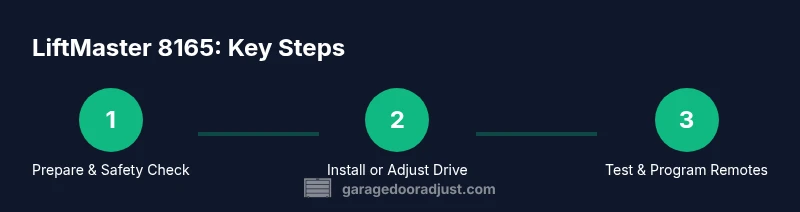
- 1
Power down and secure area
Shut off power to the opener at the outlet or main breaker. Confirm no voltage with your tester before touching any components. This ensures you won’t accidentally move the door while you work.
Tip: Lockout the circuit if others might switch power back on during the job. - 2
Release the door from the opener
Pull the emergency release handle to disengage the door from the trolley. Move the door manually to verify it can be opened and closed freely without the opener.
Tip: Keep a helper nearby if the door is heavy. - 3
Check door balance manually
With the door disconnected, lift it halfway and observe whether it stays put, rises, or falls. An imbalanced door can strain the opener and cause unsafe operation.
Tip: If it travels unevenly, do not force it; call a pro. - 4
Test photo-eye safety sensors
Make sure both sensors are aligned and unobstructed. Close the door from the wall control and wave a small object in front as it approaches the sensors to ensure it reverses.
Tip: Clear dust and cobwebs from the sensor lenses. - 5
Inspect rails and rollers
Inspect tracks for dents, misalignment, or obstructions. Clean with a cloth; ensure rollers spin freely without binding.
Tip: Use a level to verify rails are vertical and parallel. - 6
Check belt/drive mechanism
Inspect the belt (or chain) for wear. Ensure it is seated properly on pulleys and hasn’t stretched or frayed.
Tip: Do not operate with a damaged belt; replace with manufacturer-approved parts. - 7
Reconnect power and test limits
Restore power and use the wall control to test door travel. If the door stops short, adjust the limit screws in small increments and test again.
Tip: Make the smallest adjustment possible each time. - 8
Program remotes and test MyQ
Re-pair remotes after any adjustments and verify smartphone, if applicable, connects through the app. Test from multiple distances and angles.
Tip: Record codes for future ease of troubleshooting.
Got Questions?
What is the LiftMaster 8165 best used for?
The LiftMaster 8165 is designed for reliable residential operation with a belt-drive mechanism and essential safety features. It suits standard two-car garages and setups that integrate basic smart features. Always confirm compatibility with your specific installation.
The LiftMaster 8165 is a reliable residential opener with a belt-drive and safety features. Ideal for standard garages and basic smart integrations.
Do I need professional installation?
Many homeowners comfortable with power tools and basic electrical work can install or upgrade components themselves, following the manual. However, garage door systems involve heavy doors, springs, and high-torque parts. If in doubt, hire a licensed technician.
DIY is possible for those comfortable with electrical work, but consider a pro for safety-critical steps.
How do I reset the opener to factory settings?
Reset procedures vary by model, but typically involve unplugging or powering down, then using the Learn or reset button to erase codes and re-pair accessories. Always refer to the user manual for your exact variant.
Factory resets usually involve the Learn button and erasing remote codes; check your manual for exact steps.
Can I replace remotes or sensors myself?
Yes, most homeowners can add remotes and adjust sensors by following the manual and correct pairing steps. Use compatible parts and batteries, and verify sensors are aligned after any replacement.
Remotes and sensors can be replaced by homeowners using the manual; use compatible parts and re-align sensors after replacement.
What safety checks should I perform after installation?
Test auto-reverse with a small object, verify photoeye alignment, check the manual release, and confirm the door balance. Regular checks help prevent accidents and extend the life of the opener.
Test auto-reverse, align sensors, check the manual release, and confirm balance after any installation.
What maintenance schedule does LiftMaster 8165 require?
Perform periodic lubrication of moving parts, inspect tracks and rollers, and re-check sensor alignment every few months or after heavy use. Regular attention reduces noise and prolongs life.
Keep up with lubrication and track checks every few months for best performance.
What should I do if the door won’t open or close?
First ensure power is available and safety sensors aren’t blocked. Check balance, drive belt, and limit switches; if problems persist, contact a licensed technician.
If the door won’t operate, check power, sensors, balance, and limits, then call a pro if needed.
Is upgrading to MyQ or a backup power kit worth it?
Upgrades can add convenience and resilience, especially in power outages or remote control scenarios. Weigh the cost and installation effort against the anticipated benefits for your use case.
MyQ and backup power can be worthwhile if you value remote access and reliability during outages.
Watch Video
Quick Summary
- Inspect safety features before testing.
- Verify door balance and track alignment.
- Program remotes and MyQ safely.
- Lubricate moving parts regularly.