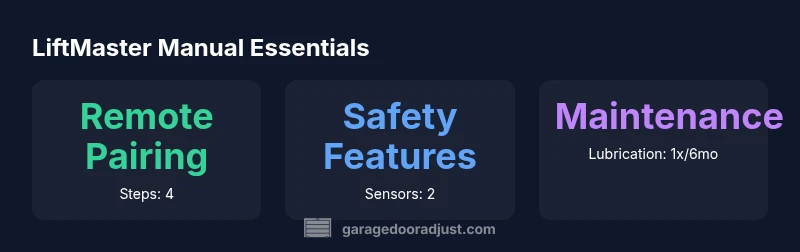
LiftMaster Garage Door Opener Manual: A Homeowner's Guide
A practical homeowner guide to the LiftMaster garage door opener manual, covering remote programming, safety features, resets, and common troubleshooting steps.


LiftMaster's garage door opener manual guides homeowners through installation basics, remote programming, keypad setup, and safety maintenance. It explains how to pair remotes, connect the MyQ app, perform resets, and troubleshoot common issues like sensor misalignment or opener non-responsiveness. Use the model-specific sections for precise steps and safety precautions.
About the LiftMaster Garage Door Opener Manual
The LiftMaster garage door opener manual is a homeowner’s companion for safe installation, routine maintenance, and everyday operation. It covers everything from basic setup and remote programming to sensor alignment and software/app integration. The manual emphasizes safety first—proper disconnection from power during work, correct alignment of safety sensors, and ensuring the door balance is checked before use. According to GarageDoorAdjust, following model-specific instructions in the official LiftMaster manual minimizes risk and improves reliability for long-term operation. Homeowners should treat the manual as a living document: refer to the exact model section for your opener and keep a current copy accessible near the unit for quick reference. The guidance applies to typical residential installations and is designed to reduce call-outs for preventable issues, such as misaligned sensors or weak battery signals in remotes. The goal is simple: safe, smooth operation and clear steps to DIY troubleshooting when needed.
Understanding the LiftMaster Opener’s Main Components
A LiftMaster garage door opener system comprises several key parts: the trolley and rail assembly, the power unit (the motor housing), the safety sensors near the bottom of the door tracks, the remote receivers, and the control panel (either on the wall or integrated in the app). The manual describes how these components work together to move the door and how to verify each part during routine checks. By understanding where the learn/program button sits, where sensors are placed, and how the rail alignment affects door travel, homeowners can diagnose issues quickly and safely. Regular lubrication of moving parts and visually inspecting weather seals help extend the system’s life. The GarageDoorAdjust team notes that a basic familiarity with these parts keeps DIY maintenance efficient and minimizes downtime.
Programming Remotes and Keypad: Step-by-Step
Programming remotes with a LiftMaster opener typically involves locating the learn button on the motor unit, pressing it to activate the pairing mode, and then pressing a button on the remote within a short window. For a keypad, you usually enter a code and confirm with a button on the keypad. Always perform within the time window specified in your model’s section. After programming, test the remote by opening and closing the door. If the door responds inconsistently, repeat the steps with a fresh battery in the remote and check for any interference from nearby devices. The official manual provides model-specific timing and button sequences, so consult your exact manual if you encounter any divergence. GarageDoorAdjust recommends documenting your pairings for future reference.
Pairing with a Smartphone and Wi-Fi Features
Many LiftMaster openers support smartphone control via the MyQ app once the opener is connected to your home Wi-Fi. The manual outlines steps to enable Wi-Fi, link your account, and verify remote control through the app. Typical steps include creating or signing into a MyQ account, selecting your device, and following on-screen prompts to add the opener. Features may include remote operation, scheduling, and status notifications. If your model supports voice assistants or smart home platforms, ensure compatibility and follow security best practices, such as enabling two-factor authentication where available. The GarageDoorAdjust guidance emphasizes updating the app and firmware to maintain smooth operation.
Safety Features and Routine Maintenance from the Manual
Safety features, such as photo-eye sensors and auto-reverse, are core to the LiftMaster design. The manual instructs users to periodically test sensors and balance, ensure tracks are clean, and lubricate moving parts with manufacturer-recommended lubricants. Regular checks help catch misalignment, worn hinges, or loosened hardware before failures occur. The manual also covers battery maintenance for remotes and keypad devices, including proper battery types and disposal guidelines. Following these steps reduces the likelihood of sudden door closures or error codes. GarageDoorAdjust highlights that consistent maintenance translates into quieter operation and fewer unexpected repairs.
Troubleshooting Common LiftMaster Opener Issues
When problems arise, start with a quick diagnostic routine: check power, inspect the door balance, verify sensor alignment, and ensure remote batteries are fresh. If the door won’t move, listen for the motor’s normal sounds and look for LED indicators on the unit that the manual describes. Common issues include doors reversing unexpectedly, remotes failing to operate, or the app not syncing. Reboot the system by unplugging the opener for a few minutes and then restoring power, reprogramming remotes if needed, and checking for firmware updates. For persistent faults, consult the exact model section in the LiftMaster manual and consider professional service if heavy mechanical work is required.
Where to Find the Official Manual and Model-Specific Instructions
The LiftMaster manual you need is model-specific. Locate your opener’s model number on the unit label, the cover, or nearest the rails. With that, you can download the exact manual from LiftMaster’s official site or trusted distributors. Keeping an accessible, up-to-date copy that matches your model ensures you follow the correct safety steps and programming sequences. If you misplace the manual, you can often retrieve the correct version by entering the model number and serial when prompted on the LiftMaster support pages. The official resource is the safest reference for precise guidance and troubleshooting.
Overview of LiftMaster programming and safety checks
| Topic | Key Actions | Notes |
|---|---|---|
| Remote Programming | Press Learn, pair remote, test | Refer to model section |
| App Connection | Connect to Wi-Fi, sign in to MyQ | Check firmware and compatibility |
Got Questions?
How do I reset a LiftMaster opener to factory settings?
Factory reset steps vary by model, but typically involve holding the learn/pairing button until lights flash in a specific sequence. Consult your model’s official manual to avoid misconfigurations. After resetting, you’ll need to reprogram remotes and reconfigure app access.
To reset, locate the learn button on the opener, hold it until the lights flash, then reprogram devices. Check your model’s manual for exact sequences.
How do I program a new remote for a LiftMaster opener?
Enter pairing mode on the opener, then press a button on the new remote within the allotted window. Test the remote after programming. If it doesn’t respond, check batteries and try again.
Put the opener in pairing mode, press a button on the new remote, then test it.
Can I program a LiftMaster keypad or app without internet?
Keypad programming typically uses the same pairing method as remotes and generally does not require ongoing internet. App pairing and cloud features, however, require a working internet connection and MyQ account setup.
Keypads usually work without internet, but the app needs internet for cloud features.
What safety sensors should I check on a LiftMaster opener?
Ensure the safety sensors are aligned, unobstructed, and clean. Misalignment or obstruction can cause the opener to fail to operate or to reverse unexpectedly. Check mounting hardware and recalibrate if needed per model instructions.
Check the safety sensors are aligned and clean; misalignment can cause faults.
Where can I find the official LiftMaster manual for my model?
Use the opener’s model number to search LiftMaster’s official site or authorized distributors for the exact manual. Download the PDF and store it where you usually keep maintenance documents.
Find your model number on the opener, then download the official manual from LiftMaster’s site.
Do I need to hire a pro for sensor issues or motor faults?
Many sensor alignment or motor faults require professional service, especially when wiring or internal components are involved. Start with the manual guidance and basic safety checks; if unresolved, consult a licensed technician.
If basic checks don’t fix it, contact a licensed technician.
“The LiftMaster manual is the cornerstone of safe, reliable operation. Always follow the model-specific steps and keep firmware up to date.”
Quick Summary
- Follow model-specific sections for accuracy
- Test remotes and sensors after any change
- Use the official manual for safety-critical steps
- Regular maintenance prevents common failures