Electronics Garage Door Opener: Step-by-Step Troubleshooting and Installation
Learn how to diagnose and repair the electronics of a garage door opener with a practical, safe, step-by-step guide from GarageDoorAdjust. Includes remote programming, sensor checks, and maintenance tips.


Goal: Diagnose and repair common electronics issues in your garage door opener. You’ll safely power down the unit, test remotes and keypads, inspect the logic board and wiring, reset and reprogram the opener, verify safety sensors, and perform a final load test before closing. This quick checklist helps homeowners avoid unnecessary service calls and ensures the opener remains safe and reliable.
Safety-first: electronics garage door opener foundations
Working with electric garage door systems can be risky if you’re not prepared. The electronics include AC outlets, capacitors, and sensor circuits that can retain charge even when unplugged. Before you touch any component, power down the unit, unplug it from the wall, and disconnect the emergency release to prevent unexpected door movement. According to GarageDoorAdjust, homeowners who adopt a safety-first approach are less likely to suffer shocks or create dangerous situations. In this section we outline the safety framework and the basic electronic components that control opening and closing. You’ll learn how the AC power supply feeds the logic board, how sensors communicate with the control module, and why a grounded outlet matters for reliable operation. Plan for a calm, methodical diagnostic worth more than a quick fix.
Symptoms matter: planning your diagnostic path
Before you swap parts, observe how the opener behaves. Does the door respond to the wall switch but not to remotes? Is there a buzzing noise without actual movement? Do safety sensors flash or misread the beam? Document the exact symptom, time of day, and whether the issue appears with all remotes or just one. A clear symptom log helps narrow the cause to electronics, power supply, or mechanical components triggered by control signals. Keep in mind that inconsistent behavior often points to a weak battery in the remote, a misaligned sensor, or a failing control board. With a solid symptom map, you can sequence your checks from least invasive to most involved.
Power and control signals: verification basics
Check that the opener is plugged into a live outlet and that the circuit isn’t tripped. Use a non-contact tester to confirm voltage at the receptacle and inspect the plug and power cord for cracks or exposed conductors. If the outlet is controlled by a wall switch or timer, verify that those controls aren’t inadvertently cutting power. Inspect the interior wiring for loose terminals at the terminal strip, damaged insulation, or corrosion at connector pins. Understanding the power path helps you distinguish between a simple power issue and a failing control board. When in doubt, pause and re-check safety steps before moving to internal components.
Remote controls and keypads: pairing and batteries
Start with fresh batteries in all remotes and the control keypad. Replace older coin-cell batteries (often CR2032) and test if the opener responds. If the remote still won’t work, reprogram the remote following the model’s instructions, ensuring you press and hold the learn/pair button at the correct times. Check for interference from other devices such as wireless cameras or routers that operate on similar frequencies. If the system uses rolling codes, ensure you follow the documented pairing sequence exactly, as partial steps can leave the unit unresponsive.
Inspecting the opener’s electronics and wiring: a careful look inside
Power down the unit before opening the housing. Carefully remove the housing screws and inspect the circuit board for signs of heat damage, burnt smells, or discolored components. Look for loose connectors, frayed wires, or corrosion at the terminal blocks. If you see bent pins or a loose wire, reseat it firmly and retorque screws to manufacturer specifications. Do not force components that resist seating. Clean any dust with a dry brush or compressed air and keep moisture away from the electronics, as moisture is a common cause of intermittent faults and degraded performance.
Resetting and reprogramming: restoring expected behavior
Many issues are resolved by a controlled reset to factory settings, followed by careful reprogramming of remotes and keypads. Locate the reset or learn button on the opener’s logic board, and perform a documented reset sequence. After resetting, re-enter the access codes and pair remotes one at a time. If your model supports it, update the firmware using the manufacturer’s instructions. Keep a record of the new codes and the devices that were paired to avoid future confusion. If the unit continues to misbehave, move to sensor checks and mechanical review.
Safety sensors, alignment, and final testing
The safety sensors are critical for preventing door closure on obstruction. Check that both sensors are aligned so the LED indicators show solid status or a consistent glow. If misalignment occurs, adjust gently until the beams are clear and the indicators behave as expected. Perform a test by placing a temporary obstruction in the path and confirming the door stops, then remove the obstruction and test again to verify normal operation. Finally, run a full door cycle with the door under manual control to confirm smooth travel, proper stopping, and quiet operation. Lubricate the moving parts (not the sensors) if you notice resistance or sticking, and re-test after lubrication.
Maintenance mindset: long-term care and professional thresholds
Create a simple maintenance routine: every 6-12 months, inspect wiring, test remotes, replace batteries as needed, verify safety sensors, and review the user manual for model-specific recommendations. If indicators show persistent faults after resets and sensor checks, it’s time to consult a professional. The GarageDoorAdjust team recommends documenting any issues, so a technician can reference prior tests and avoid repeating diagnostics. Regular maintenance reduces emergency repairs and extends the life of the electronics and mechanical system.
Tools & Materials
- Screwdriver set (Phillips and flathead)(Assorted sizes; include magnetic tip)
- Non-contact voltage tester(To verify live circuits without direct contact)
- Multimeter(For checking continuity and supply voltages)
- Wire stripper/crimp tools(For reseating connectors and signal wires)
- Replacement remote battery (CR2032)(Keep a spare for quick remote tests)
- Electrical tape and wire nuts(Secure and insulate connections)
- Soft brush or compressed air(For cleaning dust from the board and housing)
- Safety goggles(Protection during lid removal and testing)
- Flashlight or headlamp(Improve visibility inside the housing)
- Trim ladder or step stool(Safe access to mounted components)
- Manufacturer’s service manual (model-specific)(Helpful for model-specific reset and pairing steps)
Steps
Estimated time: 1-2 hours
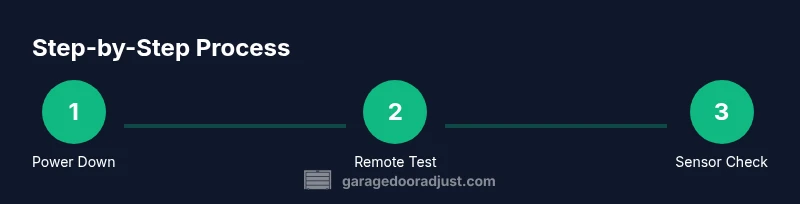
- 1
Power down and secure the opener
Unplug the unit from the wall outlet and disconnect the emergency release to prevent accidental movement. This ensures your hands are safe while inspecting electronics. If the unit is hard-wired, switch off the circuit breaker and use the non-contact tester to confirm there is no live voltage on exposed parts.
Tip: Label power sources with tape to avoid re-plugging while working - 2
Verify immediate symptoms with tests
With power removed, manually operate the wall switch to confirm the mechanical path and to observe any resistance. Reconnect power briefly to see if you can reproduce the symptom safely. Do not run the door through cycles if you observe abnormal power behavior.
Tip: Document symptom patterns before reapplying power - 3
Test remote and keypad batteries
Replace remote and keypad batteries with fresh cells and test each device’s ability to trigger the opener. If a remote still fails, attempt pairing using the Learn/Pair button following model-specific instructions.
Tip: Use a fresh CR2032 and avoid touching the battery terminals with bare fingers - 4
Inspect wiring and harness connections
Open the housing and visually inspect wiring harnesses for loose or damaged wires. Reseat connectors firmly, ensuring even seating and no pinched insulation. Look for signs of heat damage or corrosion near the control board and terminal screws.
Tip: Do not force connectors; back out and reseat if it feels stiff - 5
Reset the opener to factory settings
Perform a complete reset using the model’s documented procedure, returning the control to its default state. This clears stale pairing data and may resolve firmware glitches that impede electronics.
Tip: Refer to the manual for the exact reset sequence for your model - 6
Reprogram remotes and keypad
After reset, re-enter remote codes and keypad PINs. Start with one device, ensuring it responds reliably before adding others. Confirm the latch and limit settings haven’t shifted during the process.
Tip: Keep a log of reprogramming steps and device IDs - 7
Check safety sensors alignment and status
Verify both infrared sensors are aligned and unobstructed. If they fail to lock on, adjust gently until the indicators show a healthy status. Test by placing an object in the beam and ensuring the door stops correctly.
Tip: A slight misalignment is common after housing adjustments - 8
Lubricate and inspect moving parts
Lubricate the track, roller guides, and hinges with a light garage-door lubricant. Avoid applying lubricant to the sensors or belt drive components. Run the door through a full cycle to confirm smoother operation.
Tip: Wipe away excess lubricant to prevent dust buildup - 9
Final test and documentation
Power down, reconnect the unit, and run a complete set of tests: button press, remote response, sensor safety tests, and manual operation. Record time, actions, signs of improvement, and any remaining concerns for future reference.
Tip: Take a short video of results for future troubleshooting
Got Questions?
How can I tell if the opener's electronics are failing?
Common signs include inconsistent remote response, random motor hum without movement, or sensor error indicators. If basic checks and resets do not restore function, the control board or wiring may be failing and should be inspected by a professional.
Look for inconsistent remote response, hum without movement, or sensor indicators. If those persist after resets, a professional should check the control board and wiring.
Can I replace a circuit board myself?
Circuit boards can be hazardous and models differ widely. If you choose to replace it yourself, ensure you have the exact model manual, safe handling practices, and appropriate parts. For most homeowners, hiring a trained technician is the safest option.
Replacing a circuit board is advanced work. Use the exact model manual and consider hiring a professional for safety.
My remote won’t pair after a reset. What should I do?
Verify batteries, re-enter the pairing mode correctly, and ensure you are within the recommended distance. If pairing still fails, check for interference or a defective remote and re-run the factory reset before trying again.
Check batteries, re-enter pairing mode as described in the manual, and rule out interference. If still failing, try a different remote.
How often should I lubricate the tracks?
Lubricate the tracks and hinges during routine maintenance, typically every 6-12 months, or when you notice stiffness or resistance. Avoid lubricating sensors or pulleys that can attract dust.
Lubricate every 6-12 months or when you notice stiffness. Don’t grease the sensors.
How do I safely disconnect power for a repair?
Unplug the opener from its outlet and switch off the corresponding circuit breaker if accessible. Use a non-contact tester to confirm there is no live voltage before touching any wires.
Unplug the unit and switch off the breaker if accessible. Verify no power is present before starting.
What if the safety sensors still misbehave after alignment?
Recheck alignment slowly, ensuring the beams are unobstructed. If misbehavior persists, check for damaged hardware or sensor lenses and consult a professional for possible replacement.
If misalignment persists after realignment, inspect for lens damage and hardware issues and consider professional help.
Watch Video
Quick Summary
- Power down before inspection and testing
- Systematically test remotes, keypad, and sensors
- Reset and reprogram when needed to clear glitches
- Document results to guide future maintenance
- Call a professional if faults persist after tests