Overhead Garage Door Opener: Install, Diagnose, and Repair
Learn to install, diagnose, and repair overhead door garage door openers with step-by-step guidance, safety tips, and maintenance advice from GarageDoorAdjust.


By following these steps, you will safely install or replace an overhead door garage door opener, program remotes, and verify sensors while safeguarding against common issues. You’ll need a basic toolset, a ladder, and a new opener compatible with your door. This guide shows how to plan, install, test, and troubleshoot end-to-end.
What is an overhead door garage door opener?
An overhead garage door opener is a powered device that lifts and lowers a sectional door along tracks. The opener sits on the ceiling inside the garage and uses a rail, trolley, and drive mechanism to move the door via a belt, chain, or screw drive. Core components include the mounting hardware, a rail system, a trolley carriage, and safety features such as photoelectric sensors near the floor and a manual release handle for emergency operation. According to GarageDoorAdjust, selecting the right opener means matching horsepower and drive type to door weight and frequency of use. For a typical single-car garage with normal daily use, a 1/2 HP belt- or chain-driven unit is common, while heavier doors may require 3/4 HP or specialized solutions. Understanding these basics helps you diagnose simple issues and decide when replacement is more cost-effective than extensive repairs.
Drive types and their trade-offs
Openers come in several drive types: chain-drive (most affordable), belt-drive (quieter), screw-drive (low-maintenance), and jackshaft (mounted beside the door). Each type has pros and cons related to noise, speed, and compatibility. For example, chain-drive provides robust lifting for heavier doors but can be noisier; belt-drive is quieter but typically more expensive. When GarageDoorAdjust analyzes common installations, belt- and chain-driven openers are the most popular for homes; jackshaft is ideal for garages with high ceilings or limited headroom but requires compatible door hardware. Your choice should consider door weight, ceiling height, usage patterns, and budget. Modern openers also offer smart connectivity, battery back-up, and safety sensors that reverse on obstruction.
Safety first: essential protections before you begin
Safety is non-negotiable when working with garage doors and openers. Always unplug power and secure the door in the open position before handling any components. Install safety sensors at the bottom corners of the door’s track and test automatic reverse functionality after any work. If you detect frayed wires, bent tracks, or a door that isn’t balanced, pause and reassess or call a professional. According to GarageDoorAdjust, following a checklist for danger signs reduces risk and potential property damage.
Sizing, weight, and compatibility considerations
Measure door width, height, and track length before buying an opener. Heavier doors demand higher horsepower and more robust mounting hardware. Check the manufacturer’s weight rating for the model you plan to install and confirm rail length accommodates ceiling height. If your garage has a low ceiling or short header space, consider a jackshaft or a compact belt-drive option. Mismatched horsepower or incorrect rail length can cause motor strain, noisy operation, and premature failure.
Electrical requirements and wiring basics
Most residential openers run on standard 120V circuits. You’ll need a dedicated outlet near the garage ceiling or a junction box with proper wiring. Use a GFCI-protected circuit if there’s any chance of moisture exposure. Disconnect power before wiring, and follow the opener’s wiring diagram for limits, safety reversing sensors, and lighting circuits. If you’re unsure about wiring, don’t improvise—consult an electrician or hire a pro.
How to choose the right opener for your door
Key factors include horsepower (HP), drive type, safety features, and smart connectivity. Light daily use for a standard door can function well with 1/2 HP belts or chains. Heavier doors or frequent operation may require 3/4 HP or higher. Look for built-in battery backup, obstacle sensing, rolling-code remotes, and compatibility with your existing smart home setup. GarageDoorAdjust emphasizes evaluating noise, installation space, and the door’s balance before purchasing.
Preparing your workspace and safety gear
Clear the garage, remove items from the door path, and lay out a clean work zone. Gather required tools, a sturdy ladder, and two helpers if possible. Wearing safety glasses and gloves protects you from pinch points and sharp edges during mounting and wiring. Having a friend hold the door during heavy lifting can prevent accidental slips. Planning ahead minimizes last-minute trips to the hardware store.
Replacing vs. installing: choosing the right path
If you’re upgrading an old system, assess compatibility with the door, the new opener’s rail length, and mounting brackets. Replacing an existing opener is typically faster than a brand-new installation, but ensure you don’t inherit worn tracks or misaligned hardware. If your door is balanced, tracks are true, and there are no damaged components, a direct swap can be efficient. For new doors, alignment and track assembly are critical to prevent binding.
Maintenance and lubrication best practices
Lubricate moving parts with a high-quality garage door lubricant every six months, focusing on rollers, hinges, and the track’s interior. Avoid over-lubricating, which can attract dust and create slip hazards. Regularly check bolts for tightness and inspect springs for signs of wear, replacing only as recommended by the manufacturer. Consistent maintenance reduces strain on the opener and extends its life.
Troubleshooting common problems and quick fixes
If the opener won’t move, verify the power source and check the wall switch. A non-responsive remote may require battery replacement or reprogramming. Misaligned safety sensors cause the opener to stop; re-align the sensors until the LEDs indicate proper alignment. If the door reverses too soon or fails to close, adjust the travel limits and force settings per the manufacturer’s instructions. For persistent issues, consult a professional to avoid damaging the door or opener.
Programming remotes and keypads for convenience
Remote programming typically involves pressing a Learn/Program button on the opener and then activating the remote. If your keypad is compatible, follow the included instructions to pair it with the receiver. Keep remotes away from children and do not share access codes publicly. After pairing, test from multiple distances and ensure the keypad controls both the door and the interior wall switch.
Final testing, calibration, and safe testing practices
Test the entire system: door movement, open/close limits, auto-reverse on obstruction, sensor alignment, and any integrated lights. Calibrate travel limits according to the door’s behavior and test safe-release operation in case of power failure. Perform multiple cycles with the door path clear to confirm smooth operation. Regular checks after installation help maintain reliability.
mainTopicQuery
Tools & Materials
- Safety goggles(Protect eyes from debris and pinch points during mounting.)
- Work gloves(Shield hands from sharp edges and pinch points.)
- Power drill/driver(Secure mounting brackets and fasteners; include bits for screws and lag bolts.)
- Tape measure(Accurate length measurements for rail, brackets, and door height.)
- Level(Ensure brackets and rails are perfectly horizontal.)
- Stepladder(Access ceiling-mounted components safely.)
- Wrench set(Tighten bolts on brackets and mounting hardware.)
- Pliers and wire cutters(Manage wiring and cut cables as needed.)
- Voltage tester(Confirm power is off before wiring.)
- Electrical tape and wire nuts(Secure and insulate electrical connections.)
- Stud finder(Locate framing for solid bracket mounting.)
- New garage door opener kit(Includes rail, trolley, motor, brackets, and hardware.)
- Marker or pencil(Mark mounting points and alignment lines.)
Steps
Estimated time: 60-90 minutes
- 1
Prepare the space and power down
Clear the workspace, unplug power at the outlet or disconnect the circuit breaker, and inspect the door path for obstacles. Set up a helper if needed to stabilize the door while you work. This initial setup reduces the risk of sudden movement during installation.
Tip: Lock the breaker or unplug the unit before touching any wiring to prevent shocks. - 2
Disconnect power and secure the door
If there is an existing opener, disconnect it from the door and remove any accessories. Use clamps or temporary supports to hold the door in the open position so it cannot drop unexpectedly. This step ensures your safety during removal.
Tip: Always double-check that the door cannot move before removing hardware. - 3
Remove the old opener and hardware
Detach the old opener from the ceiling mount and remove rails, trolley, and hardware. Keep track of screws and brackets for reuse if compatible. Inspect the tracks for warping or damage and replace as necessary.
Tip: Label or photograph connection points to aid reassembly. - 4
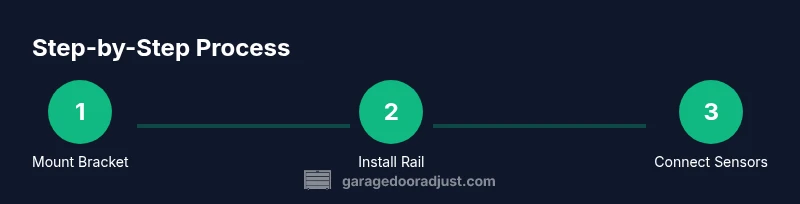
Mount the new header bracket and rail
Install the header bracket according to the opener’s manual, ensuring it is plumb and level. Attach the rail to the trolley and secure any brackets, aligning the rail with the center line of the door. Tighten all fasteners to manufacturer torque specs.
Tip: Use a level to verify the rail is perfectly horizontal. - 5
Install safety sensors and brackets
Mount photoelectric sensors at the bottom corners of the door track and run the sensor wiring back to the opener. The sensors must face each other with clear, unobstructed paths. Attach safety brackets and ensure cables are protected from damage.
Tip: Test sensor LEDs to confirm proper alignment before proceeding. - 6
Wire the opener and connect to power
Connect the control wiring per the manufacturer’s diagram, install the wall control switch, and route power to the opener. Use a GFCI-protected circuit if required and secure all wiring with strain reliefs. Restore power only after connections are secure.
Tip: Double-check polarity and secure wire nuts with electrical tape. - 7
Program remotes and wall controls
Use the Learn/Program button on the opener to pair remotes and keypad units. Test each device from multiple distances and ensure the wall switch operates the door reliably. If pairing fails, reset the opener and retry.
Tip: Keep remotes away from children and avoid sharing codes publicly. - 8
Test operation and calibrate limits
Run multiple cycles to confirm smooth opening and closing, correct travel limits, and proper auto-reverse behavior. Adjust travel and force if the door binds or reverses late. Recheck sensor alignment after final testing.
Tip: Observe the door during the first few uses for unexpected vibrations or binding.
Got Questions?
Do I need to hire a professional to install my garage door opener?
A DIY installation is possible for standard doors with basic electrical skills, but torsion springs, structural mounting, and high-voltage wiring are risky. If you’re uncomfortable with any step, hire a qualified technician.
You can try DIY if you’re confident with basic electrical work, but for springs or wiring, consider a pro.
Can I install a new opener with an existing door and tracks?
In many cases you can swap the opener without changing the door or tracks, but confirm the rail length, mounting brackets, and door balance. Mismatches can cause strain and reduced lifespan.
Usually you can reuse the door and tracks, just verify compatibility before buying.
How long does installation typically take?
A typical single-car installation or replacement takes about 1–2 hours for one installer and up to 3–4 hours with helpers, depending on existing infrastructure and accessory wiring.
Expect roughly one to two hours if you’re experienced; more if you’re upgrading components.
Is lubricating the tracks and rollers necessary?
Yes. Regular lubrication reduces friction, extends the life of rollers, and keeps operation smooth. Use silicone- or lithium-based lubricants and apply sparingly.
Lubricate the moving parts sparingly to keep things running smoothly.
What should I do if the remote stops working?
Check the battery, reprogram if needed, and ensure the receiver is functioning. If signals fail, inspect wiring and the Learn button operation.
First check the battery, then reprogram and test from different distances.
Should I replace the whole system if it’s making grinding noises?
Not necessarily. Grinding could indicate worn rollers, misaligned tracks, or loose hardware. Inspect and service those parts before deciding on a full replacement.
Grinds may mean parts need lubrication or adjustment; inspect before replacement.
Watch Video
Quick Summary
- Plan measurements before buying an opener
- Choose the drive type based on door weight and ceiling height
- Test safety sensors and auto-reverse after installation
- Program remotes and keypads correctly for secure operation
- Maintain the system with regular lubrication and checks