Chamberlain Garage Door Remote Battery Replacement
A homeowner-friendly, step-by-step guide to replace the Chamberlain garage door remote battery, re-pair with the opener, and restore reliable range and performance.


You’ll replace the remote’s battery, verify compatibility, and re-pair it with your Chamberlain garage door opener. This quick fix often restores range and reliability without professional help. According to GarageDoorAdjust, using the correct coin-cell battery and proper orientation is crucial for long-term performance. It also covers checking for corrosion, avoiding contact with metal, and confirming the remote works at typical indoor/outdoor distances.
Why battery replacement matters for Chamberlain remotes
A weak or dead battery in your Chamberlain garage door remote can noticeably reduce range, responsiveness, and reliability. Before you call for help, replacing the battery is often the simplest fix that restores full function. The GarageDoorAdjust team notes that battery condition is a primary driver of remote performance, and a fresh battery can prevent intermittent opens and frustrating delays. This section explains why keeping a healthy battery matters and how it ties into overall opener performance, safety, and user experience. By understanding battery health, you’ll avoid unnecessary re-pairing or misdiagnosis of a bigger opener issue. According to GarageDoorAdjust, a well-maintained remote is a cornerstone of safe and convenient garage access.
Understanding Chamberlain remote battery compatibility
Chamberlain remotes share a common design: a small coin-cell battery powers the circuit board, and the exact size and orientation may vary by model. To avoid compatibility problems, always confirm the correct size by checking the label on the old battery or consulting the remote’s manual. Replacing with the wrong size or polarity can prevent the remote from powering on or may damage contacts. If you’re unsure, remove the existing battery carefully, note its orientation, and compare to the markings inside the remote. This approach keeps you safe and ensures reliable operation once reinstalled. The more accurate you are about compatibility, the less time you’ll spend troubleshooting.
Tools and materials you’ll need (at minimum)
Having the right tools on hand prevents delays and damage to the remote housing. Essential items include a replacement coin-cell battery compatible with your model, a small flathead screwdriver for prying the case open, and a lint-free cloth for cleaning contacts. Optional but helpful items are isopropyl alcohol for any residue, gloves to keep oils off the battery, and masking tape to mark orientation before you remove the old cell. This preparatory step saves time and reduces the risk of dropping small components into the remote. Always verify model-specific requirements before you begin.
Accessing the remote housing safely
Carefully separate the two halves of the remote housing. Use a gentle, even pressure to avoid cracking the plastic. If your model resists, use the screwdriver very lightly in a non-contact groove to loosen the seal. Do not pry around the battery contacts themselves. Once opened, inspect the battery contacts for corrosion or residue, which can hinder contact. If corrosion is present, wipe gently with a damp cloth or isopropyl alcohol. Keep the workspace clean and avoid touching internal circuitry with bare hands to reduce the risk of static discharge.
Identify and remove the old battery
Take note of battery orientation (which side faces up). Use a non-metal tool or your fingernails to lift the battery out without bending the contacts. Place the old battery on a non-conductive surface for disposal or recycling. Do a quick visual check on the battery label; if it’s swollen or leaking, stop and dispose according to local guidelines. Handling a swollen battery safely protects you and your home from leaks or thermal events.
Insert the new battery and reassemble
Compare the new battery to the old one to ensure matching size and thickness. Align the polarity markers in the housing (usually + facing up). Gently press the battery into place, making sure it sits flush with the contacts. Reassemble the back cover, ensuring snaps or screws are secure but not overtight. Wipe fingerprints from the housing and LED indicator area to avoid confusion during testing. A properly seated battery prevents intermittent contact and keeps the remote reliable.
Re-pairing the remote with the opener (if needed)
Some Chamberlain remotes require re-pairing after battery replacement. Locate the learn/program button on the opener—often near the powerhead or inside the housing near the hinge. With the opener in pairing mode, press the remote’s button for a second or two until the status LED blinks or a confirmation tone sounds. Move to a closer proximity and test the range to confirm successful pairing. If your model uses a rolling code, follow the specific pairing sequence in the manual.
Test, safety, and maintenance after replacement
Test from inside and outside the garage; verify lights and door movement. If the range seems limited, reset the receiver alignment by stepping closer and gradually moving outward. Inspect the remote for heat, moisture, or residue; store away from humidity and metal objects. After replacement, wash your hands or wear gloves to avoid transferring oils to the new battery. Consider keeping spare batteries in a dry place and check the remote’s performance every few months to prevent surprise failures.
Proper disposal and storage of old batteries
Dispose of the old battery according to local guidelines; many municipalities accept coin-cell batteries for recycling. Do not throw batteries in regular trash. Store spare batteries in a cool, dry place away from metal objects and children. Keeping batteries protected and organized reduces the chance of accidental short circuits and ensures you’re ready for future maintenance.
Tools & Materials
- Replacement coin-cell battery (size varies by model)(Check old battery label or remote manual to confirm size.)
- Small flathead screwdriver(Thin blade for prying open housing without damage.)
- Lint-free cloth(For cleaning contacts if there’s any residue.)
- Isopropyl alcohol (70%+)(Use to clean corrosion or residue on contacts.)
- Gloves(Minimize skin oils on the new battery.)
- Masking tape or removable label(Mark orientation before removing the old cell.)
- Local battery disposal guidance(Know your area’s recycling rules for coins and batteries.)
Steps
Estimated time: 30-45 minutes
- 1
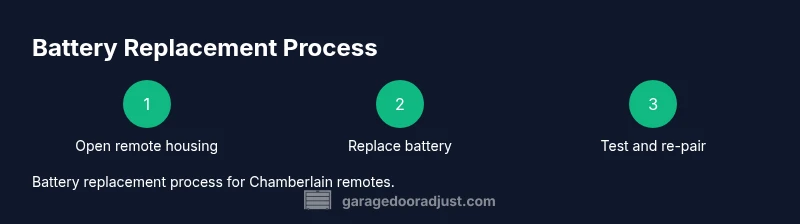
Open remote housing
Gently separate the two halves of the remote casing using a thin tool or fingernail. Take care not to crack the plastic and avoid touching the internal circuitry. Establish a clean workspace before proceeding.
Tip: Use light, even pressure to avoid cracking; work along seams, not through the center. - 2
Remove old battery
Carefully lift the existing cell, noting the orientation of + and −. Place the old battery on a non-conductive surface for disposal. If the battery is hard to lift, use a non-metal tool to lift from the edge.
Tip: Photograph the orientation before removal to help with correct insertion of the new battery. - 3
Verify battery size and type
Check the label on the old battery or consult the remote manual to confirm the exact size. Do not assume—size mismatch can prevent power and damage contacts.
Tip: If you’re unsure, bring the old battery to a hardware store to match the size. - 4
Insert new battery with correct polarity
Place the new coin-cell exactly as the old one was oriented, ensuring the polarity aligns with the housing markings. Press gently so the battery sits flush with the contacts.
Tip: Double-check polarity before sealing the housing; a reversed cell won’t power the remote. - 5
Reassemble remote housing
Snap or screw the two halves back together securely. Wipe away any fingerprints and verify there are no gaps at the seams.
Tip: Avoid overtightening screws to prevent warping the housing. - 6
Re-pair remote with opener (if needed)
If the remote requires pairing, follow the opener’s learn button method: place the opener in pairing mode, then press a button on the remote until the LED indicates pairing success.
Tip: Refer to the manual for model-specific pairing steps if the LED pattern differs. - 7
Test remote range
Test the remote from multiple positions inside and outside the garage to confirm consistent operation across typical use distances.
Tip: Test at the far edge of the driveway or street if safe; re-pair if signals are weak. - 8
Safe disposal of old battery
Place old battery in a non-conductive container and follow your local guidelines for recycling or disposal.
Tip: Never dispose of a swollen or leaking battery; handle with care and follow local rules. - 9
Final safety check
Ensure the remote is clean, dry, and functioning with typical use. Store spare batteries in a cool, dry place away from kids and pets.
Tip: Keep a small spare set in a dedicated bag or container to avoid misplacement.
Got Questions?
What battery does a Chamberlain garage door remote use?
Chamberlain remotes typically use a coin-cell battery, and the exact size varies by model. Check the label on the old battery or the remote manual to confirm the correct size.
Chamberlain remotes usually use a coin-cell battery, with the exact size depending on the model. Check the old battery label or the manual to confirm.
How do I know the correct battery size for my Chamberlain remote?
Look on the existing battery label or consult the manual; if in doubt, remove the battery and compare its dimensions to the new one.
Check the label on the existing battery or the manual to confirm the size, or compare dimensions with a new battery.
How do I re-pair after battery replacement?
After inserting a fresh battery, use your opener’s learn/pair button and follow the model’s pairing sequence with the remote. If your model uses rolling codes, refer to the manual for the exact steps.
After replacing the battery, enter pairing mode on the opener and press the remote button as directed in the manual.
What if the remote still doesn’t work after battery change?
Check battery contacts for corrosion, ensure the housing is properly reassembled, and retry pairing. If issues persist, the remote or receiver may be at fault and may require replacement.
If it still doesn’t work, check contacts, re-pair, and consider remote or receiver replacement if needed.
Can I use a different brand of battery?
Use the exact size and type recommended by Chamberlain for your model. Third-party batteries can work if size matches, but ensure quality and proper handling.
Only use the size the manual requires; third-party batteries can work if they match the size.
Is it safe to replace the remote battery myself?
Yes, with power off and basic precautions. Avoid metal contact with exposed circuitry, and dispose of batteries properly.
Yes, it’s safe if you follow basic safety steps and dispose of the old battery correctly.
Watch Video
Quick Summary
- Verify battery compatibility before replacement.
- Replace with correct polarity and seated properly.
- Re-pair the remote if required by the opener.
- Test the remote from various distances to confirm range.
- Dispose of old batteries responsibly.