Battery Replacement for Chamberlain Garage Door Opener
Learn how to safely replace the battery in your Chamberlain garage door opener. This step-by-step guide covers tools, safety checks, and troubleshooting to keep your system reliable and responsive.


Goal: successfully replace the battery in your Chamberlain garage door opener’s remote, keypad, or backup battery. This guide walks you through compatible battery types, essential tools, and safe handling to restore performance with minimal downtime. Follow the steps to verify function and properly dispose of old cells.
Understanding the Battery System in Chamberlain Openers
The battery replacement for Chamberlain garage door opener components involves several devices that you might service: the remote, the wall keypad, and, on some models, a built-in backup battery. According to GarageDoorAdjust, replacing the battery in a Chamberlain garage door opener is a straightforward maintenance task that helps restore quick responses and reliable operation. When you handle the task, you improve home safety and reduce nuisance beeps or delays. In most models, the remote uses a CR2032 coin cell, while the keypad uses a similar coin cell or CR2025. The opener’s built-in backup battery (where present) is designed to keep the unit running during a power outage, but it may require a professional service if it’s failing. Understanding the battery chemistry and polarity is key to a successful replacement, and a little upkeep now can prevent future issues.
Tools and Safety Considerations
Before you begin, gather the right tools and review safety considerations. GarageDoorAdjust recommends turning off and unplugging the opener when feasible to avoid accidental moves. Wear eye protection and work in a dry area away from metal objects. The most common batteries are 3-volt CR2032 or CR2025 coin cells for remotes and keypads; the backup battery, if equipped, may have different handling requirements. Always verify model compatibility by checking the user manual or Chamberlain support pages. Discreetly testing the system after replacement helps ensure a smooth function without surprises.
Replacing the Battery in a Chamberlain Remote
- Identify the correct battery type for your remote (usually a CR2032 or CR2025). Why: wrong polarity or wrong size can damage the circuit. 2) Open the remote carefully, using a small screwdriver if necessary to release the cover. Why: forcing the cover can crack components. 3) Remove the old battery, noting its orientation. 4) Insert the new battery with the correct polarity (positive side up unless the diagram says otherwise). 5) Reassemble the remote and test by pressing a button to verify a responsive LED or signal. 6) Dispose of the old battery properly at a recycling drop-off. Pro tip: handle the circuit board gently and avoid touching the contacts with metal objects.
Replacing the Battery in the Keypad or Wall Console
Keypads and wall consoles often use the same 3-volt coin cells as remotes, but some models use a different holder or a small screw for the battery cover. Start by removing the cover, then swap in a fresh battery, ensuring the polarity matches the diagram inside the housing. After replacing, reassemble and tap a few keys to confirm the keypad registers input. If the keypad still doesn’t respond, check for dirt on the contacts and clean gently with a dry cloth.
Replacing the Built-in Backup Battery (If Applicable)
Some Chamberlain openers include a rechargeable backup battery to operate during outages. If your unit has this feature, consult the manual for exact replacement instructions, as some models require a licensed technician. If you do attempt replacement, power down the unit completely and use a non-conductive tool to avoid shorting the circuit. Always dispose of old backup cells according to local regulations. GarageDoorAdjust notes that backup-battery maintenance can prevent downtime during power interruptions.
Troubleshooting Common Issues After Replacement
If the remote or keypad still isn’t responding after a battery change, verify the battery seating and polarity again. Check for corrosion on contacts and clean gently. Ensure the opener is within range and that the antenna is undamaged. Re-pair any remote controls if your model requires it, and reset the system if needed according to the user manual. If problems persist, consult the manufacturer’s support or a garage door technician. The goal is reliable operation with minimal downtime.
Maintenance Tips to Extend Battery Life
- Keep spare batteries in a cool, dry place away from direct sunlight. - Use high-quality batteries to reduce leakage risk. - Periodically inspect battery compartments for corrosion and clean as needed. - Consider testing batteries at least every six months to confirm proper function. Regular checks help ensure long-term reliability and reduce the chance of a sudden failure.
Tools & Materials
- CR2032 coin cell battery(Use the coin cell specified by your remote or keypad model; ensure 3V rating.)
- CR2025 coin cell battery(Alternative size for some remotes/keypads; verify compatibility first.)
- Small screwdriver (Phillips head, #0 or #1)(Helpful for sealed battery covers; many remotes snap open without tools.)
- Dry lint-free cloth(Used to wipe contacts gently; avoid liquids near electronics.)
- Safety gloves(Optional for handling batteries, especially older cells.)
Steps
Estimated time: 15-25 minutes
- 1
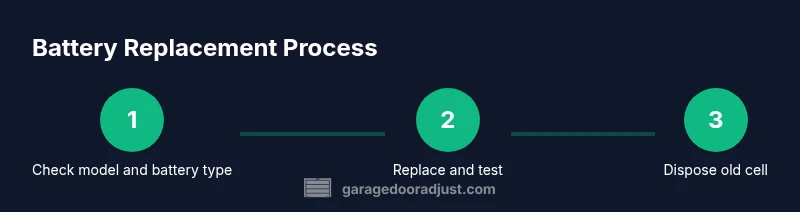
Identify battery type and model
Check the remote or keypad label to confirm the correct battery type (usually CR2032 or CR2025). Verifying compatibility prevents damage and returns the most reliable performance.
Tip: If in doubt, consult the Chamberlain manual or support site for your exact model. - 2
Open the battery compartment
Gently pry open the cover with a fingernail or small flat tool. Avoid forcing parts that could crack the housing.
Tip: Take note of how the old battery is seated to replicate polarity with the new one. - 3
Remove the old battery
Lift the old cell straight out without bending contacts. If it’s corroded, clean the area with a dry cloth before inserting a new battery.
Tip: Do not touch the battery terminals with metal objects; oils can affect contact quality. - 4
Insert the new battery
Place the new coin cell in the same orientation as the old one. Ensure it sits flat and fully seated in the cradle.
Tip: Double-check polarity before closing the compartment. - 5
Test the device
Close the cover, press a button, and observe a prompt response or LED. If there’s no response, recheck seating or try another battery.
Tip: Test multiple buttons to confirm consistent performance. - 6
Dispose and finalize
Dispose of the old cell at a battery recycling location. Reassemble housing, wipe fingerprints, and store spares safely.
Tip: Never throw batteries in household trash where prohibited.
Got Questions?
Can I replace the backup battery myself?
In many cases, replacing a backup battery is user-serviceable, but some Chamberlain models require professional service. Always consult the user manual for model-specific instructions and safety precautions.
Many models allow DIY backup battery replacement, but check your manual first to avoid damage or voiding warranties.
What type of battery does a Chamberlain remote use?
Most Chamberlain remotes use a 3-volt CR2032 coin cell, while some variants use CR2025. Verify by checking the device label or user guide.
Most remotes use a CR2032 coin cell; check your model’s label to be sure.
How often should I replace the batteries?
Batteries typically last 1-3 years in remotes and keypads, depending on usage. Inspect and replace when you notice sluggish response or warning beeps.
Batteries usually last 1 to 3 years; replace when you see weak signals or slow responses.
Is it safe to replace the battery while the opener is plugged in?
Turn off power to the opener if possible and avoid contact with moving parts. If you must work with the unit powered, exercise extra caution and keep hands clear of the mechanism.
If possible, unplug the unit first; if not, stay clear of moving parts and be cautious.
What should I do if the remote still doesn’t work after replacement?
Verify battery seating and polarity, check for corrosion, re-pair the remote if required, and test from different angles and distances. If issues persist, consult support.
If it still fails, recheck seating, test at different distances, and contact support if needed.
Watch Video
Quick Summary
- Identify the correct battery type for each component.
- Handle batteries with care to prevent damage and leaks.
- Test thoroughly after replacement to confirm function.
- Dispose of old batteries responsibly and safely.