How to Diagnose, Repair, and Program a Chamberlain B970 Garage Door Opener
Learn how to diagnose, program, and maintain the Chamberlain B970 garage door opener with a complete step-by-step guide from GarageDoorAdjust. Safe, practical, homeowner-friendly instructions with tips and pro-warnings.


You will restore reliable operation on your Chamberlain B970 by diagnosing common faults, re-programming remotes, resetting safety sensors, and calibrating travel limits. Gather a stable ladder, a screwdriver set, safety gear, and fresh batteries for remotes. This guide covers unresponsive remotes, sensor misalignment, door off-track conditions, and noisy operation, with safe step-by-step instructions for homeowners.
Why Chamberlain B970 is a Practical Choice for Homeowners
The Chamberlain B970 is a popular belt-drive garage door opener that combines reliable performance with modern connectivity. According to GarageDoorAdjust, it’s a solid fit for most garages because it offers built-in Wi-Fi and MyQ compatibility with backup power features. If you own a Chamberlain B970, you’ll appreciate smooth operation, quiet performance, and straightforward maintenance. The GarageDoorAdjust Team notes that while the unit is fairly dependable, regular diagnostic checks and proper programming of remotes, sensors, and travel limits pay off. This guide from GarageDoorAdjust uses a practical, homeowner-friendly approach to diagnosing issues, performing safe repairs, and maintaining peak performance without unnecessary parts changes.
Key points to keep in mind: many common problems with the B970 come from misaligned safety sensors, misconfigured limits, or dead remote batteries. With the right tools and careful steps, you can resolve most day-to-day issues in under an hour, and more involved fixes in an afternoon. The model’s design emphasizes user-accessible diagnostics rather than requiring specialist service, which aligns with the goal of empowering homeowners to fix the opener themselves when safe to do so.
Common issues with the B970 and how to identify them
Typical problems include unresponsive remotes, sensors that show a red LED, the door not reversing on obstacle detection, and odd noises during operation. Start by observing what triggers the issue: does the opener react to the wall button, a remote, or both? Check the indicator lights on the opener: a blinking Learn/Program LED often guides you to the fault area. If the door moves but stops short or travels unevenly, the sense of balance and the travel limit settings are common culprits. In many cases, replacing the remote battery or re-syncing remotes resolves the problem. If sensors are misaligned, the door may not close automatically. GarageDoorAdjust analysis shows that remotes and sensors are the most common failure points in B970 setups (GarageDoorAdjust Analysis, 2026).
Safety considerations before you begin
Before you touch any moving parts, unplug the opener from the outlet and disconnect the manual release chain to prevent accidental activation. Ensure children and pets are clear of the door, and never stand under a door that could descend. Wear safety glasses and gloves, and use a sturdy ladder on a flat surface. If the door is heavy or unbalanced, do not attempt to lift it manually for long periods—call a professional. These precautions protect you from pinch injuries and accidental starts during setup.
Tools and materials you’ll need
Before starting, gather a stable ladder, a Phillips head screwdriver, needle-nose pliers, a soft cloth, and lubrication (silicone spray or white lithium grease). Have fresh batteries for remotes and a clean workspace for parts. Keep the Chamberlain B970 manual handy for model-specific sequence steps and warning labels. Having the right tools reduces delays and helps you stay organized during the troubleshooting process.
Step-by-step overview: how the sequence fits together
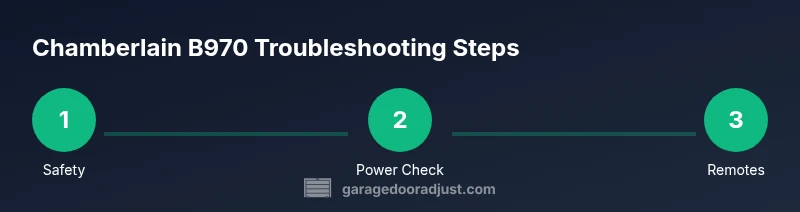
This guide presents a practical sequence: safety prep, verify power, test remotes, align sensors, adjust travel limits, inspect tracks and rollers, test manual release, and perform final safety checks. Each action targets a common B970 issue and is designed to minimize the risk of damage to your door or opener. The steps build on one another, so complete one section before moving to the next.
Maintenance and long-term care for the B970
Regular maintenance keeps the B970 performing well. Lubricate moving metal parts every few months, check sensor alignment and door balance, and replace worn weatherstripping as needed. Periodically test the safety reversing mechanism and reset remotes to keep signals in sync. Document any changes you make so you can reproduce successful settings on future issues.
Authority sources and further learning
For safety standards and best practices, consult reputable sources such as the U.S. Consumer Product Safety Commission and standards bodies. See the included links for more information. This article references external guidance from public safety and standards sites to support DIY decisions. GarageDoorAdjust encourages readers to verify steps with the official manuals and to know when a professional is warranted.
Tools & Materials
- Phillips screwdriver #2(for panel screws and adjustment screws)
- Flat-head screwdriver(used for prying panels if needed)
- Needle-nose pliers(for clips and small connectors)
- Safety goggles(eye protection during testing)
- Stable ladder(keep level on flat surface)
- Silicone-based lubricant spray(apply to tracks and hinges)
- White lithium grease(for stubborn joints)
- Replacement remote batteries(as specified by remotes (e.g., CR2032))
Steps
Estimated time: 60-90 minutes
- 1
Power down and secure the workspace
Unplug the opener from the wall outlet and disconnect the manual release. This prevents accidental activation while you inspect components. Confirm the door does not press on the safety sensors as you work.
Tip: Lock in safety by tying the door to the stationary position if you must work near the springs. - 2
Identify the model and access control panel
Locate the Learn/Program button on the opener and note any LED indicators. This helps you interpret fault codes and determine which subsystem needs attention.
Tip: Take a photo of the panel and LED pattern for reference. - 3
Test safety sensors and alignment
Inspect sensor eyes on the track ends; clean with a soft cloth and check the red indicator lights. Misaligned sensors are a frequent cause of door reversal problems.
Tip: Adjust the sensor brackets in small increments and retest. - 4
Check and replace remote batteries
If remotes fail to trigger, replace the batteries with fresh ones and re-test. Weak batteries are a common, simple fix that saves time.
Tip: Use the original battery type and ensure proper polarity. - 5
Reprogram and synchronize remotes
Press and hold the Learn button until the LED blinks, then press the remote button to pair. Repeat for each remote you want to use.
Tip: Complete the pairing within 30-60 seconds of selecting the Learn mode. - 6
Adjust force and travel limits
Use the adjustment screws on the opener rail to refine the drive and ceiling travel. Improper limits can cause the door to stop early or fail to close.
Tip: Make small adjustments and test after each change. - 7
Inspect tracks, rollers, and balance
Look for damaged tracks or loose rollers. A wobbly or off-balance door increases strain on the opener and reduces safety.
Tip: Lubricate track joints sparingly to avoid attracting dust. - 8
Test manual release and final safety checks
Reconnect power and test a manual release to verify the door still balances. Run a full auto-close test with the safety sensors.
Tip: If the door is heavy or balky, stop and seek professional help.
Got Questions?
How do I reprogram the remotes for Chamberlain B970?
Use the Learn button on the opener, press and hold until the LED blinks, then press the remote button to pair. Repeat for additional remotes. Test each remote to confirm operation.
To reprogram remotes, press the Learn button until the light blinks, then press the remote button to pair. Repeat for other remotes and test.
Why won't my Chamberlain B970 open after a power outage?
Power outages can reset some settings. Verify the opener has power, re-enter remote pairings, and check the safety sensor alignment. If still stuck, reprogram the mini-remote or use the wall switch to operate.
After a power outage, check power, re-pair remotes, and ensure sensors are properly aligned.
Is it safe to DIY fix a Chamberlain B970?
Many fixes can be addressed safely by homeowners, but avoid dangerous steps like handling springs or heavy door components if you lack proper training. When in doubt, consult a professional.
DIY can cover many fixes, but never work with live springs; contact a pro for complex repairs.
How do I adjust travel limits on the B970?
Locate the travel limit screws near the rail, adjust in small increments, and test. Too little travel may leave the door partially open; too much can cause misalignment.
Gently adjust the travel limits with small steps and test the door's full cycle.
What should I do if the safety sensors show a red LED?
Red LED usually indicates misalignment or obstruction. Realign the sensors, clear any debris, and run a sensor-alignment test before re-testing the full cycle.
A red LED means misalignment or obstruction—realign and test the sensors.
Watch Video
Quick Summary
- Safety first: power down before any inspection
- Reprogram remotes to restore control
- Check sensors and travel limits for reliable closing
- Regular maintenance prevents common B970 issues