Are Garage Door Sensors Easy to Replace? A DIY Guide
Discover whether are garage door sensors easy to replace, common pitfalls, and a practical, DIY-friendly guide with step-by-step instructions for safe sensor replacement.


Replacing garage door sensors is a doable DIY task for homeowners with basic tools, proper safety, and careful alignment. You’ll need a replacement sensor kit and a tester, plus simple hand tools. The process involves powering down, removing the old sensor, installing the new one, aligning the sensors, and testing for safe operation.
What do garage door safety sensors do?
Garage door safety sensors—typically infrared photoelectric eyes mounted near the floor on each side of the track—provide a safety net that prevents the door from closing on people or objects. When both beams are unobstructed, the opener can close; if one beam is interrupted, the door reverses. This protection reduces pinch injuries and property damage. Are garage door sensors easy to replace? In many cases, replacement is straightforward when issues stem from misalignment or loose wiring rather than a damaged sensor circuit. In this section, we’ll examine their function, layout, and how to tell if replacement is warranted. Garage door sensors are a small but essential part of a larger safety system that protects your family and pets. Understanding their purpose helps homeowners decide whether to troubleshoot, realign, or replace them entirely.
Signs your garage door sensors may be failing and what to check first
Door sensors can fail or drift out of alignment for several reasons, including accidental bumps, dust or spiderwebs blocking the lens, or loose wire connections at the control box. Common signs include the door reversing before it reaches the floor, the opener blinking its LED indicators in a pattern, or a steady warning light on the sensor itself. Before rushing to purchase a replacement, you should confirm that simple issues like misalignment or dirty lenses are not the culprit. Clean the sensor lenses with a soft, dry cloth, check that the brackets are firmly attached, and verify that the wiring is intact and connected properly. If the door behaves normally after cleaning and tightening, replacement may not be necessary yet.
Are garage door sensors easy to replace? Practical reality and caveats
In many homes, replacing a sensor is a straightforward job that a handy homeowner can perform in under an hour. The key is to replace with an identical type or a compatible kit, ensure correct polarity and wiring, and align the beams precisely. However, not all failures mean a bad sensor. Some issues originate from bracket damage, corroded screws, or frayed wires, which can complicate the replacement. If you encounter stubborn wiring in tight spaces or if your opener is older than a decade, consider seeking professional assistance to avoid electrical hazards or warranty violations. The goal is to restore reliable safety operation without creating new problems.
Safety and warranty considerations when replacing sensors
Power disconnection is essential for safety when handling electrical components. Always follow the opener’s manual and respect any manufacturer warranty terms; some warranties require professional service to remain valid. Use proper mounting hardware to maintain sensor alignment and protect against vibration. If your sensors are integrated with the opener’s logic board, miswiring may trigger error codes and could void warranties. Keep documentation of model numbers and replacement parts for future maintenance and warranty claims.
Preparation: tools, workspace, and safety steps
Preparing a clean, well-lit workspace makes sensor replacement safer and faster. Gather your tools, confirm you have a replacement sensor kit that matches your track spacing, and clear the area of children or pets. Turn off power to the garage door opener and unplug the unit if possible to avoid accidental activation. Wear eye protection when working under the door, and never place hands in the track area while the door is moving in any direction. A small step ladder can help with mounting brackets and prevent awkward positioning.
Step-by-step overview: what you’ll actually do (high-level)
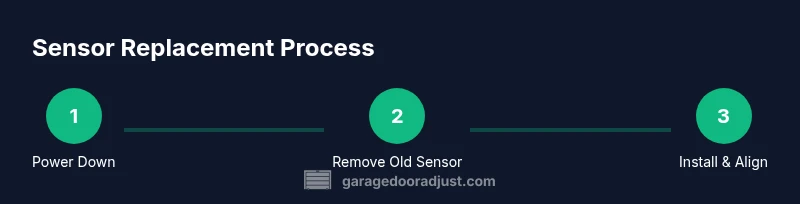
This overview captures the major milestones: power down and verify safety, remove the old sensor, install the new sensor and mount brackets, carefully align the two sensors so their LED indicators synchronize, then reconnect power and test the door’s stopping action on obstructions. With each milestone, check for secure mounting and clean connections. This section provides the context you need before diving into the hands-on steps that follow.
Alignment, testing, and long-term care
Once installed, alignment is critical for reliable operation. Begin with a basic alignment by ensuring both sensors face each other directly and the beams line up at roughly a few inches above the floor. Test with small objects at varying heights to confirm the door reverses when obstructed. Regular maintenance—cleaning lenses, checking bracket tightness, and testing function monthly—helps maintain safety and extend the life of your door system. If alignment is off or the LED indicators flicker, recheck mounting screws and wiring connections before concluding a replacement is necessary. Authority sources and manufacturer guidelines can offer model-specific alignment tolerances and test procedures. For ongoing reliability, keep a small inspection routine and note any recurring issues.
Authority sources and safety references
To ensure the replacement adheres to best practices and safety standards, consult reputable sources from safety and standards organizations that cover garage door safety, electrical safety, and consumer appliance maintenance.
Authority sources
- U.S. Consumer Product Safety Commission (CPSC): Garage door safety guidance and protective devices guidelines.
- Occupational Safety and Health Administration (OSHA): Electrical safety and safe work practices.
- Manufacturer safety and installation manuals for garage door openers and sensors.
Final checklist
- Replace only with compatible sensors and mounting hardware.
- Confirm power is off before handling wiring.
- Align sensors precisely and retest with varied obstructions.
- Document the replacement and monitor operation over a few days.
- If in doubt, hire a professional to protect safety and warranty.
Authority sources (continued)
- https://www.cpsc.gov
- https://www.osha.gov
- Manufacturer safety and installation guidelines
Tools & Materials
- Garage door safety sensor kit (pair with mounting brackets)(Choose a kit compatible with your opener model and track spacing)
- Non-contact voltage tester(Verify power is off at the opener and sensor circuit)
- Phillips head screwdriver(Use #2 size for mounting screws)
- Flat-head screwdriver(Optional for stubborn screws or bracket tabs)
- Pliers(Assist with removing connectors and tightening brackets)
- Wire nuts or insulated butt connectors(Secure new sensor wiring if splicing)
- Electrical tape(Wrap connections to prevent shorts)
- Ladder or sturdy step stool(Access sensors mounted at floor level on each side)
Steps
Estimated time: 30-45 minutes
- 1
Power down and secure the area
Turn off the opener at the wall switch and unplug if possible. Confirm the area around the sensors is clear and there are no kids or pets nearby. This prevents accidental movement while you work.
Tip: Keep a clear exit path and wait 2-3 minutes for any stored energy to dissipate. - 2
Disconnect sensor wiring
Carefully unplug or disconnect the sensor leads from the control harness. Do not pull on the wires themselves; instead, grasp the plastic connector. Note color order for reference.
Tip: Taking a quick photo helps prevent wiring mix-ups. - 3
Remove the faulty sensor
Loosen and remove the sensor mounting screws. Gently lift the sensor from its bracket and inspect the lens for dirt or damage. If the housing is cracked, consider replacing the entire unit.
Tip: Inspect brackets for corrosion and replace if needed. - 4
Install the new sensor
Mount the new sensor into the bracket and snug the screws. Reconnect the wiring exactly as it was, using the color order you noted. Ensure the sensor faces inward toward the opposite side.
Tip: Avoid overtightening screws to prevent bracket cracking. - 5
Align the sensors
Use a level or straight edge to align the two sensors so their LED indicators illuminate together when the beams are aligned. If one LED lags, slightly adjust the corresponding bracket.
Tip: Small, incremental shifts are more effective than big moves. - 6
Test the system and finalize
Restore power and perform door tests with objects at different heights to ensure the sensor reverses. Confirm the LED indicators remain steady and the door stops on obstructions. Re-tie wires and tidy the work area.
Tip: Test multiple obstruction scenarios to validate safety.
Got Questions?
What are garage door safety sensors and why are they important?
Garage door safety sensors detect obstructions in the door's path and help prevent injuries. They are usually infrared beams that must be unobstructed for safe closing. Replacement is sometimes needed when misalignment or wiring issues cause false reversals.
Safety sensors detect obstructions and help prevent injuries. Replacement may be needed if misaligned or if wiring is loose.
Are replacement sensors universal across brands and models?
Sensor compatibility depends on the opener model and sensor type. Many brands offer compatible kits, but always verify track spacing and connector style before purchasing.
Compatibility varies by model. Check your opener's manual for compatible sensor kits.
Do I need to disconnect power before replacing sensors?
Yes. Always disconnect power at the opener and unplug the unit if possible before accessing sensors to prevent accidental movement and electrical shock.
Yes—power off and unplug the opener before starting.
How can I test sensor alignment after replacement?
With the door closed, interrupt each beam and observe if the door reverses. Ensure both LEDs illuminate together when the beams are aligned and adjust brackets if needed.
Test by interrupting beams; ensure the door reverses and LEDs synchronize.
What should I do if the door still misbehaves after replacement?
Recheck wiring and alignment first. If issues persist, inspect the control board and consider professional service to avoid warranty problems or unsafe operation.
If issues persist after replacement, recheck alignment and wiring, then consider a pro.
Can replacing sensors affect warranty coverage?
Replacing sensors with non-original parts may impact warranties. Consult the opener’s warranty terms and consider professional service to preserve coverage.
Check warranty terms; non-original parts can affect coverage.
Watch Video
Quick Summary
- Power down and test safety features before starting
- Choose compatible sensors and install with correct polarity
- Align sensors precisely for reliable operation
- Test thoroughly after installation and monitor for faults