What Garage Door Remote Do I Need: A Homeowner's Guide
Discover how to identify the right garage door remote for your opener. Learn compatibility basics, how to identify specs, pairing steps, and practical tips from GarageDoorAdjust to ensure reliable operation.


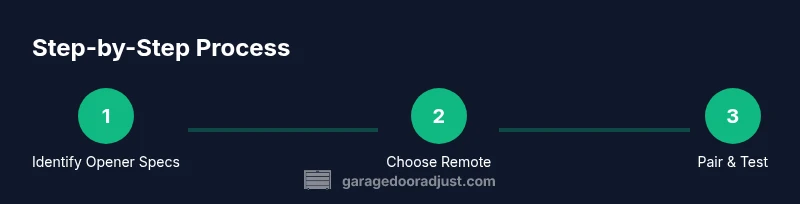
A compatible garage door remote matches your opener's model, frequency, and code system (rolling vs fixed). Start by locating your opener's model, frequency, and code type, then choose a remote that supports those specs and has a Learn button for easy pairing. This ensures reliable operation and straightforward setup.
Why compatibility matters
A garage door remote is only as useful as its ability to communicate with your opener. If the remote runs on a different frequency or uses a different code system, the signal will be ignored, rendering the device useless. According to GarageDoorAdjust, selecting a remote that precisely matches your opener’s model, frequency, and code type is the foundational step for a smooth setup and dependable operation. This alignment also improves security, especially when rolling codes are involved, since a mismatched remote won’t be able to open the door. Homeowners who skip this check often encounter frustration, short battery life, and the need to return or exchange devices. By understanding the core compatibility traits—frequency bands, code type (rolling vs fixed), and the receiver’s requirements—you can narrow options quickly and avoid costly mistakes. If you’re using an older system, you may need a brand-specific remote or a universal that explicitly supports your exact model. The extra effort up front saves time and headaches later when pairing and testing.
How to identify your opener's frequency and code type
Start by locating the model label on the opener or inside the remote compartment. Note the frequency listed, if shown, and confirm whether the system uses fixed or rolling codes from the manual or online spec sheet. If the manual is unavailable, photograph the label and search the model online; most manufacturers publish whether the system uses fixed or rolling codes and the supported frequency. Look for a Learn button on the opener; its location varies by model but is usually near the motor housing or on a small circuit board inside the unit. The Learn button is your gateway to pairing a new remote—understanding its presence helps you choose a remote that can be linked with minimal hassles.
Compatibility basics you need to know
Garage door openers use two primary dimensions: frequency and code system. Frequency is the radio channel between the opener and remote, while the code system authenticates signals to prevent unauthorized access. The two common code types are fixed codes (simpler, older) and rolling codes (more secure). If you have a rolling-code system, pick a remote that explicitly supports rolling codes and the same frequency as your opener. For fixed-code systems, ensure the remote supports fixed-code operation and your brand or a compatible universal option. Also verify the pairing method—some openers require a Learn button, while smart remotes may pair via an app. Don’t overlook physical compatibility, such as button layout and mounting style, especially in multi-car or multi-device setups.
Choosing the right remote options
Brand-specific remotes guarantee compatibility with your exact model and code type, but universal remotes can cover multiple openers in a home. If you choose a universal, verify it lists your opener’s brand and model (or at least confirms compatibility with your frequency and code type). For households with several devices, a remote with multiple buttons can control auxiliary functions (additional doors, gates, or smart hubs). Battery type matters too; coin-cell batteries are common, but some remotes use small disposable batteries or rechargeable packs. When smart features matter, look for Bluetooth or Wi‑Fi-enabled remotes that integrate with your home automation system. If you have an older system, consider a direct replacement from the manufacturer for the simplest pairing and ongoing support.
Pairing and linking: a general workflow
Pairing typically happens by entering pairing mode on the opener and then pressing the remote’s button until the LED on the remote or the opener changes pattern. If there’s a Learn button, press it to enter pairing mode and then press the remote’s button to link the two devices. For smart remotes with apps, follow on-screen prompts to complete the connection. Ensure fresh batteries before starting, and test the range after pairing. If you have multiple remotes, repeat the process for each one. After successful pairing, label each remote and keep a spare in a safe place. If you run into issues, verify that the door is not obstructed and that safety sensors are aligned and functional; interference or misalignment can hinder pairing.
Testing, maintenance, and future-proofing
Once paired, test the remote from various distances and angles to ensure consistent operation. Schedule periodic battery checks and re-pair if you replace the opener or battery type. Upgrading to a newer opener or adding a smart feature may affect compatibility with older remotes, so verify remotes still function after any system change. Regular cleaning of the remote housing and avoiding moisture and extreme heat extend life and reliability. For households with multiple doors or additional devices, consider a unified remote or hub that consolidates control. Keeping track of which remotes work with which devices reduces confusion and improves safety over time.
Common pitfalls and safety tips
Safety comes first. Never open the opener or tamper with the safety sensors while you’re troubleshooting remotes. If you notice the door reverses unexpectedly or doesn’t reverse when blocked, stop and inspect the safety sensors and mechanical alignment. Always test in a clear area with people and pets out of the door path, and keep remote batteries out of reach of children. If your remote won’t pair after following the Learn button steps, review model compatibility and confirm the correct frequency. When in doubt, consult the opener manufacturer’s guide or contact a professional technician to avoid potential injuries or property damage.
Tools & Materials
- Compatible garage door remote (matching opener)(Ensure it supports your opener's frequency and code type)
- Battery for remote(Use the battery type specified by the remote model)
- Opener model label or manual(Needed to confirm frequency and code type)
- Owner's manual (digital copy acceptable)(Helpful for exact pairing steps)
- Small screwdriver or tool(For opening the remote case if needed)
Steps
Estimated time: 20-35 minutes
- 1
Identify opener specs
Locate the model label on the opener, note the frequency if listed, and determine whether the system uses a fixed or rolling code. This step prevents buying a remote that won’t pair.
Tip: Take a photo of the label and note where the Learn button is located. - 2
Choose a compatible remote
Select a remote that explicitly matches your frequency and code type; decide between brand-specific or a universal that lists your opener model or compatible models.
Tip: If you’re unsure, opt for a remote labeled as rolling-code compatible for modern openers. - 3
Prepare batteries and reset if needed
Install fresh batteries in the new remote or reset any existing remotes per the manual to avoid interference during pairing.
Tip: Test the remote with a test LED indicator if available before pairing. - 4
Enter pairing mode
Activate pairing mode on the opener using the Learn button or app, then press the remote’s button until the opener acknowledges the linkage.
Tip: Hold the remote close to the opener during pairing and avoid metal obstructions. - 5
Test the remote range
With the door closed, move away gradually to verify reliable operation from multiple angles and distances.
Tip: Test at typical driveway distances and near common interference sources like other wireless devices. - 6
Label and store remotes
Assign clear labels (e.g., 'Main Garage', 'Back Gate') and keep spare remotes in a safe place.
Tip: Document which remote controls which device to prevent future confusion.
Got Questions?
Do I need a brand-specific remote or can I use a universal remote?
Brand-specific remotes guarantee compatibility with your exact model, while universal remotes can work across multiple openers if they explicitly list your model or compatible frequency and code type. Always verify compatibility before purchasing.
Brand remotes guarantee compatibility with your exact model, while universal remotes work across several openers if they specify your model and code type.
Can a remote control multiple devices (doors, gates, hubs)?
Some remotes support multiple devices with separate buttons. Check the remote’s button layout and labeling to confirm it can control additional devices like gates or smart hubs.
Many remotes can control multiple devices with separate buttons; verify supported devices in the product specs.
What should I do if the remote won’t pair?
Verify battery strength, confirm frequency and code type, ensure you’re in pairing mode, and check for any obstructing metal surfaces or interference. If needed, reset the opener and retry according to the manual.
If it won’t pair, check batteries, confirm specs, enter pairing mode, and try again. If problems persist, reset and retry per the manual.
Do I need to reprogram remotes after a power outage?
Most modern openers retain pairings after a power outage, but some older models may require re-pairing. If your remote stops working, repeat the pairing process with the Learn button or app.
Most systems don’t need reprogramming after a blackout, but if it stops working, re-pair using the Learn button.
Are there safety risks when programming a remote?
Follow standard safety practices: keep the door away from people and pets during testing, and never bypass safety sensors. If anything seems off, stop and seek professional help.
Safety first: test away from people and pets, don’t bypass sensors, and consult a professional if anything seems off.
How do I know if my remote uses rolling codes?
Check the remote’s packaging or manual for 'rolling code compatible' or similar language. If in doubt, contact the manufacturer or choose a remote marketed as rolling-code compatible.
Look for 'rolling code compatible' wording in the manual or product description, or contact the manufacturer to confirm.
Watch Video
Quick Summary
- Identify opener specs before shopping
- Match frequency and code type to ensure compatibility
- Use Learn button or app-based pairing as required
- Test range and safety features after pairing
- Label remotes and maintain batteries