Setting a Garage Door Opener: A Homeowner's Step-by-Step Guide
Learn how to safely set a garage door opener, program remotes, adjust limits, and test safety sensors with clear steps and expert tips for a reliable setup.


Setting a garage door opener up correctly improves safety, reliability, and convenience. You’ll need the opener unit, mounting hardware, a ladder, a level, and basic hand tools. This guide walks homeowners through a safe setup, including calibrating travel limits, programming remotes, and testing safety sensors to prevent injuries or damage.
Why Setting a Garage Door Opener Matters
A properly configured garage door opener delivers smooth, quiet operation and reduces wear on springs and tracks. It enhances safety by ensuring the door limits are accurate and the reversing mechanism responds correctly to obstructions. A well-tuned opener helps prevent sudden door drops, reduces noise complaints, and minimizes energy use by avoiding unnecessary starts and stops. According to GarageDoorAdjust, a thoughtful setup can improve reliability and user satisfaction, especially for households that rely on daily opening and closing. In busy family homes, a reliable opener means you won't be wrestling with a door when you’re late for work or picking up groceries. The setting process also creates a foundation for future upgrades, such as smarter connectivity, battery backup, or improved insulation. By taking the time to configure the opener properly, you protect your garage, your belongings, and your loved ones from avoidable accidents. This section connects the setup steps to ongoing maintenance, reminding you that proper calibration now pays off with fewer repairs later. Remember: a safe, reliable opener is the first line of defense against door-related hazards.
Tools and safety prerequisites
Before you start, gather tools and review safety precautions. Essential items include a drill, level, screwdriver set, pliers, a ladder, measuring tape, a pencil, and safety glasses. Have a helper available to manage the door if needed. Wear eye protection and disconnect power to the opener during installation. Create a clean, dry workspace and keep children and pets away from the door during setup. Check the door for signs of imbalance or wear before you begin; addressing a damaged door is safer before adding an electric opener. If you have a newer, internet-connected model, keep the owner's manual handy, along with any model-specific mounting templates. Also consider having a thin foam pad ready to protect the door surface during installation and protect your wall from accidental scuffs. Finally, plan for a contingency: some steps may require re-checking after initial mounting, so allocate extra time.
Understanding the opener types and compatibility
Garage door openers come in chain, belt, and screw-drive configurations. Each has pros and cons related to noise, speed, and maintenance. Chain-drive units are typically the most affordable and robust, but they can be louder. Belt-drive models run more quietly, which is ideal for garages adjacent to living spaces. Screw-drive openers offer a balance between quiet operation and simple maintenance. When considering compatibility, verify the opener’s rail length, mounting style, and power requirements align with your door’s weight, height, and track configuration. Check the door’s reinforcement springs and the type of bracket used at the top corners. Make sure your garage is wired for the appropriate outlet and that any smart features you want—like remote access, voice control, or battery backup—are supported by the model you choose. If you’re replacing an existing unit, review the old setup details and note any differences in wall switches or sensor placements. Finally, confirm if you need a quick-release mechanism or manual operation handle in case of power loss. Understanding these factors helps prevent compatibility surprises during installation.
Step-by-step overview of the setup process (high level)
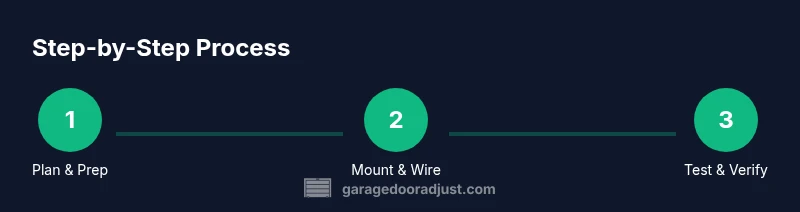
Most setups follow a consistent pattern: prepare and secure, mount the rail and motor, connect wiring, install safety features, set travel limits, program remotes, and test operation. While the steps below provide a practical framework, always consult your model’s manual for model-specific instructions. Start by double-checking your door's balance and ensuring there are no obstructions. Next, align the mounting bracket with a level and secure it to the wall or header. Attach the drive mechanism to the door’s trolley and ensure smooth movement along the track. Install safety sensors and confirm they are visible to each other; do not skip this step, as it’s essential for auto-reverse safety. Connect the opener to power, wire in any safety contacts or door sensors, and then program the remotes and keypad as needed. Finally, run several test cycles to verify the door responds correctly to open and close commands and stops if an obstacle is detected.
Safety sensors and travel limits—what to verify
Safety sensors on each side of the door must point at each other with an unobstructed path. Verify the door reverses when the beam is interrupted during a test. Travel limits determine how far the door travels in open and close directions; adjust them so the door stops smoothly and seals properly against the floor. If the door is overly aggressive or sluggish, re-check the limit control settings and confirm the drive gear is engaging the rail evenly. Don’t force components beyond their designed range; instead, consult the manual or a technician for model-specific reset procedures. Finally, test the auto-reverse feature by placing a small object under the door during a test; if the door doesn’t reverse, reconfigure the sensors and retry. Regular checks should accompany seasonal maintenance for safety and longevity.
Programming remotes and keypads
Most openers support multiple remotes and keypads. To program, press and hold the learn button on the opener, then click the remote button you want to pair. Repeat for keypads and additional remotes. Store remotes in a convenient location away from children. If you’re integrating with a smart home system, follow the manufacturer’s app instructions to sync the opener with Wi-Fi or Bluetooth. Keep the firmware up to date by connecting the device to the internet if supported, and review the security settings to prevent unauthorized access. When adding a keypad, choose a secure, memorable code and consider enabling a temporary code for guests. Finally, label each remote with a simple name so family members know which control is for which door or zone.
Common issues and troubleshooting
If the door makes grinding sounds, check track alignment and balance, and inspect springs for wear. If the door won’t respond or reverses unexpectedly, recheck the safety sensors and limits. Start with reset and re-programming if a device stops communicating. For misbehaving openers, verify the outlet is live and the power cord is intact; use a tester to confirm power. If the door stalls or binds, inspect the tracks for obstructions and ensure the rollers roll smoothly. Wiring issues should be addressed by a qualified technician, as exposed conductors can pose shock hazards. Remember to observe the manufacturer’s troubleshooting guide for your model; many issues are model-specific and require precise adjustments.
Maintenance and preventative care after installation
Lubricate moving parts sparingly with a silicone-based lubricant; avoid oily substances that attract dust. Check mounting screws for tightness every few months and clean the sensors’ lenses. Test the door weekly to ensure consistent performance. Inspect weather stripping and track alignment at least twice a year, and replace worn rollers and hinges as needed. If you store the remote and keypad in the car, ensure they are protected from extreme temperatures. Keep a small toolkit handy in the garage for quick minor repairs and periodic calibration checks. Finally, maintain a log of maintenance tasks and any adjustments so you can reference it during future service calls.
When to call a professional
If you encounter frayed cables, a door that is out of balance, or wiring issues, contact a licensed technician. Electrical components can pose shock hazards, and improper calibration can cause door malfunction. A pro can safely diagnose and repair issues beyond basic maintenance. If you feel uncertain about any step, or if the door’s balance feels resistant or heavy, stop and call a technician. Annual professional inspections can catch wear before a failure occurs, saving time and money in the long run.
Tools & Materials
- Power drill with bits (Philips and hex)(Provide 3/16" and 1/4" bits; use for mounting brackets)
- Screwdriver set (flathead and Philips)(Phillips and flat-head for screws and brackets)
- Level(Precise mounting of rail and brackets)
- Tape measure(For accurate placements)
- Pencil(Mark mounting locations)
- Ladder(Access high mounting points safely)
- Safety glasses(Eye protection during drilling)
- Pliers(Grip wires and components)
- Allen wrench set(Adjust bolts and brackets)
- Lubricant (silicone-based)(Lubricate moving parts sparingly)
- Replacement batteries for remotes(Keep spares on hand)
- Voltage tester(Verify power when needed)
Steps
Estimated time: 45-75 minutes
- 1
Disconnect power and secure workspace
Unplug the opener from the outlet and disconnect any battery backup. Clear the area around the door and ensure children and pets are away. This first step prevents unexpected movement and electrical hazards.
Tip: Double-check the power source with a voltage tester before touching wiring. - 2
Mount the rail and brackets
Position the mounting brackets level along the header and secure the rail to the opener. Use the level to confirm straight alignment to avoid binding.
Tip: Have a helper support the door while you align the bracket to keep it square. - 3
Attach the drive mechanism and trolley
Connect the chain, belt, or screw-drive mechanism according to your model’s manual and slide the trolley along the rail. Ensure smooth movement without binding.
Tip: Lubricate the rail lightly if the mechanism feels stiff. - 4
Install safety sensors
Mount the sensors on each side of the door with a clear line of sight facing each other. Do not bypass or cover the sensors; they are essential for safety.
Tip: Test sensor lights to confirm alignment before proceeding. - 5
Set travel limits
Use the limit screws or programming menu to define how far the door travels in open and close directions. This prevents over-travel that could damage the door or floor.
Tip: Make small adjustments and re-test after each change. - 6
Program remotes and keypad
Press the learn button on the opener, then click the remote button you want to pair. Repeat for keypads and additional remotes.
Tip: Label remotes by location to avoid confusion. - 7
Test safety reversing mechanism
Place an obstacle in the door’s path to verify the sensor and reversal functionality. If the door does not reverse, re-check wiring and settings.
Tip: If needed, re-run the calibration procedure. - 8
Power up and final function test
Reconnect power, bring the door to motion, and run a full cycle: open, stop, a full close, and a few cycle repeats to confirm reliability.
Tip: Listen for unusual noises and watch for binding during the test.
Got Questions?
Do I need to disconnect power before starting?
Yes, unplug the opener and disconnect any battery backup before handling wiring. This prevents shock and accidental movement.
Always unplug the opener and remove any battery backup before starting work.
What tools do I need for installation?
A drill, level, screwdriver set, tape measure, ladder, and safety glasses cover most installations. Have a helper for alignment.
You’ll need common tools like a drill, level, and screwdriver, plus a helper for alignment.
How do I know if the safety sensors are aligned?
Both sensors should face each other with an unobstructed path and a solid indicator light. If misaligned, adjust until the light is steady.
Make sure both sensors face each other with a clear path and steady lights.
Can I program remotes without a keypad?
Yes. Use the opener’s learn button to pair each remote or keypad following the manual’s sequence.
You can program remotes by using the learn button on the opener.
What if the door reverses unexpectedly?
Check the safety sensors, verify the limit settings, and inspect for obstructions. Re-test after adjustments.
Check sensors and limits, and clear any obstructions.
When should I call a professional?
If you notice frayed cables, unusual noises, or electrical issues, a licensed technician should diagnose and repair.
If you see damage or abnormal noises, call a pro.
Watch Video
Quick Summary
- Plan safely before starting any work
- Calibrate limits and sensors with care
- Program remotes and test controls
- Perform regular maintenance after setup