Replacement Fob for Garage Door: A Homeowner’s Step-by-Step Guide
Learn how to replace a garage door fob, verify compatibility, program the new remote, and troubleshoot common issues. A homeowner-friendly guide from GarageDoorAdjust with safety tips and practical steps.


In this guide you’ll learn how to replace a replacement fob for garage door, verify compatibility, and program the new remote. You’ll also get safety tips and troubleshooting steps to ensure the fob works smoothly with your opener. By following these steps, homeowners can complete the process with minimal tools and downtime.
Understanding the replacement fob for garage door and when you might need one
A replacement fob for garage door is a compact remote used to operate your garage door opener from a short distance. Homeowners typically replace a fob when it’s lost, damaged, or no longer pairs reliably with the opener. It may also be necessary when you upgrade to a newer system that supports rolling codes or enhanced security features. According to GarageDoorAdjust, choosing the right fob starts with confirming compatibility with your specific opener brand and model. The density of features varies by brand, so a one-size-fits-all remote can fail to operate correctly. If you’re moving into a new home or you’ve recently replaced your opener, plan to replace the fob as part of the upgrade. In many cases, the replacement fob for garage door is cheaper and faster than replacing the entire opener, and it lets family members access the space without sharing keys.
Key takeaway: start by identifying your opener’s brand, model, and programming method before purchasing a replacement fob for garage door.
Compatibility and choosing the right replacement fob
Compatibility is the cornerstone of a successful replacement fob for garage door. Different manufacturers use different radio frequencies and rolling-code security methods. Always check your opener’s manual, the back of the current remote, or the sticker on the opener unit for brand and model details. If you’re unsure, contact the manufacturer or a trusted retailer with the model number. When comparing remotes, look for these features: rolling-code security, frequency compatibility, battery type, and the ability to erase and reprogram memories if you need to transfer access.
Note how the program method varies: some remotes require you to press a learn button on the opener, while others need a code entry on the remote. GarageDoorAdjust’s guidance emphasizes confirming compatibility before purchase to avoid returns and frustration. If you plan to standardize across multiple doors, consider a universal remote only if it explicitly supports all your models.
Practical tip: bring the opener’s model number and the current remote (if you have it) to the store to compare compatibility side-by-side.
Where to buy and what to avoid
You can buy replacement fobs for garage doors from the manufacturer, major home improvement retailers, or reputable online marketplaces. The right source often depends on your brand and the availability of customer support for programming. Avoid off-brand remotes that clearly lack a documented compatibility list or have inconsistent programming instructions. Always review return policies, as some remotes require a specific pairing method that’s non-returnable if it doesn’t work. For best results, choose a seller who offers a basic warranty and clear guidance on programming compatibility. According to GarageDoorAdjust analysis, selecting a known-brand remote with explicit compatibility notes reduces the risk of non-functionality after programming.
If you’re upgrading from an older system, you might save time by purchasing a remotes kit that includes a programming guide.
Pro tip: keep your purchase receipt and packaging in case you need to verify compatibility later.
Safety, preparation, and measurement before replacement
Safety first: a garage door is a heavy mechanical system. Disconnect power to the opener before handling any wiring or internal components to prevent accidental activation. Gather all required tools and read the programming instructions thoroughly. Measure the physical dimensions of your current fob and confirm it can physically fit in your pocket or a keychain. If your opener uses a smart or smartphone-based pairing method, verify whether the replacement fob requires only standard button programming or an app-based setup.
Preparation reduces the chance of errors and saves time if you need to return a remote that doesn’t match your system. If your door uses a vertical- or torsion-spring system, avoid unnecessary adjustments during the remote replacement process; those are handled by a technician, not by changing the fob.
Programming basics and how fobs interact with your opener
Most replacement fobs communicate with the opener using a fixed set of radio frequencies. When you program a new fob, your goal is to pair the remote’s unique code with the opener’s memory. The exact steps vary by brand but commonly involve: putting the opener in programming mode, pressing a learn button or entering a code on the remote, and then testing the button from the driveway. Rolling-code systems add a security layer that changes codes after each use, which is why you may need to reprogram existing remotes alongside the new one.
Understanding this helps you decide when a replacement fob for garage door is truly needed or when a re-sync of existing remotes is sufficient. If you find that programming fails after multiple attempts, consult the manual or customer support to confirm you’re using the correct pairing method.
Troubleshooting common issues and long-term care
If the new fob doesn’t respond, check the battery on the remote first. Weak batteries can prevent successful programming. Ensure you’re within range and that the opener’s memory isn’t full of other remotes that could interfere. If the remote still won’t pair, consider rechecking the model number or updating the opener’s firmware (where applicable). For reliability, keep one spare battery on hand and replace it periodically to prevent programming failures.
Long-term care includes keeping the fob clean, avoiding moisture, and storing it away from metal objects that could cause interference. Periodically test all remotes to ensure they function across all entry points, especially during busy mornings or when you’re leaving the house in a rush.
Maintenance, warranty, and where to buy
After you install a replacement fob for garage door, register it if your system requires ownership verification. Review the warranty terms for both the remote and the opener, as some manufacturers cover only certain components. When possible, purchase from authorized dealers to ensure compatibility and access to official programming support. If you relocate hardware to a different property or environment, keep a small log of which remotes are active and what doors they control. Proper documentation reduces confusion for you and future owners.
The GarageDoorAdjust approach and next steps
GarageDoorAdjust recommends purchasing a remote from the original equipment manufacturer whenever possible, as it minimizes compatibility issues and simplifies programming. If you choose a third-party remote, ensure the product page explicitly states compatibility with your opener brand and model. When in doubt, reach out to customer support with your model number and photo of the opener’s serial plate. This ensures you select a replacement fob for garage door that truly fits your system and your home’s security needs.
Tools & Materials
- Replacement fob for garage door(Choose a model compatible with your opener brand and model)
- Owner's manual or model number(Identify compatibility and programming method)
- Batteries(New coin cell or appropriate battery for the fob)
- Flathead or small screwdriver(For panel access or battery compartment if needed)
- Ladder or step stool(Access to wall-mounted programming button)
- Safety gloves(Protect hands during handling)
- Smartphone or tablet (optional)(Some brands support app-based programming or QR setup)
Steps
Estimated time: 20-45 minutes
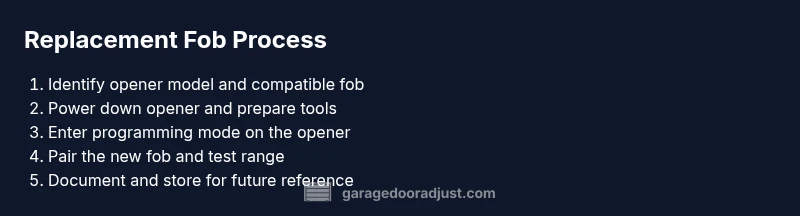
- 1
Identify opener model and remote compatibility
Locate the opener model number on the unit or in the manual. Confirm the replacement fob is compatible with that brand and program method. If unsure, contact the manufacturer or retailer before purchasing.
Tip: Bring the current remote and opener model when shopping to avoid mismatches. - 2
Power down the opener and prepare the space
Unplug the garage door opener or switch it off at the wall. Clear the work area of obstacles and gather your new fob, batteries, and tools.
Tip: Working with a powered unit can cause unexpected door movement. - 3
Open the fob and replace the battery (if needed)
If your new fob ships without a battery installed, insert the correct battery type following the polarity indicated inside the case. If the old fob’s battery caused issues, this is a good moment to ensure the new battery is fresh.
Tip: Use a non-metal tool to avoid shorting the contacts. - 4
Put the opener into programming mode
Most models require pressing and holding a learn/ programming button on the opener until a light blinks. Some systems use a switch on the back or bottom cover.
Tip: Do not hold the button longer than necessary; releasing too early may fail to enter programming mode. - 5
Sync the new fob with the opener
While the opener is in programming mode, press the fob button you want to assign. Hold for the required duration per your manual (often 1-2 seconds) until you hear a confirmation beep or see a light flash.
Tip: Test the range at multiple points around the driveway and entry to ensure reliable operation. - 6
Test and finalize
Exit programming mode and test the new fob from various distances. If multiple remotes are in use, re-test all to avoid cross-talk or interference.
Tip: Label the new fob with a name for easy identification in the future.
Got Questions?
Do I need to reprogram all remotes when I replace one?
Not always. Some systems allow adding a new fob without affecting existing remotes, but others may require reprogramming all remotes to ensure compatibility and security.
You may not need to reprogram all remotes, but check your opener's manual to confirm the method for adding a new fob.
What should I do if the new fob won’t program?
Double-check compatibility, verify the programming sequence, and ensure the opener is in programming mode. If problems persist, try a different battery or consult the manufacturer.
If the fob won’t program, recheck compatibility and steps, and consider contacting support for further help.
Can I use a universal remote for my garage door?
Some universal remotes work with multiple brands, but many require specific codes or compatibility notes. Only use universal remotes if the product explicitly states compatibility with your opener.
A universal remote can work, but verify compatibility with your model before buying.
How do I know if my replacement fob is secure?
Choose a fob with rolling-code security or the latest standard recommended by the manufacturer. Avoid remotes that lack documented security features.
Security comes from rolling codes; ensure your fob uses this feature and matches your opener’s requirements.
What if the opener is battery-powered but the wall switch is off?
Programming usually happens with the opener powered, even if the wall switch is off. Follow the manual to access the dedicated programming button on the unit.
Keep the unit powered according to the manual; use the dedicated programming button as directed.
Should I register my new fob with a smartphone app?
Only if your model supports app-based programming and pairing. Follow the app’s on-screen instructions for a secure setup.
Some models support apps—if yours does, follow the app prompts to complete pairing.
Watch Video
Quick Summary
- Identify compatibility before buying.
- Follow exact programming steps for your brand.
- Test range and confirm all remotes work.
- Maintain remotes and replace batteries proactively.