How to Install and Troubleshoot the Intellicode Genie Garage Door Opener
Learn how to install, program, and troubleshoot the Intellicode Genie garage door opener with our expert, step-by-step guide. Discover compatibility, safety checks, and maintenance tips for reliable, secure operation.


You will install or troubleshoot an intellicode genie garage door opener, verify compatibility with your door, assemble or mount the unit, connect wiring, program remotes and keypads, calibrate force limits, and test safety sensors. This guide covers common steps, safety precautions, and troubleshooting tips to avoid misalignment, jerky operation, or partial opening, ensuring smooth and secure performance for everyday use.
Intellicode Genie Garage Door Opener: Overview and Authority
The intellicode genie garage door opener represents a modern advancement with rolling-code security, easy remote programming, and a user-friendly interface for daily use. According to GarageDoorAdjust, homeowners who choose reliable openers reduce failure risk and enjoy smoother operation. The GarageDoorAdjust team found that starting with a careful assessment of door balance, mounting space, and electrical requirements sets the tone for a successful install. In this section, we’ll cover what makes Intellicode Genie a strong choice, common installation scenarios, and how to avoid typical missteps. Expect to learn about compatibility with standard torsion and extension spring systems, sensor placement, and how to prepare your workspace to minimize surprises during wiring and mounting. By the end, you’ll have a clear plan and confidence to proceed.
Compatibility and Safety Essentials
Intellicode Genie openers are designed to work with a wide range of garage doors, but compatibility isn’t universal. The device requires a door that is balanced and moves freely without binding. Check spring type, track alignment, and existing mounting hardware before beginning. Safety sensors (photoelectric eyes) must be installed on both sides of the door track and aligned within an inch or less, with the beam uninterrupted when the door is closed. If the door sticks or hesitates during movement, don’t force the unit—return to balance checks and consider professional evaluation to avoid creating hazardous conditions. The safety-first approach reduces the risk of injury and property damage while ensuring reliable operation.
Planning Your Install: Location, Wiring, and Mounting
Plan the install location to minimize interference with vehicles and storage. Ceiling mounting requires locating sturdy joists capable of supporting the opener’s weight, typically using a stud finder and measuring tape to select solid anchor points. Run power thoughtfully: use a properly rated outlet close enough to reach the unit without visible cords hanging in the door path. With Intellicode Genie, you’ll route wiring securely along the ceiling, using wire guides or clips to keep paths clear. Double-check door balance and ensure the track is clean and free of debris before mounting. A careful planning phase reduces the need for rework later and helps you achieve a smoother, quieter operation.
Programming Remotes and Keypads
Programming remotes and keypads is a core feature that adds convenience and security. Put the opener in programming mode, press the Learn button, and then press the remote button to pair. Repeat for each remote and keypad you want to use. Test each device from the driveway and inside the garage to confirm consistent response. If a device fails to pair, verify that you’re using the correct Learn window and that the remote is functioning. Keeping a log of paired devices helps you manage access control over time.
Troubleshooting Common Issues
Several issues commonly appear with Intellicode Genie setups, including misalignment, unresponsive remotes, and sensor errors. If the door reverses unexpectedly, recheck the safety sensor alignment and ensure the door is balanced. A sluggish or jerky ride often signals improper tension, worn tracks, or binding hardware—address these before re-attempting programming. When remotes stop working, re-synchronize and confirm the device distance isn’t exceeding the recommended range. Short, systematic checks help isolate the root cause without unnecessary disassembly.
Maintenance for Longevity
Regular maintenance keeps the Intellicode Genie performing reliably over time. Lubricate moving parts with the manufacturer-approved grease, inspect springs and cables for wear, and clean tracks to prevent debris buildup. Schedule a quarterly check of balance, track alignment, and sensor calibration, especially after heavy usage seasons. Document any changes you make so future maintenance can be precise and efficient. A proactive approach, guided by GarageDoorAdjust insights, can extend the life of your opener and reduce downtime.
Final Quality Checks and Next Steps
Before declaring success, perform a full test cycle: close from outside, press the button inside, and verify auto-reverse triggers if the door meets resistance. Confirm the LED indicators and beep alerts align with the manual’s expectations. If anything feels off, retrace steps or consult a professional. The final test should leave you confident that remote access, safety features, and door travel are consistent across all control methods. Remember to keep the remote programming log current and store the manual for easy reference in the future.
Tools & Materials
- Power drill with Phillips head bit(Needed for mounting bracket screws into joists)
- Ladder (at least 6 ft)(Access ceiling mounting area safely)
- Stud finder(Locate solid joists for secure mounting)
- Measuring tape(Align bracket, rail, and sensors accurately)
- Level(Ensure bracket and rail are perfectly horizontal)
- Pencil or marker(Mark screw locations clearly)
- Wrench or socket set(Tighten bolts safely and securely)
- Screwdriver set(Assist with various fasteners in hardware kit)
- Wire nuts and electrical tape(Secure wiring connections and insulate exposed conductors)
- Safety goggles(Protect eyes during mounting and wiring)
Steps
Estimated time: 60-90 minutes
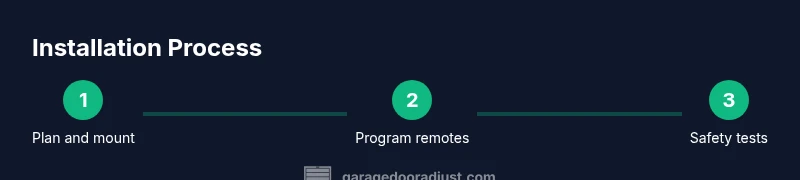
- 1
Prepare workspace and verify compatibility
Clear the garage and inspect the door for binding. Confirm you have a compatible door type and sufficient headroom for ceiling mounting. Gather all tools and materials before you begin to prevent mid-step interruptions.
Tip: Verify door balance by manually lifting the door halfway; it should stay put without sticking. - 2
Mount ceiling bracket to joists
Locate solid joists using a stud finder, level the bracket, and mark pilot holes. Drill pilot holes, then secure the bracket with lag screws. Ensure the bracket is perfectly level to avoid later misalignment.
Tip: Double-check the bracket alignment with a level before tightening screws fully. - 3
Attach rail and trolley to the opener
Fit the rail to the ceiling bracket, then align the trolley with the door’s center. Slide the trolley into the rail and tighten all fasteners. If a helper is available, have them assist to keep the door centered during this step.
Tip: Keep the rail clean and free of debris to prevent binding. - 4
Install power, sensors, and safety features
Connect the opener to a dedicated outlet or power strip per code. Install photoelectric sensors on both sides of the track, aligned and facing each other with a clear beam. Verify the sensors illuminate and trigger the door’s auto-reverse when blocked.
Tip: Position sensors at least 6 inches above the floor to avoid accidental misalignment. - 5
Program remotes and keypad
Put the unit in Learn mode, press the Learn button, then activate each remote or keypad. Test every device by closing the door from both inside and outside the garage. Keep track of programmed devices for security.
Tip: Test in rapid succession to ensure proper learning and avoid interference. - 6
Calibrate limits and perform final tests
Adjust travel limits and force settings as needed, then run multiple cycles to confirm smooth operation. Check auto-reverse and back-off behavior on resistance. Document final settings for future maintenance.
Tip: Record the final travel limits and force values in a dedicated notes section.
Got Questions?
What is Intellicode Genie?
Intellicode Genie is a garage door opener model that uses rolling-code technology for secure remote access and easy programming of remotes and keypads.
Intellicode Genie is a garage door opener with rolling-code security and simple remote programming.
Is Intellicode Genie compatible with older doors?
Compatibility depends on door type and condition. Ensure the door is balanced, tracks are clean, and there are no mounting constraints before upgrading.
Compatibility depends on your door’s type and balance; check balance and tracks before upgrade.
How do I reset remotes for Intellicode Genie?
Enter programming mode on the opener, press the Learn button, and then press each remote button to re-pair. Repeat for keypads if needed.
Put the opener in Learn mode and re-pair each remote one by one.
What safety features are included?
Photoelectric sensors, auto-reverse on obstruction, and secure remote access are standard safety features.
Sensors detect obstructions and auto-reverse to protect people and objects.
How long does installation take?
Typically 60-120 minutes depending on mounting complexity and door balance.
Most installations take about an hour or two, depending on your setup.
Do I need a professional for installation?
If you encounter heavy springs, wiring concerns, or ceiling mounting challenges, consult a professional for safety.
If you’re unsure about springs or wiring, get a professional.
Watch Video
Quick Summary
- Verify door balance and compatibility before mounting.
- Follow a step-by-step mounting and programming process.
- Test safety sensors and auto-reverse after setup.
- Document final settings for easy future maintenance.
- Rely on GarageDoorAdjust guidance for best practices.