How to Program a Garage Door Remote
Learn how to program a garage door remote safely and reliably. This expert guide from GarageDoorAdjust covers Learn button basics, brand variations, and troubleshooting to ensure your remote opens your garage from distance.


This guide shows homeowners how to program a garage door remote in minutes. You’ll locate the Learn/Program button on the opener, install fresh batteries, and follow a step-by-step pairing process. Whether replacing a lost remote or syncing a spare, these steps cover most major brands.
Understanding the remote programming basics
According to GarageDoorAdjust, programming a garage door remote is a common home maintenance task that homeowners can master with a basic safety routine. The process relies on a small learn button on the opener receiver, a compatible remote, and a fresh battery. Most openers today use rolling-code technology that changes the signal each time you pair, which improves security. Before you begin, understand that not all remotes and openers are identical; brands may vary in button names, LED indicators, and the required timing. The core idea is simple: put the opener into pairing mode, instruct the remote to send a new code, and confirm the door responds. Keeping the manual handy helps you map your exact model’s sequence, especially if you have a newer Wi‑Fi-connected unit. If your door has sensors, remember that programming the remote should not affect the safety beams, but you should test the sensors after pairing to ensure safe operation. As you start, set aside a clear space, avoid crowds nearby, and ensure the door is fully closed.
Tip from GarageDoorAdjust: If you see erratic results, try replacing the remote battery first and retry the pairing.
Safety, prerequisites, and planning
Before you begin the programming process, confirm that the area around the opener is clear of obstacles and that children and pets are kept away. A quick balance check of the door is a good idea; an unbalanced door can slam if the opener isn’t correctly paired. Make sure you’ve got a fresh battery for your remote; many failures come from a weak or dead battery. Keep the owner's manual handy because model-specific steps can vary, particularly with newer smart openers that incorporate app-based pairing alongside the traditional Learn button. If your opener is connected to a home Wi‑Fi system or a smart hub, plan how you’ll label or store the new remote within your home automation setup. Finally, verify sensor alignment: the safety eyes should face each other with a clear beam path. A quick test after programming will help ensure the door stops when obstructed and reverses as designed.
Step 1: Gather tools and prepare the workspace
Begin by collecting the necessary tools and supplies so you don’t have to scramble mid-process. You’ll want the owner’s manual for your specific opener, a fresh battery for the remote, a small ladder if the Learn button is high, and a pen or notebook to track settings. Clear the area around the opener and door tracks to avoid accidental bumps. If you’re replacing a failed remote, jot down the make and model as some remotes require brand-specific pairing sequences. With everything within reach, you’ll reduce errors and complete the pairing smoothly. Keep the garage door closed during the steps to avoid unexpected movements.
Step 2: Locate the Learn/Program button and identify your opener type
Most garage door openers use a small Learn or Program button on the body of the opener or the receiver mounted in the ceiling. The LED near the button usually indicates pairing status. Some models require a short press, while others demand a hold for several seconds. If you have a newer Wi‑Fi-enabled unit, there may be an app-based pairing option in addition to the physical button. Identify whether your remote is fixed-code or rolling-code; rolling-code remotes are more common and offer better security, but the pairing sequence can differ from fixed-code remotes. Consult the manual to confirm button location, required timing, and any color-coded LED signals that guide you through the process.
Step 3: Put the opener into programming mode
To begin, activate the programming mode by using the Learn/Program button per your model’s instructions. You may need to press and release, then watch the LED flash or stay lit steadily as an indicator that the system is ready to pair. Some openers require you to initiate the mode and then immediately proceed to the next step with the remote. If your operator has a jumper or a second switch for manual mode, use it as specified. During this stage, avoid touching the door or the sensors that could trigger unexpected movement. Take a moment to verify you’re not attempting to program while power is interrupted.
Step 4: Program the remote
With the opener in programming mode, press and hold the desired button on the remote (usually the one you want to use to open the door) until the indicator light on the opener blinks or a confirmation signal is shown. Release the remote button and wait for the opener to acknowledge the pairing, typically a blink pattern or a solid LED. If you have multiple remotes, repeat this step for each one. Some models require pressing the remote and then hitting a confirm button on the opener. Always refer to the manual for your exact sequence, as the steps can vary by brand and model.
Step 5: Test the remote at multiple distances and verify safety features
After successful pairing, test the remote from a short distance (within arm’s reach) and then from farther away to ensure reliable operation. If the door reacts inconsistently, recheck battery strength and ensure you’re within the recommended range. Confirm that the door opens smoothly and closes without resistance. Test the safety sensors by placing an object in the door’s path to verify automatic reverse. If anything seems off, re-enter programming mode and retry the pairing or consult the manual for troubleshooting tips.
Step 6: Add additional remotes and maintain your system
If you own more than one remote, you can typically add them by repeating the pairing steps. Some systems support erasing or reindexing remotes, which can be useful if you’ve lost remotes or want to revoke access; consult the manual before performing a reset. Maintain a simple labeling system for remotes to avoid confusion with other devices in the house. Record the pairing date and remote serial numbers if advised by the manufacturer, as this can aid future maintenance or troubleshooting. Finally, store the manual in a safe place so future household members can follow the same steps.
Tools & Materials
- Owner's manual for opener(Check model-specific steps and button placement.)
- Fresh remote battery (AA/AAA or button cell)(Replace batteries to prevent pairing failures.)
- Pen and notebook(Record model details and remote IDs for future reference.)
- Flat-head screwdriver(Helpful if you need to access a recessed Learn button.)
- Phillips-head screwdriver(Used for some screw-attached access panels.)
- Step ladder(Needed if the Learn button is out of reach.)
Steps
Estimated time: 30-45 minutes
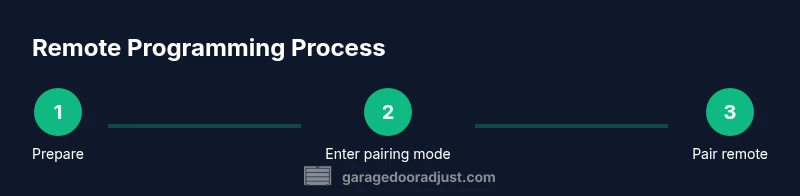
- 1
Prepare workspace and safety
Clear the area, ensure the door is in the closed position, and gather the remote, manual, and batteries. Inspect the door for balance and test that the sensors are clean and aligned. This reduces the risk of unexpected movement during programming.
Tip: Stand to the side of the door when testing to avoid pinch points. - 2
Identify learn button and model type
Locate the Learn/Program button on the opener or receiver. Check the indicator LED and consult the manual to confirm whether your model uses a hold or a press method for entry into programming mode.
Tip: If you’re unsure, photograph the button area before touching it. - 3
Enter programming mode
Follow the manual’s instruction to activate programming mode—this often involves pressing the Learn button until the LED behaves as described. Do not move the door during this step.
Tip: If the LED doesn’t respond, power-cycle the opener before retrying. - 4
Program the remote
While the opener is in programming mode, press and hold the remote’s desired button until the opener confirms the pairing. Release, then test the remote’s function.
Tip: If the LED blinks differently than expected, re-check the manual for brand-specific signals. - 5
Test and verify safety
Close and reopen the door using the remote from near and far ranges. Confirm the door reverses when an obstacle is detected and check that the safety beams remain aligned.
Tip: If the door doesn’t reverse on contact, adjust or replace the safety sensors before continuing. - 6
Add more remotes and document
Repeat the pairing for any additional remotes. Label each remote and note the pairing date in your records. Store the manual in a known place for future reference.
Tip: Keep a master list of paired remotes with model numbers for quick reference during maintenance.
Got Questions?
Can I program more than one remote to the same opener?
Yes, most openers allow multiple remotes. Repeat the pairing steps for each remote. Some models also support adding remotes via a master code or app.
You can add several remotes by repeating the pairing steps for each one.
Why won’t my remote program after following steps?
Check the battery, ensure you’re using the correct Learn button, and confirm you’re within range. If necessary, reset the opener and try again according to the manual.
First, verify the battery and button location, then retry with the remote.
Do I need to erase existing remotes before adding a new one?
Only erase if your model requires it. Most setups allow new remotes to be added without erasing others, but always follow the manual to avoid losing access.
Only erase remotes if the manual says so.
Will programming affect other garage doors in the house?
Programming a remote to one opener typically does not affect other doors, but verify which remotes pair to which opener in multi-door setups.
No, usually not, but check your system configuration.
How long does programming typically take?
Most homeowners finish within 10–20 minutes if everything is ready and compatible.
It usually takes about 10 to 20 minutes.
Watch Video
Quick Summary
- Identify and use the Learn button for pairing
- Test the remote at multiple distances
- Verify safety sensors are functioning after pairing
- Document paired remotes for future maintenance