How to Open a Chamberlain Garage Door Remote: Step-by-Step Guide
Learn how to safely open and reprogram a Chamberlain garage door remote. This expert, step-by-step guide covers model identification, battery replacement, and reliable pairing with your opener.


To open a Chamberlain garage door remote, you’ll identify your model, remove the outer shell carefully, replace the battery if needed, and reprogram the remote to your opener. This routine helps restore reliable operation and avoids security issues. According to GarageDoorAdjust, model-specific steps ensure the remote stays in sync with your garage door opener.
What it means to open a Chamberlain remote
When you look for how to open a Chamberlain garage door remote, you are learning to access the interior of the remote case so you can replace a worn battery or re-enter pairing with your opener. This process is not about hacking or defeating security; it is a legitimate maintenance task that restores normal operation. The exact approach depends on model, so always start by confirming the remote’s model number and the correct battery type. If you’re unsure, refer to the Chamberlain support page or your owner's manual. The goal is to handle the remote with care to avoid damaging the tiny circuits while enabling reliable operation. In this guide you’ll find model-aware steps, safety reminders, and practical tips to keep your remote functioning well for years to come. According to GarageDoorAdjust, proper handling and model-specific steps help ensure the remote stays in sync with your garage door opener.
Model identification and safety basics
Before you start, locate the model number on the back or inside of the remote. Chamberlain remotes come in several families with different shells and battery sizes. Model-specific steps matter because a wrong battery type or incorrect pairing method can render the remote useless or cause inconsistent results. Take a photo of the back label, note the exact model, and compare it to the official support page or your owner's manual. Safety wise, keep your workspace dry, free of clutter, and avoid forcing parts apart. For homeowners, this upfront identification saves time and minimizes the risk of damage during disassembly.
What you’ll need to prepare
Having the right tools on hand helps the process go smoothly. For most Chamberlain remotes, you’ll need a small plastic pry tool or a non-metallic flat tool to avoid shorting the circuit board, plus a fresh battery of the size indicated by your remote (commonly CR2032, but always verify). A clean workspace, a small flashlight, and a smartphone to photograph the process are helpful. If your remote uses screws, a small Phillips screwdriver may be necessary. Keep a soft cloth to wipe any dust from the interior, and a shallow container to hold tiny screws so you don’t lose them. These preparations set you up for a clean, safe, and repeatable repair.
Learn button location and the pairing concept
Understanding Learn button location is key to reprogramming. The Learn button triggers pairing between the remote and the opener. The exact location varies by model — some are inside the light cover, others near the motor head, and some require removing the cover to reach the button. The pairing process generally involves pressing and releasing Learn, then pressing the remote button within a short window to confirm the pairing. After a successful pairing, a green light on the opener may flash or stay solid. If you cannot locate Learn, consult the manual or the Chamberlain support site; mislabeled or covered buttons are a common reason remotes fail to pair.
Quick overview of the step-by-step process
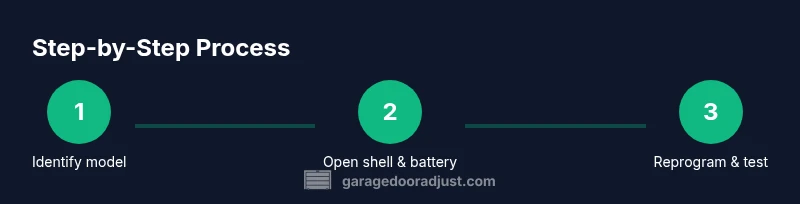
This overview prepares you for what to expect before you begin. Remove the remote from your keychain and place it on a soft surface. If there are screws, remove them with care. Take out the old battery, note its orientation, and replace with a new one of the correct size and polarity. Reassemble the shell, ensuring a snug fit, then reattempt the Learn/pairing sequence on your opener. The goal is a clean reprogramming that yields a reliable signal between remote and motor.
Troubleshooting common issues after reassembly
If the remote doesn’t respond after reassembly, double-check the battery orientation and ensure the shell is seated evenly. Revisit the Learn button sequence and verify you’re within the proximity window during pairing. Light indicators on the opener or remote can provide clues: a blinking light often points to a failed pairing attempt, a steady light suggests a successful one. Debris, corrosion, or a loose connector inside the remote can also cause intermittent operation. In many cases, redoing the sequence with a fresh battery resolves symptoms quickly.
Maintenance and security considerations after reprogramming
After you complete the steps, test the remote from multiple positions around the garage to confirm consistent performance. Avoid leaving old batteries in reach of children or pets, and always dispose of them properly. To maintain security, only pair remotes that you own and regularly review active remotes on your Chamberlain opener’s Learn screen. The key is to keep firmware and remotes up to date and to store extra remotes in a secure location to prevent unauthorized access.
Final checklist before storing the remote
- Confirm the battery is fresh and oriented correctly.
- Re-seat the shell so no edges are exposed.
- Test pairing within the recommended proximity window.
- Record the model number and date of the procedure for future reference.
- Store the remote in a cool, dry place away from moisture and direct sunlight. The process is straightforward when you follow model-specific steps and safety precautions.
The GarageDoorAdjust Team’s closing guidance
By following model-specific instructions and staying mindful of safety, you can extend the life of your Chamberlain remote and keep your garage door operation dependable. The GarageDoorAdjust Team emphasizes careful disassembly, correct battery type, and proper reprogramming as key to long-term success. Regular checks and a calm approach reduce the likelihood of damage and security concerns.
Tools & Materials
- Chamberlain garage door remote (model-specific)(Check the back label for model number)
- Small plastic pry tool or non-metallic flat tool(Use to separate shell without damaging circuitry)
- Battery of the correct size (e.g., CR2032)(Verify exact size in the remote's label or manual)
- Small Phillips screwdriver(Only if your remote uses screws)
- Clean cloth or microfiber(For wiping contacts if needed)
- Smartphone or camera(Take photos of the steps for reference)
Steps
Estimated time: 15-25 minutes
- 1
Identify model and gather supplies
Locate the model number on the remote and confirm the battery type. Collect the pry tool, battery, and any screws you might need. Taking a quick photo of the shell orientation helps with accurate reassembly later.
Tip: Photo the back label and shell alignment to avoid guessing later. - 2
Open the shell safely
Gently insert the pry tool into the seam and work around the perimeter to release clips. If screws are present, remove them with a small screwdriver. Keep the shell in a secure place so you don’t lose tiny pieces.
Tip: Work slowly; forcing the shell can crack plastic and damage the PCB. - 3
Replace the battery correctly
Remove the old battery, note polarity, and insert a new battery of the same size and orientation. Wipe any corrosion from the contacts if needed. Recheck that the battery sits flat before closing the shell.
Tip: Always use the battery type specified for your model. - 4
Reassemble and reprogram
Snap the shell back together (and reattach screws if used). Initiate pairing by engaging the Learn button on the opener, then press a button on the remote within the pairing window. Test the remote to ensure the door responds reliably.
Tip: Test from several positions around the garage to confirm consistent range.
Got Questions?
Can I open any Chamberlain remote without tools?
Most remotes require a small pry tool or the appropriate tiny screwdriver if screws are present. Some models are held together by clips only. Always check your model’s manual before attempting any disassembly.
Most remotes use a small pry tool or tiny screwdriver if screws are present. Check your model’s manual before you start.
What battery sizes are used in Chamberlain remotes?
Battery sizes vary by model; common sizes include coin cells like CR2032. Always verify the exact size on the remote label or manual to avoid using an incorrect battery.
Battery sizes differ by model; verify the size on the label or in the manual.
How do I reprogram the remote after changing the battery?
To reprogram, locate the Learn button on the opener, press it, then quickly press a button on the remote within the pairing window. If the light on the opener blinks or goes off, follow the manual’s timing guidelines.
Find the Learn button on the opener, press it, then press a remote button within the window.
What if the remote still won’t pair after following steps?
Double-check model compatibility, battery orientation, and that the shell is fully seated. Try again from a closer distance and ensure the opener is in programming mode.
If it won’t pair, check your model, battery, and that the shell is seated properly. Try again up close.
Is it safe to open the remote housing?
Yes, when done with dry hands and using non-metal tools. Disconnect power only if the manual instructs you; otherwise, avoid touching the circuitry directly.
Yes, safely open with dry hands and non-metal tools. Don’t touch circuitry directly unless the manual says so.
How often should I replace the remote’s battery?
Replace when the remote’s LED is weak or the range decreases. Always use the battery type specified by the model and avoid leaving dead batteries inside the shell.
Replace when range drops or LED weakens. Use the correct battery type and don’t leave dead batteries inside.
Watch Video
Quick Summary
- Identify your remote model before starting
- Use the exact battery type specified
- Follow the proper Learn/pairing steps for your model
- Test the remote to confirm door response