Garage Door Z-Wave: Setup, Troubleshooting & Maintenance
Learn how to wire your garage door to a Z-Wave hub, verify compatibility, program automations, and troubleshoot common issues with practical steps for homeowners.


By the end of this guide, you will successfully integrate a garage door with a Z‑Wave hub, verify compatibility, and perform initial troubleshooting to restore reliable operation. You’ll install a compatible smart relay or adapter, configure scenes and automations, and test door sensors and safety features. This quick path focuses on homeowner-friendly steps with safety reminders.
Why Z-Wave makes garage doors smarter
The intersection of garage doors and Z-Wave creates a home automation capability that adds convenience and security. When your garage door connects to a Z-Wave hub, you gain two-way status updates, remote control, and the ability to trigger automations with other smart devices. According to GarageDoorAdjust, such integrations are particularly appealing to homeowners seeking consistent, low-latency control without relying on cloud-only solutions. A typical Z-Wave-based setup uses a smart relay or controller wired to the door opener's safety circuit, allowing the hub to read door position and operate the motor. It’s crucial to ensure the door operator is compatible and that the relay is rated for the load of your opener. In practice, the best garage door z wave setups provide reliable status feedback, tamper-resistant operation, and safe power management. This section explains why modern households choose Z-Wave for openers and how to avoid common compatibility pitfalls.
When you think about garage door z wave, consider how it fits with other smart-home devices (lights, cameras, door sensors) for coordinated scenes. The GarageDoorAdjust team emphasizes that a well-planned integration reduces false alerts and improves reliability, especially in multi-user households. If you’re new to Z-Wave, start with a single-room or single-hub setup to learn the basics before scaling to full-house automation.
Compatibility and readiness: can you pair your opener with Z-Wave?
Compatibility is the most critical barrier. First, confirm your Z-Wave hub supports device classes for garage door controllers. Next, verify your opener can accept a relay or adapter module without bypassing safety features. Look for devices that explicitly state compatibility with standard safety sensors and door-opener circuits. You should also confirm that your hub supports two-way status updates (door open/closed) and remote commands with low latency. In practice, a successful garage door z wave pairing will show real-time door state in the hub app and respond promptly to open/close commands.
From a homeowner’s perspective, ensure the controller you choose has a reputable install guide, clear safety warnings, and firmware update options. GarageDoorAdjust’s guidance here centers on choosing a reputable, purpose-built Z-Wave garage door controller rather than generic relays that might not support bidirectional feedback or safety integration. If you’re unsure, consult the manufacturer’s compatibility matrix or reach out to customer support before purchasing.
Essential components and where to place them
A robust garage door z wave setup includes three core parts: a Z-Wave hub, a compatible relay/controller module, and the door opener’s safety circuit. Place the relay close to the opener’s control board, adhering to color-coded wiring and electrical code guidelines. Ensure your hub is in a central location with good Z-Wave signal reach to the garage. You’ll also want a reliable smartphone for app-based setup, a small screwdriver, and basic safety gear. While some homeowners reuse existing smart hubs, a dedicated Z-Wave hub with strong community support tends to yield the most consistent results for garage door automation.
Keep in mind that some setups require amateur-wiring adjustments to the opener’s manual switch wiring. If you’re uncomfortable with electrical work, use a professional installer. The goal is to avoid overloading the opener’s control circuit and to preserve the door’s safety features. This is where careful planning and product selection matter most.
For best results, draft a simple topology diagram showing how the Z-Wave hub talks to the relay, how the relay connects to the opener, and where sensors live. A clear diagram helps you troubleshoot faster and reduces the risk of mis-wiring during the install.
Step-by-step pairing: how Z-Wave communicates with a garage door opener
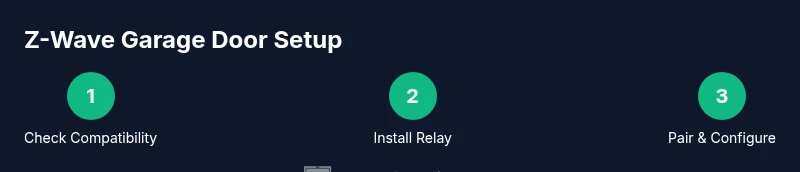
Pairing a garage door with Z-Wave usually involves three stages: wiring the relay, adding the device to the hub, and configuring automations. The first stage ensures that the relay can safely switch the door’s control circuit. The second stage teaches the hub to recognize and monitor the device’s status. The final stage lets you define scenes (e.g., “Away” locking the garage) and automations (e.g., closing the door after sunset if no motion is detected).
In practice, you’ll power down the opener, mount the relay, connect the wires to the appropriate terminals, and mount the hub in range. Then, add the device in the hub’s app using the manufacturer’s prompts, verify two-way reporting, and test basic open/close commands. This sequence minimizes the risk of miscommunication between the hub and the opener.
The security dimension is important here: ensure the hub and relay use encrypted communication, and routinely update firmware on both ends to close gaps. GarageDoorAdjust reiterates that a well-done pairing yields more reliable automation and fewer false alarms.
Testing, validation, and routine maintenance
Testing after setup is essential. Start by turning on the hub’s live status view and issue a few manual open/close commands. Confirm that the door responds within a few seconds, and verify the sensor status reflects the actual position. Next, trigger a test automation (e.g., close when you leave the house) and observe the door’s response, ensuring there’s no motion interference or misalignment.
Regular maintenance includes validating sensor alignment, checking for obstructions, and reviewing hub firmware updates. If you notice delayed responses or inconsistent sensor status, re-run the pairing procedure or relocate the hub to improve coverage. Consistency in testing helps identify problems before they become routine annoyances.
If you encounter persistent issues, consult the device’s official troubleshooting guide and compare notes with similar garage door z wave installations in user forums. The goal is a dependable, secure setup that remains reliable across routine daily use.
Security, safety, and ongoing maintenance practices
With a Z-Wave garage door setup, prioritize safety sensors, encrypted communications, and firmware updates. Ensure that the door’s safety reversal feature remains enabled and tested monthly. Use strong, unique credentials for your hub and disable any features you don’t use to reduce exposure to potential threats. Regularly review automations to prevent unwanted door activity and ensure cameras or motion sensors aren’t triggering false doors. BBQ-style routines like “Evening” or “Away” should not override essential safety steps.
By keeping your devices updated and verifying status feedback, you’re safeguarding your home while maintaining the convenience of a Z-Wave-enabled garage door. The GarageDoorAdjust team recommends periodic audits: recheck compatibility when you buy new hubs, refresh firmware on the relay, and re-test the entire flow after any major home-network changes.
Tools & Materials
- Z-Wave hub/controller(Choose a hub with two-way device support and a good compatibility map for garage door controllers)
- Compatible garage door controller relay(Must be rated for your opener’s current and wiring scheme)
- Smartphone with hub app(For setup, pairing, and ongoing control)
- Screwdriver set (Phillips and flat)(To mount the relay and access the opener control board)
- Electrical tape and wire nuts(Secure connections and insulate exposed conductors)
- Ladder or step stool(Access to the opener and mounting locations)
- Safety glasses(Eye protection during wiring and testing)
- Voltage tester or multimeter(Check circuits before touching wires)
Steps
Estimated time: 1-2 hours (depending on prior wiring experience and opener model)
- 1
Verify compatibility and safety basics
Confirm your Z‑Wave hub supports garage door controllers and that your opener has accessible control wiring. Read the relay’s installation guide and locate the door sensor wiring. This reduces the risk of mis-wiring or sensor conflicts down the line.
Tip: Double-check the opener model against the manufacturer’s compatibility matrix before purchasing. - 2
Power down and access the opener
Switch off power to the garage door opener at the breaker. Remove the access panel as instructed by the opener's manual to reach the control board and the switch terminals where the relay will connect.
Tip: Use a voltage tester to confirm there’s no live power before touching any wiring. - 3
Install the Z-Wave relay into the control circuit
Mount the relay in the chosen location and connect it to the door opener’s control wires per the relay’s wiring diagram. Secure all connections with wire nuts, then insulate exposed conductors with electrical tape.
Tip: Keep wire lengths neat and avoid crossing wires that may snag moving parts. - 4
Add the device to your Z-Wave hub
Power the hub and put it into pairing mode. Use the hub’s app to add the relay, confirming two-way communication and device status reporting.
Tip: If pairing fails, reset the relay and try again within close proximity to the hub. - 5
Configure automations and scenes
Create automation rules (e.g., auto-close when leaving home) and ensure notifications are enabled. Link the garage door state to other smart devices for cohesive scenes.
Tip: Test each scene individually to ensure it behaves as expected and doesn’t conflict with other automations. - 6
Test, verify, and document
Run multiple open/close cycles, check sensor feedback, and confirm safety reversal works. Document wiring, hub firmware version, and automation setups for future maintenance.
Tip: Record exact steps and include photos to simplify future troubleshooting.
Got Questions?
Do I need a new garage door opener to use Z-Wave?
Not necessarily. You can retrofit many openers with a Z-Wave relay or adapter, provided the device supports your model’s wiring and safety circuits. Always verify compatibility before purchase.
You don’t always need a new opener; a compatible Z-Wave relay can retrofit many models, but check compatibility first.
Is Z-Wave more secure than Wi‑Fi for garage doors?
Z-Wave uses a mesh network with encryption in modern hubs, which can offer strong local control and reduced exposure compared to open Wi‑Fi connections. Always use secure hubs, update firmware, and disable unused endpoints.
Z-Wave can be more secure locally, especially when you keep firmware updated and limit exposed devices.
Can multiple hubs control the same garage door?
Generally yes if the hubs are compatible with the same Z-Wave standard and you properly pair the device to a primary hub. Avoid competing automations by reviewing scene logic.
Two hubs can control one door, but manage automations to avoid conflicts.
What should I do if the sensor shows open when the door is closed?
Recalibrate or reposition the door sensor and verify the relay wiring. If the issue persists, re-pair the device with the hub and test again. Persistent errors may indicate a faulty sensor.
If the sensor looks wrong, recalibrate or re-pair, and check for misalignment.
Is professional installation recommended?
If you are comfortable with basic electrical work and follow the manufacturer’s guides, you can DIY. For uncertain situations or unsafe wiring, hire a professional.
DIY is possible for many setups, but don’t hesitate to hire a pro if wiring feels risky.
How often should I test the safety features after installation?
Test the safety reversal and auto-close features monthly to ensure ongoing reliability and safety.
Test the safety features monthly to stay safe and reliable.
What if my hub loses connection to the garage door relay?
Check power to the hub and relay, verify network range, and re-pair the device if needed. Avoid long-term outages by reorganizing device placement.
If the hub drops, re-check power and reset pairing if necessary.
Watch Video
Quick Summary
- Plan compatibility before buying hub or relay
- Use purpose-built Z-Wave devices for reliable status reporting
- Test thoroughly and document results for maintenance
- Prioritize safety features and firmware updates
- Leverage automations to boost daily convenience and security