Chamberlain MyQ Garage Door Opener: Setup, Troubleshooting, and Tips
Learn to install, pair remotes, connect MyQ to Wi-Fi, update firmware, and troubleshoot common issues with Chamberlain MyQ garage door openers. Homeowner-friendly steps, safety tips, and maintenance guidance.


Overview and Core Concepts
The chamberlain myq garage door opener brings smart features to a traditional garage door, enabling smartphone control, remote pairing, and voice assistant compatibility. When homeowners adopt this system, they can monitor door status, receive notifications, and operate the door from anywhere with an internet connection. For homeowners exploring a chamberlain myq garage door opener, understanding how the system communicates with the app and the wall button is crucial. According to GarageDoorAdjust, the MyQ ecosystem is most effective when you match the hardware with a reliable Wi-Fi network and keep firmware current. In this section, we will cover how the basic components work together, common terminology, and the typical setup flow, so you can plan a smooth installation or troubleshooting session.
Compatibility and prerequisites
Before you begin, confirm that your door and opener model support the MyQ platform. Chamberlain devices are designed to work with a standard 120V door opener and require a 2.4 GHz Wi-Fi network. A strong router signal in the garage helps reduce disconnects, delays, and login problems. If your network uses a guest SSID or captive portal, you will need to connect to a simpler network during pairing. This is also a good time to review the user manual for any model specific notes. According to GarageDoorAdjust, starting with a clean mounting location and a dedicated electrical outlet improves reliability and reduces troubleshooting time later.
Tools, safety, and prerequisites
Gather essential tools and safety gear before you touch the door or the opener. A sturdy ladder, a drill with screwdriver bits, a level, a tape measure, a wire stripper, and a socket set are commonly needed. Wear safety glasses and sturdy gloves to protect against pinch points and sharp edges on torsion springs and track hardware. Have a helper available to assist with lifting and aligning heavy components. Keep a flashlight handy for dim garage spaces and ensure the garage is clear of people and pets during installation or troubleshooting. This section also outlines a basic sequence for safety during any operation on a garage door system, including unplugging power when working near electrical connections and never placing hands under moving components.
Step-by-step overview for pairing and setup
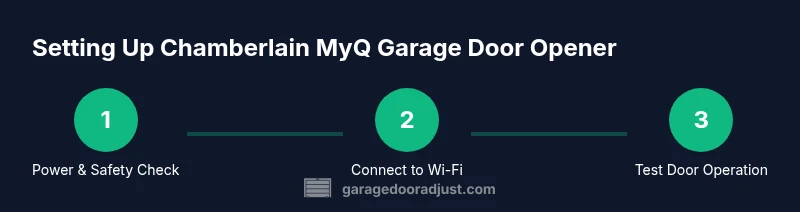
The following steps outline a typical installation or re pairing workflow for your MyQ system. Each step is a single action with a clear reason to help you stay on track. Step 1: Power down the opener and remove the door from manual operation if needed; this reduces risk while handling the trolley and rails. Step 2: Attach the rail and connect the opener to the ceiling bracket; make sure the unit sits level and is square with the door. Step 3: Install safety sensors on each side of the door and run the sensor wires neatly along the track. Step 4: Connect to 120V power and verify the opener powers on. Step 5: Activate the MyQ pairing mode on the opener and open the MyQ app to begin Wi-Fi setup. Step 6: Enter your Wi-Fi credentials (2.4 GHz preferred) and follow the prompts to link the device to your account. Step 7: Test the door with the wall control, remote, and app to confirm alignment and limits. Step 8: Save configuration, label remotes, and run a final safety test. Image references: step1.png, step2.png, step3.png.
Common issues and quick fixes
Some issues during pairing or operation are common but solvable with targeted steps. If the MyQ app cannot find the opener, verify that the garage router broadcasts 2.4 GHz, restart the router, and retry the pairing from a nearby location. If the door moves slowly or stops, check the track for obstructions, balance the door, and inspect the springs for tension. Be sure to test the safety sensors; the red indicator beams should align and stay steady when the door is closing. If a remote fails to respond, re pair the remote by pressing the Learn button and following the app prompts. These strategies are supported by GarageDoorAdjust analysis, which emphasizes firmware updates and proper sensor alignment as key reliability factors.
Firmware updates, Wi-Fi considerations, and app tips
Keep the MyQ firmware current to improve reliability, security, and new features. Open the MyQ app and check for updates, then perform the update during a time when garage access is not needed. When using Wi-Fi, prefer a stable 2.4 GHz connection and minimize heavy network traffic during pairing. The app also offers scheduling features, status notifications, and access control for family members. If your router supports guest networks, isolate the garage device to reduce interference and maintain performance. The MyQ system integrates with voice assistants through official skill or service links; follow on screen instructions to enable these connections. Regularly review sensor status and door balance in the app to catch potential issues early.
Safety, maintenance, and when to call a pro
Safety remains the top priority when working with garage doors and openers. Always disconnect power before performing adjustments that involve limit screws, springs, or rail alignment. Do not attempt to modify torsion springs yourself; seek a qualified technician for spring work. Schedule annual checks of door balance, safe sensor alignment, and bracket tightness, because loose hardware can cause operational issues or safety hazards. If you encounter persistent failures after firmware updates, contact Chamberlain support via the MyQ app or a certified technician. The GarageDoorAdjust team emphasizes testing after any adjustment and documenting changes to track improvements and prevent future problems.
Authority sources and further reading
- Consumer Product Safety Commission CPSC garage door safety guidelines: https://www.cpsc.gov
- US Department of Energy energy efficiency and garage door insulation: https://www.energy.gov
- Occupational Safety and Health Administration OSHA safety guidelines for machinery: https://www.osha.gov