LiftMaster Garage Door Opener Not Working: A Step-by-Step Troubleshooting Guide
Urgent, homeowner-friendly troubleshooting for a LiftMaster garage door opener not working. Diagnose power, remote, sensors, programming, and safety features with a step-by-step flow.


Most common reason LiftMaster garage door opener not working is simple power or control issues: a tripped breaker, an unplugged outlet, a dead remote battery, or a mispaired wall control. Start by verifying power at the outlet, resetting the circuit, replacing the remote battery, and re-pairing remotes to the opener. If it still fails, follow the diagnostic flow.
Understanding the Symptom: liftmaster garage door opener not working
When a LiftMaster garage door opener stops responding, homeowners should start with the simplest explanations before diving into complex diagnostics. In most cases, the issue is not the motor itself but a power or control problem that prevents the unit from receiving a signal. Repeated failures are usually tied to power, battery, or pairing issues rather than a faulty motor. By systematically checking the basics, you can restore function quickly and reduce the risk of accidental entrapment. The LiftMaster brand is designed for reliability, but like any consumer device, it relies on a clean power source, intact wiring, and proper programming. According to GarageDoorAdjust analysis, the majority of reported “not working” cases originate from power or remote-control faults rather than internal gear problems. Keep this in mind as you proceed through the troubleshooting steps.
Safety first: essential precautions when troubleshooting
Garage door systems involve heavy moving parts and high-tension springs. Before inspecting components, unplug the opener or switch off the circuit feeding the unit to prevent unexpected movement. Wear eye protection if you must look at the tracks or springs, and never attempt to release springs or adjust torsion hardware. If the door is heavy or binds, do not force it. Work with the door in a lowered position whenever possible to minimize risk. If you’re unsure, call a pro rather than taking unnecessary risks. The aim is to get the opener working without creating new hazards.
Quick checks you can perform at home (no special tools)
Start with the low-hanging fruit: confirm the power source, battery status, and remote pairing. Check the outlet supplying the opener; try plugging a lamp into the same outlet to verify power. Inspect the circuit breaker; reset if tripped. Replace the remote battery (CR2032 is common) and re-pair the remote to the opener using the Learn button. If the opener continues to respond to a wall switch but not the remote, the issue is most likely the remote or pairing. If the opener responds to the wall switch but not to a sensor, you may be looking at sensor alignment or safety circuit faults.
Diagnostic flow: symptom-to-diagnosis path
A structured diagnostic flow helps isolate the root cause. If there’s no power to the unit, the opener won’t activate at all. If the wall switch works but the remote doesn’t, focus on the remote battery, interference, and re-pairing. If the door moves briefly and then stops or reverses, inspect safety sensors and the photo-eye alignment. If there’s a blinking LED on the opener, consult the user manual for the specific blink code—this often points to a misalignment, a stuck sensor, or a failed limit switch. Following a logical flow prevents missed steps and speeds up resolution.
Step-by-step: common fixes for the most frequent causes
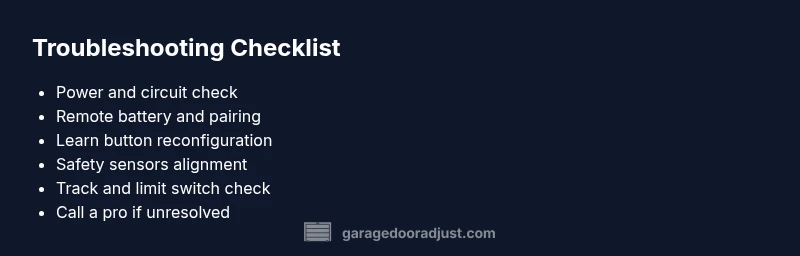
The two most frequent causes behind a LiftMaster garage door opener not working are power issues and remote problems. Start with the basics: verify power, check the outlet, reset the circuit, replace the remote battery, and re-pair remotes. If the door still won’t operate, move to sensor checks and Learn button reprogramming. This staged approach saves time and reduces the risk of unnecessary component replacement.
Step-by-step: sensor and safety-check tasks
If power is stable but the door won’t close or opens unexpectedly, safety sensors may be misaligned or blocked. Ensure photo-eye sensors are clean, aligned with each other, and free from obstructions. If you see a steady or blinking LED, refer to the LiftMaster manual for blink codes. Also verify the belt or chain drive is intact and the track is unobstructed. These steps improve safety and restore predictable operation without replacing major components.
Maintenance to prevent future failures
To keep a LiftMaster garage door opener reliable, schedule seasonal inspections and lubrication. Wipe down rails to remove dust, check wear on the trolley and track hardware, and test safety features monthly. Replace batteries for remotes and keypads regularly, and keep the Learn button area clean so reprogramming remains easy. Regular maintenance reduces the odds of a surprising outage and extends the life of the opener.
When to call a professional: critical safety and repair thresholds
If the door remains unresponsive after the basic checks, or you notice frayed wires, sparking, or a burning smell near the motor, pause troubleshooting and call a licensed technician. The door could be out of balance, the spring assembly might require professional adjustment, or a control board issue may exist. A pro can diagnose electrical faults, confirm safety, and avoid hazardous situations.
Steps
Estimated time: 60-90 minutes
- 1
Confirm power at the outlet
Unplug the opener and inspect the wall outlet. Plug a lamp into the same outlet to confirm it has power, then reset the circuit breaker if needed. Replug the opener and test.
Tip: A simple power test saves time and avoids guesswork. - 2
Check remote battery and pairing
Open the remote, replace the battery with a fresh one, and re-pair by pressing and holding the Learn button on the opener until the LED blinks, then press the remote button.
Tip: Use a fresh battery type like CR2032. - 3
Test wall control vs. remote
If the wall control operates the door but the remote does not, the issue is likely the remote or its signal interference. Re-pair or replace the remote as needed.
Tip: Hide other RF devices temporarily to check for interference. - 4
Inspect safety sensors
Ensure photo-eye sensors are clean and aligned; check the LED indicators on the sensors or the opener for errors.
Tip: Even a small misalignment can prevent operation. - 5
Check track and limit switches
Visually inspect the track for debris and verify the door stops at the fully closed/open position using the limit screws.
Tip: Do not force the door; adjust only as specified in the manual. - 6
Test operation and re-test safety features
Run the door a few cycles with caution, ensuring it reverses on obstruction and stops at the fully open/closed positions.
Tip: Always keep hands clear of moving parts during testing.
Diagnosis: LiftMaster garage door opener not responding to remote or wall switch
Possible Causes
- highPower issue (outlet, cord, or circuit breaker)
- highRemote battery dead or mispaired
- mediumSafety sensors misaligned or blocked
- lowControl board or Learn button fault
Fixes
- easyCheck outlet power with a lamp; reset circuit breaker; verify the opener is plugged in
- easyReplace the remote battery and re-pair using the Learn button
- easyInspect and align safety sensors; remove obstructions and test the sensor LED
- mediumIf the Learn button or control board is faulty, consult the LiftMaster manual and consider professional service
Got Questions?
Why won't my LiftMaster opener respond to the remote?
Common causes are a dead battery, pairing issues, or interference. Replace the battery and re-pair the remote. If problems persist, try re-pairing other remotes or the keypad.
If the remote isn’t responding, start with the battery and re-pairing the remote. If that fails, try re-pairing other remotes too.
My door moves slowly or makes noises. What should I do?
Slow movement or grinding can indicate worn rollers, track obstructions, or motor strain. Inspect the track for debris, lubricate moving parts with a light silicone spray, and avoid forcing the door.
If it’s slow or noisy, check the track and lubrication, and avoid forcing it.
How do I re-pair a LiftMaster remote?
Hold the Learn button on the opener until the light stays on, then press the remote button. The blue light should flash to confirm pairing.
Use the Learn button to re-pair the remote until the light confirms pairing.
What safety sensors should I check?
Check the photo-eye sensors for dirt, misalignment, or obstruction. Clean the lenses, align them so both LEDs indicate proper operation, and remove any obstructions.
Clean and realign the safety sensors; ensure the LEDs show proper operation.
Is it safe to bypass safety sensors to open the door?
No. Bypassing sensors can create a serious safety hazard and is not recommended. Repair or align sensors instead.
Don’t bypass sensors; fix them instead to keep your family safe.
When should I call a professional?
If you notice damaged wiring, sparking, or the door remains unresponsive after basic steps, a licensed technician should assess electrical faults, springs, and safety compliance.
If in doubt, call a professional to avoid injury or property damage.
Watch Video
Quick Summary
- Start with power and remote checks
- Re-pair remotes before replacing hardware
- Align safety sensors and test with care
- Keep up regular maintenance to prevent future failures