Diagnose, Repair, and Install a Chamberlain Garage Door Opener
Step-by-step guide to diagnosing, repairing, and installing a chamberlain garage door opener. Learn safe troubleshooting, programming, and maintenance with GarageDoorAdjust insights.


a chamberlain garage door opener can fail to respond due to power loss, sensor misalignment, or improper programming. This quick guide explains the essential checks you should perform and the safe steps to diagnose, repair, and install, including basic safety precautions and when to seek professional help.
Why Chamberlain Openers Are Popular and Reliable
Chamberlain garage door openers have built a reputation for reliability and ease of use, especially in homes that value integrated smart features. The typical advantages include quiet operation, strong mounting hardware, and compatibility with the MyQ ecosystem for remote monitoring and control. When troubleshooting a chamberlain garage door opener, you’ll often find that root causes are straightforward: power supply issues, sensor misalignment, remote pairing, or a misconfigured travel limit. According to GarageDoorAdjust, Chamberlain models tend to balance affordability with solid reliability due to robust components and straightforward programming. Understanding these strengths helps you approach repairs with confidence, knowing you’re addressing the most common failure points without unnecessary replacements.
As you work through diagnostics, keep model-specific instructions in mind. While many steps are universal, the exact button presses and programming sequences vary by model. If your unit has a battery backup, verify its status and replace the battery if needed. Always refer to the user manual for model-specific cautions and steps. A steady, methodical approach will reduce guesswork and help you complete the task safely.
Core Features to Expect in Chamberlain Models
Chamberlain openers typically offer a blend of power, connectivity, and safety features designed to simplify usage and maintenance. Common elements include: a stable belt or chain drive, soft-close operation, built-in sensors for auto-reverse safety, and optional Wi‑Fi with MyQ app integration for remote status checks and light control. Battery backup support is a notable benefit in many models, enabling operation during brief power interruptions. If you’re upgrading, compare models by their horsepower rating, travel speed, and the number of remotes included. The programming procedure—often accessed via a Learn button or a keypad—tends to be model-specific but follows a familiar pattern of pairing remotes and syncing sensors. Keep the manual handy to confirm exact steps for your unit.
For homeowners, the MyQ compatibility is a strong differentiator: it lets you monitor door status, receive alerts, and integrate with smart home routines. When diagnosing issues, verify connectivity by checking the indicator LED on the motor housing and ensuring your router is within range. If you rely on the battery backup, test it by unplugging the primary power briefly to confirm the unit continues to operate as expected.
Safety First: Electrical, Springs, and Photo Eye Sensors
Garage doors are heavy and operate under spring tension, which can be dangerous if mishandled. When working with a Chamberlain opener, always disconnect power at the outlet and, if available, unplug the unit from the wall to eliminate any risk of shocks. Avoid tampering with torsion springs or track alignment—these components carry significant stored energy and require professional handling. Before any adjustment, visually inspect safety sensors (photo eyes) to ensure they are aligned and unobstructed. Misaligned eyes can prevent the door from closing or cause improper stopping. Use a ruler or level to check that the sensors face each other directly and that mounting brackets are secure. If you notice frayed wiring or damaged components, discontinue and consult a pro.
In everyday use, keep the sensor lenses clean and free of dust. Wear eye protection if you’re cleaning or adjusting hardware, and never place hands near moving parts while the door is operating. This cautious approach protects you and preserves the door’s safe operation.
Troubleshooting: No Power, No Movement, No Response
Power-related issues are the most common reasons a chamberlain garage door opener won’t respond. Start by inspecting the outlet and the power cord for damage, and test the outlet with a lamp or another device. If the unit is wired to a switch or GFCI-protected circuit, ensure the circuit hasn’t tripped. For a lack of movement or response, verify the wall control and remote batteries are functional. If the wall control works but the remote does not, re-pair the remote following the model-specific instructions. Non-responses after power restoration often indicate a faulty circuit board or a failed motor—not always a disaster; many times it’s a simple programming hiccup that can be corrected by re-learning remotes and re-synchronizing sensors.
Document any error codes shown on the control panel and consult the manual for error-specific guidance. If you’re unsure, pause and seek professional help to avoid accidental damage or injury.
Installation Overview: Tools, Prep, and Steps
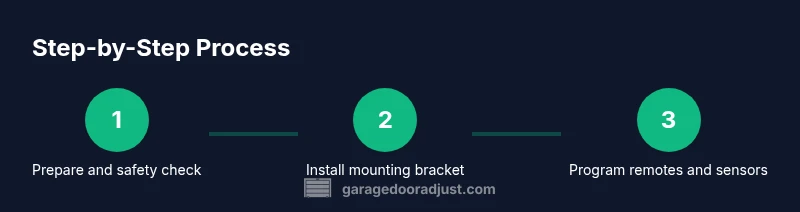
Installing a Chamberlain garage door opener requires careful preparation and the right tools. Begin by disconnecting power and removing the old opener if applicable. Plan the mounting location, ensuring there’s a secure ceiling mount and sufficient clearance for the rail. Gather tools such as a drill, various screwdrivers, pliers, level, tape measure, and a ladder. Review the mounting template and bracket positions, then install the rail, trolley, and motor housing per the model’s instruction manual. Align the rail with the door, ensuring there is no binding, and adjust spring tension if needed only for safe, minimal corrections. Finally, mount the wall control and power up the unit, following the pairing steps for remotes and keyless entry if included. The process prioritizes safety and model-specific guidance, so don’t rush the alignment or sensor calibration.
If you find yourself uncertain at any stage, refer to the model manual or contact a professional installer.
Programming Remotes and Keypads
Programming remotes and keypads is usually straightforward but must be done in the correct order to avoid conflicts with existing devices. Start byPOWERING the opener and locating the Learn button on the motor housing. Press the Learn button to activate pairing mode, then press the remote button you wish to pair. A confirmation light typically indicates a successful pairing. For keypads, enter a four-digit code, then press the Learn button to link the keypad to the opener. If you have multiple remotes, repeat the process for each device. After pairing, test each remote from different distances and angles to ensure reliable operation. If signals are inconsistent, check for obstruction, low batteries, or interference from other devices and re-pair as needed.
Document the codes and keep them in a safe place for future reference.
Maintenance and Long-Term Care
Regular maintenance helps prevent sudden failures and extends the life of a Chamberlain opener. Lubricate moving parts such as hinges and rollers with a silicone-based garage door lubricant, avoiding excess that can attract dust. Wipe down the rail and motor housing to prevent grime buildup. Periodically verify sensor alignment and test auto-reverse function by placing a small object in the door’s path. If the sensor stops recognizing the object, recalibrate and clean the lenses. Inspect the door balance and spring tension (without attempting adjustments on torsion springs) to ensure smooth, quiet operation. Schedule professional maintenance at least once a year, especially if you notice unusual noises, slower response, or reduced performance.
Keep remote batteries fresh and do not store spare batteries in the garage where temperature extremes can shorten their life.
Common Model Variants and Upgrades
Chamberlain offers a range of models with different horsepower ratings, motor speeds, and smart capabilities. When choosing an upgrade, consider your door weight, track length, and whether you want integrated Wi‑Fi or a keypad. Some models include more robust safety features, stronger remotes, and improved battery backup. Ensure compatibility with MyQ and any existing hardware like wall consoles or external keypads. Reading the compatibility tables in the product manuals can save you from costly misfits. If you’re replacing an older unit, review the old mount dimensions and rail length to maintain a clean, aligned installation. Upgrades should balance power needs with energy efficiency and smart home integration.
Tools & Materials
- Safety glasses(Protect eyes from debris and moving parts)
- Ladder(Stable, tall enough to reach ceiling mount)
- Phillips screwdriver(Use for brackets and screws)
- Flat-head screwdriver(Helpful for certain screws and prying parts)
- Pliers (needle-nose)(Grip small components and wires)
- Multimeter(Verify voltage and safety circuits)
- Non-contact voltage tester(Confirm power is off before touching wires)
- Wrench set(Tighten/loosen mounting bolts)
- Tape measure(Position mounting brackets accurately)
- Wire cutters/strippers(Prepare cable ends if wiring is needed)
- Wire nuts(Secure wire connections)
- Silicone-based garage door lubricant(Lubricate hinges and rollers)
- Replacement remote batteries(Have spares on hand for pairing)
- Headlamp or flashlight(Improve visibility in the garage)
Steps
Estimated time: 60-90 minutes
- 1
Disconnect power and secure the area
Turn off the circuit or unplug the opener to prevent accidental activation. Verify there is no voltage at the outlet using a non-contact tester. Clear the work area and ensure children or pets are kept away while you work.
Tip: Always start with safety: remove power before touching any moving parts. - 2
Inspect power and wiring
Check the outlet, power cord, and any extension cords for damage. If using a switch, ensure it is in the ON position and not tripped. If the opener is connected to a GFCI circuit, test and reset as needed.
Tip: If the outlet is dead, test another device on the same circuit before assuming the opener is faulty. - 3
Test sensors and tracks
Visually inspect the photo-eye sensors for dirt, misalignment, or obstruction. Clean the lenses gently and align the sensors using a level or ruler. Check that tracks are straight and free of debris.
Tip: Even a small misalignment can prevent the door from closing; recheck after re-positioning. - 4
Re-pair remotes and keypad
With power restored, press the Learn button on the opener and then press the desired button on the remote. Repeat for keypads following the model-specific steps. Confirm each device can open and close the door from a comfortable distance.
Tip: Document the pairing sequence for future reference. - 5
Check travel limits and force
If the door stops short or overshoots, adjust the travel limits per the manual. Minor adjustments can make the door track smoothly again. Avoid over-adjusting: small changes yield the best results.
Tip: Make incremental adjustments and test after each change. - 6
Lubricate moving parts
Apply a light coating of silicone-based lubricant to rollers, hinges, and the rail where indicated in the manual. Wipe away excess to prevent dust buildup.
Tip: Lubrication reduces friction and prolongs motor life; avoid oil-based lubricants that can attract dirt. - 7
Reconnect power and run safety test
Restore power and cycle the door several times to verify smooth operation. Confirm the auto-reverse function works by placing a safe obstacle in the door’s path.
Tip: If the door fails the safety test, stop and consult a pro to prevent injury.
Got Questions?
Can I install a Chamberlain garage door opener myself?
Yes for many models if you follow safety steps and the manual. However, handling torsion springs or heavy doors is dangerous and may require a professional.
Yes, you can install many Chamberlain openers yourself if you follow the manual, but avoid working with springs. For safety, hire a pro if you’re unsure.
What tools do I need to install a Chamberlain opener?
You'll need common hand tools, a drill, level, ladder, and safety gear. Also prepare a wrench set, pliers, and a measuring tape for precise mounting.
A drill, level, ladder, and standard hand tools are essential, plus safety gear.
Why won’t my opener stop at the limit after installation?
Travel limits control door movement; adjust the limit screws per the instruction manual until the door stops at the correct position. If the issue persists, re-check track alignment.
Travel limits are adjustable; adjust as described in the manual and re-test the door.
How do I re-pair the remote with a Chamberlain opener?
Press the Learn button on the motor housing to enter pairing mode, then press the desired button on the remote. Repeat for other remotes as needed.
Hit Learn on the opener, then press your remote button to pair.
Is it safe to work near torsion springs?
No. Torsion springs are under high tension and can cause serious injury. Contact a certified technician for any spring-related work.
Do not work on springs yourself; call a professional.
Where can I find model-specific programming instructions?
Refer to Chamberlain’s official manual or website for your exact model’s instructions. Model differences affect button layouts and steps.
Check the official manual for your specific model.
What maintenance helps extend opener life?
Regular lubrication, sensor alignment checks, and annual professional inspection help prevent failures and extend the life of your opener.
Keep it lubricated, aligned, and inspected yearly.
Watch Video
Quick Summary
- Verify power and wiring before testing operation.
- Align safety sensors and re-pair remotes.
- Follow model-specific programming steps precisely.
- Schedule regular maintenance to extend opener life.