LiftMaster Wall Mount Installation Guide
Learn how to safely install a LiftMaster wall mount garage door opener with a clear, step-by-step approach. This guide covers tools, wiring, mounting, safety checks, programming remotes, and testing to ensure reliable operation.


By following this guide, you will safely install a LiftMaster wall-mount garage door opener, including mounting the bracket, aligning the rail, connecting the power, and programming remotes. Before you begin, verify door balance, read the manufacturer instructions, and disconnect power when handling wiring. This step-by-step approach focuses on safety and reliability.
Introduction to LiftMaster Wall-Mount Openers
According to GarageDoorAdjust, a wall-mount garage door opener combines space-saving design with modern safety features. The LiftMaster wall-mount model places the motor above the garage door, freeing ceiling space for storage and making maintenance easier. This guide walks homeowners through a cautious, methodical installation process, emphasizing safety, proper alignment, and reliable operation. You’ll learn how to prepare, mount, wire, and program the system while avoiding common mistakes that can lead to noisy operation or premature wear. By the end, you should be able to complete a solid installation or know when to call a professional for complex wiring or structural concerns.
Benefits of the Wall-Mount Design
Wall-mount openers remove the motor from the ceiling, reducing overhead clutter and providing easier access for wiring and maintenance. Benefits include quieter operation, improved ceiling clearance for storage, and a cleaner, more organized garage space. The design also helps with better belt or chain alignment and can simplify future upgrades. When paired with modern safety sensors and rolling code remotes, a LiftMaster wall-mount offers a dependable, user-friendly experience that many homeowners appreciate.
Compatibility and Preparations
Not every LiftMaster model is suitable for wall-mount installation, so verify your specific model’s compatibility before purchasing components. Check ceiling height, wall stud spacing, and the presence of a sturdy mounting surface. As you plan, make room for a helper and gather all required tools and components in advance. GarageDoorAdjust analysis shows that initial planning, including confirming model compatibility and space, reduces installation time and mitigates mistakes. If you encounter doubts about wiring or mounting strength, consult the manual or a qualified technician.
Tools, Safety & Prep for a Smooth Install
Safety should be your top priority. Before lifting any heavy components, unplug the existing power supply to the opener and test the door’s balance by manually lifting it halfway. If the door is heavy or unbalanced, do not proceed. Organize your workspace, clear a path for tools, and ensure a stable ladder. The following steps assume you have a wall-mount kit that includes a mounting bracket, rail section, motor housing, and mounting hardware. Keep a helper nearby for handling long rails and to assist with alignment throughout the process.
Wiring, Power, and Sensor Setup
Electrical work should be performed with the power completely off. Route wires according to the manufacturer’s instructions, ensuring all connections are secure and protected from moisture. Attach safety sensors at the bottom corners of the door and verify they are properly aligned with the opposite sensor. The sensors provide automatic reversal when obstructed, a critical safety feature that helps prevent injuries. After wiring, use a voltage tester to confirm power is off before touching any conductors.
Mounting Bracket, Rail Alignment, and Motor Positioning
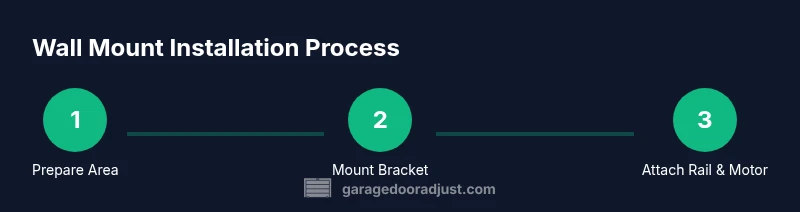
Secure the mounting bracket firmly to the wall studs in a level position. Use a spirit level to confirm the bracket is perfectly plumb, then fasten the rail rails to the bracket according to the kit’s specifications. Align the rail with the door’s track system to avoid binding or binding noise during operation. Position the motor unit so the belt or chain is taut but not overly tight. A misaligned rail or mispositioned motor can cause premature wear and noisy operation.
Programming Remotes, Safety Checks, and Final Test
With wiring complete, program remotes and the handheld keypad per the LiftMaster instructions. Pair the remotes, then test the opener’s automatic reversal sensors by placing a small object in the door’s path. If the door doesn’t reverse, recheck sensor alignment and wiring. Finally, restore power and run the door through several cycles to confirm smooth operation, balanced movement, and proper stop-and-open limits. Regularly inspect all fasteners after the first 24 hours of use.
Authority sources and Safety Notes
For trusted guidance, refer to safety standards and manufacturer resources. OSHA provides general safety practices for power tools and electrical work, while the Consumer Product Safety Commission highlights garage door safety considerations. Energy.gov offers energy-efficient operation tips that can apply to motorized openers as well. These sources help ensure you approach installation with a safety-first mindset and reliable, standards-based practices. The GarageDoorAdjust team emphasizes following official guides and inspecting your system regularly to maintain optimal performance.
Maintenance, Troubleshooting, and Next Steps
After installation, maintain the unit by keeping the rail and tracks clean, lubricating moving parts as recommended by the manufacturer, and checking weather seals that protect the opener. If you notice unusual noises, binding, or irregular stopping points, revisit alignment, sensor positioning, and power connections. When in doubt, schedule a professional assessment to ensure long-term reliability and safety.
Tools & Materials
- Safety gear (gloves, safety glasses)(Protect hands and eyes during installation)
- Ladder (8-12 ft)(Access ceiling components safely)
- Power drill with bits(Mount bracket and rail components)
- Wrench set (9/16 in and 1/2 in)(Tighten mounting hardware)
- Measuring tape(Place components accurately)
- Level(Ensure bracket is plumb)
- Wire nuts and electrical tape(Secure wiring connections)
- Voltage tester(Confirm power is off before wiring)
- LiftMaster wall-mount kit components (bracket, rails, motor, belt/chain, receiver)(Follow included instructions)
- Screwdrivers (flat and Phillips)(General assembly and adjustments)
- Assistant helper(Helpful for lifting and alignment)
Steps
Estimated time: 90-120 minutes
- 1
Prepare work area and confirm safety
Clear the space below the installation area and unplug power. Inspect the door for smooth operation by hand and remove any obstacles. This preliminary check prevents surprises during mounting.
Tip: Have a helper ready to manage long rails and heavy components. - 2
Verify door balance and springs
With the door closed, lift it halfway and release it; it should hold. If it moves, the springs or tracks may need service before mounting a new opener.
Tip: Do not attempt to adjust springs yourself; call a pro if you detect imbalance. - 3
Mount the wall bracket to solid studs
Locate wall studs, mark the drill points, and attach the wall bracket firmly. Use a level to ensure the bracket is perfectly plumb to prevent gear misalignment.
Tip: Pre-drill pilot holes to avoid splitting studs. - 4
Attach the rail and prepare the motor position
Assemble the rail per kit instructions and secure it to the bracket. Position the motor so the belt/chain line remains straight with the door track.
Tip: Check rail alignment with the door track before tightening all screws. - 5
Route wiring and install safety sensors
Run power and signal wires per the manual, securing them away from moving parts. Install safety sensors at the bottom corners of the door and ensure they face each other with clear paths.
Tip: Do not bend wires sharply near sensors to avoid false readings. - 6
Reconnect power and program remotes
Restore power and follow the remote programming steps from the LiftMaster manual. Confirm the keypad or wall button start and stop functions work.
Tip: Keep the receiver remote handy during testing. - 7
Test operation and calibrate limits
Run multiple cycles to ensure smooth opening and closing. Adjust travel limits if the door stops too early or overruns the floor.
Tip: Test auto-reverse function by placing a small object in the door path.
Got Questions?
Do I need a professional to install a LiftMaster wall mount?
If you’re not confident with wiring or structural mounting, hiring a pro is recommended. A professional will ensure safe mounting, correct wiring, and proper sensor alignment.
If you’re unsure about wiring or mounting strength, consider hiring a professional to ensure safety and proper function.
Is a wall-mount compatible with all LiftMaster models?
Not all LiftMaster models support wall-mount installations. Check your model’s manual or product page to confirm compatibility before purchasing components.
Check your model’s manual to confirm compatibility before buying a wall-mount kit.
How long does installation typically take?
For a standard setup with a compatible model and a helper, plan for 90 to 120 minutes including testing and calibration.
Most homeowners should reserve about 1.5 to 2 hours for the install.
What safety checks should I perform after installation?
Test auto-reverse sensors, confirm the door moves smoothly, and verify the emergency disconnect works. Re-check mounting screws after the first 24 hours.
Test the reverse sensors and the emergency stop, and re-tighten fasteners after a day of use.
How do I program remotes for a wall-mount LiftMaster?
Follow the model-specific programming steps in the LiftMaster manual to pair remotes and keypads with the wall-mount receiver.
Program the remotes using the manual’s steps, then test all devices.
Can I switch back to a ceiling mount if needed?
If your space changes or you encounter mounting difficulties, consult the kit or a pro about converting to a ceiling-mounted setup.
It’s possible with the right kit and professional guidance if you need to switch mounting styles.
Watch Video
Quick Summary
- Prepare thoroughly and verify compatibility before mounting.
- Balance and safety sensors are critical for reliable operation.
- Follow wiring and programming steps exactly as specified by the manufacturer.
- Test and calibrate the system after installation and schedule a check-up if unsure.