Can You Get Extra Garage Door Openers? A Practical How-To
Learn how homeowners can safely obtain extra garage door openers—remotes, keypads, and wall controllers—and how to program them for seamless, secure access.


Yes. You can obtain extra garage door openers in the form of remotes, wall-mounted keypads, or additional control panels. Before buying, confirm compatibility with your current opener model (brand, frequency, and rolling-code support), then follow the manufacturer’s programming steps to pair each new device. If you have a smart or multi-door setup, verify cross-compatibility and remotes’ ability to control the intended doors.
Understanding why homeowners pursue extra openers
Can you get extra garage door openers? The simple answer is yes, and many homeowners do it for convenience, safety, and shared access. Extra remotes let family members reach the door without passing a single device around, while wall-mounted keypads or smart controllers provide quick entry without a remote. Before buying, you must verify compatibility with your model, understand the security features (such as rolling codes), and know how to program the new device without disrupting existing remotes or sensors. GarageDoorAdjust has observed that the most common extras are remotes and wall keypads, especially in homes with multiple residents or multiple doors. Always choose brand-approved parts whenever possible to ensure reliable performance and to keep warranties intact.
Compatibility and types of extras
Garage door openers support several types of extras, including handheld remotes, wall-mounted keypads, smart hubs, and universal controllers. Remotes are convenient for per-door or shared access, while keypads offer hands-free entry and don’t require any device to be carried. Some systems use rolling codes for security; others use fixed codes, which are less common today. When you’re deciding what to buy, focus on brand alignment (e.g., LiftMaster, Chamberlain, or Genie) and frequency compatibility (typically 315 or 390 MHz). If you own a modern, internet-connected system, verify whether a single app or hub can manage multiple doors and remotes. The goal is to add devices that pair cleanly with your current setup without interfering with sensors or security features.
How to choose extras and verify compatibility
To select the right extras, start with your opener’s model number and brand. Check the frequency, code type, and the number of remotes the system supports. If you’re upgrading a multi-door setup, confirm whether the extra remote can be programmed to the main unit or whether each door requires its own controller. Always purchase from official retailers or the manufacturer’s parts store to avoid counterfeit products or incompatible frequencies. If you’re unsure, contact customer support for a quick compatibility check. Remember that not all remotes or keypads will work with every model, even within the same brand.
Installation vs programming: what you need to know
Adding an extra remote or keypad is usually a programming task, not a full installation. Most remotes use a Learn button or similar pairing method on the opener. Once in programming mode, you press a button on the new remote to pair it. Some models require a specific sequence or DIP switch setting. For keypad installations, you’ll mount the keypad where convenient and then pair it via the opener’s programming procedure. If you’re adding a smart hub, you may need to install companion apps and follow on-screen prompts to link each remote or keypad to your account.
Safety, warranty, and usage limits
Keep safety sensors aligned and functioning. Do not disable auto-reverse or obstacle sensors when adding new devices. Adding an extra remote does not bypass safety features, and improper programming can lock you out of your system. Check your warranty to ensure that adding extras does not void coverage; many manufacturers permit accessories purchased through official channels. If your opener is older than a decade, consider upgrading for improved security and compatibility with modern remotes and apps. Always store extras securely and label them by door or access level to avoid confusion.
Buying guide and where to buy (no single-price guarantee)
You’ll find extras at official brand shops, major hardware retailers, and reputable online marketplaces. Look for devices clearly labeled as compatible with your exact model and frequency. Expect price ranges depending on the device type and features—remotes are typically less expensive than keypad units or smart-hub modules. Avoid off-brand parts that claim universal compatibility without proven testing. When in doubt, verify return policies and confirm that the seller provides the manufacturer’s programming instructions and any warnings about warranty coverage.
Tools & Materials
- Compatible extra garage door remote(s)(Ensure frequency and rolling-code compatibility with your current opener model)
- Keypad or wall control (optional)(Weatherproof if installed outdoors; verify mounting and wiring requirements)
- Batteries for remotes/keypad(Use the size and type recommended by the manufacturer)
- Screwdriver set (Phillips and flathead)(Needed for mounting keypads or unit covers)
- Ladder (optional)(Useful for wall-mounted units and reach access points)
- Manufacturer programming guide or app access(Keep handy for the specific pairing steps)
Steps
Estimated time: 15-30 minutes
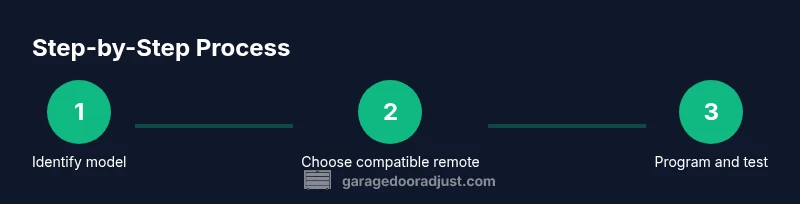
- 1
Identify model and compatibility
Locate the model number on your opener unit or manual. Confirm the operating frequency and whether the system uses rolling codes. This ensures any new remote or keypad will actually pair and work with your existing setup.
Tip: Have the manual or online support page open to cross-check exact pairing steps. - 2
Choose the right extra opener
Decide between a handheld remote, a wall keypad, or a smart controller based on how you access the garage. Confirm that the chosen device is specifically listed as compatible with your model.
Tip: Prefer brand-approved parts to keep warranty intact and avoid pairing issues. - 3
Prepare the opener for programming
Clear the current remote memory if you want to reset access, then place the opener in programming mode using the Learn button or app. The exact method varies by brand; consult the manual for the correct sequence.
Tip: Do not press multiple remotes simultaneously during pairing. - 4
Program the new remote or keypad
Follow the manufacturer’s steps: typically press the Learn button, then press a button on the new device until the indicator LED blinks or changes. Complete the process within the time window the system provides.
Tip: If the LED does not respond, ensure you’re within close range and that the device is powered. - 5
Test the new device
Test the new remote from different locations in the house and while approaching the door. Confirm that it only operates the intended door if you have multiple, and verify that the door’s safety sensors activate normally.
Tip: Keep a spare in a known spot in case you forget or lose the new remote. - 6
Document and secure
Label the new device, note its pairing date, and store the user manual in a safe place. If you rely on a smart hub, update your device list and review access sharing settings.
Tip: Record the pairing steps in a home maintenance log for future reference.
Got Questions?
Can I use any remote with my garage door opener?
Not every remote will work with every opener. Remotes must match the brand, frequency, and code type of your unit. Always check the manual or manufacturer support page before purchasing.
Most remotes must match your opener's brand and frequency; verify compatibility before buying.
Do I need a professional to install extra openers?
Usually not. Many extras can be paired through self-guided steps. If you have a complex multi-door setup or an unfamiliar system, a professional can ensure proper programming and safety.
You can typically do it yourself, but consider a pro for multi-door setups.
Will adding extra openers affect safety sensors or rolling codes?
No. Adding remotes or keypads does not disable safety features. Ensure you follow proper programming to keep rolling codes and sensor checks active.
No impact on safety sensors when done correctly.
Can I use extras to control multiple doors?
Yes, many systems support multiple remotes or keypads that can be programmed per door. Confirm compatibility with each door’s opener and avoid cross-control errors.
Yes, but check compatibility for each door and program correctly.
What about smart home integration?
Some openers work with smart hubs or apps, enabling automation and remote control. Check app compatibility and whether remotes still function alongside the hub.
Some hubs work with openers; verify compatibility before buying.
Are extra remotes secure?
Yes, when properly paired with rolling codes and kept secure. Avoid sharing devices with non-household members and regularly review access.
Yes, secure pairing and responsible sharing keep extras safe.
Watch Video
Quick Summary
- Identify model and compatibility before buying extras
- Only use brand-approved remotes and keypads to protect warranties
- Program devices via Learn button or app as instructed
- Test thoroughly and maintain safety sensors
- Document pairing and store manuals for future maintenance