Why is the Garage Door Sensor Yellow? A Troubleshooting Guide
Discover why the garage door sensor turns yellow and how to troubleshoot misalignment, obstructions, and wiring safely. Step-by-step fixes, safety tips, and when to call a pro.


Why is the garage door sensor yellow? A yellow indicator usually means the safety beam is not aligned or is blocked. Start by clearing the beam path, cleaning the lenses, and realigning the sensors until the lights show solid green. If the yellow light persists, inspect wiring, test travel limits, and consider professional service if needed.
Why the color matters: why is garage door sensor yellow
For homeowners, understanding why is garage door sensor yellow is essential for safety. In most garages, a yellow indicator signals a safety beam issue rather than a normal run. According to GarageDoorAdjust, this color usually points to misalignment, obstruction, or dirty lenses that prevent the beam from crossing properly. The safety beam is a critical component of modern garage doors, designed to detect obstructions and halt door closing. A yellow light typically indicates something in the beam’s path or a setup problem rather than a failed motor. If the sensor cannot see the opposite side clearly, you’ll see this warning and need to take corrective action before attempting another test run. Regular sensor health checks reduce the risk of accidental door closures and protect children and pets. The broader takeaway is that yellow is a warning, not a normal operating color, and addressing it quickly is essential for safe operation.
Immediate checks you can perform safely
Start with the simplest checks first to avoid unnecessary trips to a technician. Always unplug the garage door opener before touching the sensors to cut power and reduce risk. Then, inspect for obvious obstruction in the beam’s line of sight: leaves, dirt, or a toy might sit between the two photoeye receivers. Clean the lenses gently with a soft, dry cloth and avoid abrasive cleaners that could scratch the glass. Reposition the door so the sensors are facing each other directly and ensure the mounting brackets are tight — loose brackets can misalign the beam over time. After you adjust, restore power and run a test: the green indicator should illuminate on both sides and the door should close smoothly without stopping prematurely. If the yellow persists, it’s time to go deeper: check wiring connections, ensure the obstruction sensor is receiving power, and verify the door’s travel limits are set correctly. If you notice frayed wires or damaged connectors, stop and call a pro. Regular maintenance, including cleaning and alignment checks every 6-12 months, helps prevent yellow sensor warnings from returning.
Diagnostic intuition: mapping symptoms to causes
A yellow sensor can arise from several root causes. The most common are misalignment and obstruction, both of which are typically easy to fix. A misaligned beam occurs when the photoeye units are slightly rotated or the mounting screws loosen over time. Obstructions can be as simple as a leaf on the sensor or an object placed too close to the sensor’s path. Less common but important are wiring issues, such as loose connections or damaged cables, and a degraded sensor module that may need replacement. When the beam path is clear and aligned but the light remains yellow, inspect the power supply and controller settings. Remember that age and wear can affect sensor optics, so even a small misalignment or dirty lens can trigger the warning. This section is designed to help you triage quickly, so you don’t overlook straightforward fixes that restore normal operation.
Step-by-step fix for common misalignment
Realigning the sensors is often the quickest fix for a yellow indicator. Use a ladder to access the sensors on either side of the door; each eye should be directly facing its counterpart at the same height. Loosen the mounting screws just enough to adjust, then slowly rotate the eye until the alignment indicator or LED on both sides lights solid green. Tighten the screws while keeping the lenses aligned, then test the door with the opener by standing clear of the beam. If the lights flicker or remain yellow, you may need to reposition the entire unit or check for a bowed track that shifts the beam’s line of sight. After realignment, clean both lenses again and perform multiple test cycles. If the problem recurs after a few days, there may be a wiring or sensor hardware issue that requires professional inspection.
Safety notes and common mistakes to avoid
Safety is non-negotiable when working on a garage door. Always disconnect power before handling sensors or tracks. Do not attempt to bypass the sensor with the door closed; the safety system is designed to prevent injury. Common mistakes include over-tightening mounting screws, which can warp the sensor housing, and using harsh cleaners that leave residues on the lens. Avoid leaning materials against the door or forcing the door to close when the beam is obstructed, as this can strain the opener mechanism. If you hear unusual sounds or the door doesn’t respond to the remote after adjustments, stop and reassess or call a professional. It’s better to err on the side of caution than risk a malfunction that could cause injury.
When to call a professional and what to expect
If basic alignment, cleaning, and inspection do not resolve the yellow sensor, it’s time to bring in a pro. A technician will verify power, check wiring continuity, test the sensors with a multimeter, and inspect the control board for signs of wear. They may replace one or both photoeye units if misalignment or corrosion is detected. A professional will also calibrate door travel limits and force settings to ensure the system operates safely. Scheduling a repair sooner rather than later can prevent more costly failures and ensure the door remains compliant with safety standards.
Prevention: keep sensors reliable with simple maintenance
Prevent future yellow warnings with a simple maintenance routine. Clean the sensor lenses every few months, especially in dusty or humid environments. Check mounting brackets for looseness and tighten as needed. Keep the beam path clear of debris and ensure the alignment remains stable after any door adjustments or after a strong wind. Consider testing the sensors every few weeks to confirm green LEDs and reliable door closure. If you install a new opener or move the door, recheck alignment immediately. Consistent checks help maintain a safe, quiet, and dependable garage door system.
Quick reference checklist to keep handy
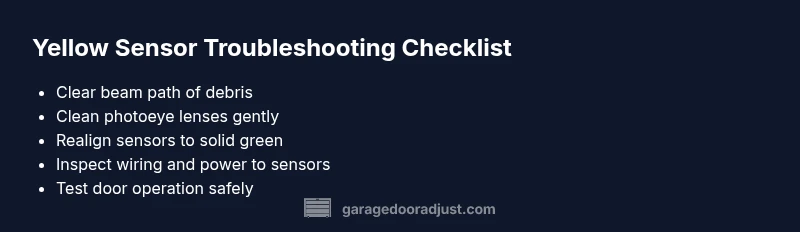
- Clear the sensor path and clean lenses
- Realign sensors until both LEDs show green
- Check wiring and power connections
- Test the opener after each adjustment
- Call a pro if the issue persists after basic fixes
Steps
Estimated time: 15-30 minutes
- 1
Power down and prepare
Unplug the opener or switch off the circuit to ensure full power isolation. Gather a ladder, cloth, and a screwdriver. Safety first when accessing the sensor area.
Tip: Use a buddy to hold the ladder for extra safety. - 2
Inspect sensor placement
Look at both photoeye units. They should face each other directly, with no screws loose. If you see misalignment, gently adjust the angle.
Tip: Small adjustments can make a big difference. - 3
Clean the lenses
Dust and grime reduce signal strength. Wipe each sensor lens with a soft, dry cloth. Do not use solvents that could damage plastic.
Tip: Dry microfiber cloths work best. - 4
Realign for solid green
Loosen mounting screws just enough to allow a tilt. Align until both LEDs show a solid green light when tested.
Tip: Always verify from the doorway side, not behind the unit. - 5
Reconnect power and test
Tighten screws, re-connect power, and close the door. Stand clear of the beam and test multiple cycles.
Tip: If the light flickers, recheck alignment. - 6
Evaluate after testing
If yellow returns after a few cycles, inspect wiring and consider sensor replacement or professional help.
Tip: Document any recurring symptoms for the tech.
Diagnosis: Yellow sensor indicator on garage door opener
Possible Causes
- highSensor misalignment
- highObstruction or debris in the beam path
- mediumWiring or power issue to the sensors
- lowDamaged sensor module
Fixes
- easyRealign sensors per manufacturer specs and retest
- easyClear beam path and clean the lenses
- mediumInspect and secure sensor wiring/power supply
- hardReplace faulty sensor module or seek professional service
Got Questions?
What does a yellow garage door sensor indicate?
A yellow sensor typically signals a misalignment or obstruction in the safety beam. It’s a warning to inspect and fix before operating the door. Clean the lenses, ensure proper alignment, and check wiring if the light remains yellow after adjustments.
A yellow sensor usually means the safety beam is misaligned or blocked. Clean and realign the sensors, check for obstructions, and test again—then call a pro if it stays yellow.
Can I fix a yellow sensor myself?
Yes, many yellow sensor issues are resolvable with simple steps: clear obstructions, clean lenses, realign the sensors, and test. If the problem persists, power issues or a faulty sensor may require professional service.
Often you can fix it yourself with cleaning and realignment, but if it persists, a professional inspection is recommended.
What safety steps should I follow when working on the sensors?
Always unplug the opener before handling sensors. Avoid bypassing safety features and keep hands clear of the moving door during testing. Use a sturdy ladder and work with a helper if possible.
Unplug power, don’t bypass safety features, and have a helper if you’re using a ladder.
If the yellow light returns after realignment, what’s next?
Re-check the mounting brackets for looseness, inspect all wiring for wear, and test the door’s travel limits. If unresolved, replace the sensor or consult a technician for a deeper diagnostic.
If it comes back after realignment, inspect wiring and consider sensor replacement or a professional check.
When should I replace the sensor rather than repair it?
If the sensor shows corrosion, physical damage, or repeated misalignment after proper adjustment and wiring checks, replacement is usually more cost-effective and safer in the long run.
If damage or persistent misalignment occurs after fixes, replacement is wiser.
Are there common mistakes that trigger yellow warnings?
Yes. Over-tightening mounts, ignoring loose connections, or attempting to run the door when obstruction is present can trigger yellow warnings. Regularly inspect and maintain the entire sensor system.
Loose mounts or ignoring obstructions commonly cause yellow warnings; keep the system well-maintained.
Watch Video
Quick Summary
- Identify yellow sensor as a safety warning, not normal operation
- Start with simple alignment, cleaning, and obstruction checks
- Use a systematic diagnostic flow for quick triage
- Call a pro if basic fixes don’t resolve the issue
- Regular maintenance prevents future yellow warnings