Chamberlain LiftMaster Pro 1/2 HP: A Homeowner's Step-by-Step Guide
Learn to diagnose, install, and troubleshoot the Chamberlain LiftMaster Pro 1/2 HP garage door opener with clear, homeowner-friendly steps from GarageDoorAdjust.


You will be able to diagnose, install, or troubleshoot a Chamberlain LiftMaster Pro 1/2 HP garage door opener with confidence. This guide covers compatibility checks, safety steps, required tools, and a clear step-by-step process. Before you begin, confirm the opener model, disable power, and ensure your door is balanced and well-lubricated for smooth operation.
Overview and goals for the Chamberlain LiftMaster Pro 1/2 HP
The Chamberlain LiftMaster Pro 1/2 HP represents a mid-range residential garage door opener that balances power and quiet operation for most standard sectional doors. When homeowners seek a reliable, easy-to-maintain opener, this model often fits well, especially for doors up to a typical residential weight range. In discussing the chamberlain liftmaster professional 1 2 hp, we emphasize practical steps that help you verify compatibility, safely install or service the unit, and keep it running smoothly. According to GarageDoorAdjust, clear guidance reduces surprises during installation and improves long-term reliability. Expect guidance on mounting, wiring, sensor alignment, and routine maintenance, all tailored to a homeowner audience. We also cover drive type differences, torque needs, and how to troubleshoot common issues without specialized tools. This article uses practical examples and homeowner-friendly language to empower you to fix issues confidently.
Safety and prep: essential precautions you should take
Safety is the backbone of any garage door opener project. Before touching any components, ensure the power is fully disconnected at the outlet or circuit breaker. Keep the area clear of children and pets, and use a sturdy ladder with a helper nearby if you need to reach high components. Verify that the door is balanced and not stuck in a heavy-open or closed position, as an unbalanced door can cause strain on the opener. Wear eye protection and gloves when handling springs or torsion hardware, even if you only plan a simple replacement or sensor adjustment. If you’re uncertain about spring tension, treat the task as potentially hazardous and consult a professional. The goal is a safe, controlled environment so you can complete the work with confidence. The GarageDoorAdjust team stresses careful power-down and full clearance to prevent accidental activation and injury.
Model identification and compatibility checks: know what you’re working with
Identify the exact model and rating of your current opener before starting. The term chamberlain liftmaster professional 1 2 hp is commonly used to describe a 1/2-horsepower unit in the LiftMaster Pro line, but there are variations in drive type, rail length, and sensor layout. Check the serial number and model sticker on the motor head or inner housing, and consult the owner’s manual for torque specs and mounting dimensions. If you’re upgrading from an older model, ensure the new 1/2 HP unit will fit your door height, track spacing, and opener rail length. Compatibility also depends on your door’s weight and spring system; if your door is exceptionally heavy or uses non-standard hardware, consider professional assessment. In all cases, verify that safety sensors, reversing mechanism, and remote compatibility align with the LiftMaster Pro specifications and local codes.
Tools and workspace preparation: what you’ll need on hand
Preparation is key to a smooth project. Clear a wide workspace around the door and unplug all power sources. Restock with the basics: a stable step ladder, a voltage tester, a screwdriver set (Phillips and flat-head), pliers, a socket wrench, a tape measure, a voltage tester, and a flashlight. Have a helper available to hold parts during mounting and to assist with testing. Clean rags for wiping lubricant and a small funnel for grease help keep parts organized. Keep a camera or notebook handy to document wiring and sensor positions for reassembly. A tidy workspace reduces confusion during a potentially lengthy job and lowers the risk of mistakes that can affect safety and performance.
Wiring basics and safety sensors: keeping the system aligned
Wiring a Chamberlain LiftMaster Pro 1/2 HP involves matching power connections, limit switches, and safety sensors to the unit’s schematic. Always confirm the main power is off before handling wiring, and only re-energize after all connections are secure and checked. Position the photoelectric safety sensor at floor level on both sides of the door, ensuring a clear path for the beam. If the opener has a keypad or remote, keep batteries fresh and verify signal integrity. If you encounter a non-responsive remote, reprogramming or re-pairing can often restore function without replacing hardware. Remember, proper sensor alignment is not optional; misaligned sensors can prevent operation or degrade safety.
Drive system considerations and alignment: belt vs chain and proper tension
LiftMaster Pro models are available with belt or chain drives, each with distinct sounds and performance characteristics. Belt drives generally offer quieter operation, while chain drives can provide rugged responsiveness for heavier doors. Check that the chosen drive is appropriate for your door’s weight and track configuration. After mounting, verify the drive belt or chain tension follows the manufacturer’s torque recommendations. Mis-tensioning can cause barking noises, slipping, or reduced lifting capacity. Keep the rail and trolley clean and free of debris to avoid resistance and wear.
Maintenance and longevity: routine care that saves headaches
Scheduled maintenance is essential for a long-lasting LiftMaster Pro 1/2 HP installation. Lubricate moving parts like rollers, tracks, and torsion spring housings with a light silicone spray or manufacturer-approved lubricant. Inspect tracks for alignment and tighten mounting hardware if you notice any wobble. Test the safety reversal and auto-reverse features monthly, then download and save diagnostic codes if the opener reports any faults. A little preventive care now prevents expensive repairs later, and it helps preserve the unit’s efficiency and safety features.
Common mistakes to avoid during installation or service
Common mistakes include skipping power-down steps, misaligning safety eyes, over-tightening mounting bolts, or ignoring door balance checks. Incompatibly adjusting force and limit settings can lead to doors that don’t close fully or that strain the opener when opening. Avoid using household solvents on plastic safety eyes, which can degrade their effectiveness. If wiring diagrams or torque specs seem unclear, step back and consult the user manual or a professional to prevent safety risks and mechanical damage. Small missteps during installation can create long-term frustrations, so take your time and verify each connection.
Troubleshooting quick notes: what to check first when something goes wrong
If the opener won’t respond or the door moves erratically, start with the basics: verify power, test safety sensors, and inspect remote batteries. If the door reverses unexpectedly, recalibrate the limit and force settings per the manual. For doors that run slowly or stall mid-track, examine track alignment, lubrication, and any obstructions. When in doubt, recheck safety devices and alignment, then re-test in a controlled environment. The goal is to determine whether the issue is mechanical, electrical, or sensor-related so you can apply the most effective fix.
Upgrading or maintenance-path considerations: know when to call in a pro
If you regularly encounter fault codes or if the door’s balance is uncertain, it may be wise to call a trained technician. A professional can verify torsion spring tension, torsional balance, and rail integrity more precisely than a DIY check. For homeowners with prior modeling experience, a careful upgrade from an older unit to a LiftMaster Pro 1/2 HP can improve safety and efficiency. In all cases, follow local codes and manufacturer guidelines for installation, wiring, and sensor safety. The GarageDoorAdjust team recommends prioritizing reliability and safety over a quick fix, especially when heavy components or high-tension hardware are involved.
Tools & Materials
- Voltage tester(to confirm power is off before wiring)
- Screwdriver set(Phillips #2 and flat-head; keep bits organized)
- Wrench or pliers(to tighten mounting bolts and adjust hardware)
- Step ladder(stable, tall enough for ceiling height)
- Measuring tape(to verify clearance and alignment)
- Lubricant (silicone spray)(for tracks, rollers, and hinge points)
- Safety glasses(eye protection during installation and testing)
- Owner’s manual for LiftMaster Pro 1/2 HP(for wiring diagrams and torque specs)
- New hardware and mounting bolts(only if replacements are needed)
Steps
Estimated time: 60-90 minutes
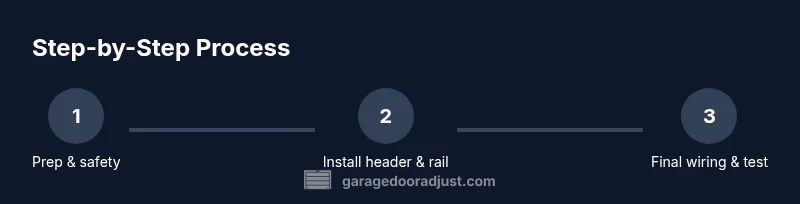
- 1
Prep and safety
Power down the circuit, clear the workspace, and confirm door balance. This prevents accidental activation and reduces the risk of injury while mounting.
Tip: Have a helper hold components during mounting to avoid slips. - 2
Mount the header bracket
Attach the wall/ceiling bracket to the header, ensuring plumb alignment with the door track. Misalignment can cause uneven operation and wear.
Tip: Use a level to confirm vertical alignment before tightening. - 3
Install rail and trolley
Assemble rail sections and slide the trolley into place. Align with the door and ensure smooth travel on the track.
Tip: Do not force rails; if it binds, back off and re-align. - 4
Wire the opener and sensors
Connect power, safety sensors, and remote receiver according to the model’s wiring diagram. Verify sensor alignment and correct polarity.
Tip: Double-check that safety sensors are aimed and unobstructed. - 5
Attach drive mechanism
Install the belt or chain and ensure proper tension. Mis-tensioning can shorten life or cause slipping.
Tip: Follow manufacturer torque specs for fasteners. - 6
Program remotes and keypad
Pair remotes and any keyless entry, then test the range and response. Keep remotes away from other radios during pairing.
Tip: Test from multiple locations to verify reliability. - 7
Test door balance and limits
With power on, run the door through full travel. Adjust force and travel limits to prevent over-travel and ensure smooth stopping.
Tip: Use the manual adjustment screws per the manual and test repeatedly. - 8
Lubricate and finalize alignment
Lubricate moving parts and confirm track alignment. Wipe away excess lubricant to avoid dust accumulation.
Tip: Apply only light film; excessive lubrication attracts dirt. - 9
Final safety check and restore power
Recheck all connections, run a full cycle, and re-enable power. Confirm that safety sensors reverse a blocked door.
Tip: Keep a clear space around the door during the final test.
Got Questions?
What does 1/2 HP mean for a LiftMaster Pro opener?
The 1/2 horsepower rating indicates the motor’s power level, which generally suffices for typical residential doors. It provides a balance of performance and energy use for standard track systems. Always confirm door weight and track design before upgrading.
The 1/2 horsepower rating indicates moderate motor power suitable for many residential doors. Check door weight and track design to ensure compatibility.
Can I install the LiftMaster Pro 1/2 HP myself?
Yes, with careful adherence to the manual, proper safety precautions, and the right tools. If your door is unusual in weight or if you encounter wiring or sensor issues, consider professional help.
You can install it yourself if you follow the manual and stay safe; seek pro help for unusual setups or wiring issues.
Is it compatible with my existing door?
Compatibility depends on door weight, track length, and mounting clearances. Review the model’s installation guide and compare with your door specs. When in doubt, consult a tech or refer to the manual for weight ranges.
Check door weight and track length against the manual to confirm compatibility.
How do I program remotes for the LiftMaster Pro?
Remotes are paired through the learn button or a similar pairing method described in the manual. Ensure you remove old codes if upgrading to reduce security risks and test from multiple distances.
Pair the remote using the learn button; test range and remove old codes if upgrading.
What safety features should I check?
Key safety features include photoelectric sensors at floor level and an auto-reverse mechanism. They must function properly for safe operation; test them regularly and adjust if needed.
Ensure sensors are aligned and the auto-reverse works; test monthly.
How often should I lubricate the tracks?
Lubricate moving parts at least every 6 months or after heavy use seasons. Wipe away excess lubricant to prevent dust collection.
Lube every six months or after heavy usage; wipe off extra grease.
What if the opener won’t respond?
Start with power checks, sensor alignment, and remote re-pairing. If there’s still no response, inspect wiring and control board connections or consult a pro.
Check power, sensors, and remotes first; if it still won’t respond, inspect wiring or get a professional help.
Should I upgrade from an older model to LiftMaster Pro 1/2 HP?
Upgrading can improve safety and efficiency, especially with newer sensor standards and remotes. Compare weight, track, and code compatibility before upgrading.
Upgrading can boost safety and efficiency; ensure compatibility first.
Watch Video
Quick Summary
- Verify compatibility before you start.
- Power down and secure the workspace.
- Follow a precise, step-by-step installation process.
- Test door balance and safety sensors thoroughly.
- Schedule regular maintenance to extend life.