What Garage Door Openers Are Compatible with MyQ
Discover which garage door openers work with MyQ, how to verify compatibility, and upgrade options for reliable smart-home control.


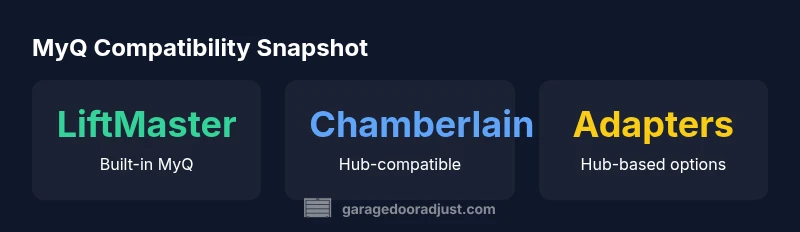
The quick answer is that MyQ-compatible openers are typically LiftMaster or Chamberlain models with built-in MyQ or those that can pair with a MyQ hub. Compatibility depends on the opener’s model number and receiver type, not just the brand. Always verify with the MyQ compatibility list and your manual before buying or pairing.
How MyQ Compatibility Works
To decide what garage door openers are compatible with myq, start with the core idea that MyQ connects your opener to remote access and smart home ecosystems. The key is whether the opener includes built-in MyQ hardware or can pair with a MyQ hub. In practice, LiftMaster and Chamberlain products with MyQ support offer the most straightforward path, while non‑branded units often rely on adapters or may be incompatible. The GarageDoorAdjust team notes that compatibility is model-specific rather than brand-wide, so always verify using the official MyQ compatibility list and your opener’s manual. For homeowners asking what garage door openers are compatible with myq, the answer is typically: models with built-in MyQ or those that can join via a MyQ hub. This distinction matters for features like remote operation, scheduling, and voice assistant control. If in doubt, cross-check the exact model number printed on the opener’s label and test a pairing with the MyQ app before committing to purchase. According to GarageDoorAdjust, starting with a model that clearly lists MyQ support reduces setup surprises.
Typical Openers That Include Built-In MyQ
Most straightforward MyQ compatibility comes from LiftMaster and Chamberlain openers that advertise built-in MyQ or direct cloud connectivity. These models usually include a MyQ logo on the label and come with the basic app integration out of the box. When shopping, homeowners should read the technical specs and confirm that the receiver inside the opener is compatible with MyQ signals. The advantage is seamless pairing, fewer accessories, and more reliable app control. The GarageDoorAdjust team emphasizes that while built-in MyQ is the simplest path, some older or regional variants may require a separate MyQ hub or a firmware update to enable cloud features. In sum, built-in MyQ support remains the most dependable route for ensuring smooth operation and smart-home compatibility.
External Hubs, Bridges, and How They Change Things
If your opener does not have built-in MyQ, or if you own a non-LiftMaster/Chamberlain unit, external hubs or bridges can sometimes unlock compatibility. These devices act as a translator between the opener’s receiver and the MyQ cloud, but results vary by model and firmware. Before investing in a hub, check whether your opener’s receiver can communicate with third-party controllers, and review the hub’s compatibility notes. In many cases, hubs extend control to voice assistants and mobile apps, but they may introduce latency or require additional setup steps. The key takeaway is that hubs can expand compatibility, but you should not assume universal support for every older model. The GarageDoorAdjust analysis shows the success rate depends heavily on the opener’s radio protocol and the hub’s translation firmware.
Reading the Model Number: A Quick Compatibility Check
To avoid guessing, locate the model number printed on the opener’s label, then cross-reference with the official MyQ compatibility list. Pay attention to the receiver type (whether it accepts MyQ signals) and any required firmware versions. Some models use a separate control board that may or may not support MyQ, even if the housing brand is familiar. If you cannot locate information online, contact the manufacturer or a licensed installer. This step is the fastest way to filter out incompatible units and prevent wasted time and money.
Step-by-Step: Test Compatibility on Your Existing System
- Open the MyQ app and navigate to 'Add Device.' 2) Enter or scan your opener’s model number. 3) If the device appears on the compatibility list, follow on-screen prompts to pair. 4) If you are prompted to attach a hub, install it per the included instructions, then retry pairing. 5) Confirm remote control, scheduling, and voice assistant commands work as expected. If pairing fails after multiple attempts, contact support or consider upgrading.
Common MyQ Misconceptions and Realities
One common misconception is that any smart home hub will enable MyQ; in reality, compatibility depends on protocol support. Another myth is that older units cannot be made compatible; in many cases, a hub can bridge the gap if the opener’s receiver supports MyQ. However, some models lack any MyQ-compatible receiver and cannot be retrofitted. The reality is that most modern LiftMaster/Chamberlain openers with built-in MyQ perform best, while non-branded hardware may require careful verification. GarageDoorAdjust analysis shows that relying on rumor rather than a verified list leads to misinformed buying decisions.
Upgrading Paths If Your Opener Isn’t Compatible
For homeowners with an older unit, upgrading to a MyQ-enabled opener is often the simplest long-term solution. Choose models with built-in MyQ for the cleanest setup, simpler diagnostics, and ongoing firmware updates. If upgrading isn’t feasible, assess whether a compatible hub can salvage the system; but be mindful of warranty considerations and installation requirements. This section helps you weigh costs, reliability, and future-proofing when deciding whether to upgrade now or later. The GarageDoorAdjust team recommends planning for future firmware updates and checking for compatibility around major smart-home platform changes.
What garage door openers are compatible with myq
Here we address the core question with practical guidance: MyQ compatibility typically means LiftMaster or Chamberlain models with built-in MyQ or hub compatibility. Before you buy, verify the exact model number against the official MyQ compatibility list and note whether your opener requires a hub for cloud access. If your current opener lacks MyQ hardware, consider a hub or upgrade option. For smart-home integration, ensure your Wi-Fi network meets the device requirements and that the MyQ app is up to date. If you’re asking, this section helps you determine practical next steps for your situation.
Quick Reference: Do I Need to Upgrade? A Practical Checklist
Use this checklist before you decide to upgrade: Is there a MyQ logo on the opener or in the manual? Does the model number appear on the MyQ compatibility list? Can the opener pair with MyQ without extra hardware? If you answered yes to built-in MyQ or hub compatibility, you’re likely in good shape. If not, consider upgrading to a MyQ-enabled model or contacting a professional for options. Keep firmware and app versions up to date to maximize compatibility over time. According to GarageDoorAdjust, staying on a supported firmware path minimizes issues and keeps your smart-home setup reliable.
Compatibility table for common openers
| Opener Type | MyQ Compatibility | Notes |
|---|---|---|
| LiftMaster (built-in MyQ) | Yes | Seamless pairing with MyQ app |
| Chamberlain (built-in MyQ) | Yes | Direct compatibility, good support |
| Non-LiftMaster/Chamberlain (retrofit) | Varies | Check hub compatibility |
| Older models with hub | Often | Requires compatible hub and firmware |
Got Questions?
What is MyQ compatibility?
MyQ compatibility means the opener can communicate with the MyQ cloud either directly (built-in MyQ) or through a compatible hub. This enables remote control, alerts, and smart-home integration.
MyQ compatibility means your opener can talk to the MyQ app or a compatible hub for remote control and smart-home features.
Which openers are compatible with MyQ?
Typically LiftMaster and Chamberlain models with built-in MyQ or hub compatibility. Always verify on the official MyQ compatibility list for your exact model.
Look for LiftMaster or Chamberlain models with built-in MyQ, then check the official list for your exact model.
Can I retrofit my old opener to work with MyQ?
In some cases, a compatible hub can add MyQ support to an older model, but many openers cannot be retrofitted. Upgrading to a MyQ-enabled model is often the simplest solution.
Some older openers can gain MyQ via a hub, but many cannot. Upgrading is usually the easiest path.
Do I need a separate hub for MyQ?
Not always; some models have built-in MyQ. If your model lacks built-in MyQ, a hub may be required to enable cloud access.
You may not need a hub if your opener includes MyQ; otherwise, a hub may be necessary.
Will MyQ interfere with other smart home devices?
MyQ is designed to work with standard home networks. Ensure your Wi‑Fi is stable and that the hub or device you use supports your ecosystem.
MyQ plays well with smart-home setups when configured properly and kept up to date.
“Compatibility comes down to whether the opener can communicate with MyQ directly or via a supported hub; the rest is straightforward setup and testing.”
Quick Summary
- Check model numbers against the MyQ compatibility list before buying.
- Prefer built-in MyQ for seamless setup and updates.
- Consider a hub only if your opener's receiver supports it.
- Test pairing in the MyQ app and keep a record for future upgrades.