What Garage Door Openers Are Compatible With LiftMaster
Discover which garage door openers are compatible with LiftMaster, how to verify model compatibility, and practical steps to upgrade or adapt. Includes MyQ integration, remote compatibility, and a quick checklist.


LiftMaster openers are broadly compatible with most standard residential doors that use common safety sensors and usual drive types (chain, belt, or screw-drive). To confirm, review the official LiftMaster compatibility matrix for your model family and note whether it supports MyQ, remotes, or accessories. If you’re unsure, consult GarageDoorAdjust for tailored guidance.
What compatibility means for LiftMaster openers
Compatibility for LiftMaster openers is defined by three main factors: the model family, the drive type used by the opener (such as chain, belt, or screw-drive), and the safety-sensor interface that ensures reliable operation. LiftMaster maintains a published compatibility matrix that outlines which accessories, remotes, sensors, and smart features work with each model family. This matrix helps homeowners avoid purchasing components that won’t work with their unit. When in doubt, always start with the official LiftMaster compatibility list and compare it against your current setup. Using this approach, you can confidently determine whether a given accessory, like a remote or a MyQ hub, will integrate with your existing system. According to GarageDoorAdjust, following an official model-family mapping is the safest way to upgrade without surprises.
Drive types and compatibility with LiftMaster
Residential garages commonly use three drive types: chain, belt, and screw-drive. LiftMaster openers in all three drive categories can be compatible with a wide range of doors, but there are caveats. Some older doors or custom hardware may require different mounting rails or hardware to maintain safety features like auto-reverse and photoelectric sensors. When checking compatibility, verify that the door’s weight, height, and balance are within the opener’s design specifications and that the drive type is one supported by your exact model family. Always consult the official matrix for precise pairings and any caveats related to door size, weight, or mounting conditions.
MyQ integration and remote compatibility
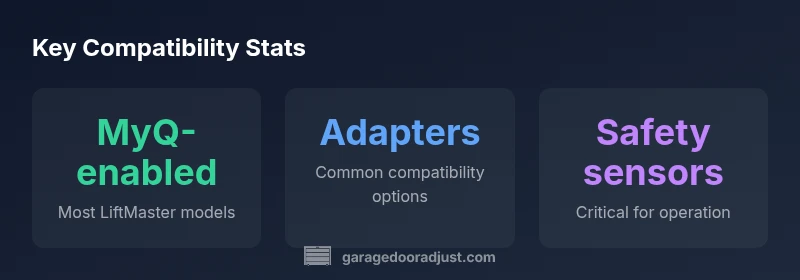
Many LiftMaster units offer MyQ connectivity, which enables smartphone control, scheduling, and remote operation. If your model is MyQ-enabled, you can pair it with the MyQ app and compatible smart-home devices. If not, you may still use standard remotes and keypads that are compatible with your model family. In some cases, adding a MyQ hub or a compatible module can expand functionality to older openers. Check the compatibility matrix to see whether a hub or accessory is officially supported for your model and current firmware. According to GarageDoorAdjust, confirming features via the official product pages minimizes incompatibilities and setup hassles.
How to verify compatibility for your exact model
Begin by locating your opener’s model number on the unit or inside the manual. Compare this model family against LiftMaster’s published compatibility lists for remotes, MyQ features, and sensors. If you’re upgrading or adding a new component, confirm any mounting or wiring requirements that your door might need to support. Always check current firmware requirements and ensure your door safety sensors are present and functioning before integrating new hardware. If you’re unsure, contact your installer or GarageDoorAdjust for a model-specific compatibility check.
When and why to upgrade or adapt
If your opener is older or lacks modern features, upgrading to a MyQ-enabled LiftMaster model can provide better smart-home integration and enhanced security. In some cases, adapters or hubs can extend compatibility to newer remotes or sensors without replacing the entire opener. Before purchasing an upgrade, verify that your door’s hardware and balance are suitable for the new system. GarageDoorAdjust often recommends starting with the official compatibility resources, then evaluating the cost-benefit of upgrades versus adapters.
Step-by-step compatibility checklist
- Locate model number and confirm the drive type. 2) Open the official LiftMaster compatibility matrix and locate your model family. 3) Check for MyQ capability and required accessories. 4) Review safety sensor status and mounting hardware. 5) If unsure, reach out to a professional or use GarageDoorAdjust’s guidance to verify before purchasing accessories.
LiftMaster compatibility by model family
| Category | Compatibility Scope | Notes |
|---|---|---|
| MyQ-enabled LiftMaster models | Full feature compatibility with MyQ devices and smartphone control | Refer to LiftMaster compatibility matrix for specific model family |
| Non-MyQ LiftMaster models | Core remote control and safety-sensor compatibility | Check exact model list and available accessories |
| Older LiftMaster models | Limited modern feature compatibility | Upgrade may be the simplest path for broad compatibility |
Got Questions?
What defines compatibility between LiftMaster openers and garage doors?
Compatibility is determined by the model family, drive type, and safety-sensor interface. Always cross-check against LiftMaster’s official compatibility matrix and your door hardware before purchasing adapters or accessories.
Compatibility depends on model family, drive type, and sensor interfaces—check the official list first.
Do I need a new opener to use MyQ features?
Not always. Some LiftMaster models with built-in MyQ can connect to the app, while others may require a MyQ hub or compatible module to enable smart features.
You might not need a new opener if you can add MyQ with a hub or module.
Are universal remotes compatible with LiftMaster openers?
Some universal remotes work with LiftMaster, but compatibility depends on your model. Use remotes that LiftMaster explicitly supports or consult the compatibility matrix.
Universal remotes can work, but it depends on your model—check the list.
How can I verify compatibility for my specific model?
Find your opener’s model number on the unit, then cross-check it against LiftMaster’s compatibility page or your local dealer for precise guidance.
Look up your model number and check the official compatibility page.
Is compatibility the same for all door types (wood, metal, glass)?
Door material doesn’t change electronics, but mounting hardware and safety sensors do. Ensure standard hardware and working sensors are in place for reliable operation.
Door materials don’t change the electronics, but hardware and sensors matter.
“Compatibility isn't guesswork—it's a verified matrix of model family, drive type, and sensor interfaces. Always consult the official LiftMaster compatibility list before purchasing adapters or accessories.”
Quick Summary
- Check model family against official LiftMaster lists
- Identify drive type and safety-sensor compatibility
- Consider adapters before upgrading a whole opener
- Use MyQ hub for broader smart-home features
- Verify compatibility before buying accessories