8160W LiftMaster: Troubleshooting and Installation Guide
A practical, step-by-step guide to diagnosing, repairing, and installing the 8160W LiftMaster garage door opener with safety checks, remote programming, and maintenance tips from GarageDoorAdjust.


Learn how to troubleshoot, install, and program the 8160W LiftMaster garage door opener with clear, safe steps. This guide covers setup, connection to your door, remote programming, sensor alignment, and common troubleshooting checks to keep your system running smoothly. According to GarageDoorAdjust, following these steps reduces common failures and extends opener life.
What is the 8160W LiftMaster and why it matters
The 8160W LiftMaster is part of a family of belt-driven, battery-backed garage door openers designed for quiet operation and reliable daily use. In this guide, we refer to the 8160W as a representative model for understanding the principles of installation, alignment, and troubleshooting that apply to modern LiftMaster openers. Homeowners benefit from a well-installed opener by experiencing smoother starts, consistent door travel, and better compatibility with smart remotes and wall controls. While exact features can vary by sub-model and production run, the core ideas—proper mounting, safe wiring, sensor reliability, and correct programming—remain the same. For real-world results, follow this step-by-step approach and verify compatibility with your existing door system.
GarageDoorAdjust analysis shows that homeowners who adhere to manufacturer guidance and safety protocols report fewer service calls and longer opener life.
Tools & Materials
- Phillips screwdriver set(Sizes #2 and smaller for mounting screws)
- Flathead screwdriver(Fine-tipped for terminal screws)
- Adjustable wrench(Use for mounting bracket nuts)
- Voltage tester(Verify power is off before touching wiring)
- Ladder(Stable, 2-step minimum height to reach ceiling mounts)
- Safety glasses(Protect eyes from metal shavings and debris)
- Lubricant (white lithium grease or garage door spray)(Apply to rollers, hinges, and tracks as directed)
- Electrical tape and wire nuts(For temporary wire terminations or splices)
- Replacement safety sensors (optional)(Only if sensors are damaged or misaligned)
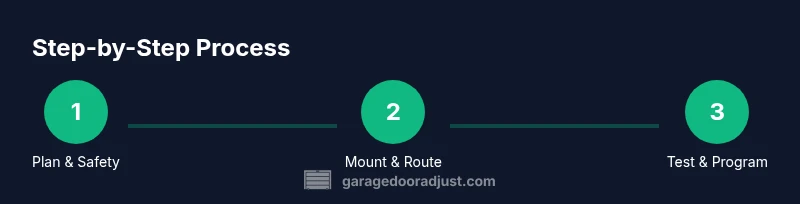
Steps
Estimated time: 60-90 minutes
- 1
Power down and secure the door
Shut off power at the breaker and unplug the unit. Lower or secure the door with clamps to prevent movement during service. This minimizes pinch points and protects against accidental door movement.
Tip: Always verify power is truly off with a voltage tester before touching wires. - 2
Inspect safety sensors and wiring
Check the infrared safety sensors for cleanliness and proper alignment. Look for bent brackets, misaligned lenses, or loose connections. Clean lenses with a soft cloth and realign as needed.
Tip: Use a level to ensure sensor beams point directly at each other across the door track. - 3
Prepare the mounting area
Clear the ceiling space and locate sturdy mounting points. Verify joists and brackets will support the opener weight and vibrations. Measure rail length and confirm compatibility with your door height.
Tip: Pre-mark anchor points and dry-fit the mounting bracket before final tightening. - 4
Mount the opener and rail
Secure the rail to the ceiling and attach the opener to the mounting brackets. Ensure the rail is level and that all fasteners are tightened to manufacturer torque recommendations. A wobble here can cause tracking issues.
Tip: Keep the rail parallel to the door edge and double-check alignment after mounting. - 5
Route and connect power, control wires, and sensors
Connect the opener to a dedicated power outlet, attach wall control wiring per the schematic, and ground as required. Reconnect safety sensors and test for proper beam alignment before testing door movement.
Tip: Label each wire before disconnecting a component to simplify reassembly. - 6
Program remotes and wall control
Follow the manufacturer's pairing procedure to teach remotes and the wall control to the opener. Confirm all remotes stop and reverse the door as expected when pressed from a distance.
Tip: Test with the door open 6–8 inches to ensure safe auto-reverse functionality. - 7
Initial test and fine-tuning
Power up the system and run a full sequence: close the door, let it stop, and reopen. Adjust force and travel limits per the door's weight and track travel. Look for smooth operation without jerks or stalls.
Tip: Document the final travel limits for future maintenance checks.
Got Questions?
What are the first signs that the 8160W LiftMaster needs maintenance?
Look for slow or unresponsive operation, unexpected reversals, grinding noises, or erratic sensor behavior. These symptoms indicate wear, misalignment, or electrical issues that require inspection.
Common signs include slow response, reversals, and sensor misalignment. If you notice these, inspect safety sensors and test the door travel.
Is the 8160W LiftMaster compatible with my existing garage door?
Compatibility depends on door weight, track configuration, and rail length. Most standard doors of typical residential setups are compatible when installed with the correct mounting hardware and sensors.
Most standard doors work with this type of opener when installed properly with the right hardware.
How do I reset the opener to factory settings?
Perform a factory reset by locating the learn button, holding it for a specified duration, and reprogramming remotes and wall controls afterward. Refer to the manual for exact timing and steps.
Use the learn button to reset, then reprogram remotes and controls per the manual.
How do I program remotes for the 8160W LiftMaster?
Press the learn button on the unit, then press the remote's button you want to program. Hold until the light on the opener blinks, indicating successful pairing.
Hit the learn button, press your remote, and wait for the light blink to confirm.
What safety precautions should I take during installation?
Work with a partner, wear protective eyewear, disconnect power when wiring, and never stand under the door while testing. Keep kids and pets away during setup.
Have a partner, wear eye protection, and keep kids away during setup.
How often should I lubricate components?
Lubricate moving parts every 6–12 months or when you notice squeaks. Apply sparingly to roller bearings, hinges, and tracks as recommended by the manufacturer.
Lubricate every 6–12 months or when you hear squeaks, focusing on hinges and rollers.
Watch Video
Quick Summary
- Plan before you start the install or repair
- Safety and sensor alignment are non-negotiable
- Program remotes correctly to ensure reliable operation
- Test thoroughly and document final settings