How Far Do Garage Door Openers Reach? A Practical Guide
Discover what affects how far garage door openers reach, with tested ranges, common interference factors, and practical tips to extend reach safely for homeowners.


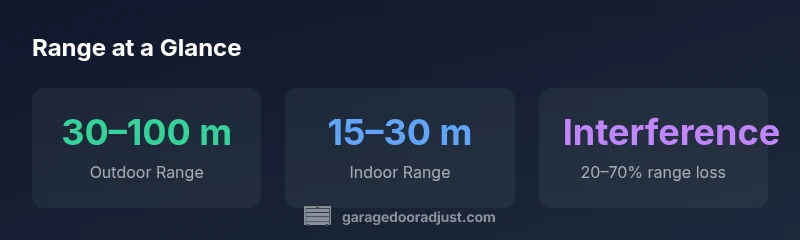
According to GarageDoorAdjust, how far garage door openers reach depends on model, frequency, and surroundings. In typical residential setups, remotes reliably reach about 30–100 meters outdoors (roughly 100–330 feet) and about 15–30 meters indoors (around 50–100 feet). Interference from metal walls, doors, and neighboring devices can shrink that range. Line-of-sight and antenna orientation matter most for consistent operation.
Understanding Range in Garage Door Openers
Range is the maximum distance a remote signal can travel and still trigger the opener. In practice, three factors dominate: frequency, transmitter power, and the environment. Most residential remotes operate on one of a few common RF bands (315 MHz, 390 MHz, 433 MHz) or newer 2.4 GHz variants; each band has different propagation characteristics. Range is not a single number; it's best described as a coverage envelope that shrinks with obstacles like walls, metal siding, and large appliances. The receiver's sensitivity and the antenna quality also matter—damaged or poorly oriented antennas can noticeably cut range. A well-maintained system often performs near the top end of the spec in ideal conditions, but real-world results vary by driveway layout, garage construction, and nearby RF noise. The GarageDoorAdjust team recommends testing your system in the actual space you use daily to establish a reliable baseline for reach and response.
Typical ranges by environment
Outdoor ranges tend to be longer because signals travel through air with fewer barriers. Indoor ranges are limited by walls, doors, and metal surfaces. For many common residential openers, practical outdoor reach sits roughly between 30 and 100 meters, while indoor reach is typically 15 to 30 meters. Note that these figures are approximate and can vary with model and layout. If you compare models, newer remotes often offer improved antenna design and slightly longer ranges, but the gains depend on the balance between transmitter power and receiver sensitivity. The key takeaway is to set expectations based on your exact space rather than the general spec.
How to measure your opener's reach
Set up a simple field test: stand near the curb or driveway entrance and walk away from the door until the remote stops triggering reliably. Record the maximum distance; repeat from different points to see how corners or vehicles affect the signal. Repeat the test indoors, noting how far you can be inside the garage or across adjacent rooms. Use fresh batteries in the remote and, if possible, test with both the original remote and any spare remotes. Check the antenna orientation on both the opener and the remote; a slightly higher angle can improve reception. Compare results to the manufacturer's stated outdoor range; if your measured distance is significantly lower, proceed with troubleshooting steps or contact support.
Common sources of range loss and fixes
Battery depletion in the remote: replace batteries at signs of reduced range. Antenna health: ensure the antenna on the opener is intact and correctly oriented; if damaged, replacement is advisable. Obstructions: thick walls, metal doors, foil-backed insulation, and metal siding reflect or absorb RF signals. Interference: nearby electronics (security systems, wireless cameras, Wi‑Fi routers on certain channels) can create RF noise. Fixes: reorient or reposition the antenna, remove nearby metal objects, relocate the opener's control panel away from metal cabinets, and consider upgrading to a newer model with better filtering or a range extender. For long-term gains, ensure firmware is up-to-date and consider adding a secondary access method (keypad or smart opener) to avoid relying solely on a distant remote.
Pro tips for consistent operation
Establish a routine maintenance schedule: test your range monthly and after weather changes or renovations. Use high-quality remotes from reputable brands; cheap clones may not perform reliably. Keep the receiver area clean and accessible; avoid covering it with insulation or clutter. When extending range, consider hardware designed to cover longer distances, such as a higher-gain antenna or an exterior remote extension. If you must cover a very long driveway, some homeowners install a secondary repeater or upgrade to a smart opener that supports range-extending accessories. Finally, remember safety: never defeat safety sensors or bypass features to increase reach, as this can create hazards.
When to upgrade for better reach
Within a few years, most homeowners notice that remotes lose range due to aging components or new interference sources. If testing shows persistent short-range results, upgrading to a modern opener with improved RF design can bring meaningful gains. Look for models with stronger antennas, dual-band frequency capability, and compatibility with range-extender accessories. Compare manufacturer recommendations, warranty terms, and customer reviews to gauge real-world performance. The GarageDoorAdjust team would consider a hardware upgrade when range remains inconsistent after battery replacement and basic fixes.
Range expectations by environment
| Scenario | Outdoor Range | Indoor Range | Notes |
|---|---|---|---|
| Typical residential opener | 30–100 meters | 15–30 meters | Line-of-sight improves performance |
| Obstructed access (metal doors, thick walls) | 20–60 meters | 10–20 meters | Interference reduces range |
| Industrial-grade or smart remotes | 40–120 meters | 20–40 meters | Longer-range models exist; use manufacturer guidance |
Got Questions?
What is a typical remote range for most residential garage door openers?
Most remotes work reliably up to about 30–100 meters outdoors and 15–30 meters indoors, depending on model and environment.
Most remotes work within roughly a hundred feet outdoors and about fifty feet indoors in typical homes.
Why does my remote seem to work only at close range?
Common causes are weak batteries, antenna misalignment, and nearby RF interference. Check batteries first, then antenna orientation, and test with different remotes.
Weak batteries or a misaligned antenna often cause short range; test and adjust.
Will changing the frequency affect range?
Frequency changes are model-dependent. Newer remotes may offer longer-range bands and better filtering, but upgrading hardware is usually required for meaningful gains.
Yes, but only if your hardware supports the longer-range bands.
Can interference from neighbors’ remotes or Wi-Fi affect range?
Yes. RF noise from nearby devices can reduce range. Try changing the channel if your system allows it, or relocate the opener away from routers and other RF sources.
RF noise from nearby devices can cut range.
What steps can I take to extend range without replacing hardware?
Test batteries, adjust the antenna, remove obstacles, and ensure firmware is up-to-date. Reprogram remotes and consider a secondary access method if needed.
Start with batteries and antenna, then reduce obstacles and test remotes.
Is there a safe DIY fix for range issues?
Yes—check batteries, antenna alignment, and avoid bypassing safety features. If issues persist, consult manufacturer guidelines or a professional.
You can fix many range issues safely at home, but don't bypass safety features.
“Long-range reliability comes from a careful balance of transmitter power, antenna condition, and a clear signal path.”
Quick Summary
- Test your current range to set realistic expectations.
- Keep remote batteries fresh to maintain signal strength.
- Antenna health and orientation matter as much as transmitter power.
- Obstacles and interference can dramatically cut reach.
- Upgrade hardware or add a range extender for longer reach.