Roller Door Calculator: Size Estimator for Openers
Learn how to use a roller door calculator to estimate opening area, plan installations, and choose the right components with clear measurement steps and safe practices.


What is a roller door calculator and why you might use one
According to GarageDoorAdjust, a roller door calculator helps homeowners estimate opening area quickly by multiplying width and height. This planning tool is especially useful for a new installation, a replacement, or a retrofit where precise ordering matters. By standardizing inputs, the calculator reduces guesswork and gives you a repeatable baseline to share with suppliers or installers. It focuses on a single, essential metric—the opening area in square feet—which directly influences track length, panel quantity, and motor sizing. With consistent inputs, you can compare quotes, budget more accurately, and communicate requirements clearly to professionals.
How the math works: width × height
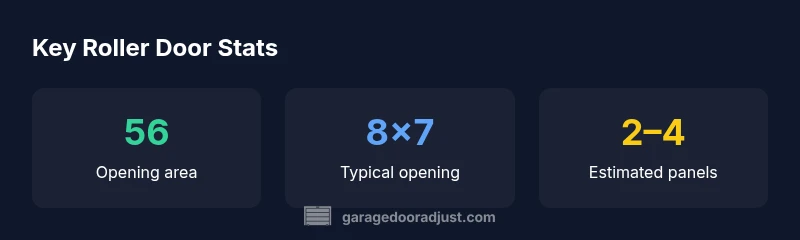
The core calculation is straightforward: Opening Area = Width × Height. If inputs are in feet, the result is in square feet. For example, an 8 ft wide by 7 ft high opening yields 56 sq ft of opening area. Some homeowners also estimate a rough panel count by dividing the area by a typical panel size and rounding up, which can help with budgeting. The calculator’s role is to provide a solid starting point for planning, not a replacement for on-site verification.
Measuring width and height safely
Accurate measurements start with a stable ladder or helper and a reliable tape measure. Measure at multiple points: top, middle, and bottom for width; left, center, and right for height. When in doubt, use the largest width and largest height you observe. If the doorway sits in a retrofit or has framing irregularities, consider adding a small margin to account for hardware thickness and clearance. Safety comes first: never stand under a door that could move unexpectedly, and disconnect the opener before measuring nearby components.
Interpreting the results for installation and maintenance
The area result informs several planning steps: the required track length, the number and size of panels, and the appropriate motor or opener sizing. Larger openings generally need longer tracks and more panels, which affects installation time and budget. Remember that the calculator provides an estimate; confirm parts on-site with a professional and allow extra margin for hardware and fasteners. For budgeting, use the area as a design constraint and add a contingency for labor and disposal of old materials.
Real-world scenarios: new installation vs replacement
For a new installation, a reliable area estimate helps you order the correct panel count and track length ahead of time. If you’re replacing an old door, measuring the opening and noting any distortions ensures compatibility with the new system. The GarageDoorAdjust team often recommends a pre-install site survey to confirm opening dimensions and to identify any unusual tracks or springs that may affect sizing and mounting.
Limitations and accuracy considerations
The calculator assumes a rectangular opening with straight tracks and standard panel sizes. Real doors may have curved tracks, arch tops, or tapered openings that modify the true area. Small measurement errors multiply when you calculate area, so verify measurements on-site and expect slight variations in parts like tracks and springs. When in doubt, consult a qualified installer to prevent misorders and ensure safe, reliable operation.
Extending the calculator with practical data and notes
If you want higher precision, you can expand inputs to include height at multiple points, track geometry, and panel dimensions. Keeping a project library of several openings (for example, bays in a multi-car garage) helps with future upgrades. For education, compare different door styles—sectional vs. roller—and discuss how construction affects opening area and hardware requirements. These additions make the calculator a more powerful planning tool.
How to integrate the calculator into a project plan
Integrate the roller door calculator into a DIY workflow: measure, input, review the area, and translate that into a bill of materials. Create a safety checklist for measuring and handling hardware, then use the area output to request quotes and verify lead times. Document measurements for future maintenance or upgrades. Using a calculator fosters confidence, helps keep projects on track, and reduces surprise costs at the install stage.