Overhead Door Calculator: Estimate Weight & Opener Needs
Use our overhead door calculator to estimate door weight from width, height, and material density, guiding opener sizing, safety checks, and installation planning for homeowners.


Understanding the overhead door calculator
Homeowners often face questions about whether a garage door will work with a new opener, especially when insulation or custom panels are involved. The overhead door calculator helps translate physical dimensions into a practical load estimate. According to GarageDoorAdjust, the tool speeds planning by giving a consistent estimate you can compare against manufacturer guidance. The calculator uses three basic inputs: width, height, and a material density factor. These inputs determine the door area (width × height) and the estimated weight by multiplying by the density factor. This approach avoids guessing and supports safer, more reliable installations. The goal isn’t to replace a physical scale or a professional measurement, but to provide a solid baseline for choosing hardware, planning maintenance, and budgeting a repair or replacement. For homeowners, it’s a practical first step in diagnosing door behavior, planning a repair, or budgeting a replacement, reducing trial-and-error risk.
How input factors affect results
The calculator’s results hinge on three factors: door width, door height, and the material density factor. Each dimension is entered in standard units (feet) and influences the computed area and weight. A wider or taller door increases the area (width × height) and thus the estimated weight, even if the density factor stays the same. The material density factor, expressed in pounds per square foot (lb/ft^2), represents the overall heft contributed by panels, insulation, and hardware. You can adjust this factor to reflect your door’s actual characteristics; a higher density implies a heavier door. Round numbers are fine for planning, but for critical decisions, use values that match your door’s construction and consult manufacturer specifications. The calculator’s strength is in providing a consistent framework you can sanity-check against real-world measurements.
Using the calculator for opener sizing and safety
While the overhead door calculator doesn’t replace professional assessment, it guides initial decisions about opener sizing, safety features, and maintenance intervals. Heavier doors generally require more robust hardware, careful balance, and longer tracks. Use the weight estimate to compare against your opener’s documented range and the manufacturer’s safety recommendations. The result also helps you plan routine maintenance, such as lubrication points, track alignment checks, and spring tension evaluation. Remember that actual performance can vary with insulation, panel design, weatherstripping, and how often the door is used. Always corroborate calculator results with a hands-on inspection or a technician’s evaluation if you notice unusual noise, binding, or slow operation.
Practical example: default inputs
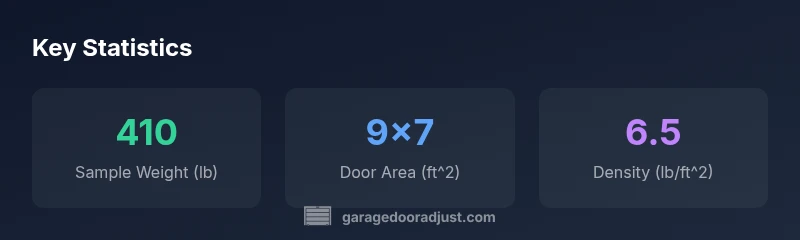
To illustrate, consider a standard residential door with a width of 9 feet and a height of 7 feet. Use a material density factor of 6.5 lb/ft^2 to reflect typical composite panels. The calculator computes: 9 × 7 × 6.5 = 409.5 pounds. That’s the estimated door weight for these inputs, which rounds to about 410 lb. This example shows how a simple three-field input can yield a meaningful number to guide opener selection and safety planning. If your door uses heavier insulation or heavier hardware, simply adjust the density factor upward and recalculate to see how the weight changes.
Interpreting results for maintenance and repairs
Weight estimates inform preventative maintenance and repair scheduling. Heavier doors place more load on tracks, rollers, and springs, increasing wear if lubrication is insufficient or misalignment exists. Use the weight figure to set reasonable expectations for lubrication frequency, hinge and track inspections, and balance checks. If the opening effort seems higher than expected, re-check dimensions and density factors; confirm there are no obstructions and that springs are in good condition. The overhead door calculator doesn’t diagnose faults, but it helps you structure a maintenance plan and decide when expert input is prudent.
Planning installation and verifying hardware requirements
When planning a new installation, start with an accurate weight estimate from the calculator and then verify that your chosen opener can safely handle that load. Compare the estimated weight to the opener’s rating and ensure the rail length and track hardware meet your door’s dimensions. Use the tool to anticipate additional components you may need, such as longer torsion springs or reinforced tracks, and factor installation time into your project plan. Finally, document inputs and results so you can reproduce calculations if measurements change after weather or wear.
Common pitfalls and tips for accuracy
- Do not rely on a single density assumption; tailor the density factor to your door’s actual construction.
- Always measure door width and height with the door closed and the frame square for best results.
- Treat calculator results as a baseline; verify with a physical measurement or professional assessment for critical safety decisions.
- Consider insulation and panel differences that can noticeably alter weight from basic estimates.
- Use the example data as a teaching tool, not a guarantee; real-world doors may deviate due to hardware changes or wear.