Find LiftMaster Garage Door Openers Near You: A Practical Guide
Learn how to locate LiftMaster garage door openers near you, compare models, verify smart-home compatibility, and navigate installation with expert guidance from GarageDoorAdjust.


To locate a LiftMaster garage door opener near you, start with the official LiftMaster locator on their website and confirm nearby retailers or authorized distributors. Check major home-improvement chains and local hardware stores, plus authorized service providers in your region. When you visit, look for MyQ-enabled models and common belt-drive or chain-drive options that fit standard residential doors.
Understanding LiftMaster Distribution and Local Stock
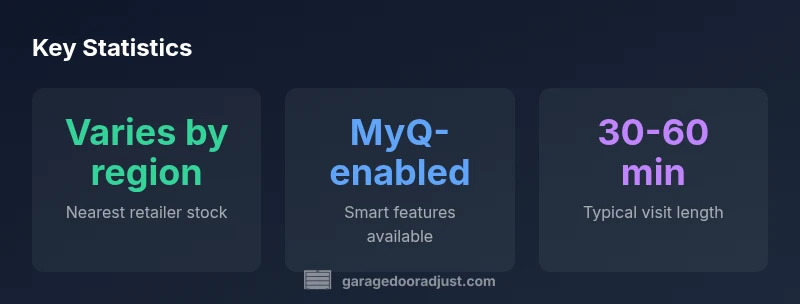
LiftMaster products are distributed through a mix of national retailers, installer networks, and authorized service providers. Availability of a particular opener near your home varies by region because wholesalers and distributors allocate stock based on local demand patterns and service footprints. This means you may find the same model in one city but not in another. When planning a purchase, the key is to verify real-time stock at the retailers you plan to visit, rather than relying on general listings. The GarageDoorAdjust team notes that regions with robust dealer networks tend to offer faster turnaround on both product delivery and installation, which reduces downtime if your current opener fails. If you are unsure, call ahead to confirm inventory and whether a trained technician can install the unit locally.
How to Use the LiftMaster Locator and Find Local Dealers
Start with LiftMaster’s official locator page, which asks for your ZIP or city and filters results to nearby dealers and installers. Save multiple options, then call to confirm stock and service availability before making the trip. When you speak with a store, ask about warranty terms, installation support, and whether the retailer can perform a complete setup or only sell the unit. For those seeking smart-home compatibility, confirm that the model supports MyQ and is compatible with your existing Wi‑Fi network. In many cases, dealers can also provide a hands-on demonstration and help with pairing remotes and remotes.
Models You’ll Likely Encounter Near You
Near-me availability tends to cluster around popular belt-drive, chain-drive, and newer wall-mounted openers. Belt-drive models are often centered in mid-range offerings with quiet operation; chain-drive units are common in more budget-conscious setups; wall-mounted units are favored by homeowners with limited attic space or tall ceilings. Regardless of the chassis, many newer LiftMaster openers include MyQ compatibility, built-in battery backup, and compatibility with mobile apps for remote control. When shopping, focus on the door size, horsepower rating, rail length, and whether the model supports future upgrades like smart-home integration. If inventory is thin, ask your retailer about similar substitutes that meet the same safety standards and noise levels.
Smart-Home Integration and MyQ Compatibility
Today's LiftMaster line is designed for seamless smart-home workflows via MyQ. If you plan to control your garage door from a smartphone, a voice assistant, or an automation hub, verify MyQ support and check for required firmware updates. Some models require a separate hub or a Wi-Fi connection; others embed the connectivity directly. When possible, test the setup in-store or with a technician, ensuring remote permissions and notifications work as expected. Also consider how MyQ integrates with other devices like lights or sensors, and whether the model supports geofencing for automatic opening when you approach your home.
Installation, Warranty, and After-Sales Service
Most LiftMaster openers sold near your location come with installation options from authorized partners; DIY installation is possible but may require a helper for safety. Ask about warranty coverage for the opener, remote controls, and hardware like torsion springs. If you choose professional installation, confirm the appointment window and whether the technician will adjust track alignment, test balance, and lubricate moving parts. After installation, register the product with LiftMaster and the retailer to activate warranty and product updates. Remember to keep receipts and model information for future service calls.
Safety Tips and Maintenance Until Your Next Purchase
Even after choosing a LiftMaster opener, ongoing maintenance helps prevent failures. Lubricate moving parts per the manufacturer’s schedule, inspect springs and cables for signs of wear, and keep the tracks clean. If the door responds slowly or makes unusual noises, avoid DIY fixes that could compromise safety; consult a trained technician. When you decide it’s time to upgrade, look for models with quieter operation, improved safety sensors, and stronger compatibility with your smart-home environment.
LiftMaster availability and feature overview by region
| Model Type | Typical Availability | Smart Features |
|---|---|---|
| Belt-drive | Region-dependent stock | MyQ-enabled, app control |
| Chain-drive | Region-dependent stock | MyQ compatibility on newer models |
| Wall-mounted | Region-dependent stock | MyQ compatibility on select units |
Got Questions?
How do I locate a LiftMaster garage door opener near me?
Use LiftMaster’s official locator to find nearby dealers and installers; then call to confirm stock, installation options, and warranty terms before visiting. If smart-home features matter, verify MyQ compatibility first.
Use the official locator to find nearby dealers and confirm stock, installation options, and MyQ compatibility before buying.
Are LiftMaster models readily available at big-box stores?
Many big-box retailers stock LiftMaster openers, but stock varies by location. Check online inventory and call ahead to ensure the exact model you want is in stock.
Big-box stores often stock LiftMaster openers, but stock varies by location.
Do LiftMaster openers support MyQ smart-home features?
Most newer LiftMaster models support MyQ for app control and smart-home integration. Confirm the specific model’s compatibility and any required hubs or firmware updates.
Yes, most new LiftMaster openers support MyQ; verify model specifics.
What should I check before purchasing near me?
Check door dimensions, rail length, horsepower, and MyQ compatibility with your Wi-Fi setup. Also confirm warranty terms and whether installation is offered locally.
Check door size, rail length, horsepower, and MyQ compatibility before buying.
How long does installation usually take?
Professional installation typically ranges from a few hours, depending on existing hardware and whether door balance and track alignment require adjustment.
Installation usually takes a few hours with a pro.
“Availability and compatibility vary by region, so always verify local stock and MyQ support before you buy.”
Quick Summary
- Use the official locator to find nearby LiftMaster openers.
- Expect regional stock variation; plan multiple options.
- Prioritize MyQ-enabled models for future-proofing.
- Verify warranty and installation services when buying near you.