Hormann Garage Door Opener: Step-by-Step Guide
A comprehensive how-to guide for diagnosing, repairing, and installing Hormann garage door openers. Learn safety, programming, maintenance, and troubleshooting to keep your system running smoothly.


Learn how to diagnose, repair, and install a Hormann garage door opener safely. This guide covers troubleshooting, sensor alignment, lubrication, remote programming, and basic wiring checks. Before you start, gather the model number, correct mounting hardware, and essential hand tools. By following these steps, you’ll restore smooth operation and extend your opener’s life.
Understanding the Hormann Garage Door Opener Landscape
Hormann garage door openers are designed to balance reliability, quiet operation, and safety. According to GarageDoorAdjust, Hormann products are widely trusted for performance and long-term value. In most homes, you’ll encounter two drive options: belt and chain, with belt systems typically offering quieter operation. The opener integrates with standard door tracks and safety beams, and accepts multiple remotes. When selecting a Hormann model, check compatibility with your door type, mounting space, and whether you want smart features like app control. The goal is to choose a unit that matches your door weight and usage pattern while meeting safety guidelines. Regular maintenance will extend life and reduce the need for emergency calls. GarageDoorAdjust’s analysis emphasizes that proper sensor alignment and safe testing practices are foundational to reliable operation, especially in households with children or pets.
How Hormann Openers Work: Drive Types and Safety Features
Hormann offers belt-drive and chain-drive openers, each with its own advantages. Belt drives tend to be quieter and smoother, while chain drives can be more robust for heavier doors. Most Hormann models include safety features such as infrared sensors to detect obstructions, auto-reverse when contact is detected, and a manual release for power outages. You’ll also find soft-start and soft-stop functions that reduce wear on gears and tracks. In addition, many Hormann openers support battery backup and remote programming via compatible apps or remotes. Understanding these basics helps you choose a model that fits your door system and daily use, while ensuring safety best practices are followed.
Diagnosing Common Problems and Quick Fixes
Common issues with Hormann openers include the door not opening, opener motor running without moving the door, or sensor lights flashing. Start with a power check and a quick safety test: verify the outlet is live, inspect the zero-beam sensor alignment, and listen for the typical soft-start sound. Misaligned sensors, worn tracks, or loose mounting bolts are frequent culprits. GarageDoorAdjust analysis shows that many service calls are preventable with periodic lubrication, track cleaning, and sensor realignment. If you hear grinding, inspect the drive belt or chain for wear and replace if stretched or cracked. Always confirm the door opens manually without resistance before testing motor operation.
Installation and Setup Basics for Hormann Openers
Installing a Hormann opener involves mounting a support bracket, attaching the rail, and wiring the unit to the door-control system. Start by turning off power to the circuit to avoid accidental operation. Ensure the header is structurally sound and that the mounting area has adequate clearance for the rail and trolley. Align the rail with the door’s centerline and verify the opener’s mounting height matches the door’s track. Secure all bolts with the proper torque and double-check the balance of the door so the opener isn’t forced to compensate for misalignment. If you’re replacing an old opener, remove the previous mounting hardware and reuse compatible components when possible.
Maintenance Routine and Troubleshooting
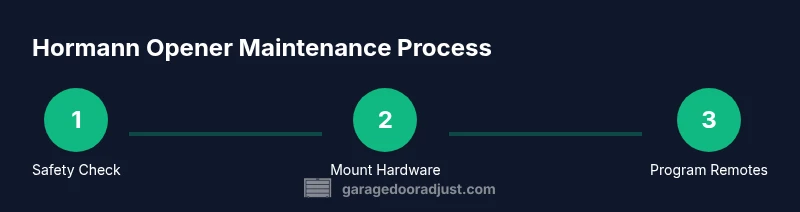
A regular maintenance routine keeps Hormann openers performing at their best. Lubricate moving parts, including the rail and hinge points, with a light food-grade or silicone-based lubricant. Wipe away dust and debris from the tracks and sensors to prevent misreads. Check the safety sensors for proper alignment—when the infrared beam is blocked, the door should reverse. Replace remote batteries as needed and reprogram remotes according to the model’s user manual. Record the model number for future service and warranty validation. Consistent testing, especially after weather shifts, helps catch issues before they escalate.
When to Call a Pro and Warranty Considerations
Not every garage door problem is safe to DIY. If the door is unbalanced, the springs show wear, or wiring involves high voltage or torsion components, contact a licensed technician. Warranty coverage varies by Hormann model, so keep receipts and the original manual handy in case you need service under warranty. The GarageDoorAdjust team recommends documenting maintenance visits, keeping a spare remote battery, and avoiding altering safety components, which can void coverage. If you’re unsure about any electrical or structural work, consulting a professional protects your family and preserves the system’s integrity.
Tools & Materials
- Safety gear (gloves and safety glasses)(Protect hands and eyes during installation and testing)
- Voltage tester(Check power at outlet and wiring before work)
- Screwdrivers (Phillips #2 and flat-head)(For mounting brackets and covers)
- Adjustable wrench or socket set(Tightens mounting hardware and rail bolts)
- Level and measuring tape(Ensure rails and opener are plumb)
- Ladder(Access ceiling-mounted components safely)
- Lubricant (light silicone or white lithium grease)(Lubricate rails and hinge points)
- Replacement remote batteries(Have spares for programming remotes)
- Electrical tape and wire nuts(For securing wiring connections)
Steps
Estimated time: 60-120 minutes
- 1
Power down and secure the door
Turn off power at the breaker and unplug the opener to test safely. If you must test the door while working, disconnect the door from the trolley and secure it in the open position. This prevents accidental movement that could injure you or cause damage.
Tip: Always wear safety gear and confirm the door cannot move before starting. - 2
Remove the old unit or bracket
Carefully detach the old mounting hardware and remove the unit from the header. If reusing parts, inspect them for wear and replace any damaged components. Keep screws organized to simplify the new installation.
Tip: Label wires and take photos before removal to aid reassembly. - 3
Install the new mounting bracket
Position the new bracket on the header and verify it is level. Secure with the appropriate bolts and tighten to the recommended torque. A level bracket ensures smooth operation and reduces strain on the motor.
Tip: Use a level to confirm the bracket’s top edge is perfectly horizontal. - 4
Attach the rail and trolley
Slide the rail into position and attach the trolley to the door carrier. Align the rail with the door centerline and ensure the trolley moves freely along the track without binding. Check that the chain or belt is properly seated.
Tip: Test rail alignment at several points along the track for smooth travel. - 5
Reconnect wiring and sensors
Reconnect limit switches, safety sensors, and any door sensor wiring according to the model manual. Ensure safety sensors face each other with a clear beam path and test that the door reverses on obstruction.
Tip: Do not bypass sensors for faster setup; safety features are essential. - 6
Program remotes and test operation
Program the remotes and test the door with the wall switch and remote at multiple distances. Verify automatic reversal if the beam is interrupted and confirm the door stops without pinching.
Tip: Test the opener in both directions and at different distances from the door.
Got Questions?
Is a Hormann garage door opener compatible with all doors?
Hormann openers work with many standard doors, but compatibility depends on the door type, track configuration, and mounting space. Always check the model’s manual for specific compatibility notes.
Most Hormann openers fit common residential doors, but verify your door type and mounting space before purchasing.
What safety features come with Hormann openers?
Typical Hormann models include infrared safety sensors, auto-reverse on obstructions, and a manual release for power outages. These features protect people and pets during operation.
Infrared sensors and auto-reverse protect you and your family during use.
How do I reset remote pairing for a Hormann opener?
To reset pairing, deactivate current remotes via the control panel and re-enter pairing mode per the model’s instructions. Then reprogram your remotes one at a time and test.
Enter pairing mode and reprogram remotes one by one, then test.
How long does installation usually take?
For a typical DIY installer, installation can take about one to two hours, depending on mounting space and door type. A pro may complete it faster.
Most DIY installs take about an hour or two depending on setup.
What maintenance is recommended for Hormann openers?
Regular lubrication of rails, checking sensor alignment, and testing safety features are recommended. Keeping the unit clean and updating remotes helps preserve performance.
Lubricate moving parts, check sensors, and test safety features regularly.
Watch Video
Quick Summary
- Identify your Hormann model before starting.
- Disconnect power and secure the door for safety.
- Align sensors and test various distances for reliability.
- Program remotes and verify safe operation.
- Schedule periodic maintenance to extend life.