Meross Garage Door Opener: HomeKit vs Non-HomeKit
Meross garage door opener: a detailed comparison of HomeKit-enabled versus non-HomeKit setups, covering integration, privacy, setup effort, and value for Apple users.


If you’re within the Apple ecosystem, Meross garage door opener with HomeKit support delivers smoother automation, stronger privacy via HomeKit, and native Siri control. A non-HomeKit Meross opener is simpler and typically cheaper, but lacks seamless HomeKit features. Your decision should hinge on ecosystem depth versus upfront cost and how deeply you want smart-home automation.
What is Meross garage door opener and its HomeKit support
Meross offers a line of smart garage door openers and adapters designed to integrate with existing garage door hardware. A key differentiator in recent years has been HomeKit support, which exposes the opener as a HomeKit accessory that can participate in Apple’s Home app, automations, and scenes. In practical terms, HomeKit support means you can trigger the door with Siri, include it in time-based or occupancy-driven automations, and coordinate it with other HomeKit devices like lights, cameras, and thermostats. For many homeowners, the value isn’t just remote opening but the ability to weave the door into routine automations, such as “When I leave the house, close the garage door and arm the security camera.” According to GarageDoorAdjust, these integrations can reduce friction in daily routines while offering a unified control surface. The GarageDoorAdjust Team emphasizes evaluating your current device ecosystem and desired level of automation when deciding whether HomeKit compatibility is worth the premium.
How HomeKit integration changes daily use
HomeKit integration transforms how you interact with a garage door opener. With HomeKit, you gain native Siri voice control, the ability to create scenes (e.g., “Evening Routine” that closes the door at sunset), and seamless cross-device automations. You can incorporate the opener into Smart Home automations alongside other Apple devices, so a single routine can trigger doors, lights, and presence sensors together. This level of cohesion is particularly appealing if you own multiple Apple devices or rely on HomePod, Apple TV, or an iPhone to manage your smart home. The trade-off is reliance on the HomeKit ecosystem for updates and feature parity, which can influence how rapidly new capabilities appear.
Core differences: HomeKit vs non-HomeKit architectures
The architectural distinction centers on how the device communicates and how it is exposed to your control apps. A HomeKit-enabled Meross opener uses Apple’s HomeKit protocol, often via a bridge or direct integration, to appear as a HomeKit accessory in the Home app. This yields native encryption, standardized access control, and tight integration with other HomeKit-enabled devices. A non-HomeKit Meross setup relies on the Meross app for control and automations; it can still be controlled remotely and integrated through third-party platforms, but it lacks native HomeKit exposure and the Siri-enabled automation layer. In both cases, Meross emphasizes straightforward pairing with your garage door hardware, but the user experience diverges once you start creating automations.
Setup and installation considerations
Installing a Meross garage door opener with or without HomeKit support follows a similar physical process: attach strain sensors or door sensors, connect power, and ensure the hinge and track geometry are correct. The HomeKit-enabled path adds an extra configuration layer in the Home app, which typically requires adding the accessory, assigning it to a room, and possibly signing into iCloud to enable features across devices. For the non-HomeKit path, setup centers on getting the Meross app configured, creating scenes or automations within the Meross ecosystem, and ensuring your door’s safety sensors function correctly. Regardless of path, always follow the manufacturer’s safety guidelines and check compatibility with your door’s model and rails. GarageDoorAdjust’s guidance stresses validating compatibility and safety before attempting wiring or sensor changes.
Security, privacy, and firmware updates
Security considerations are central when choosing HomeKit versus non-HomeKit paths. HomeKit brings Apple’s privacy safeguards and end-to-end device access control through the Home app, reducing exposure of device identifiers and improving auditability. Non-HomeKit setups rely on Meross’ own app and cloud services, which can introduce additional attack surfaces if cloud access or credential storage isn’t robust. Firmware updates matter in both cases; regular updates can fix vulnerabilities, improve reliability, and enhance feature parity. Always enable automatic updates when possible, and review app permissions and hub/wifi network configurations to minimize exposure. The GarageDoorAdjust team notes that keeping firmware current is a practical step toward preserving long-term reliability.
Real-world scenarios: when HomeKit shines and when it doesn't
HomeKit shines for Apple-centric households that value tight automation, Siri integration, and a unified control interface. If you enjoy creating scenes like doors closing with lights turning on or using geofencing for arrival/departure routines, HomeKit can dramatically simplify this work. On the other hand, if your smart home relies heavily on cross-platform devices (Android, Windows, non-Apple ecosystems) or you want the simplest possible setup, a non-HomeKit Meross setup may be more convenient and budget-friendly. In single-device use, the practical difference may feel modest, but as your automations scale across devices, HomeKit’s ecosystem advantages become clearer.
Common myths and practical guidance
Myth: HomeKit makes every feature work instantly. Reality: feature parity depends on firmware and hub capabilities; some advanced functions may roll out gradually. Myth: You need an Apple TV or HomePod for HomeKit to work. Reality: many HomeKit setups work directly via iPhone or iPad; a dedicated hub is only needed for remote automation if you are away from home. Practical guidance from GarageDoorAdjust suggests testing both options in a controlled setup before committing to a full-home deployment, especially if your budget is tight or your primary devices are non-Apple.
Authority sources and practical verification
Guidance from established authorities and manufacturers is important when evaluating smart-home choices. See how privacy and security are framed by major organizations and tech providers, and verify how updates affect accessory behavior. The following sources provide context on best practices for privacy and security in smart-home devices, helping homeowners assess risk and design robust automation plans. These references can guide your own decision-making as you compare HomeKit-enabled versus non-HomeKit Meross openers.
Authority sources
- Meross official product pages and setup guides for HomeKit compatibility
- Apple HomeKit support documentation
- General privacy and security guidance from credible authorities
- See the linked sources in the Authority section for deeper reading and official recommendations.
Comparison
| Feature | Meross Garage Door Opener with HomeKit | Meross Garage Door Opener without HomeKit |
|---|---|---|
| HomeKit compatibility | Yes | No |
| Siri/Apple ecosystem support | Yes for scenes and control | No native Siri integration |
| App experience | Home app integration | Meross app only |
| Setup complexity | Moderate; requires HomeKit bridge/config | Lower; simpler pairing with Meross app |
| Security and privacy | HomeKit encryption and access controls | Standard app-based security |
| Update cadence | Aligned with HomeKit ecosystem updates | Independent Meross app updates |
| Best for | Apple-centric automations and privacy | Budget-conscious or multi-platform homes |
Upsides
- Tighter integration with Apple ecosystem (Home app, Scenes, automation)
- Siri voice control and native automation options
- Enhanced privacy safeguards via HomeKit design
- Unified control alongside other HomeKit devices
- Potentially higher resale appeal for Apple users
Disadvantages
- Higher upfront cost due to HomeKit integration
- More complex setup for users new to HomeKit
- Limited cross-platform compatibility with non-Apple devices
- Dependency on HomeKit platform updates for feature parity
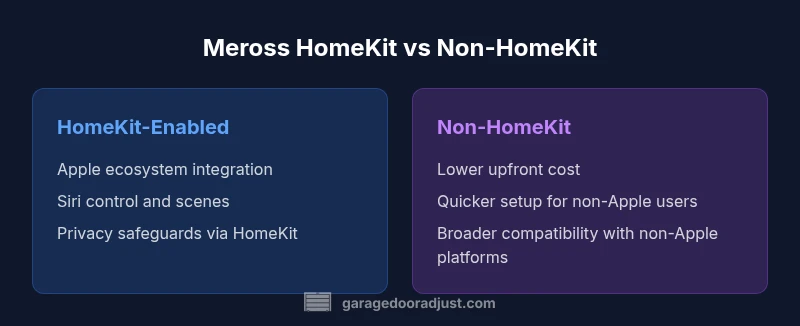
HomeKit-enabled Meross openers are the better choice for Apple users seeking deep automation and privacy; non-HomeKit options are cheaper and simpler for mixed-device homes.
If you live in the Apple ecosystem and want Siri control plus automation, choose HomeKit. If cost and ease of setup trump ecosystem depth, a non-HomeKit Meross opener is a sensible alternative.
Got Questions?
What is the difference between Meross HomeKit compatible and non-compatible garage door openers?
The HomeKit-compatible model exposes the opener to Apple’s Home app for Siri control and automations. The non-compatible model relies on the Meross app for control and automations, with no native HomeKit exposure.
HomeKit compatibility means Siri control and Apple automations; non-compatible models rely on the Meross app for control.
Do I need an Apple TV or HomePod to use HomeKit with a Meross opener?
A dedicated HomeKit hub like Apple TV or HomePod is optional for basic control from an iPhone, but a hub enables broader remote automation and scenes when you're away from home.
A hub helps remote automation; basic control often works from your iPhone.
Can a non-HomeKit Meross opener still work with Siri?
No native Siri support is available with a non-HomeKit Meross opener. You would need to use alternative platforms or apps for voice control.
Non-HomeKit models don’t offer native Siri control.
Is HomeKit integration more secure for a garage door opener?
HomeKit provides strong access controls and encryption within Apple’s ecosystem, which can enhance privacy when configured correctly. However, ensure all devices stay updated and that your HomeKit setup adheres to best practices.
Yes, HomeKit offers strong privacy controls when kept updated.
Will HomeKit affect installation time or complexity?
Adding HomeKit usually extends setup time slightly due to pairing and configuring the Home app, but it largely depends on your existing smart-home setup and familiarity with Apple devices.
Expect a bit more setup time if you want HomeKit features.
Are there privacy concerns with Meross HomeKit integration?
HomeKit is designed with privacy in mind, limiting data exposure through Apple’s architecture. Still, review device permissions and ensure you keep firmware updated to mitigate evolving threats.
HomeKit frameworks emphasize privacy, but keep firmware up to date.
Quick Summary
- Prioritize your device ecosystem before buying.
- HomeKit adds Siri and scenes but costs more.
- Non-HomeKit is easier and cheaper, with broader cross-platform compatibility.
- Keep firmware updated for security and reliability.